Stufin
Home Quick Cart Profile

2 Pin Push in Connector

Buy Now on Stufin

Component Name

2 Pin Push-in Connector


Description

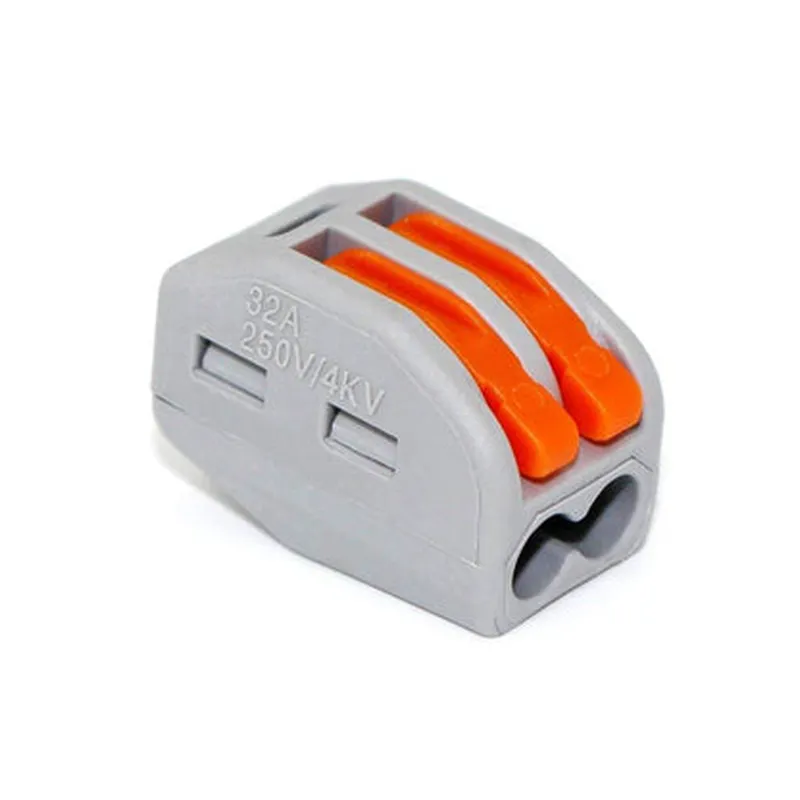
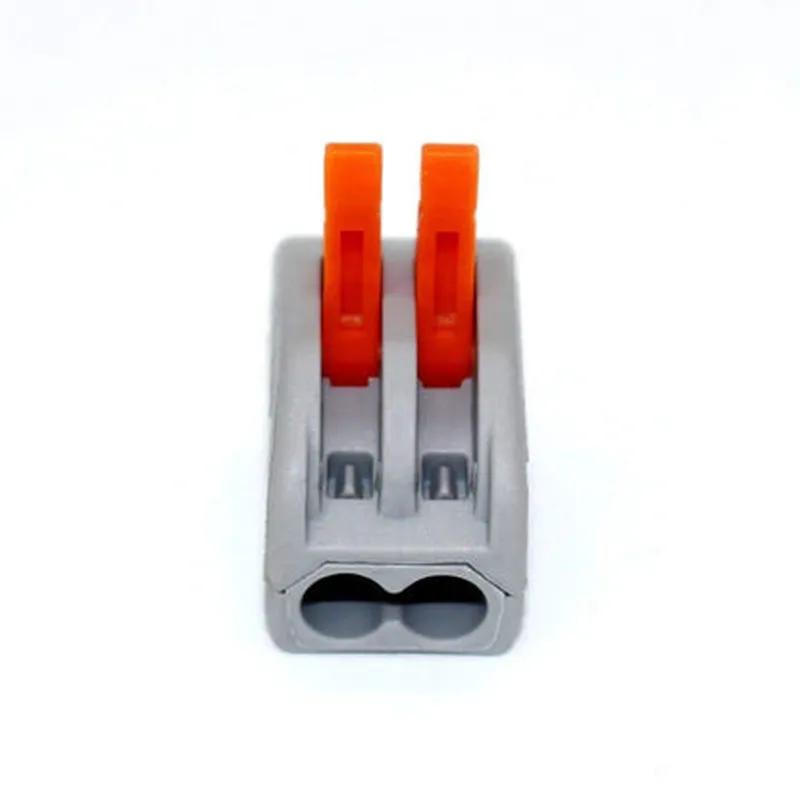
A 2 Pin Push-in Connector is a type of electrical connector used in various IoT devices, circuits, and systems. It is a compact, reliable, and easy-to-use component that enables quick and secure connections between two wires or cables.
Functionality

The primary function of a 2 Pin Push-in Connector is to establish a stable and reliable electrical connection between two conductors. The connector consists of two pins that are designed to receive wires or cables, which are then secured in place using a push-in mechanism. This mechanism ensures a firm and reliable connection, preventing unwanted disconnections or damage to the wires.
Key Features

  • Compact Design: The 2 Pin Push-in Connector is designed to be compact and space-efficient, making it ideal for use in IoT devices and circuits where space is limited.
  • Easy Installation: The push-in mechanism allows for easy installation and connection of wires or cables. Simply push the wire into the connector until it clicks into place.
  • Reliable Connection: The connector provides a secure and reliable connection, ensuring minimal electrical resistance and preventing signal loss or degradation.
  • Reusability: The 2 Pin Push-in Connector is reusable, allowing wires or cables to be disconnected and reconnected multiple times without compromising the connection.
  • Material: The connector is typically made from high-quality materials, such as copper, brass, or plastic, ensuring durability and resistance to corrosion.
  • Wire Size Compatibility: The connector is designed to accommodate specific wire sizes, ensuring a secure fit and preventing damage to the wires.
  • Polarization: The connector is polarized, meaning it can only be connected in one specific orientation, preventing incorrect connections and potential damage.
  • Insulation: The connector is designed to maintain insulation between the wires, preventing electrical shorts or other hazards.

Number of Pins

2

Pitch

Typically 2.0mm, 2.5mm, or 3.0mm

Wire Size

AWG 20-24 (dependent on specific connector design)

Operating Temperature

-20C to 80C (dependent on specific connector design)

Voltage Rating

Up to 250V (dependent on specific connector design)

Current Rating

Up to 10A (dependent on specific connector design)

Applications

The 2 Pin Push-in Connector is commonly used in various IoT applications, including

Sensor connections

Actuator connections

Power connections

Communication connections

Wearable devices

Industrial automation

Home automation

Medical devices

Conclusion

In summary, the 2 Pin Push-in Connector is a reliable, compact, and easy-to-use component that provides a secure and reliable electrical connection between two wires or cables. Its compact design, ease of installation, and reusability make it an ideal choice for various IoT applications.

Pin Configuration

  • 2 Pin Push in Connector Documentation
  • Overview
  • The 2 Pin Push in Connector is a compact and easy-to-use connector designed for various IoT applications. It features a simple push-in design, making it easy to connect and disconnect wires. This documentation provides a detailed explanation of the connector's pins and how to connect them.
  • Pin Description
  • The 2 Pin Push in Connector has two pins, labeled as follows:
  • ### Pin 1: Signal Pin (S)
  • Function: Carries the signal or data transmission between devices.
  • Voltage Rating: Typically rated for low-voltage applications (e.g., 0-24VDC).
  • Current Rating: Dependent on the specific connector model, but usually rated for low-current applications (e.g., up to 1A).
  • Notes: Ensure the signal pin is connected to the correct terminal on the device to avoid signal degradation or damage.
  • ### Pin 2: Ground Pin (G)
  • Function: Provides a ground connection for the circuit, helping to complete the electrical path.
  • Voltage Rating: Typically rated for low-voltage applications (e.g., 0-24VDC).
  • Current Rating: Dependent on the specific connector model, but usually rated for low-current applications (e.g., up to 1A).
  • Notes: Ensure the ground pin is securely connected to a reliable ground point on the device or circuit board.
  • Connecting the Pins
  • To connect the pins, follow these steps:
  • 1. Prepare the wires: Strip the insulation from the ends of the wires, leaving about 1-2 mm of bare conductor.
  • 2. Insert the wires: Hold the connector with the pins facing upwards and insert the signal wire (S) into the pin 1 slot. Push the wire in until it clicks into place. Repeat the same process for the ground wire (G) on pin 2.
  • 3. Secure the wires: Gently pull on both wires to ensure they are securely locked in place.
  • 4. Verify the connection: Double-check that both wires are properly seated and not loose.
  • Important Safety Considerations
  • Always handle the connector and wires with care to avoid damage or electrical shock.
  • Ensure the connector is rated for the specific voltage and current requirements of your application.
  • Use appropriate wire gauges and insulation to prevent overheating or electrical interference.
  • By following these guidelines, you can safely and effectively connect the 2 Pin Push in Connector to your IoT device or circuit.

Code Examples

2 Pin Push-in Connector Documentation
Overview
The 2 Pin Push-in Connector is a compact and easy-to-use connector designed for connecting and disconnecting wires in IoT applications. It features a simple push-in design, making it ideal for prototyping, testing, and production environments.
Features
2-pin design with a pitch of 2.54mm
 Rated for up to 1A current
 Operating temperature range: -40C to 105C
 Compatible with AWG 20-24 wires
 Push-in design for easy wire insertion and removal
Interface and Pinout
The 2 Pin Push-in Connector has a simple two-pin interface:
| Pin | Function |
| --- | --- |
| 1 | Signal/Ground |
| 2 | Signal/Ground |
Code Examples
### Example 1: Basic Connection (Arduino)
In this example, we'll connect a button to an Arduino board using the 2 Pin Push-in Connector.
Hardware Requirements
2 Pin Push-in Connector
 Arduino Board (e.g., Arduino Uno)
 Button
 Breadboard
 Jumper Wires
Code
```c
const int buttonPin = 2;  // Pin 2 on the Arduino board
void setup() {
  pinMode(buttonPin, INPUT);
}
void loop() {
  int buttonState = digitalRead(buttonPin);
  if (buttonState == HIGH) {
    // Button is pressed, perform action
  } else {
    // Button is not pressed, perform another action
  }
}
```
Wiring
Connect one end of the button to pin 2 on the Arduino board using a jumper wire.
 Connect the other end of the button to one pin on the 2 Pin Push-in Connector.
 Connect the other pin on the 2 Pin Push-in Connector to GND on the Arduino board using a jumper wire.
### Example 2: I2C Communication (Raspberry Pi)
In this example, we'll connect an I2C sensor (e.g., temperature sensor) to a Raspberry Pi using the 2 Pin Push-in Connector.
Hardware Requirements
2 Pin Push-in Connector
 Raspberry Pi
 I2C Sensor (e.g., TMP102 temperature sensor)
 Breadboard
 Jumper Wires
Code
```python
import smbus
bus = smbus.SMBus(1)  # Use I2C bus 1
# Define the I2C address of the sensor
sensor_address = 0x48
while True:
    # Read temperature data from the sensor
    data = bus.read_i2c_block_data(sensor_address, 0x00, 2)
    temperature = (data[0] << 8 | data[1]) / 256.0
    print("Temperature: {:.2f}C".format(temperature))
    time.sleep(1)
```
Wiring
Connect the SDA and SCL pins of the I2C sensor to the 2 Pin Push-in Connector.
 Connect the other end of the 2 Pin Push-in Connector to the corresponding I2C pins on the Raspberry Pi (GPIO 2 and 3).
By following these examples, you can easily integrate the 2 Pin Push-in Connector into your IoT projects, allowing for quick and easy connections and disconnections of wires.