Supports 4G (LTE), 3G (WCDMA), and 2G (GSM) networks for global coverage
| GPRS/EDGE | Enables data transmission at speeds of up to 236.8 kbps |


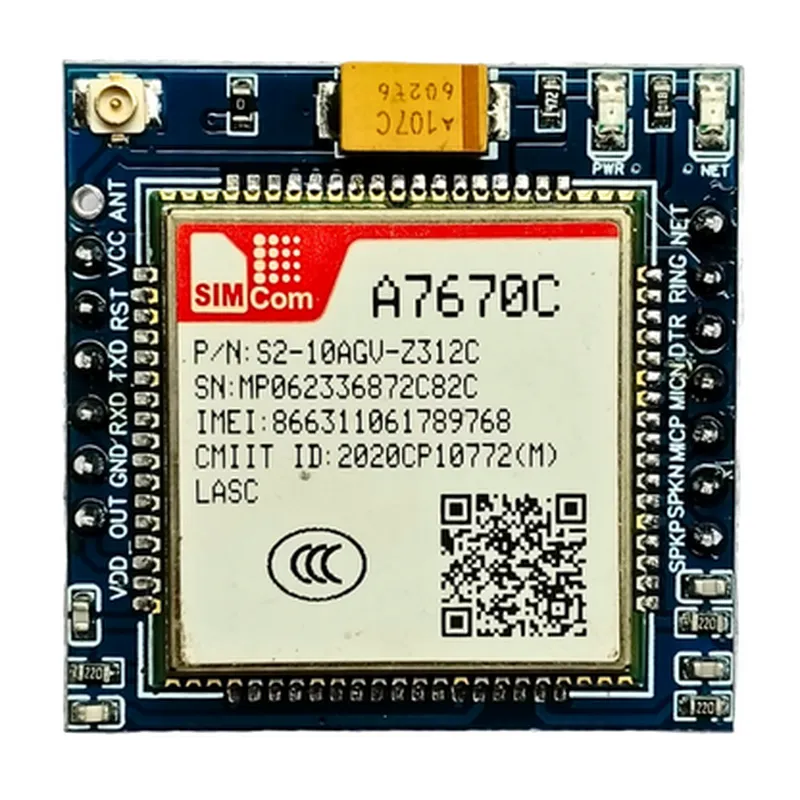
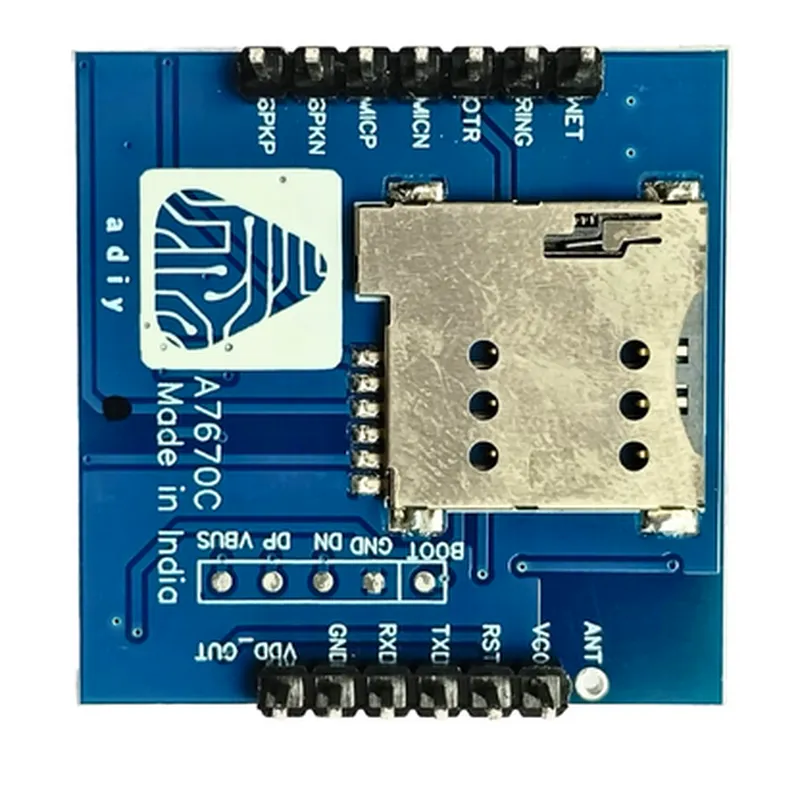
Supports 4G (LTE), 3G (WCDMA), and 2G (GSM) networks for global coverage
| GPRS/EDGE | Enables data transmission at speeds of up to 236.8 kbps |
Supports sending and receiving SMS, as well as voice calls
| TCP/IP Stack | Built-in TCP/IP stack for easy integration with IoT applications |
Key Features
Technical Specifications
| Parameter | Value |
| --- | --- |
| Module Size | 44.5mm x 26.5mm |
| Operating Voltage | 1.8V to 2.2V |
| Operating Temperature | -40C to +85C |
| | Cellular Frequencies | 4G (LTE) | 700MHz, 1800MHz, 2100MHz, 2300MHz; 3G (WCDMA): 850MHz, 900MHz, 1900MHz, 2100MHz; 2G (GSM): 850MHz, 900MHz, 1800MHz, 1900MHz | |
| Data Transmission Speed | Up to 236.8 kbps (GPRS/EDGE) |
| SMS and Voice | Supports sending and receiving SMS, voice calls |
| Serial Interface | UART, USB, IIC, and SPI |
| Certifications | CE, FCC, and RoHS |
Applications
| The A7670C GSM 4G Breakout Board is suitable for a wide range of IoT applications, including |
Industrial automation and control systems
Smart energy management systems
Remote monitoring and tracking systems
Consumer electronics, such as smart home devices and wearables
M2M (Machine-to-Machine) communication systems
A7670C GSM 4G Breakout Board - ADIY DocumentationOverviewThe A7670C GSM 4G Breakout Board - ADIY is a compact and versatile module that enables cellular communication capabilities for IoT projects. This breakout board features the A7670C GSM/GPRS/EDGE/WCDMA/LTE module from Ai-Thinker, which provides a robust and reliable connection to 4G networks. The module is compatible with a wide range of microcontrollers and single-board computers, making it an ideal choice for various IoT applications.Key FeaturesSupports 4G LTE, WCDMA, EDGE, and GSM networks
Compact size: 25.4mm x 25.4mm
Operating voltage: 3.3V - 4.2V
UART interface for communication with microcontrollers/single-board computers
Onboard antenna for improved signal reception
Support for SMS, Voice, and Data transmissionCode Examples### Example 1: Sending SMS using ArduinoIn this example, we will demonstrate how to use the A7670C GSM 4G Breakout Board with an Arduino board to send an SMS.Hardware RequirementsA7670C GSM 4G Breakout Board - ADIY
Arduino Board (e.g., Arduino Uno or Arduino Nano)
Breadboard and jumper wiresSoftware RequirementsArduino IDE (version 1.8.x or later)Code
```c
#include <SoftwareSerial.h>#define GSM_RX 7 // Rx pin of the GSM module
#define GSM_TX 8 // Tx pin of the GSM moduleSoftwareSerial gsmSerial(GSM_RX, GSM_TX);void setup() {
Serial.begin(9600);
gsmSerial.begin(9600);// Wait for the GSM module to boot up
delay(10000);// Initialize the GSM module
gsmSerial.println("AT");
delay(1000);
gsmSerial.println("AT+CMGF=1");
delay(1000);
}void loop() {
// Send an SMS to a specified phone number
gsmSerial.print("AT+CMGS=""+1234567890""");
delay(1000);
gsmSerial.println("Hello from Arduino!");
delay(1000);
gsmSerial.println((char)26); // Send the SMSdelay(5000); // Wait for 5 seconds before sending the next SMS
}
```
### Example 2: Connecting to the Internet using Raspberry PiIn this example, we will demonstrate how to use the A7670C GSM 4G Breakout Board with a Raspberry Pi to establish a cellular connection to the internet.Hardware RequirementsA7670C GSM 4G Breakout Board - ADIY
Raspberry Pi (e.g., Raspberry Pi 3 or Raspberry Pi 4)
Breadboard and jumper wiresSoftware RequirementsRaspbian OS (version 10 or later)
Python 3.xCode
```python
import serial
import time# Initialize the serial connection to the GSM module
gsm_serial = serial.Serial('/dev/ttyUSB0', 9600, timeout=1)# Wait for the GSM module to boot up
time.sleep(10)# Initialize the GSM module
gsm_serial.write(b'AT
')
time.sleep(1)
gsm_serial.write(b'AT+CGATT=1
')
time.sleep(1)# Establish a cellular connection
gsm_serial.write(b'AT+CSTT="apn","username","password"
')
time.sleep(1)
gsm_serial.write(b'AT+CIICR
')
time.sleep(1)
gsm_serial.write(b'AT+CIFSR
')# Get the IP address assigned by the cellular network
response = gsm_serial.readline()
ip_address = response.decode('utf-8').strip()print(f'IP Address: {ip_address}')# Use the cellular connection to access the internet
import requests
response = requests.get('https://www.example.com')
print(response.text)
```
Note: Replace "apn", "username", and "password" with your cellular network's APN, username, and password, respectively.These examples demonstrate the basic usage of the A7670C GSM 4G Breakout Board - ADIY with Arduino and Raspberry Pi platforms. The module can be used in various other contexts, such as sending and receiving data, making voice calls, and more.