80mm Aluminium CPU Heatsink


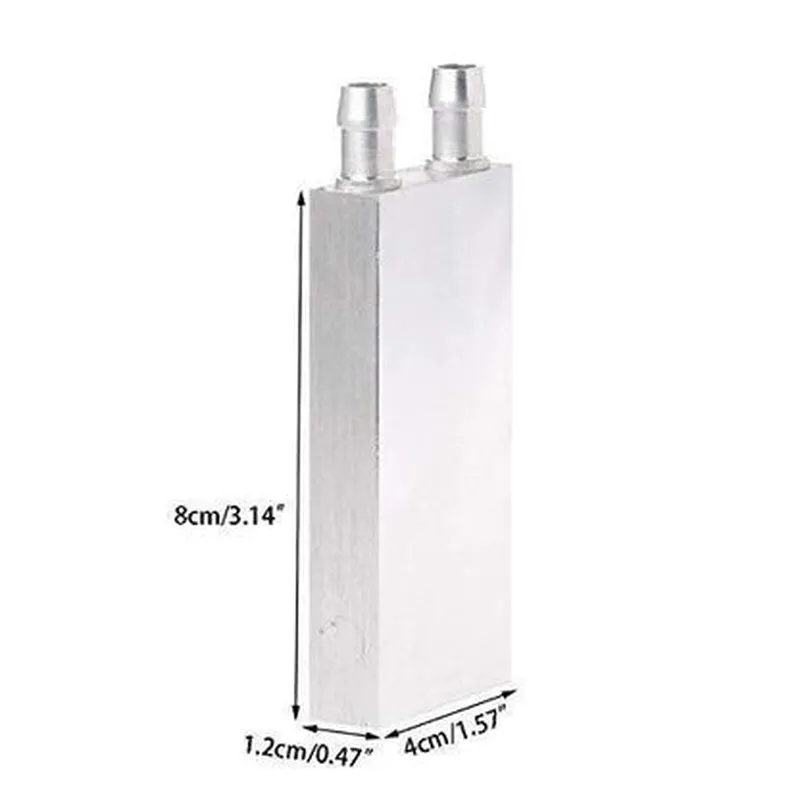

80mm Aluminium CPU Heatsink
The 80mm Aluminium CPU Heatsink is a high-performance heat dissipation component designed to efficiently cool central processing units (CPUs) in various Internet of Things (IoT) devices, embedded systems, and small form factor PCs. This heatsink is specifically engineered to provide effective thermal management, ensuring reliable operation and prolonged lifespan of the CPU.
| The primary function of the 80mm Aluminium CPU Heatsink is to absorb and dissipate heat generated by the CPU, maintaining a safe operating temperature to prevent overheating, throttling, or damage. The heatsink achieves this through a combination of conduction, convection, and radiation, utilizing the following mechanisms |
The heatsink's aluminium material exhibits high thermal conductivity, allowing it to efficiently absorb heat from the CPU.
The heatsink's finned design and large surface area enable effective airflow, facilitating the dissipation of heat through natural convection.
The heatsink's design and material properties also enable radiative heat dissipation, further enhancing its cooling capabilities.
High-quality aluminium
80mm (diameter) x 25mm (height)
120g
0.25C/W (typical)
-40C to 105C
Screw-based attachment mechanism
Intel LGA 1200, AMD AM4, and other CPU sockets
| The 80mm Aluminium CPU Heatsink is suitable for a wide range of IoT devices, embedded systems, and small form factor PCs, including |
Industrial automation systems
Medical devices
Aerospace and defense systems
Network equipment and gateways
Small form factor PCs and thin clients
IoT edge devices and gateways
The 80mm Aluminium CPU Heatsink is a high-performance, compact, and reliable heat dissipation solution for IoT devices, embedded systems, and small form factor PCs. Its advanced design, high-quality material, and ease of installation make it an ideal choice for a wide range of applications where efficient thermal management is crucial.
Component Documentation: 80mm Aluminium CPU HeatsinkOverviewThe 80mm Aluminium CPU Heatsink is a high-performance heat dissipation component designed to efficiently cool central processing units (CPUs) in various Internet of Things (IoT) devices. Its compact design, lightweight aluminium construction, and optimized fin structure make it an ideal solution for thermal management in embedded systems, SBCs (Single Board Computers), and other resource-constrained devices.Key FeaturesMaterial: Aluminium
Dimensions: 80mm x 80mm x 25mm
Heat Sink Type: Plate Fin
Thermal Resistance: 0.5C/W
Weight: 120gUsage GuidelinesThe 80mm Aluminium CPU Heatsink is designed to be used in conjunction with a thermal interface material (TIM) and a CPU. It can be mounted using screws, clips, or adhesive thermal tape. Ensure proper installation and secure fastening to prevent damage to the CPU and heat sink.Example 1: Using the Heatsink with a Raspberry PiIn this example, we'll demonstrate how to use the 80mm Aluminium CPU Heatsink with a Raspberry Pi 4 Model B. We'll use a Python script to monitor the CPU temperature and control a fan connected to the Raspberry Pi's GPIO pins.Hardware RequirementsRaspberry Pi 4 Model B
80mm Aluminium CPU Heatsink
Thermal interface material (TIM)
Fan (optional)
Jumper wiresSoftware RequirementsRaspbian OS (latest version)
Python 3.xCode Example
```python
import os
import time# Import Raspberry Pi GPIO library
import RPi.GPIO as GPIO# Set up GPIO pins for fan control
GPIO.setmode(GPIO.BCM)
fan_pin = 17
GPIO.setup(fan_pin, GPIO.OUT)# Define temperature thresholds for fan control
temp_low = 50 # C
temp_high = 60 # Cwhile True:
# Get CPU temperature using Raspbian's vcgencmd utility
temp = os.popen("vcgencmd measure_temp").readline().replace("temp=", "").replace("'C
", "")# Convert temperature to integer
temp = int(temp)# Control fan based on temperature thresholds
if temp > temp_high:
GPIO.output(fan_pin, GPIO.HIGH) # Turn fan on
elif temp < temp_low:
GPIO.output(fan_pin, GPIO.LOW) # Turn fan off# Wait 1 second before checking temperature again
time.sleep(1)
```
Example 2: Using the Heatsink with an ESP32 DevKitCIn this example, we'll demonstrate how to use the 80mm Aluminium CPU Heatsink with an ESP32 DevKitC board. We'll create a simple temperature monitoring system using the ESP32's built-in temperature sensor and the Arduino IDE.Hardware RequirementsESP32 DevKitC
80mm Aluminium CPU Heatsink
Thermal interface material (TIM)
Breadboard and jumper wiresSoftware RequirementsArduino IDE (latest version)Code Example
```cpp
#include <WiFi.h>// Define temperature sensor pin
const int temp_pin = 32;void setup() {
Serial.begin(115200);// Initialize temperature sensor
pinMode(temp_pin, INPUT);
}void loop() {
// Read temperature from ESP32's built-in sensor
int temp = analogRead(temp_pin);
float temp_c = (temp 3.3) / 4096;// Print temperature to serial console
Serial.print("Temperature: ");
Serial.print(temp_c);
Serial.println(" C");// Wait 1 second before taking next reading
delay(1000);
}
```
Note: This example uses the ESP32's built-in temperature sensor, but you can also use an external temperature sensor connected to a GPIO pin.Important Safety ConsiderationsAlways handle the 80mm Aluminium CPU Heatsink with care to prevent damage to the fins or surface.
Ensure proper installation and secure fastening to prevent damage to the CPU and heat sink.
Use a suitable thermal interface material (TIM) to ensure optimal heat transfer between the CPU and heat sink.
Monitor temperature and adjust fan speed or other cooling mechanisms as necessary to prevent overheating.By following these guidelines and examples, you can effectively utilize the 80mm Aluminium CPU Heatsink in your IoT projects to ensure reliable and efficient thermal management.