230V 35W Soldron Soldering Iron


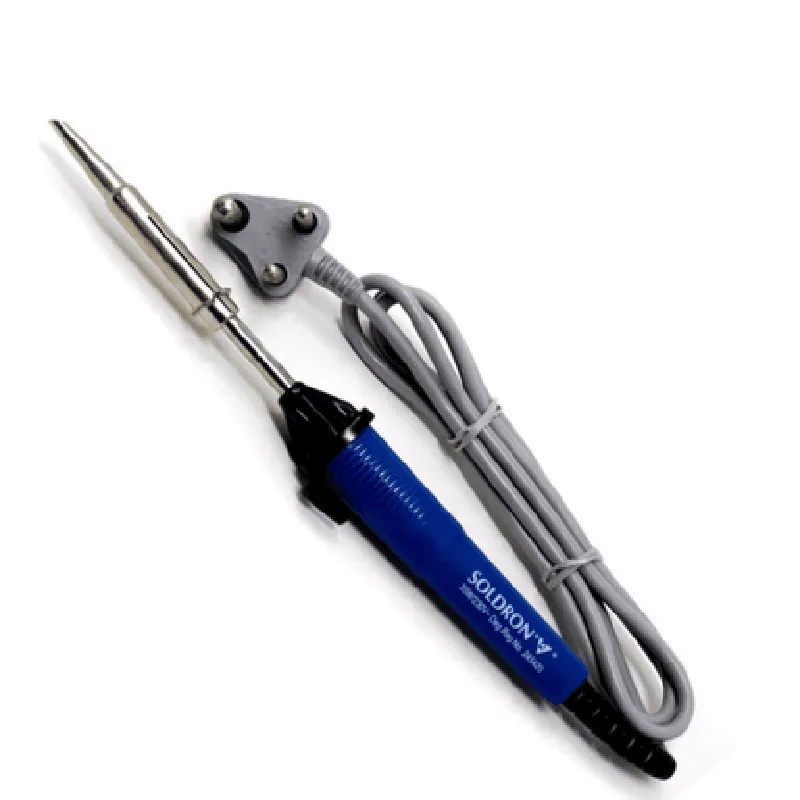
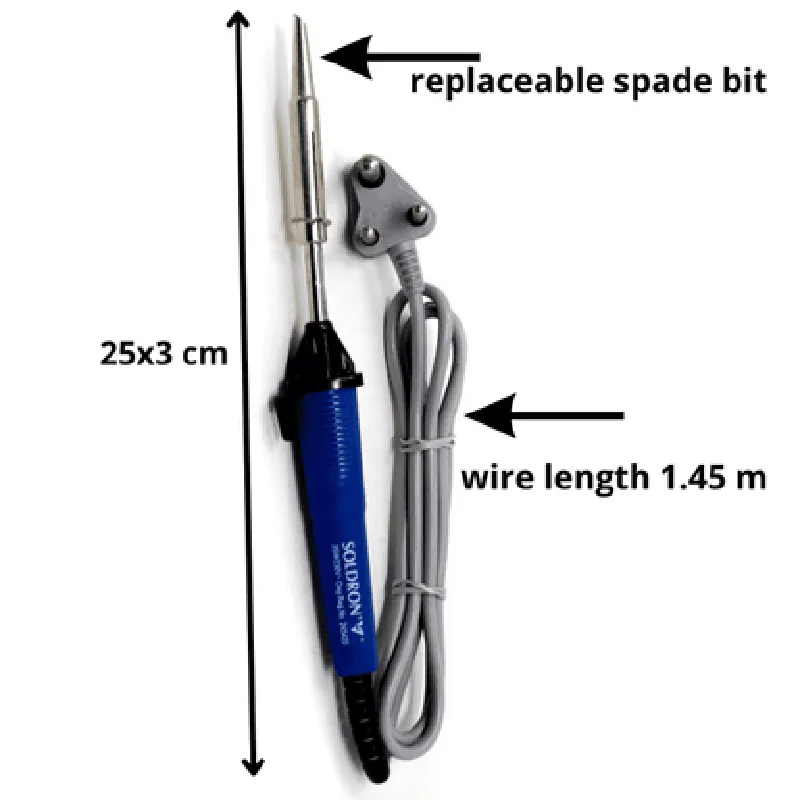
230V 35W Soldron Soldering Iron
The 230V 35W Soldron Soldering Iron is a high-quality, temperature-controlled soldering iron designed for professional and hobbyist electronics enthusiasts. This iron is suitable for a wide range of soldering applications, including electronics repair, prototyping, and production.
The primary function of the 230V 35W Soldron Soldering Iron is to provide a controlled, high-temperature heat source for melting and shaping solder joints in electronic components. The iron features an advanced temperature control system, allowing users to adjust the temperature between 150C to 450C (302F to 842F) to suit specific soldering requirements.
250mm (9.8 inches)
40mm (1.6 inches)
20mm (0.8 inches)
150g (5.3 oz)
Standard soldering tip ( 1.6mm x 12mm)
User manual
Warranty card
| The 230V 35W Soldron Soldering Iron is suitable for a variety of applications, including |
Electronics repair and maintenance
Prototyping and development
Production and manufacturing
Hobbyist electronics projects
| The 230V 35W Soldron Soldering Iron meets international safety standards, including |
CE (Conformit Europene) certification
RoHS (Restriction of Hazardous Substances) compliance
WEEE (Waste Electrical and Electronic Equipment) compliance
230V 35W Soldron Soldering Iron DocumentationOverviewThe 230V 35W Soldron Soldering Iron is a high-quality, temperature-controlled soldering iron designed for various electronics and IoT projects. This documentation provides a comprehensive guide on how to use this component in different contexts, including programming examples in popular microcontrollers and single-board computers.Technical SpecificationsInput Voltage: 230V AC
Power: 35W
Temperature Range: 150C to 450C
Temperature Control: Thermostatic control with 1C accuracy
Heating Element: High-quality ceramic heating element
Tip Type: Standard soldering iron tip (compatible with various tip sizes and shapes)Code Examples### Example 1: Arduino UNO - Temperature Control using PWMIn this example, we will demonstrate how to control the temperature of the 230V 35W Soldron Soldering Iron using an Arduino UNO board and PWM (Pulse Width Modulation) signals.Hardware RequirementsArduino UNO board
230V 35W Soldron Soldering Iron
Breadboard and jumper wiresCode
```c
const int pwmPin = 9; // PWM pin on Arduino UNO
const int thermistorPin = A0; // Thermistor pin on Arduino UNO
const int desiredTemp = 350; // Desired temperature in Celsiusvoid setup() {
pinMode(pwmPin, OUTPUT);
pinMode(thermistorPin, INPUT);
}void loop() {
int thermistorReading = analogRead(thermistorPin);
float temperature = thermistorReading 0.48828125; // Convert thermistor reading to temperatureif (temperature < desiredTemp) {
analogWrite(pwmPin, 255); // Maximum PWM duty cycle to heat up the iron
} else if (temperature > desiredTemp) {
analogWrite(pwmPin, 0); // Minimum PWM duty cycle to cool down the iron
} else {
analogWrite(pwmPin, 128); // Maintain current temperature
}delay(50); // Adjust the delay according to your temperature control requirements
}
```
ExplanationIn this example, we use the Arduino UNO's built-in analog-to-digital converter to read the thermistor's output, which is connected to the A0 pin. We then use this reading to calculate the current temperature of the soldering iron. Based on the calculated temperature, we adjust the PWM duty cycle on pin 9 to control the heating element. The desired temperature is set to 350C in this example, but you can adjust it according to your specific requirements.### Example 2: Raspberry Pi - Python Script for Temperature ControlIn this example, we will demonstrate how to control the temperature of the 230V 35W Soldron Soldering Iron using a Raspberry Pi and a Python script.Hardware RequirementsRaspberry Pi (any model)
230V 35W Soldron Soldering Iron
Breadboard and jumper wiresCode
```python
import RPi.GPIO as GPIO
import time# Set up GPIO mode
GPIO.setmode(GPIO.BCM)# Define GPIO pins for PWM and thermistor
pwm_pin = 18
thermistor_pin = 17# Set up PWM pin as output
GPIO.setup(pwm_pin, GPIO.OUT)# Set up thermistor pin as input
GPIO.setup(thermistor_pin, GPIO.IN)def get_temperature():
# Read thermistor value
thermistor_reading = GPIO.input(thermistor_pin)# Convert thermistor reading to temperature
temperature = thermistor_reading 0.48828125
return temperaturedef set_temperature(desired_temp):
# Calculate PWM duty cycle based on temperature difference
temperature_diff = desired_temp - get_temperature()
if temperature_diff > 0:
pwm_duty_cycle = 100
else:
pwm_duty_cycle = 0# Set PWM duty cycle
GPIO.getPWM(pwm_pin, pwm_duty_cycle)try:
while True:
# Set desired temperature to 350C
desired_temp = 350
set_temperature(desired_temp)
time.sleep(1) # Adjust the delay according to your temperature control requirementsexcept KeyboardInterrupt:
GPIO.cleanup()
```
ExplanationIn this example, we use the RPi.GPIO library to control the PWM pin on the Raspberry Pi. We define the PWM pin (18) and thermistor pin (17) and set them up as output and input, respectively. The `get_temperature()` function reads the thermistor value and converts it to a temperature reading. The `set_temperature()` function calculates the PWM duty cycle based on the temperature difference and sets it using the `GPIO.getPWM()` function. In the main loop, we set the desired temperature to 350C and call the `set_temperature()` function to maintain the temperature.Remember to adjust the delay and temperature control logic according to your specific requirements. These examples are meant to serve as a starting point for your projects and may require modifications for optimal performance.