Bit V2.2
Overview


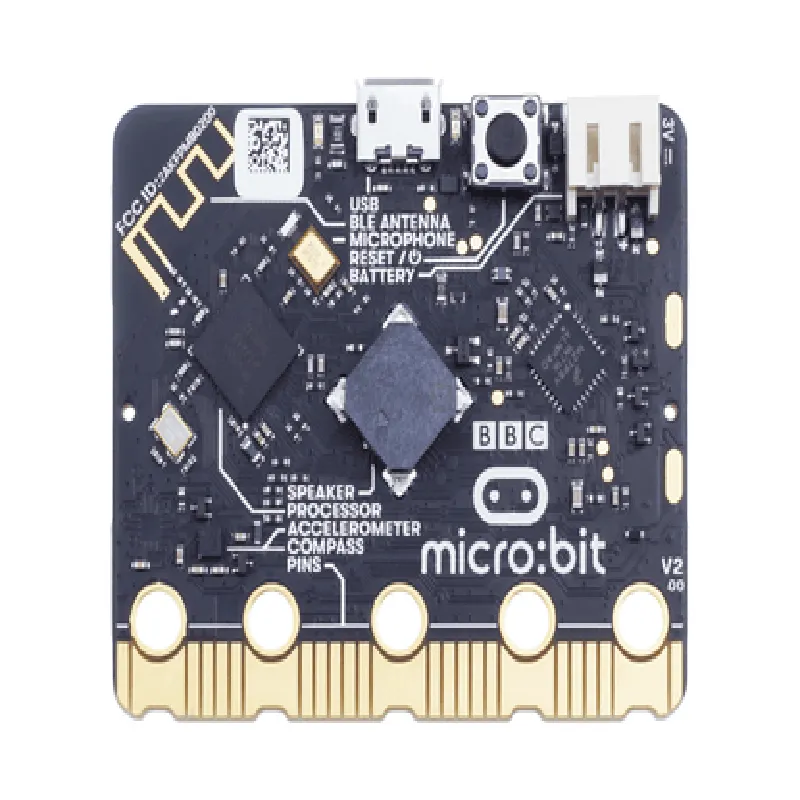
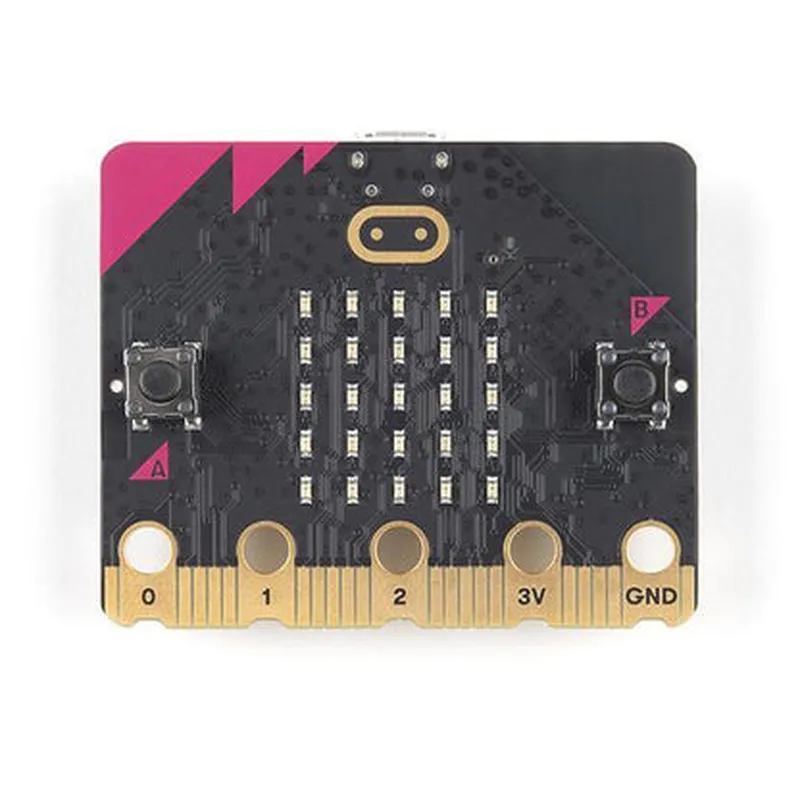
Bit V2.2
Overview
Bit V2.2 is an exceptional tool for learning and development, offering a unique blend of ease of use, versatility, and affordability. Its range of features and sensors, combined with its compact size and low power consumption, make it an ideal component for a wide range of IoT projects and applications.
43mm x 52mm x 12mm
18g
-20C to 40C
512KB flash memory, 128KB RAM
20mA (average), 100mA (peak)
Conclusion
BBC Micro:Bit V2.2 DocumentationOverviewThe BBC Micro:Bit V2.2 is a small, low-cost, and versatile microcomputer designed for educational and DIY projects. It is a compact, wearable device that provides a range of features, including sensors, buttons, and wireless connectivity. The Micro:Bit is an ideal platform for beginners and experienced developers alike, offering a Python-based programming environment and a wide range of APIs and libraries.Hardware Features32-bit ARM Cortex-M4 processor
16KB RAM and 256KB Flash memory
5x5 LED matrix display
2 programmable buttons
Micro-USB connector for power and programming
Bluetooth Low Energy (BLE) module for wireless connectivity
Accelerometer and magnetometer sensors
Temperature sensor
Edge connector with 25 pins for expansion and prototypingSoftware FeaturesPython-based programming environment (MicroPython)
API and library support for various sensors and peripherals
Wireless communication using BLE
Interactive programming using the Micro:Bit's LED display and buttonsExamples### Example 1: Blinking LED MatrixThis example demonstrates how to use the Micro:Bit's LED matrix display to create a simple blinking pattern.```python
import microbitwhile True:
microbit.display.clear()
microbit.display.set_pixel(2, 2, 9) # Set the center pixel to maximum brightness
microbit.sleep(500)
microbit.display.clear()
microbit.sleep(500)
```In this example, we use the `microbit` module to access the Micro:Bit's LED display. We clear the display, set the center pixel to maximum brightness, and then sleep for 500ms. We repeat this process to create a blinking effect.### Example 2: Accelerometer-based Gesture DetectionThis example demonstrates how to use the Micro:Bit's accelerometer sensor to detect simple gestures, such as tilting or shaking the device.```python
import microbitwhile True:
x, y, z = microbit.accelerometer.get_values()
if abs(x) > 500 or abs(y) > 500:
microbit.display.show("Tilted!")
elif abs(z) > 1000:
microbit.display.show("Shaken!")
else:
microbit.display.clear()
microbit.sleep(100)
```In this example, we use the `microbit.accelerometer` module to read the accelerometer values. We then check if the device has been tilted (x- or y-axis values exceed 500) or shaken (z-axis value exceeds 1000). Based on the detected gesture, we display a corresponding message on the LED display.### Example 3: BLE-based CommunicationThis example demonstrates how to use the Micro:Bit's BLE module to establish a wireless connection between two devices.Sender Code
```python
import microbit
import ubluetoothsender = ubluetooth.BLE()
sender.advertise("MicroBit_Sender")while True:
sender.send("Hello, receiver!")
microbit.sleep(1000)
```Receiver Code
```python
import microbit
import ubluetoothreceiver = ubluetooth.BLE()
receiver.connect("MicroBit_Sender")while True:
message = receiver.recv()
microbit.display.show(message)
microbit.sleep(1000)
```In this example, we use the `ubluetooth` module to establish a BLE connection between two Micro:Bit devices. The sender device advertises its presence and sends a message every second, while the receiver device connects to the sender and displays the received message on its LED display.