Gt2 Timing Pulley 20 Teeth, Bore 8mm for Belt Width 10 mm for 3D Printer


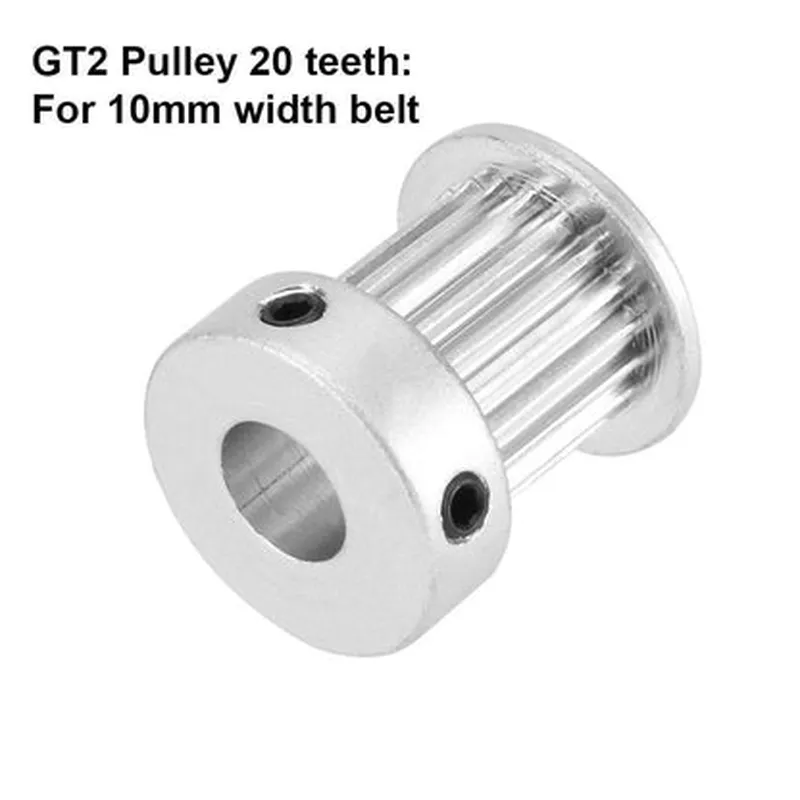
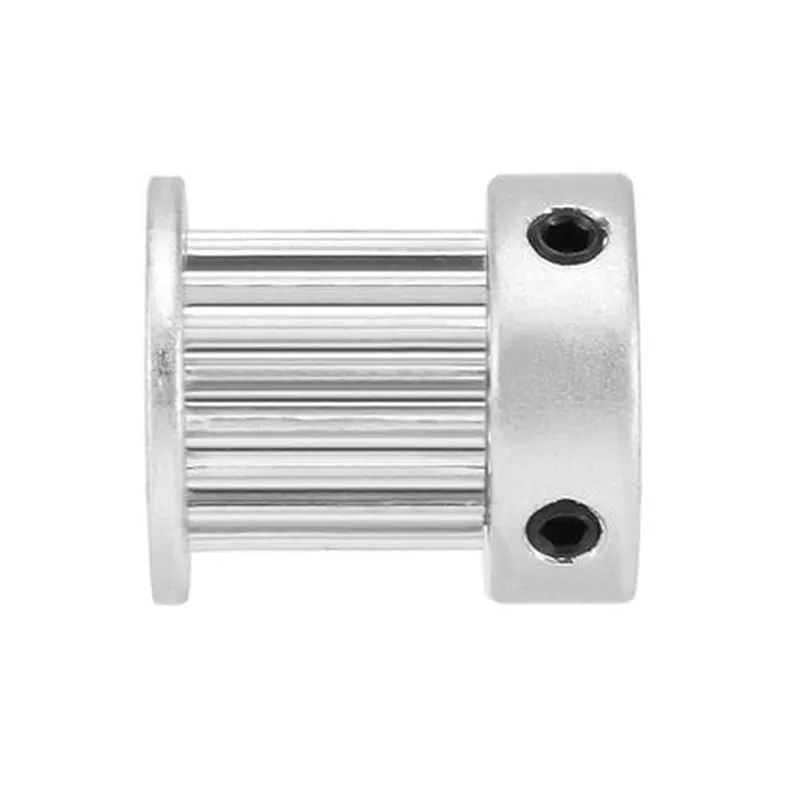
Gt2 Timing Pulley 20 Teeth, Bore 8mm for Belt Width 10 mm for 3D Printer
The Gt2 Timing Pulley 20 Teeth, Bore 8mm is a high-precision component designed specifically for 3D printing applications. It plays a crucial role in the movement system of 3D printers, ensuring accurate and smooth motion of the print bed or extruder. This timing pulley is part of the GT2 belt system, a widely used transmission system in 3D printing and CNC machining.
The Gt2 Timing Pulley 20 Teeth, Bore 8mm serves as a mechanical interface between the motor shaft and the GT2 belt. Its primary function is to transmit rotational motion from the motor to the belt, which in turn drives the movement of the print bed or extruder. The pulley's teeth engage with the belt, providing a secure and precise connection that minimizes slippage and vibration.
20
8mm
10mm
Aluminum or Steel
[Dependent on manufacturer and specific design]
[Dependent on manufacturer and specific design]
When installing the Gt2 Timing Pulley 20 Teeth, Bore 8mm, ensure that the motor shaft or axis of rotation is properly aligned and secured. Regularly inspect the pulley and belt system for signs of wear and tear, and replace components as needed to maintain optimal performance.
The Gt2 Timing Pulley 20 Teeth, Bore 8mm is a critical component in 3D printing and CNC machining applications, providing precise and smooth motion transmission. Its high-precision engineering, corrosion resistance, and durability make it an ideal choice for demanding applications.
Gt2 Timing Pulley 20 Teeth, Bore 8mm for Belt Width 10 mm for 3D PrinterOverviewThe Gt2 Timing Pulley 20 Teeth, Bore 8mm is a critical component for 3D printers, designed to provide precise movement and synchronization of the printer's axes. This pulley features 20 teeth and a bore diameter of 8mm, making it compatible with 10mm wide GT2 belts.Technical SpecificationsTeeth count: 20
Bore diameter: 8mm
Belt width compatibility: 10mm
Material: Aluminum alloy
Teeth pitch: 2mm
Pulley diameter: 40mm
Pulley width: 12mmUsage and IntegrationThe Gt2 Timing Pulley 20 Teeth, Bore 8mm is typically used in 3D printer designs that utilize GT2 belts and stepper motors. Here are a few examples of how to use this component in different contexts:### Example 1: Marlin Firmware Configuration for 3D PrinterIn this example, we'll demonstrate how to configure the Marlin firmware to work with the Gt2 Timing Pulley 20 Teeth, Bore 8mm.Marlin Firmware Configuration
```c
// Marlin firmware configuration file (Configuration.h)// Define the GT2 timing pulley specifications
#define GT2_TEETH 20
#define GT2_BORE 8
#define GT2_BELT_WIDTH 10// Define the stepper motor configuration
#define X_AXIS_STEP_PER_MM 100
#define Y_AXIS_STEP_PER_MM 100
#define Z_AXIS_STEP_PER_MM 400// Define the axis movement settings
#define X_AXIS_TIMING_PULLEY_GT2
#define Y_AXIS_TIMING_PULLEY_GT2
#define Z_AXIS_TIMING_PULLEY_GT2// Initialize the GT2 timing pulley configuration
void gt2_init() {
// Initialize the GT2 timing pulley settings
gt2_config_t gt2_config = {
.teeth = GT2_TEETH,
.bore = GT2_BORE,
.belt_width = GT2_BELT_WIDTH
};
gt2_init(>2_config);
}
```
### Example 2: Python Script for 3D Printer AutomationIn this example, we'll demonstrate how to use the Gt2 Timing Pulley 20 Teeth, Bore 8mm in a Python script for 3D printer automation.Python Script for 3D Printer Automation
```python
import time
import pySerial# Define the GT2 timing pulley specifications
gt2_teeth = 20
gt2_bore = 8
gt2_belt_width = 10# Initialize the serial connection to the 3D printer
printer = pySerial.Serial('COM3', 115200)# Define the movement functions
def move_x-axis(steps):
# Calculate the movement distance based on the GT2 timing pulley settings
distance_mm = steps (gt2_belt_width / gt2_teeth)
printer.write(f"G1 X{distance_mm:.2f} F300
")
printer.flush()def move_y-axis(steps):
# Calculate the movement distance based on the GT2 timing pulley settings
distance_mm = steps (gt2_belt_width / gt2_teeth)
printer.write(f"G1 Y{distance_mm:.2f} F300
")
printer.flush()# Move the X-axis 10mm
move_x_axis(400)# Move the Y-axis 20mm
move_y_axis(800)# Wait for 5 seconds
time.sleep(5)# Close the serial connection
printer.close()
```
Note: These examples are for demonstration purposes only and may require modifications to work with your specific 3D printer setup. Make sure to consult the relevant documentation and safety guidelines before implementing these examples.