Fotek Solid State Relay SSR-25DA 25A


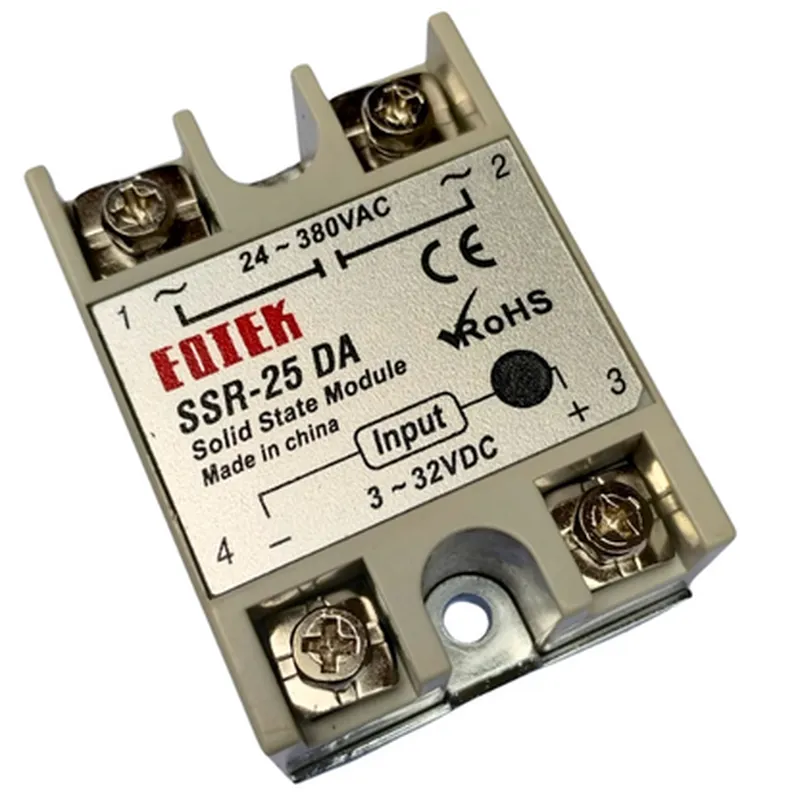
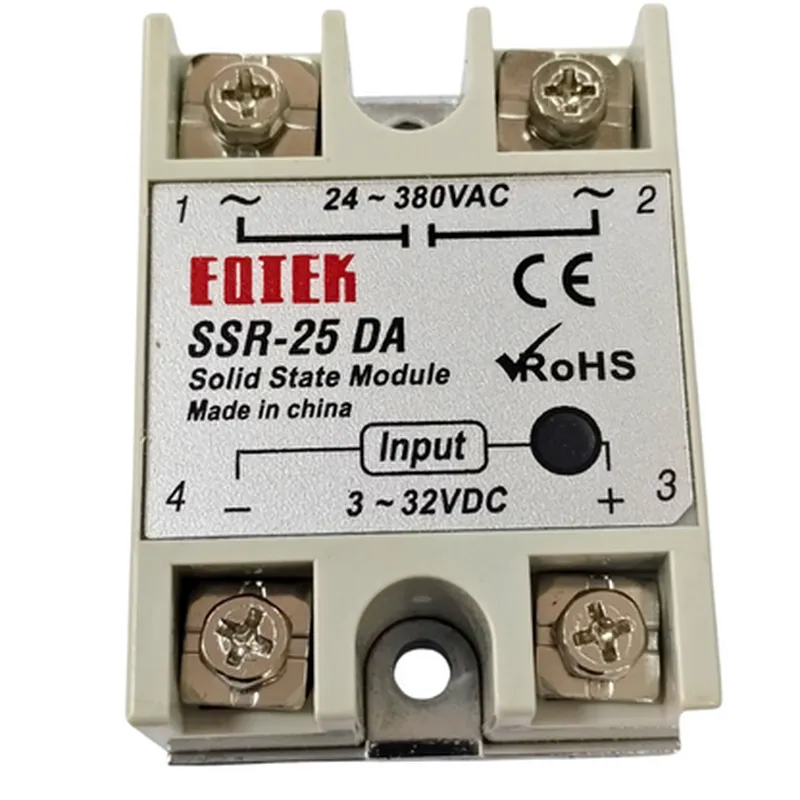
Fotek Solid State Relay SSR-25DA 25A
The Fotek Solid State Relay SSR-25DA 25A is a high-current, high-reliability solid-state relay designed for use in a wide range of industrial and commercial applications. This component is a type of electronic switching device that enables the control of high-power AC or DC loads using a low-power signal.
The SSR-25DA 25A solid-state relay functions by using a small input control signal to switch a larger output load. The relay consists of an input circuit, a switching element, and an output circuit. When a voltage is applied to the input circuit, it activates the switching element, which in turn switches the output circuit, allowing current to flow to the connected load.
3-32V DC
25A
24-480V AC/DC
<10ms
2500V AC
100A
-40C to 80C
-40C to 100C
50.5 x 26.5 x 18.5mm
60g
| The Fotek Solid State Relay SSR-25DA 25A is suitable for use in a wide range of applications, including |
Industrial automation
HVAC systems
Lighting control systems
Power supplies
Motor control systems
Medical devices
Aerospace and defense systems
The Fotek Solid State Relay SSR-25DA 25A is a high-performance, reliable, and compact solid-state relay suitable for a wide range of applications. Its high-current capacity, fast switching time, and robust design make it an ideal choice for control systems requiring high-power handling and precision control.
Fotek Solid State Relay SSR-25DA 25A DocumentationThe Fotek Solid State Relay SSR-25DA 25A is a high-power solid-state relay (SSR) designed to control high-current loads in a variety of applications, including industrial automation, lighting control, and power management systems. This documentation provides an overview of the component's features, specifications, and example code snippets to help you get started with using the SSR-25DA in your projects.Features and Specifications:Input: 3-32V DC
Output: 24-480V AC or 10-60V DC
Max current: 25A
Power rating: 600VA
Operating frequency: 50/60Hz
Trigger type: DC control signal
Response time: <10ms
Isolation voltage: 2500V AC
Dimensions: 50 x 25 x 18 mmExample Code Snippets:### Example 1: Controlling a 240V AC Load with an Arduino UnoIn this example, we'll use an Arduino Uno to control a 240V AC load using the SSR-25DA.Hardware:Arduino Uno
Fotek Solid State Relay SSR-25DA 25A
240V AC load (e.g., a light bulb or motor)
Jumper wiresCode:
```c++
const int relayPin = 2; // Choose a digital pin on the Arduinovoid setup() {
pinMode(relayPin, OUTPUT);
}void loop() {
digitalWrite(relayPin, HIGH); // Turn the relay ON
delay(5000); // Wait 5 seconds
digitalWrite(relayPin, LOW); // Turn the relay OFF
delay(5000); // Wait 5 seconds
}
```
How it works:1. Connect the SSR-25DA's input terminals to the Arduino's digital pin (in this case, pin 2) and GND.
2. Connect the 240V AC load to the SSR-25DA's output terminals.
3. In the code, we set the relayPin as an output and toggle it HIGH (to turn the relay ON) and LOW (to turn the relay OFF) using the digitalWrite() function.
4. The relay switches the 240V AC load ON and OFF according to the digital signal from the Arduino.### Example 2: Controlling a 12V DC Fan with a Raspberry PiIn this example, we'll use a Raspberry Pi to control a 12V DC fan using the SSR-25DA.Hardware:Raspberry Pi
Fotek Solid State Relay SSR-25DA 25A
12V DC fan
Jumper wiresCode:
```python
import RPi.GPIO as GPIO
import time# Set up GPIO mode
GPIO.setmode(GPIO.BCM)# Set up the relay pin as an output
relay_pin = 17
GPIO.setup(relay_pin, GPIO.OUT)try:
while True:
GPIO.output(relay_pin, GPIO.HIGH) # Turn the relay ON
time.sleep(2) # Wait 2 seconds
GPIO.output(relay_pin, GPIO.LOW) # Turn the relay OFF
time.sleep(2) # Wait 2 seconds
except KeyboardInterrupt:
GPIO.cleanup()
```
How it works:1. Connect the SSR-25DA's input terminals to the Raspberry Pi's GPIO pin (in this case, pin 17) and GND.
2. Connect the 12V DC fan to the SSR-25DA's output terminals.
3. In the code, we set up the relay pin as an output using the RPi.GPIO library.
4. We toggle the relay pin HIGH (to turn the relay ON) and LOW (to turn the relay OFF) using the GPIO.output() function.
5. The relay switches the 12V DC fan ON and OFF according to the digital signal from the Raspberry Pi.Remember to always follow proper safety precautions when working with high-voltage and high-current devices. Ensure that your project complies with relevant regulations and safety standards.