PLA, ABS, and other thermoplastic materials


PLA, ABS, and other thermoplastic materials
3.0mm
| J-Head Fitting Size | 3.0mm |
Manual adjustment via screw-based mechanism
Up to 50C (122F)
45mm x 25mm x 15mm (L x W x H)
Applications
| The PC6-01 Pneumatic Push in Bowden Extruders is suitable for a wide range of 3D printing applications, including |
Ideal for rapid prototyping and iterative design processes, where consistent and reliable extrusion is essential.
| Production-grade 3D Printing | Suitable for production-grade 3D printing applications, where high-quality and consistent prints are critical. |
Ideal for DIY and hobbyist projects, where space and cost constraints are critical.
Conclusion
The PC6-01 Pneumatic Push in Bowden Extruders for 3.0mm J-Head fittings offers a reliable and high-performance solution for 3D printing applications. Its unique combination of pneumatic push mechanism, Bowden tube compatibility, and J-Head fitting compatibility makes it an ideal choice for a wide range of 3D printing systems and applications.
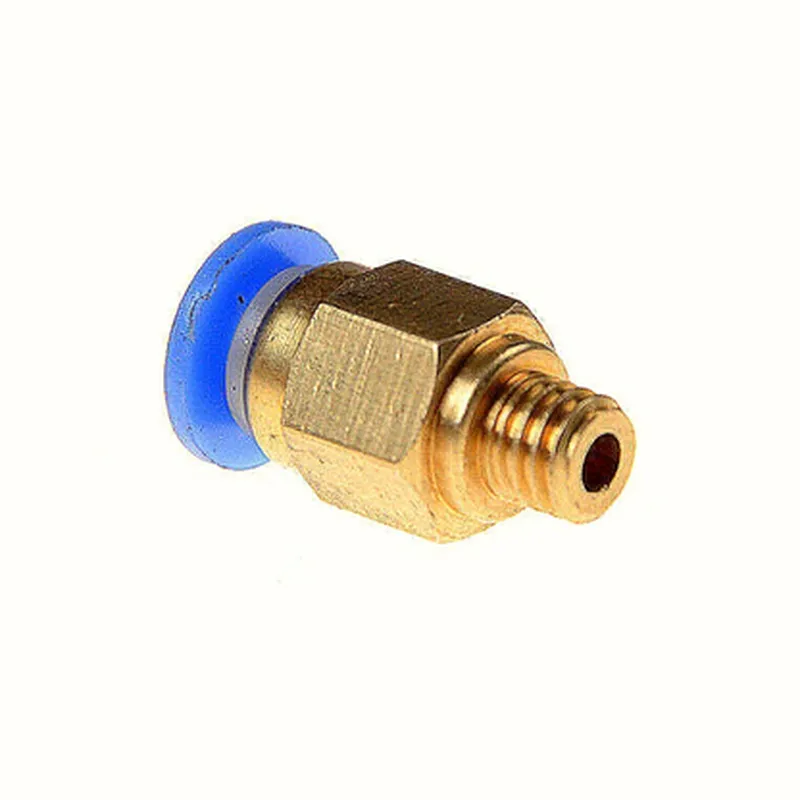
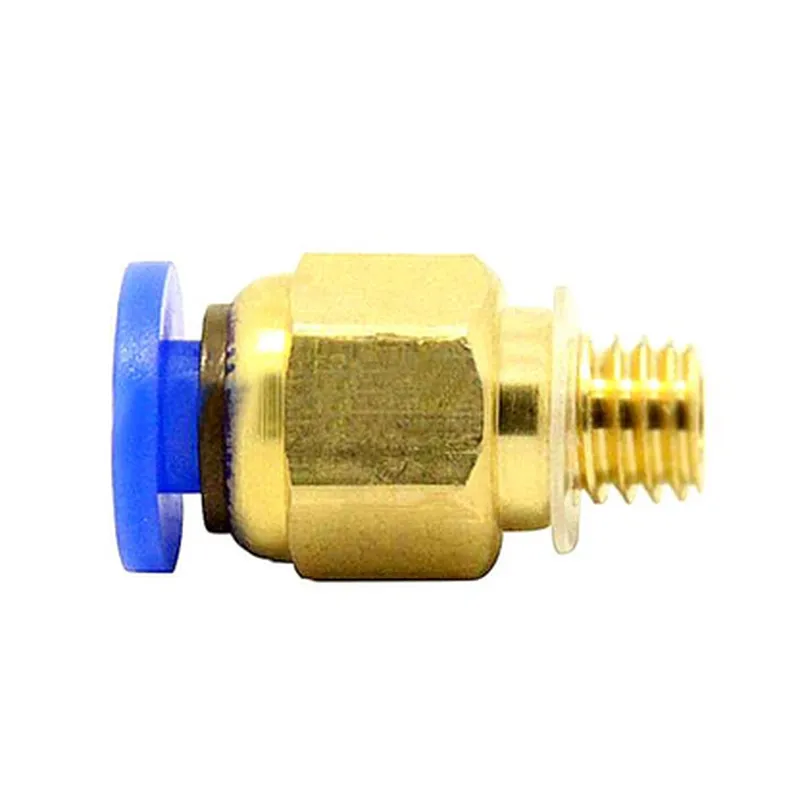
Component Documentation: PC6-01 Pneumatic Push in Bowden Extruders for 3.0mm J-Head FittingOverviewThe PC6-01 Pneumatic Push in Bowden Extruders is a high-performance extruder designed specifically for 3.0mm J-Head fittings. This component is ideal for applications requiring high-speed and high-pressure extrusion, making it suitable for industrial-grade 3D printing and other IoT projects. The pneumatic push-in design enables easy and secure connection to the J-Head fitting, ensuring reliable and consistent printing results.Technical SpecificationsMaterial: Aluminum alloy
Compatibility: 3.0mm J-Head fittings
Maximum operating pressure: 10 bar
Temperature range: -20C to 100C
Weight: 120g
Dimensions: 40mm x 20mm x 15mmCode ExamplesHere are two code examples demonstrating how to use the PC6-01 Pneumatic Push in Bowden Extruders in different contexts:Example 1: Basic 3D Printing Firmware (Marlin)This example shows how to configure the PC6-01 extruder in a Marlin-based 3D printing firmware.```c
// Define the extruder configuration
#define EXTRUDER_TYPE PC6_01
#define EXTRUDER_STEPS_PER_MM 420
#define EXTRUDER_MAX_FEEDRATE 60
#define EXTRUDER_ACCELERATION 500// Initialize the extruder
void extruder_init() {
stepper.config(EXTRUDER_STEPS_PER_MM, EXTRUDER_MAX_FEEDRATE, EXTRUDER_ACCELERATION);
}// Set the extrusion pressure
void set_extrusion_pressure(int pressure) {
// Set the pneumatic pressure to the PC6-01 extruder
pneumatic_pressure_set(pressure);
}// Move the extruder to a specific position
void move_extruder(float pos) {
stepper.move_to(pos);
}// Enable the extruder
void enable_extruder() {
// Enable the pneumatic push-in connection
pneumatic_enable();
}// Disable the extruder
void disable_extruder() {
// Disable the pneumatic push-in connection
pneumatic_disable();
}
```Example 2: IoT-based Automated Filament Loader (Python)This example demonstrates how to use the PC6-01 extruder in an IoT-based automated filament loader project using Python.```python
import RPi.GPIO as GPIO
import time# Define the GPIO pin for the pneumatic valve
pneumatic_valve_pin = 17# Initialize the GPIO pin
GPIO.setmode(GPIO.BCM)
GPIO.setup(pneumatic_valve_pin, GPIO.OUT)# Define the extrusion pressure (in bars)
extrusion_pressure = 5# Set the pneumatic pressure to the PC6-01 extruder
def set_pneumatic_pressure(pressure):
if pressure > 0:
GPIO.output(pneumatic_valve_pin, GPIO.HIGH)
time.sleep(0.5) # Hold the pressure for 0.5 seconds
GPIO.output(pneumatic_valve_pin, GPIO.LOW)
else:
GPIO.output(pneumatic_valve_pin, GPIO.LOW)# Load the filament
def load_filament():
set_pneumatic_pressure(extrusion_pressure)
# Perform filament loading actions (e.g., motor control, sensor readings)
set_pneumatic_pressure(0)# Unload the filament
def unload_filament():
set_pneumatic_pressure(0)
# Perform filament unloading actions (e.g., motor control, sensor readings)# Example usage
load_filament()
time.sleep(5)
unload_filament()
```These examples illustrate how to integrate the PC6-01 Pneumatic Push in Bowden Extruders into different IoT projects, demonstrating its versatility and performance in various contexts.