Stufin
Home Quick Cart Profile

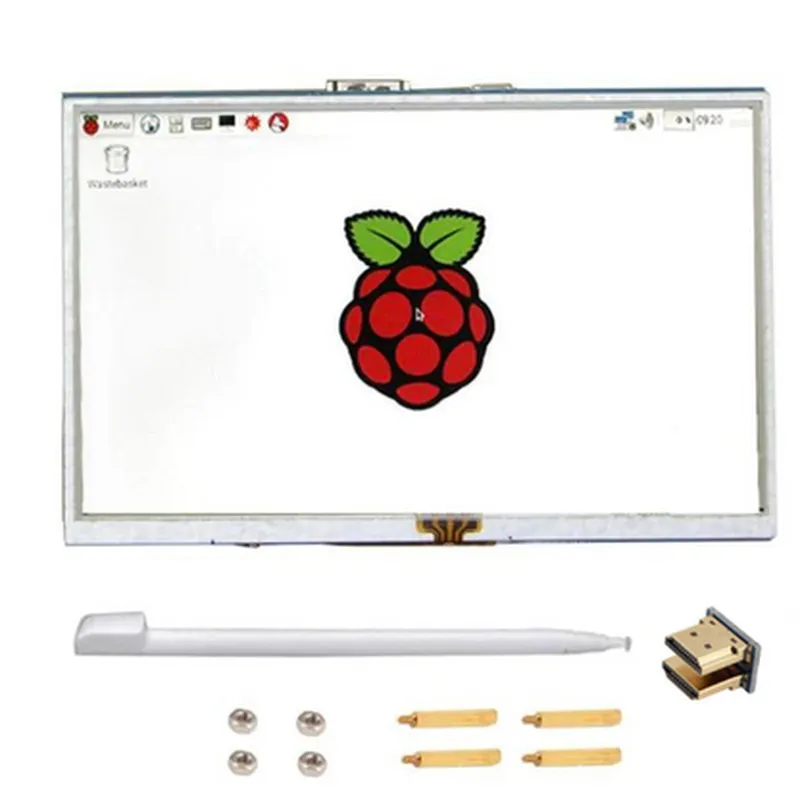
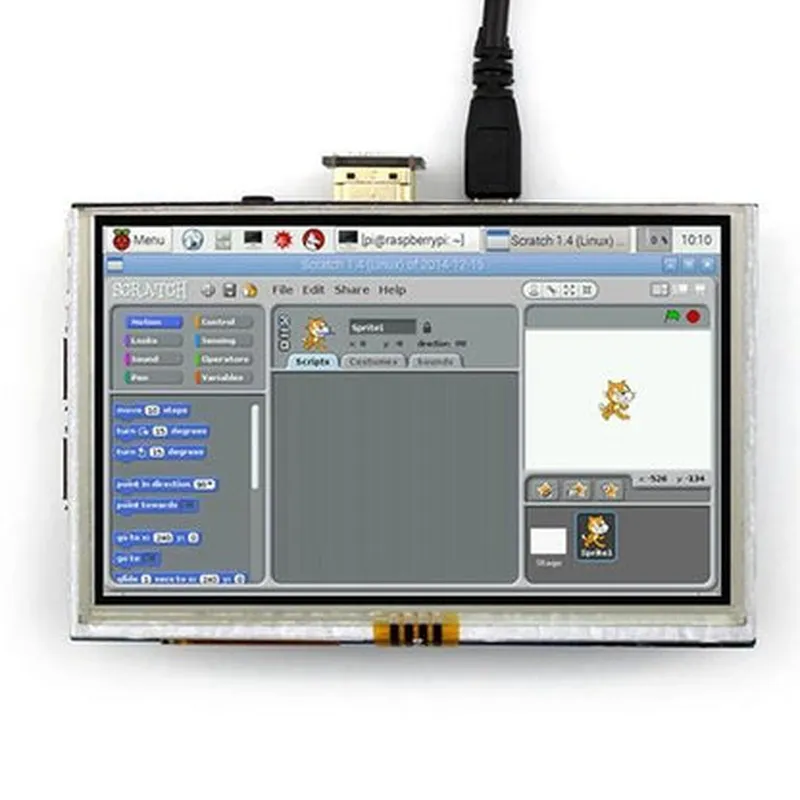
5 inch LCD HDMI Touch Screen Display TFT LCD Panel Module

Buy Now on Stufin

Screen Size

5 inches (1280 x 720 pixels)


Display Type

TFT LCD (Thin-Film Transistor Liquid Crystal Display)

Resolution

1280 x 720 pixels (HD)

Aspect Ratio

169

Brightness

300 cd/m

Contrast Ratio

  • Touch Screen
5001

Touch Technology

Resistive

Touch Points

Single-point touch

Touch Accuracy

1.5%

  • Video Input

Interface

HDMI (1x), USB (1x, for touch screen interface)

  • Operating Conditions

Resolution Support

Up to 1080p (1920 x 1080)

  • Power and Connectivity

Power Supply

5V DC

Power Consumption

2W (_typical), 3.5W (max)

Operating Temperature

0C to 50C

Storage Temperature

-20C to 60C

Humidity

10% to 90% RH (non-condensing)

  • Mechanical Characteristics

Dimensions

121.5 mm x 78.5 mm x 14.5 mm (L x W x H)

Weight

Approximately 120g

Mounting Options

Screw holes for mounting (4x)

Additional Features

Wide viewing angle (up to 160)

Supports multiple display formats (e.g., HDMI, CVBS, YPbPr)

Compatible with various operating systems (e.g., Windows, Linux, Android)

Applications

The 5 inch LCD HDMI Touch Screen Display TFT LCD Panel Module is suitable for a wide range of applications, including

Industrial control systems

Medical devices

Automotive systems

Consumer electronics

Gaming consoles

Kiosk terminals

Point-of-Sale (POS) systems

This module offers a compact, high-resolution display solution with touch input capabilities, making it an ideal choice for various industries and applications where a reliable and interactive HMI is required.

Pin Configuration

  • 5 inch LCD HDMI Touch Screen Display TFT LCD Panel Module Pinout and Connection Guide
  • The 5-inch LCD HDMI Touch Screen Display TFT LCD Panel Module is a versatile device that combines a high-quality display with touch screen functionality and HDMI input. This guide provides a detailed explanation of each pin and instructions on how to connect them correctly.
  • Pinout Description:
  • The module has a 40-pin connector, which is divided into four sections: Power Supply, HDMI, Touch Screen, and Control Signals.
  • Power Supply Section (Pins 1-6)
  • Pin 1: VCC (Power Supply Voltage) - 5V DC
  • + Connect to a 5V DC power source.
  • Pin 2: GND (Ground)
  • + Connect to the ground of the power source and/or other devices.
  • Pin 3: VCC_5V (Power Supply Voltage for HDMI) - 5V DC
  • + Connect to a 5V DC power source (same as Pin 1).
  • Pin 4: GND_HDMI (Ground for HDMI)
  • + Connect to the ground of the power source and/or other devices (same as Pin 2).
  • Pin 5: AVDD (Analog Power Supply Voltage) - 3.3V DC
  • + Connect to a 3.3V DC power source.
  • Pin 6: GND_AV (Ground for Analog Power Supply)
  • + Connect to the ground of the power source and/or other devices.
  • HDMI Section (Pins 7-15)
  • Pin 7: TMDS_CLK+ (HDMI Clock Signal)
  • + Connect to the HDMI clock signal from the HDMI transmitter.
  • Pin 8: TMDS_CLK- (HDMI Clock Signal Inverted)
  • + Connect to the inverted HDMI clock signal from the HDMI transmitter.
  • Pin 9: TMDS_D0+ (HDMI Data Channel 0)
  • + Connect to the HDMI data channel 0 from the HDMI transmitter.
  • Pin 10: TMDS_D0- (HDMI Data Channel 0 Inverted)
  • + Connect to the inverted HDMI data channel 0 from the HDMI transmitter.
  • Pin 11: TMDS_D1+ (HDMI Data Channel 1)
  • + Connect to the HDMI data channel 1 from the HDMI transmitter.
  • Pin 12: TMDS_D1- (HDMI Data Channel 1 Inverted)
  • + Connect to the inverted HDMI data channel 1 from the HDMI transmitter.
  • Pin 13: TMDS_D2+ (HDMI Data Channel 2)
  • + Connect to the HDMI data channel 2 from the HDMI transmitter.
  • Pin 14: TMDS_D2- (HDMI Data Channel 2 Inverted)
  • + Connect to the inverted HDMI data channel 2 from the HDMI transmitter.
  • Pin 15: CECC (HDMI Hot Plug Detect)
  • + Connect to the HDMI hot plug detect signal from the HDMI transmitter.
  • Touch Screen Section (Pins 16-24)
  • Pin 16: TP_INT (Touch Screen Interrupt)
  • + Connect to the interrupt signal from the microcontroller or processing unit.
  • Pin 17: TP_CLK (Touch Screen Clock)
  • + Connect to the clock signal from the microcontroller or processing unit.
  • Pin 18: TP_DIN (Touch Screen Data In)
  • + Connect to the touch screen data input from the microcontroller or processing unit.
  • Pin 19: TP_CS (Touch Screen Chip Select)
  • + Connect to the chip select signal from the microcontroller or processing unit.
  • Pin 20: TP_RST (Touch Screen Reset)
  • + Connect to the reset signal from the microcontroller or processing unit.
  • Pin 21: XT_32K (32 kHz Crystal Oscillator)
  • + Connect to a 32 kHz crystal oscillator for touch screen calibration.
  • Pin 22: XT_GND (Ground for Crystal Oscillator)
  • + Connect to the ground of the power source and/or other devices.
  • Pin 23: TP_VCC (Touch Screen Power Supply Voltage) - 3.3V DC
  • + Connect to a 3.3V DC power source.
  • Pin 24: TP_GND (Ground for Touch Screen Power Supply)
  • + Connect to the ground of the power source and/or other devices.
  • Control Signals Section (Pins 25-40)
  • Pin 25: BTN_UP (Up Button)
  • + Connect to a button or switch that triggers the up function.
  • Pin 26: BTN_DOWN (Down Button)
  • + Connect to a button or switch that triggers the down function.
  • Pin 27: BTN_LEFT (Left Button)
  • + Connect to a button or switch that triggers the left function.
  • Pin 28: BTN_RIGHT (Right Button)
  • + Connect to a button or switch that triggers the right function.
  • Pin 29: BTN_ENTER (Enter Button)
  • + Connect to a button or switch that triggers the enter function.
  • Pin 30: LED_R (Red LED)
  • + Connect to a red LED for backlight control.
  • Pin 31: LED_G (Green LED)
  • + Connect to a green LED for backlight control.
  • Pin 32: LED_B (Blue LED)
  • + Connect to a blue LED for backlight control.
  • Pin 33: BL_EN (Backlight Enable)
  • + Connect to a signal that enables or disables the backlight.
  • Pin 34: PWM (Pulse Width Modulation)
  • + Connect to a PWM signal from the microcontroller or processing unit for backlight control.
  • Pin 35: I2C_SCL (I2C Clock)
  • + Connect to the I2C clock signal from the microcontroller or processing unit.
  • Pin 36: I2C_SDA (I2C Data)
  • + Connect to the I2C data signal from the microcontroller or processing unit.
  • Pin 37: GPIO1 (General Purpose Input/Output 1)
  • + Connect to a GPIO signal from the microcontroller or processing unit.
  • Pin 38: GPIO2 (General Purpose Input/Output 2)
  • + Connect to a GPIO signal from the microcontroller or processing unit.
  • Pin 39: GPIO3 (General Purpose Input/Output 3)
  • + Connect to a GPIO signal from the microcontroller or processing unit.
  • Pin 40: GPIO4 (General Purpose Input/Output 4)
  • + Connect to a GPIO signal from the microcontroller or processing unit.
  • Connection Structure:
  • 1. Connect the power supply pins (Pins 1-6) to a suitable power source.
  • 2. Connect the HDMI pins (Pins 7-15) to an HDMI transmitter or HDMI source device.
  • 3. Connect the touch screen pins (Pins 16-24) to a microcontroller or processing unit.
  • 4. Connect the control signal pins (Pins 25-40) to the corresponding components, such as buttons, switches, LEDs, and GPIO signals.
  • Important Notes:
  • Make sure to use the correct voltage levels for each power supply pin.
  • Use appropriate pull-up resistors and decoupling capacitors as required.
  • Ensure proper signal Integrity and termination for high-speed signals like HDMI.
  • Refer to the module's datasheet and application notes for specific connection requirements and guidelines.
  • By following this pinout guide and connection structure, you can successfully integrate the 5-inch LCD HDMI Touch Screen Display TFT LCD Panel Module into your project.

Code Examples

5 inch LCD HDMI Touch Screen Display TFT LCD Panel Module Documentation
Overview
The 5 inch LCD HDMI Touch Screen Display TFT LCD Panel Module is a compact and high-resolution display module designed for a wide range of applications, including industrial control systems, retail kiosks, and interactive displays. This module features a 5-inch TFT LCD panel with a resolution of 800x480 pixels, HDMI input, and capacitive touch screen functionality.
Technical Specifications
Display Type: TFT LCD
 Screen Size: 5 inches
 Resolution: 800x480 pixels
 Aspect Ratio: 16:9
 HDMI Input: 1x HDMI port
 Touch Screen: Capacitive, 5-point multi-touch
 Operating Temperature: -20C to 60C
 Power Supply: 12V DC, 2A
 Dimensions: 121.76 x 76.44 x 14.5 mm
Code Examples
### Example 1: Raspberry Pi Python Script for HDMI Display and Touch Screen
This example demonstrates how to use the 5 inch LCD HDMI Touch Screen Display TFT LCD Panel Module with a Raspberry Pi single-board computer. The script initializes the HDMI display and enables touch screen functionality using Python.
```python
import os
import pygame
# Initialize HDMI display
os.putenv('SDL_VIDEODRIVER', 'fbcon')
os.putenv('SDL_FBDEV', '/dev/fb1')
pygame.init()
# Set display resolution
infoObject = pygame.display.Info()
screen_width = infoObject.current_w
screen_height = infoObject.current_h
screen = pygame.display.set_mode((screen_width, screen_height))
# Enable touch screen
pygame.mouse.set_visible(False)
pygame.event.set_blocked(pygame.MOUSEMOTION)
while True:
    for event in pygame.event.get():
        if event.type == pygame.QUIT:
            pygame.quit()
            sys.exit()
        elif event.type == pygame.MOUSEBUTTONDOWN:
            print("Touch detected at:", event.pos)
```
### Example 2: Arduino Sketch for HDMI Display and Touch Screen
This example demonstrates how to use the 5 inch LCD HDMI Touch Screen Display TFT LCD Panel Module with an Arduino board. The sketch initializes the HDMI display and enables touch screen functionality using the Arduino framework.
```c++
#include <WiFi.h>
#include <HdmiTouch.h>
// Initialize HDMI display
HDMI_display display;
void setup() {
  // Initialize HDMI display
  display.begin();
}
void loop() {
  // Read touch screen data
  TS_Point p = display.getTouchPoint();
if (p.z > 0) {
    Serial.print("Touch detected at: (");
    Serial.print(p.x);
    Serial.print(", ");
    Serial.print(p.y);
    Serial.println(")");
  }
  delay(50);
}
```
Note: The above examples are for illustration purposes only and may require modifications to work with your specific setup. Additionally, ensure that you have the necessary drivers and libraries installed for your development platform.