SYD1230 12mm 650nm 5mW Red Point Laser Module


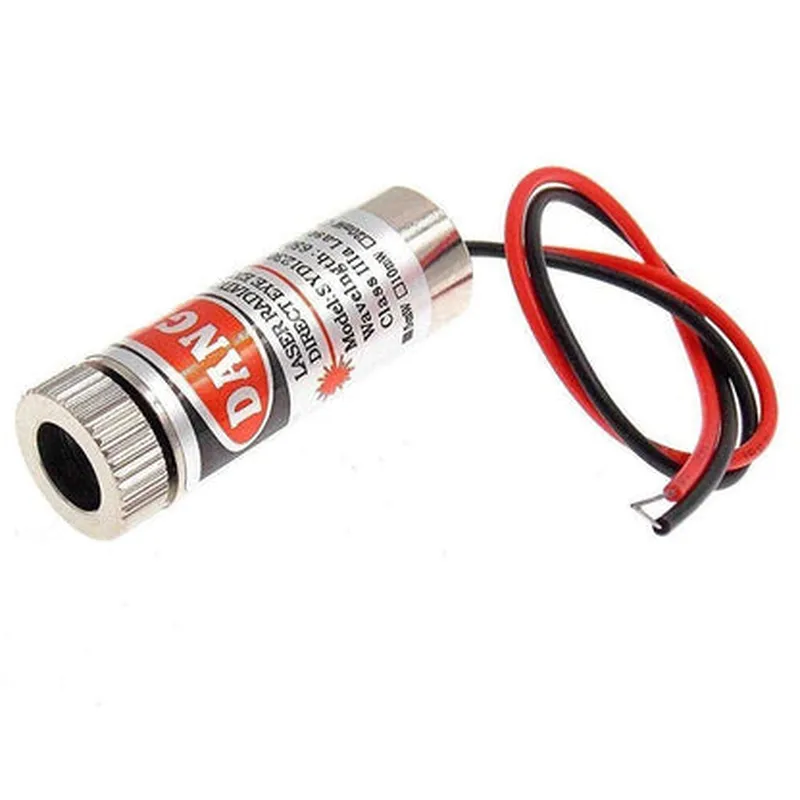
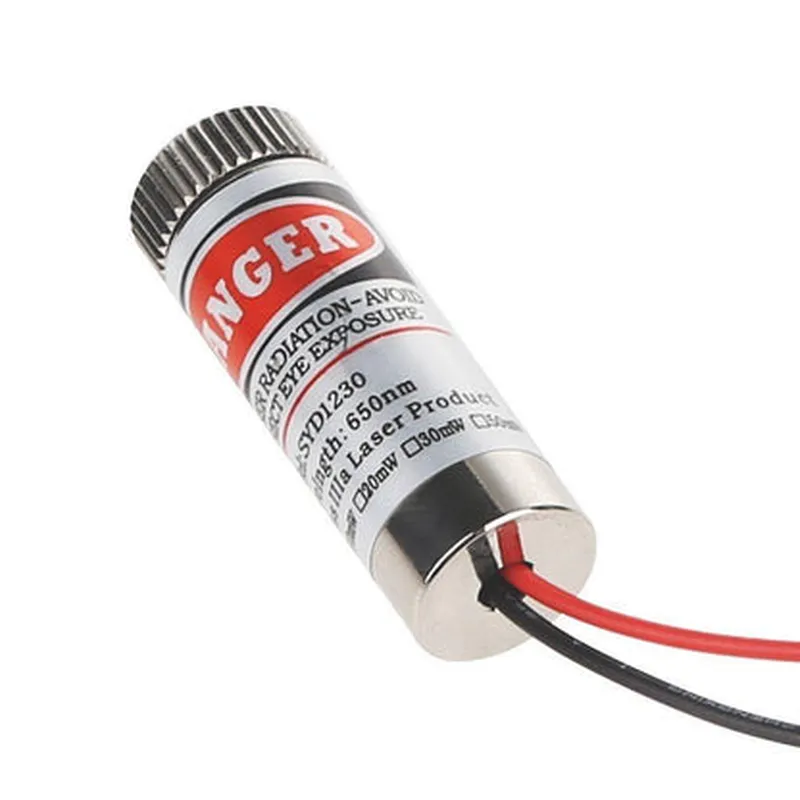
SYD1230 12mm 650nm 5mW Red Point Laser Module
The SYD1230 is a compact, high-quality laser module that emits a focused red beam at a wavelength of 650nm. This module is designed for use in various applications, including robotics, industrial automation, medical devices, and sensor systems.
| The SYD1230 laser module is designed to provide a precise and concentrated beam of red light, which can be used for various purposes, such as |
Object detection and tracking
Distance measurement
Alignment and positioning
Material processing and marking
Optical communication
0C to 40C
-20C to 60C
20% to 80% RH (non-condensing)
The laser module is classified as Class II, which means it is designed to be safe for use in most applications, with minimal risk of eye damage or injury.
However, it is still recommended to follow proper safety precautions when handling and using the laser module, such as avoiding direct eye exposure and using protective eyewear.
2.5V (typical)
10mA (typical)
<10ns (nanoseconds)
<10ns (nanoseconds)
12mm (diameter)
Aluminum alloy
M2 thread (standard)
The SYD1230 laser module complies with international safety standards, including FDA (Food and Drug Administration) and IEC (International Electrotechnical Commission) regulations.
| The SYD1230 laser module is suitable for a wide range of applications, including |
Robotics and automation
Industrial measurement and inspection
Medical devices and equipment
Sensor systems and monitoring
Material processing and marking
Optical communication and data transmission
SYD1230 12mm 650nm 5mW Red Point Laser Module DocumentationOverviewThe SYD1230 is a compact, high-quality red point laser module emitting at 650nm with a power output of 5mW. This laser module is designed for precise and efficient operation in various applications, including robotics, IoT projects, and DIY designs.Pinout and ConnectionThe SYD1230 laser module has a standard 3-pin layout:| Pin | Description |
| --- | --- |
| VCC | Positive supply voltage (typically 3.3V or 5V) |
| GND | Ground connection |
| EN | Enable pin (active high, connects to a digital output from a microcontroller) |Usage and Code Examples### Example 1: Basic Laser Control using ArduinoThis example demonstrates how to control the SYD1230 laser module using an Arduino board.```cpp
const int laserEnablePin = 2; // Choose a digital pin on your Arduino boardvoid setup() {
pinMode(laserEnablePin, OUTPUT);
}void loop() {
// Turn the laser on for 1 second
digitalWrite(laserEnablePin, HIGH);
delay(1000);
// Turn the laser off for 1 second
digitalWrite(laserEnablePin, LOW);
delay(1000);
}
```In this example, the `laserEnablePin` is connected to the EN pin of the SYD1230 laser module. The Arduino board sends a digital signal to the enable pin to turn the laser on or off.### Example 2: Laser Intensity Control using PWM with Raspberry PiThis example shows how to control the intensity of the SYD1230 laser module using Pulse Width Modulation (PWM) on a Raspberry Pi.```python
import RPi.GPIO as GPIO
import time# Set up the GPIO library
GPIO.setmode(GPIO.BCM)# Define the laser enable pin
laserEnablePin = 17# Set up the laser enable pin as an output
GPIO.setup(laserEnablePin, GPIO.OUT)# Set up PWM on the laser enable pin
pwm = GPIO.PWM(laserEnablePin, 100) # 100 Hz frequencytry:
while True:
# Set the laser intensity to 50% (duty cycle)
pwm.start(50)
time.sleep(1)
# Set the laser intensity to 100% (duty cycle)
pwm.ChangeDutyCycle(100)
time.sleep(1)
# Set the laser intensity to 0% (duty cycle)
pwm.ChangeDutyCycle(0)
time.sleep(1)except KeyboardInterrupt:
# Clean up when the program is interrupted
pwm.stop()
GPIO.cleanup()
```In this example, the `laserEnablePin` is connected to the EN pin of the SYD1230 laser module. The Raspberry Pi's GPIO library is used to set up PWM on the enable pin, allowing for adjustable laser intensity.Important Safety NotesAlways handle laser modules with care, as they can cause eye damage.
Ensure the SYD1230 laser module is used within its specified operating conditions.
Follow proper safety guidelines when working with laser technology.SpecificationsWavelength: 650nm
Power output: 5mW
Operating voltage: 3.3V - 5V
Operating current: 50mA (typical)
Dimension: 12mm x 12mm x 20mm (L x W x H)Certifications and ComplianceCE and RoHS compliant
Meets safety standards for laser products (IEC 60825-1)For more information, please refer to the datasheet provided by the manufacturer.