Broadcom BCM2711C0 quad-core Cortex-A72 (ARMv8) 64-bit SoC @ 1.8GHz


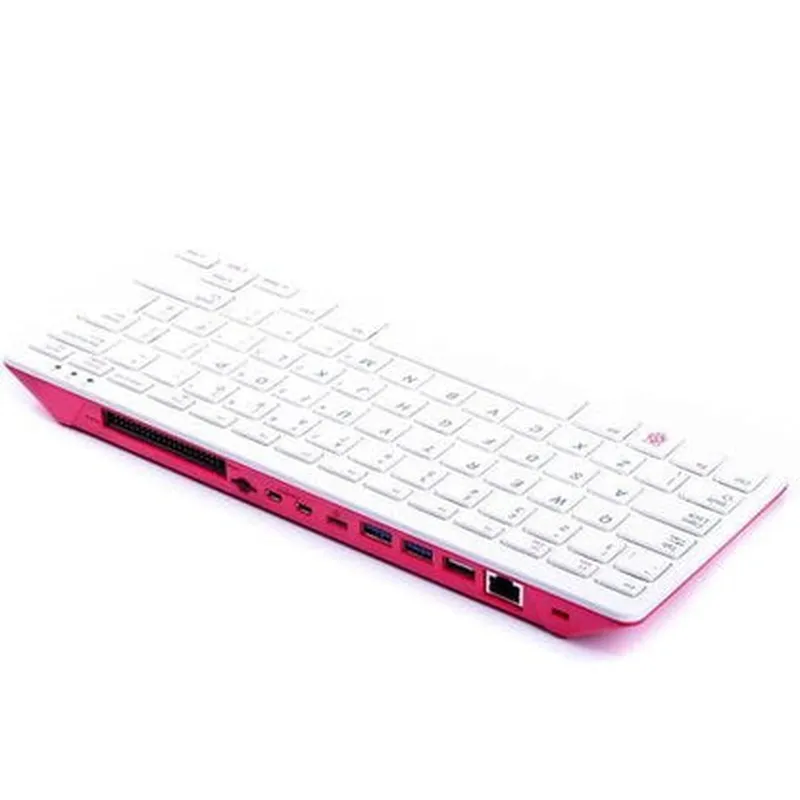
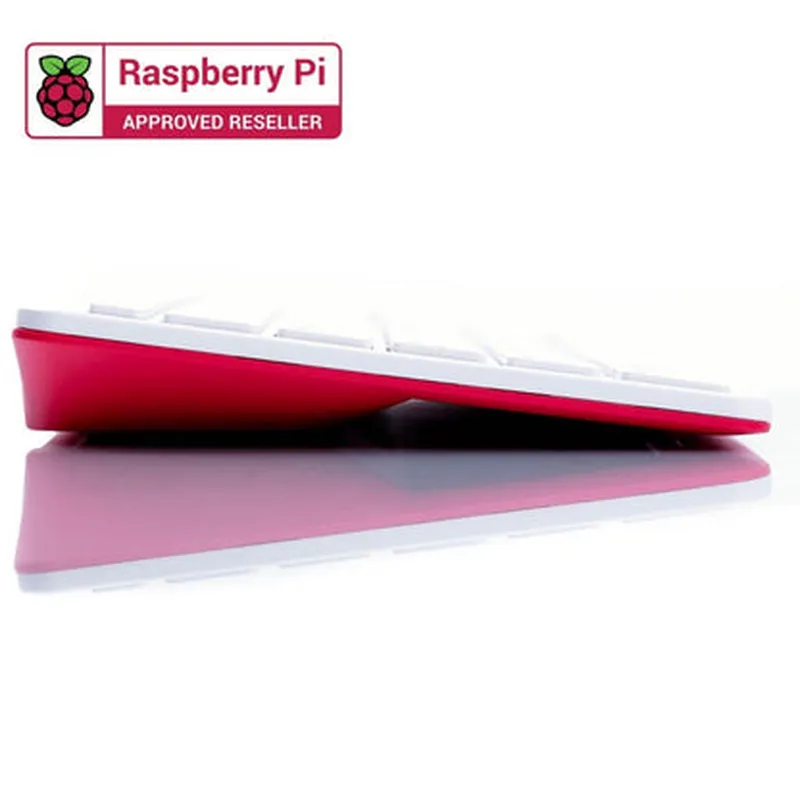
Broadcom BCM2711C0 quad-core Cortex-A72 (ARMv8) 64-bit SoC @ 1.8GHz
4GB LPDDR4-3200 SDRAM
MicroSD card slot for booting and storage
Dual-display support, 4Kp60 hardware video decode, and H.265 (HEVC) decode
Dual-band 802.11ac wireless LAN, Bluetooth 5.0, and Gigabit Ethernet
2x USB 3.0, 1x USB 2.0
40-pin GPIO header with digital and analog I/O pins
5V DC input, 3A recommended, supports PoE (Power over Ethernet)
0C to 50C
121mm x 65mm x 20mm
Additional Features
1x HDMI 2.0a, supporting 4K resolutions at 60Hz
1x HDMI, 1x 3.5mm analog audio jack
1x MIPI camera interface
1x DisplayPort (via USB-C)
Onboard security features, including secure boot and trusted platform module (TPM)
Use Cases
| The Raspberry Pi 400 Unit is an ideal choice for a wide range of applications, including |
IoT development and prototyping
Robotics and automation
Home automation and smart home systems
Media centers and digital signage
Industrial control and monitoring systems
Education and learning platforms
DIY projects and maker communities
Software Support
| The Raspberry Pi 400 Unit is supported by a wide range of operating systems and software platforms, including |
Raspberry Pi OS (based on Linux)
Windows 10 IoT
Ubuntu Core
OpenWRT
Various Linux distributions
Benefits
| The Raspberry Pi 400 Unit offers several benefits, including |
A cost-effective computing platform for IoT development and prototyping
Can run a variety of operating systems and software platforms
Accessible to developers of all skill levels, with a large community and extensive documentation
Can be integrated with a wide range of sensors, peripherals, and accessories
Ideal for embedded systems and IoT applications where space is limited
Raspberry Pi 400 Unit DocumentationOverviewThe Raspberry Pi 400 Unit is a compact, single-board computer designed for IoT and robotics applications. It is a powerful and affordable platform for prototyping and developing innovative projects.Technical SpecificationsProcessor: Quad-core Cortex-A72 CPU
Memory: 4GB RAM
Storage: 16GB eMMC flash storage
Operating System: Raspberry Pi OS (based on Linux)
Connectivity: Wi-Fi, Bluetooth 5.0, Ethernet, USB 3.0, HDMI
GPIO Pins: 40 pins for connecting sensors, actuators, and other peripheralsProgramming LanguagesThe Raspberry Pi 400 Unit supports various programming languages, including:Python
Java
C++
ScratchCode Examples### Example 1: Blinking LED using PythonIn this example, we will use the Raspberry Pi 400 Unit to control an LED connected to GPIO pin 17.Hardware RequirementsRaspberry Pi 400 Unit
LED
1 k resistor
Breadboard
Jumper wiresCode
```python
import RPi.GPIO as GPIO
import time# Set up GPIO mode
GPIO.setmode(GPIO.BCM)# Define the GPIO pin for the LED
LED_PIN = 17# Set up the LED pin as an output
GPIO.setup(LED_PIN, GPIO.OUT)while True:
# Turn the LED on
GPIO.output(LED_PIN, GPIO.HIGH)
time.sleep(1)
# Turn the LED off
GPIO.output(LED_PIN, GPIO.LOW)
time.sleep(1)
```
ExplanationThis code uses the RPi.GPIO library to control the GPIO pins on the Raspberry Pi 400 Unit. We set up the LED pin as an output and then use a while loop to toggle the LED on and off every second.### Example 2: Reading Temperature with a DS18B20 Sensor using JavaIn this example, we will use the Raspberry Pi 400 Unit to read the temperature from a DS18B20 sensor connected to GPIO pin 4.Hardware RequirementsRaspberry Pi 400 Unit
DS18B20 temperature sensor
Breadboard
Jumper wiresCode
```java
import java.io.FILE;
import java.io.FileNotFoundException;
import java.io.IOException;public class TemperatureReader {
public static void main(String[] args) {
// Set up the DS18B20 sensor on GPIO pin 4
String sensorPath = "/sys/bus/w1/devices/28-000004a6466d/temperature";
try (File Reader = new FileReader(sensorPath)) {
String temperature = reader.readLine();
System.out.println("Temperature: " + temperature + "C");
} catch (FileNotFoundException e) {
System.err.println("Error: Sensor not found");
} catch (IOException e) {
System.err.println("Error: Unable to read temperature");
}
}
}
```
ExplanationThis code uses Java to read the temperature from the DS18B20 sensor connected to GPIO pin 4. We use the `FileReader` class to read the temperature value from the sensor's device file. The temperature is then printed to the console.### Example 3: Home Automation using ScratchIn this example, we will use the Raspberry Pi 400 Unit to control a relay module connected to GPIO pin 18, allowing us to turn a light on and off remotely using Scratch.Hardware RequirementsRaspberry Pi 400 Unit
Relay module
Light bulb
Breadboard
Jumper wiresCodeCreate a new Scratch project and add the following blocks:`When FLAG clicked` block
`Forever` block
`If-Then` block
`Digital Write` block (GPIO 18, High)
`Digital Write` block (GPIO 18, Low)Scratch CodeExplanationThis code uses Scratch to control the relay module connected to GPIO pin 18. When the FLAG is clicked, the code checks the state of the relay and toggles it on or off accordingly. This allows us to remotely control the light bulb using Scratch.Note: This documentation provides a brief overview of the Raspberry Pi 400 Unit and demonstrates its usage in various contexts. For more information on using the Raspberry Pi 400 Unit, refer to the official Raspberry Pi documentation and tutorials.