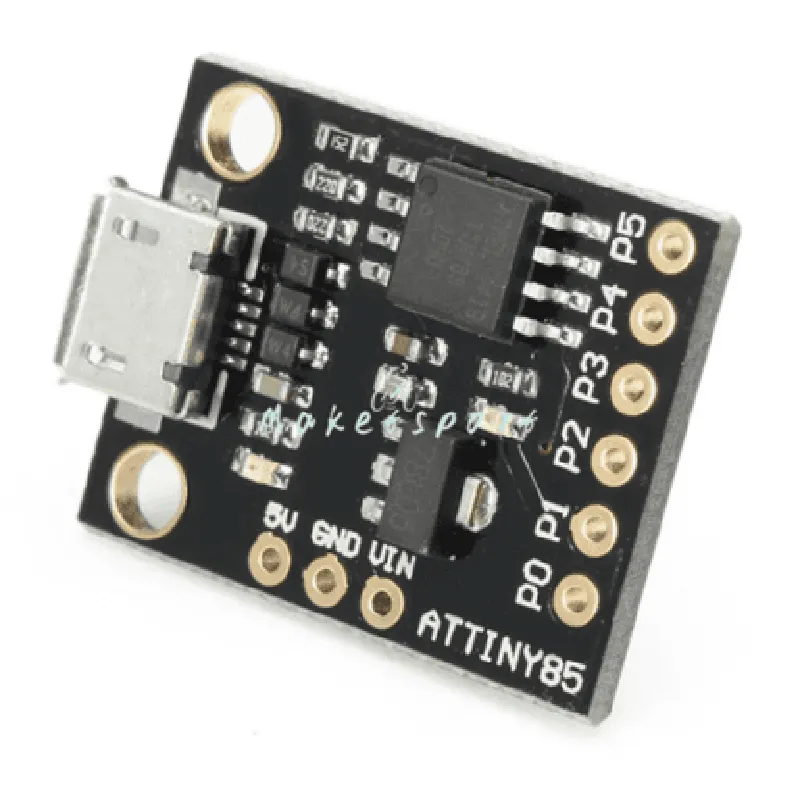
ATTiny85 USB Development Board Documentation
The ATTiny85 USB Development Board is a compact, low-cost, and versatile microcontroller board based on the ATTiny85 chip. It features a built-in USB interface, making it an ideal choice for developing USB-based projects. This documentation provides an overview of the board's features, technical specifications, and code examples to get you started with using the ATTiny85 USB Development Board in various contexts.
Microcontroller: ATTiny85
 Operating Voltage: 5V
 Input Voltage: 7-12V
 USB Interface: Built-in USB 2.0 interface
 GPIO Pins: 6 digital I/O pins
 Analog Pins: 4 analog input pins
 Flash Memory: 8KB
 SRAM: 512B
 EEPROM: 512B
 Clock Speed: 16.5MHz
### Example 1: USB Serial Communication
In this example, we will use the ATTiny85 USB Development Board as a USB serial device to send and receive data to/from a computer.
ATTiny85 USB Development Board
 USB cable
 Computer with USB port
Arduino IDE (version 1.8.x or later)
 USBtinyISP driver (for Windows, macOS, or Linux)
Code
```c
#include <TinyUSB.h>
void setup() {
  // Initialize USB serial communication
  Serial.begin(9600);
}
void loop() {
  // Send "Hello, World!" to the computer
  Serial.println("Hello, World!");
  delay(1000);
}
```
Explanation
In this example, we use the Arduino IDE to program the ATTiny85 chip. The `TinyUSB` library is used to initialize the USB serial communication. In the `setup()` function, we set the serial communication speed to 9600 bps. In the `loop()` function, we send the string "Hello, World!" to the computer using the `Serial.println()` function.
### Example 2: Blinking LED with USB-Controlled Frequency
In this example, we will use the ATTiny85 USB Development Board to control the frequency of a blinking LED using a USB command from a computer.
ATTiny85 USB Development Board
 LED
 220 resistor
 Breadboard
 Jumper wires
Arduino IDE (version 1.8.x or later)
 USBtinyISP driver (for Windows, macOS, or Linux)
Code
```c
#include <TinyUSB.h>
const int ledPin = 0;  // LED connected to digital pin 0
int frequency = 1;  // Initial frequency (1 Hz)
void setup() {
  // Initialize USB serial communication
  Serial.begin(9600);
  pinMode(ledPin, OUTPUT);
}
void loop() {
  // Check for incoming USB command
  if (Serial.available() > 0) {
    char cmd = Serial.read();
    if (cmd == 'F') {
      // Set frequency from USB command
      frequency = Serial.parseInt();
    }
  }

  // Blink LED with controlled frequency
  digitalWrite(ledPin, HIGH);
  delay(frequency  1000);
  digitalWrite(ledPin, LOW);
  delay(frequency  1000);
}
```
Explanation
In this example, we use the Arduino IDE to program the ATTiny85 chip. The `TinyUSB` library is used to initialize the USB serial communication. We define the LED pin as digital output and set the initial frequency to 1 Hz. In the `loop()` function, we check for incoming USB commands. If a command is received, we parse the frequency value and update the blinking frequency accordingly. The LED is then blinked at the controlled frequency using the `digitalWrite()` and `delay()` functions.
These examples demonstrate the versatility of the ATTiny85 USB Development Board in various contexts, from simple serial communication to more complex USB-controlled applications. With its compact size, low cost, and built-in USB interface, this board is an ideal choice for a wide range of IoT projects.