128x64 Graphic LCD - Yellow Backlight


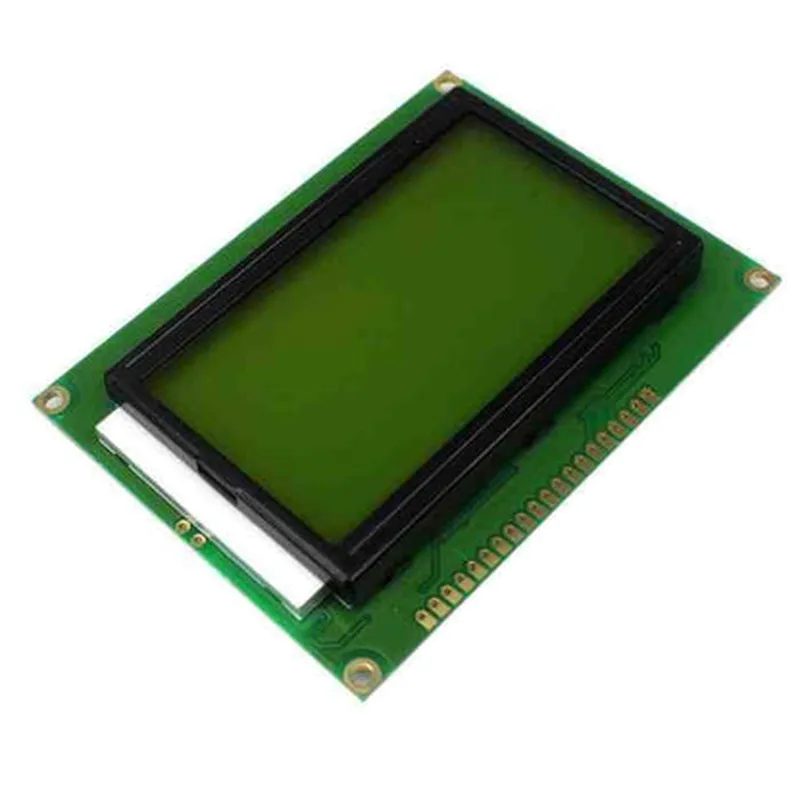
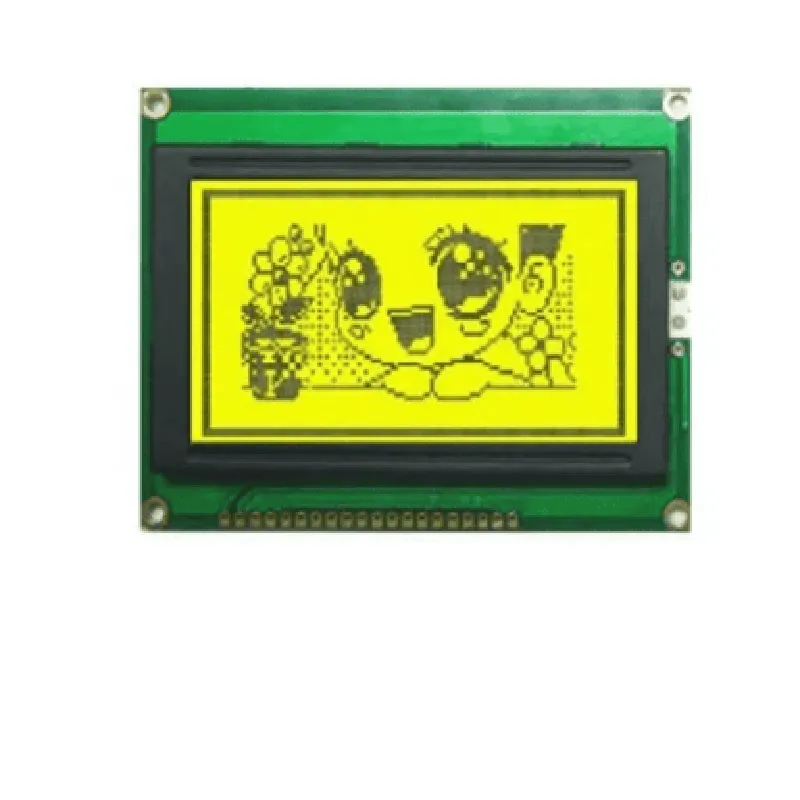
128x64 Graphic LCD - Yellow Backlight
The 128x64 Graphic LCD with Yellow Backlight is a compact, high-contrast liquid crystal display module designed for a wide range of applications, including industrial control systems, medical devices, consumer electronics, and Internet of Things (IoT) projects. This display module offers a high-resolution graphical interface, making it an ideal choice for displaying complex graphics, text, and images.
The 128x64 Graphic LCD - Yellow Backlight is designed to display graphic and text information in a variety of formats. The module accepts standard graphical and textual data inputs and displays them on a 128x64 pixel matrix, allowing for the creation of complex user interfaces, graphs, charts, and other visual representations.
Graphic LCD (Liquid Crystal Display)
128x64 pixels
2.7 inches (68.58 mm)
56.32 mm x 22.32 mm
0.42 mm x 0.42 mm
Yellow
250 cd/m (typical)
150 mA (typical) - 250 mA (max)
Parallel 8-bit or Serial (SPI)
8-bit (parallel) or 4-wire (SPI)
1 MHz (max)
8 Mbps (max)
5V 10%
-20C to +70C
-30C to +80C
5% to 95% RH (non-condensing)
77.5 mm x 43.5 mm x 12.5 mm
25 grams (approx.)
Through-hole or Surface Mount (optional)
High-contrast ratio for clear display
Wide viewing angle (up to 60)
Fast response time (20 ms typical)
Low power consumption for battery-powered applications
RoHS and CE compliant
| The 128x64 Graphic LCD - Yellow Backlight is suitable for a wide range of applications, including |
Industrial control systems and automation
Medical devices and equipment
Consumer electronics and appliances
Internet of Things (IoT) projects and devices
Robotics and autonomous systems
Gaming and entertainment devices
By incorporating this high-quality graphic LCD module into your design, you can create intuitive and informative user interfaces that enhance the overall user experience.
Component Documentation: 128x64 Graphic LCD - Yellow BacklightOverviewThe 128x64 Graphic LCD with Yellow Backlight is a versatile display module designed for a wide range of applications in the Internet of Things (IoT). This component features a 128x64 dot matrix LCD display with a yellow backlight, making it suitable for various usage scenarios, including industrial control panels, home automation, and IoT projects.Technical SpecificationsDisplay Type: 128x64 Dot Matrix LCD
Backlight: Yellow LED
Interface: 8-bit Parallel or 4-bit Parallel or Serial (SPI)
Power Supply: 5V 10%
Operating Temperature: -20C to 70C
Storage Temperature: -30C to 80CPinout| Pin No. | Pin Name | Description |
| --- | --- | --- |
| 1 | VCC | Power Supply (5V) |
| 2 | VSS | Ground |
| 3 | RS | Register Select |
| 4 | R/W | Read/Write |
| 5 | E | Enable |
| 6 | DB0 | Data Bus 0 |
| 7 | DB1 | Data Bus 1 |
| 8 | DB2 | Data Bus 2 |
| 9 | DB3 | Data Bus 3 |
| 10 | DB4 | Data Bus 4 |
| 11 | DB5 | Data Bus 5 |
| 12 | DB6 | Data Bus 6 |
| 13 | DB7 | Data Bus 7 |
| 14 | BLK | Backlight Control |
| 15 | NC | Not Connected |Code Examples### Example 1: Arduino UNO - 4-Bit Parallel InterfaceThis example demonstrates how to connect the 128x64 Graphic LCD to an Arduino UNO board using a 4-bit parallel interface.Hardware Connections:LCD RS to Arduino Digital Pin 12
LCD R/W to Arduino Digital Pin 11
LCD E to Arduino Digital Pin 10
LCD DB4 to Arduino Digital Pin 5
LCD DB5 to Arduino Digital Pin 4
LCD DB6 to Arduino Digital Pin 3
LCD DB7 to Arduino Digital Pin 2
LCD VCC to Arduino 5V
LCD VSS to Arduino GND
LCD BLK to Arduino Digital Pin 9 (Backlight control)Arduino Code:
```c++
#include <LiquidCrystal.h>const int rs = 12, en = 10, d4 = 5, d5 = 4, d6 = 3, d7 = 2;
LiquidCrystal_I2C lcd(rs, en, d4, d5, d6, d7);void setup() {
lcd.begin(20, 4); // Initialize LCD, 20 columns, 4 rows
lcd.setCursor(0, 0); // Set cursor to top-left corner
lcd.print("Hello, World!"); // Print a message
digitalWrite(9, HIGH); // Turn on backlight
}void loop() {
// No operation
}
```
### Example 2: Raspberry Pi - Serial (SPI) InterfaceThis example demonstrates how to connect the 128x64 Graphic LCD to a Raspberry Pi using a serial (SPI) interface.Hardware Connections:LCD VCC to Raspberry Pi 5V
LCD VSS to Raspberry Pi GND
LCD SCL to Raspberry Pi GPIO 11 (SPI Clock)
LCD SDA to Raspberry Pi GPIO 10 (SPI MOSI)
LCD BLK to Raspberry Pi GPIO 9 (Backlight control)Python Code:
```python
import spidev
import RPi.GPIO as GPIO# Initialize SPI
spi = spidev.SpiDev()
spi.open(0, 0) # Open SPI channel 0, device 0# Initialize GPIO
GPIO.setmode(GPIO.BCM)
GPIO.setup(9, GPIO.OUT) # Set backlight control pin as output# Function to send data to LCD via SPI
def send_to_lcd(data):
spi.xfer2([data]) # Send data over SPI# Initialize LCD
send_to_lcd(0x01) # Clear display
send_to_lcd(0x0C) # Display on, cursor off
send_to_lcd(0x06) # Entry mode, increment, shift cursor position# Print a message on the LCD
message = "Hello, World!"
for char in message:
send_to_lcd(ord(char)) # Send each character to LCDGPIO.output(9, GPIO.HIGH) # Turn on backlight
```
Note: These examples are for demonstration purposes only and may require modifications to work with your specific project. Ensure you consult the datasheet and documentation for the 128x64 Graphic LCD and your microcontroller/board for more information.