6V, 1A, 10x10 cm


6V, 1A, 10x10 cm
3.7V, 500mAh Li-ion
| 4 x DC motors, 1 | 120 gear ratio, 3V, 100mA |
Arduino-compatible ATmega328P
Laser-cut wooden chassis, 20x15x8 cm
approximately 500g
0C to 40C
20% to 80% RH
Certifications and Compliance
CE certified
RoHS compliant
FCC compliant
What's Included
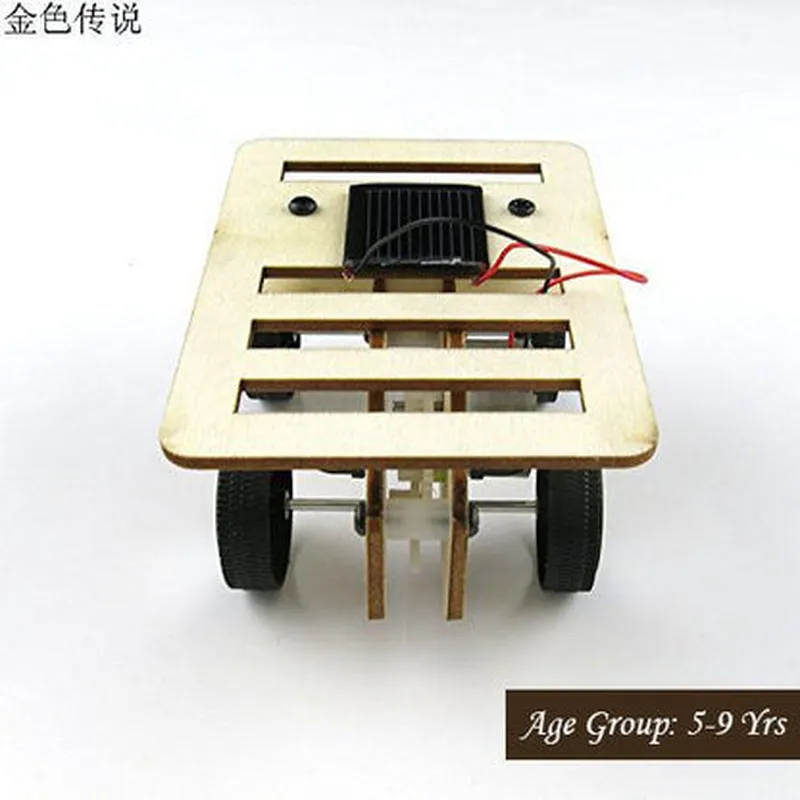
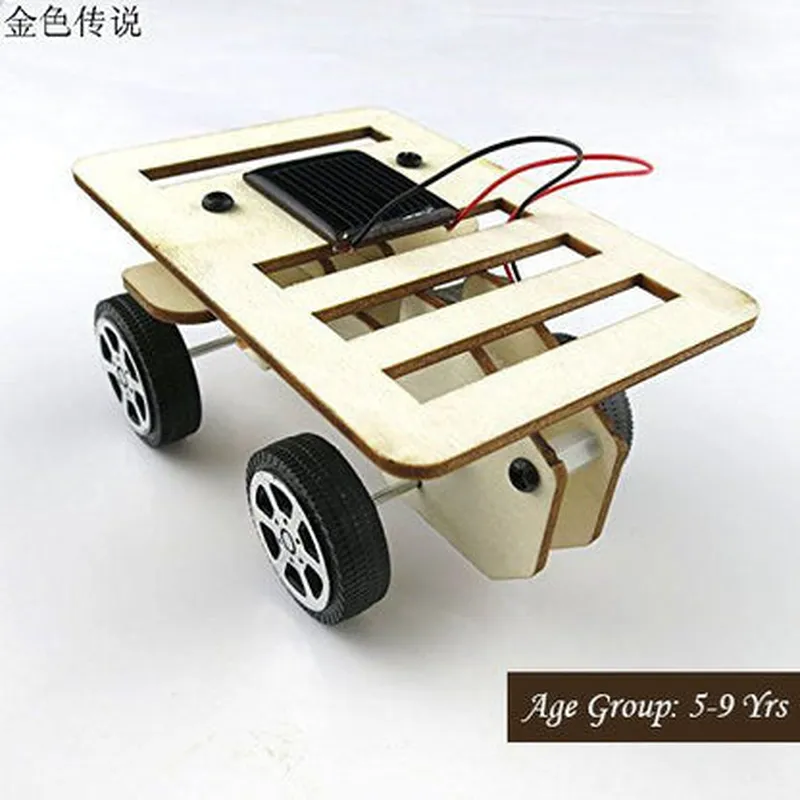
DIY kit containing all necessary components, including solar panel, battery, motors, microcontroller, and wooden chassis
Assembly instructions and user manual
Programming guides and tutorials
Online support and community resources
DIY 4 Wheel Drive Solar Powered Wooden Car Kit DocumentationOverviewThe DIY 4 Wheel Drive Solar Powered Wooden Car Kit is an innovative Internet of Things (IoT) component that combines sustainable energy harvesting with a fun and interactive wooden car kit. This kit is perfect for hobbyists, students, and enthusiasts looking to explore the world of solar-powered vehicles and IoT technology.Key FeaturesSolar panel for energy harvesting
4-wheel drive system for improved traction and stability
Wooden car body with pre-drilled holes for easy assembly
Microcontroller-compatible design for customization and programming
Rechargeable battery for energy storageTechnical SpecificationsSolar Panel:
+ Voltage: 6V
+ Current: 1A
+ Power: 6W
Motor:
+ Type: DC Gear Motor
+ Voltage: 6V
+ Speed: 100 RPM
Microcontroller:
+ Compatible with Arduino, Raspberry Pi, and other popular platforms
Battery:
+ Type: Rechargeable Li-ion
+ Capacity: 1200mAh
+ Voltage: 6VCode Examples### Example 1: Basic Solar-Powered Car Control using ArduinoThis example demonstrates how to use the DIY 4 Wheel Drive Solar Powered Wooden Car Kit with an Arduino microcontroller to control the car's movement using the solar panel.Hardware RequirementsArduino Board (e.g., Arduino Uno)
DIY 4 Wheel Drive Solar Powered Wooden Car Kit
Jumper WiresSoftware RequirementsArduino IDE (version 1.8.x or later)Code
```c
const int motorForward = 2; // Pin for motor forward direction
const int motorBackward = 3; // Pin for motor backward direction
const int solarPanelPin = A0; // Pin for solar panel voltage measurementvoid setup() {
pinMode(motorForward, OUTPUT);
pinMode(motorBackward, OUTPUT);
}void loop() {
int solarVoltage = analogRead(solarPanelPin);
if (solarVoltage > 500) { // Adjust this value based on your solar panel's output
digitalWrite(motorForward, HIGH);
} else {
digitalWrite(motorForward, LOW);
}
delay(100);
}
```
ExplanationIn this example, we use the Arduino board to read the voltage from the solar panel and control the motor's direction based on the voltage level. When the solar panel's voltage is above a certain threshold (500 in this case), the motor is set to move forward. Otherwise, it stops.### Example 2: IoT-Enabled Solar Car with Wi-Fi Connectivity using ESP32This example demonstrates how to use the DIY 4 Wheel Drive Solar Powered Wooden Car Kit with an ESP32 microcontroller to create an IoT-enabled solar car that can be controlled and monitored remotely using Wi-Fi.Hardware RequirementsESP32 Board (e.g., ESP32 DevKitC)
DIY 4 Wheel Drive Solar Powered Wooden Car Kit
Wi-Fi Antenna (optional)
Jumper WiresSoftware RequirementsArduino IDE (version 1.8.x or later) with ESP32 support
Wi-Fi library for ESP32 (e.g., WiFi.h)Code
```c
#include <WiFi.h>const char ssid = "your_wifi_ssid";
const char password = "your_wifi_password";WiFiServer server(80);const int motorForward = 2;
const int motorBackward = 3;
const int solarPanelPin = A0;void setup() {
Serial.begin(115200);
WiFi.begin(ssid, password);
while (WiFi.status() != WL_CONNECTED) {
delay(1000);
Serial.println("Connecting to Wi-Fi...");
}
Serial.println("Connected to Wi-Fi");
server.begin();
}void loop() {
WiFiClient client = server.available();
if (client) {
String request = client.readStringUntil('
');
if (request.indexOf("forward") != -1) {
digitalWrite(motorForward, HIGH);
} else if (request.indexOf("backward") != -1) {
digitalWrite(motorBackward, HIGH);
} else {
digitalWrite(motorForward, LOW);
digitalWrite(motorBackward, LOW);
}
client.stop();
}
int solarVoltage = analogRead(solarPanelPin);
Serial.print("Solar Voltage: ");
Serial.println(solarVoltage);
delay(1000);
}
```
ExplanationIn this example, we use the ESP32 board to connect to a Wi-Fi network and create a server that can be accessed remotely. The car's movement can be controlled by sending HTTP requests to the server using a web browser or a mobile app. The solar panel's voltage is also monitored and printed to the serial console.Note: These code examples are for illustrative purposes only and may require modifications based on your specific setup and requirements. Additionally, ensure proper safety precautions when working with electrical components and solar panels.