

Stufin
Home Quick Cart Profile

Arduino UNO Basic Starter Kit compatible

Buy Now on Stufin

Component Name

Arduino UNO Basic Starter Kit compatible

Overview

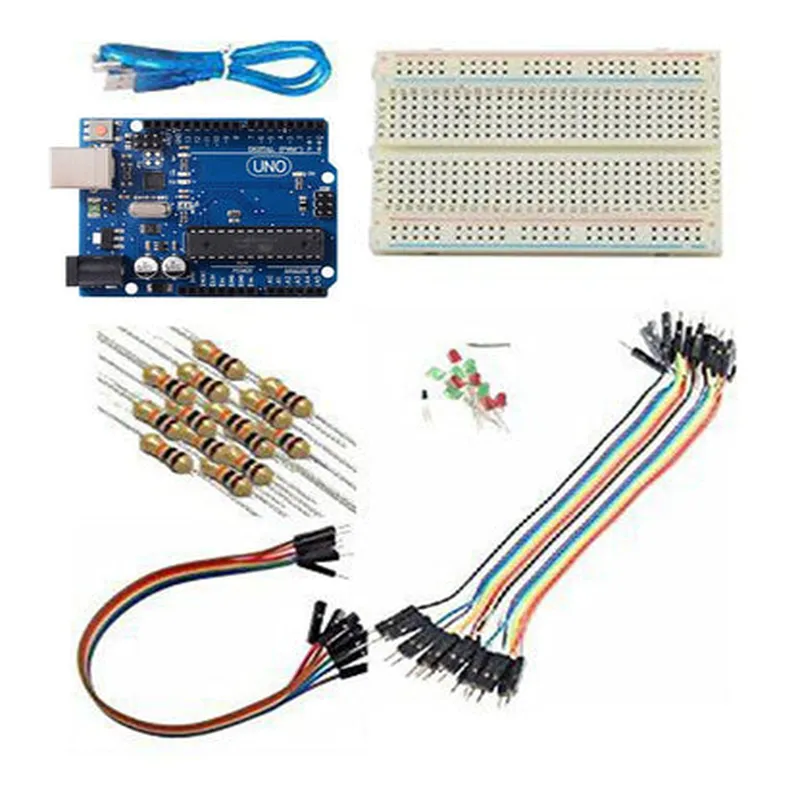
The Arduino UNO Basic Starter Kit compatible is an introductory electronic development kit based on the popular Arduino UNO board. This starter kit is designed for beginners and enthusiasts who want to explore the world of microcontrollers, electronics, and programming. The kit provides a comprehensive platform for learning and prototyping, making it an ideal tool for schools, hobbyists, and professionals alike.

Functionality

  • Microcontroller Board: The kit includes an Arduino UNO board, which is a microcontroller-based board that can be programmed to read inputs from sensors, perform calculations, and control outputs.
  • Programming Environment: The kit is compatible with the Arduino Integrated Development Environment (IDE), which is a free, open-source software that allows users to write, compile, and upload code to the board.
  • Input/Output Components: The kit includes a variety of input/output components, such as LEDs, buttons, and sensors, which can be used to create interactive projects.
  • Power Supply: The kit comes with a USB cable and a power adapter, allowing users to power the board from a computer or an external power source.
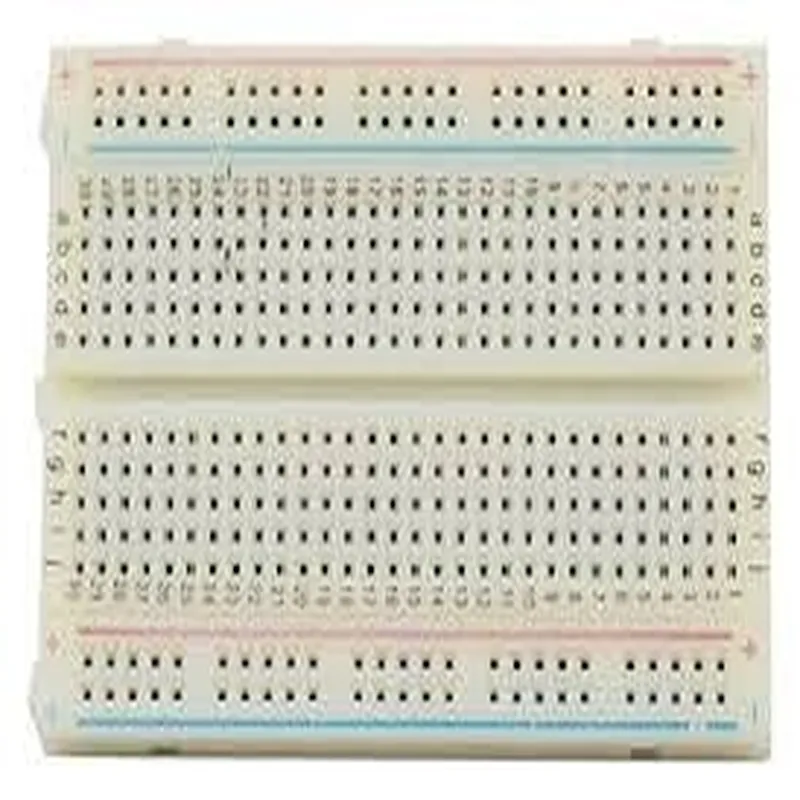
  • Accessory Pack: The kit includes an accessory pack with jumper wires, breadboards, and other accessories that facilitate prototyping and project development.
The Arduino UNO Basic Starter Kit compatible is a complete development environment that allows users to create interactive and innovative projects. The kit comes with the following features

Key Features

  • Microcontroller: The Arduino UNO board is based on the Atmega328P microcontroller, which has 32KB of flash memory, 2KB of SRAM, and 1KB of EEPROM.
  • Input/Output Pins: The board has 14 digital input/output pins, 6 analog input pins, and 16 digital output pins.
  • USB Connectivity: The board features a USB interface for programming and communication with a computer.
  • Power Options: The board can be powered through a USB connection or an external power source (7-12V).
  • Open-Source Platform: The Arduino platform is open-source, which means that users have access to a vast community of developers, libraries, and resources.
  • Easy to Use: The kit is designed for beginners, with a user-friendly interface and a vast range of tutorials and documentation available online.

Technical Specifications

  • Microcontroller: Atmega328P
  • Flash Memory: 32KB
  • SRAM: 2KB
  • EEPROM: 1KB
  • Input/Output Pins: 14 digital I/O, 6 analog input, 16 digital output
  • Operating Voltage: 5V
  • Input Voltage: 7-12V (external power source)
  • Communication: USB 2.0
  • Dimensions: 68.6mm x 53.4mm x 15.2mm (board size)

Applications

  • Robotics: Build autonomous robots, robotic arms, and other robotic projects.
  • Home Automation: Control lighting, temperature, and security systems in your home.
  • Wearables: Create wearable devices, such as smartwatches, fitness trackers, and smart jewelry.
  • Internet of Things (IoT): Develop IoT projects that interact with the physical world, such as weather stations, air quality monitors, and smart home devices.
  • Prototyping: Use the kit as a rapid prototyping platform for proof-of-concept projects and product development.
The Arduino UNO Basic Starter Kit compatible is suitable for a wide range of applications, including

Conclusion

The Arduino UNO Basic Starter Kit compatible is an excellent platform for anyone looking to explore the world of microcontrollers, electronics, and programming. With its user-friendly interface, comprehensive documentation, and vast community support, this kit is an ideal tool for beginners, hobbyists, and professionals alike.

Pin Configuration

  • Arduino UNO Basic Starter Kit: Pin-Out Explanation
  • The Arduino UNO Basic Starter Kit is a popular microcontroller board based on the ATmega328P microcontroller. It has a total of 30 pins, which can be divided into digital pins, analog pins, power pins, and special pins. Here's a comprehensive explanation of each pin:
  • Digital Pins (14)
  • 1. Pin 0 (RX): Receive pin for serial communication (UART). Used for receiving data from serial devices such as GPS, Bluetooth, or Wi-Fi modules.
  • 2. Pin 1 (TX): Transmit pin for serial communication (UART). Used for sending data to serial devices such as GPS, Bluetooth, or Wi-Fi modules.
  • 3. Pin 2: Digital input/output pin. Can be used as an interrupt pin (INT0).
  • 4. Pin 3: Digital input/output pin. Can be used as an interrupt pin (INT1).
  • 5. Pin 4: Digital input/output pin.
  • 6. Pin 5: Digital input/output pin.
  • 7. Pin 6: Digital input/output pin.
  • 8. Pin 7: Digital input/output pin.
  • 9. Pin 8: Digital input/output pin.
  • 10. Pin 9: Digital input/output pin. Can be used as a PWM (Pulse Width Modulation) output.
  • 11. Pin 10: Digital input/output pin. Can be used as a PWM output.
  • 12. Pin 11: Digital input/output pin. Can be used as a PWM output.
  • 13. Pin 12: Digital input/output pin.
  • 14. Pin 13: Digital input/output pin. Built-in LED connected to this pin.
  • Analog Pins (6)
  • 1. Pin A0: Analog input pin. Can read analog voltage levels between 0V and 5V.
  • 2. Pin A1: Analog input pin. Can read analog voltage levels between 0V and 5V.
  • 3. Pin A2: Analog input pin. Can read analog voltage levels between 0V and 5V.
  • 4. Pin A3: Analog input pin. Can read analog voltage levels between 0V and 5V.
  • 5. Pin A4: Analog input pin. Can read analog voltage levels between 0V and 5V.
  • 6. Pin A5: Analog input pin. Can read analog voltage levels between 0V and 5V.
  • Power Pins (7)
  • 1. Vin: Input voltage pin. Can be used to power the board with an external power source (7V-12V).
  • 2. 5V: Regulated 5V output pin. Can be used to power external devices.
  • 3. 3V3: Regulated 3.3V output pin. Can be used to power external devices.
  • 4. GND: Ground pin. Used as a common ground for power and signal lines.
  • 5. GND: Ground pin. Used as a common ground for power and signal lines.
  • 6. RESET: Reset pin. Can be used to reset the microcontroller manually.
  • 7. AREF: Analog reference pin. Used to set the reference voltage for analog inputs (default is 5V).
  • Special Pins (3)
  • 1. ICSP (MISO, MOSI, SCK): In-Circuit Serial Programming pins. Used for programming the microcontroller using an external programmer.
  • 2. USB: USB communication pins. Used for uploading sketches and communication with a computer.
  • 3. Power LED: Power indicator LED. Turns on when the board is powered.
  • Connecting the Pins:
  • When connecting the pins, make sure to:
  • Use the correct pin numbering and orientation to avoid damaging the board or components.
  • Use breadboards or PCBs to connect components, and avoid connecting components directly to the Arduino pins.
  • Use jumper wires or cables to connect components, and ensure they are securely connected to the board.
  • Follow the pin-out diagram and documentation for each component to ensure correct connections.
  • Remember to always double-check your connections before powering on the board or applying voltage to any component.

Code Examples

Arduino UNO Basic Starter Kit Compatible Component Documentation
Overview
The Arduino UNO Basic Starter Kit is a popular microcontroller board based on the ATmega328P microcontroller. This board is compatible with the Arduino UNO and provides a cost-effective way to get started with Arduino development. This documentation provides an overview of the component, its features, and example code snippets to demonstrate its usage in various contexts.
Component Features
Microcontroller: ATmega328P
 Operating Voltage: 5V
 Input Voltage: 7-12V
 Digital I/O Pins: 14
 Analog Input Pins: 6
 DC Current per I/O Pin: 20mA
 Flash Memory: 32KB
 SRAM: 2KB
 EEPROM: 1KB
Example 1: Blinking LED
This example demonstrates how to use the Arduino UNO Basic Starter Kit to blink an LED connected to digital pin 13.
Hardware Requirements
Arduino UNO Basic Starter Kit
 LED
 220 Resistor
 Breadboard
 Jumper Wires
Code
```c++
const int ledPin = 13;  // LED connected to digital pin 13
void setup() {
  pinMode(ledPin, OUTPUT);  // Set ledPin as an output
}
void loop() {
  digitalWrite(ledPin, HIGH);  // Turn the LED on
  delay(1000);  // Wait for 1 second
  digitalWrite(ledPin, LOW);  // Turn the LED off
  delay(1000);  // Wait for 1 second
}
```
Example 2: Reading Analog Voltage
This example demonstrates how to use the Arduino UNO Basic Starter Kit to read an analog voltage from a potentiometer connected to analog input pin A0.
Hardware Requirements
Arduino UNO Basic Starter Kit
 Potentiometer
 Breadboard
 Jumper Wires
Code
```c++
const int potPin = A0;  // Potentiometer connected to analog input pin A0
void setup() {
  Serial.begin(9600);  // Initialize serial communication at 9600bps
}
void loop() {
  int sensorValue = analogRead(potPin);  // Read the analog voltage from the potentiometer
  int voltage = map(sensorValue, 0, 1023, 0, 5000);  // Scale the value to a 0-5000mV range
  Serial.print("Analog Voltage: ");
  Serial.print(voltage);
  Serial.println("mV");
  delay(100);  // Wait for 100ms before taking the next reading
}
```
Example 3: Temperature Monitoring with DS18B20
This example demonstrates how to use the Arduino UNO Basic Starter Kit with a DS18B20 temperature sensor to read and display the current temperature.
Hardware Requirements
Arduino UNO Basic Starter Kit
 DS18B20 temperature sensor
 Breadboard
 Jumper Wires
Code
```c++
#include <DallasTemperature.h>
#define DS18B20_PIN 2  // DS18B20 connected to digital pin 2
DallasTemperature sensors(&Wire, DS18B20_PIN);
void setup() {
  Serial.begin(9600);  // Initialize serial communication at 9600bps
  sensors.begin();
}
void loop() {
  sensors.requestTemperatures();
  float temperatureC = sensors.getTempCByIndex(0);
  Serial.print("Temperature: ");
  Serial.print(temperatureC);
  Serial.println("C");
  delay(1000);  // Wait for 1 second before taking the next reading
}
```
These examples demonstrate the basic functionality of the Arduino UNO Basic Starter Kit and provide a starting point for more complex projects.