Bluetooth 5.0 Dual Mode BLE (Feasycom)


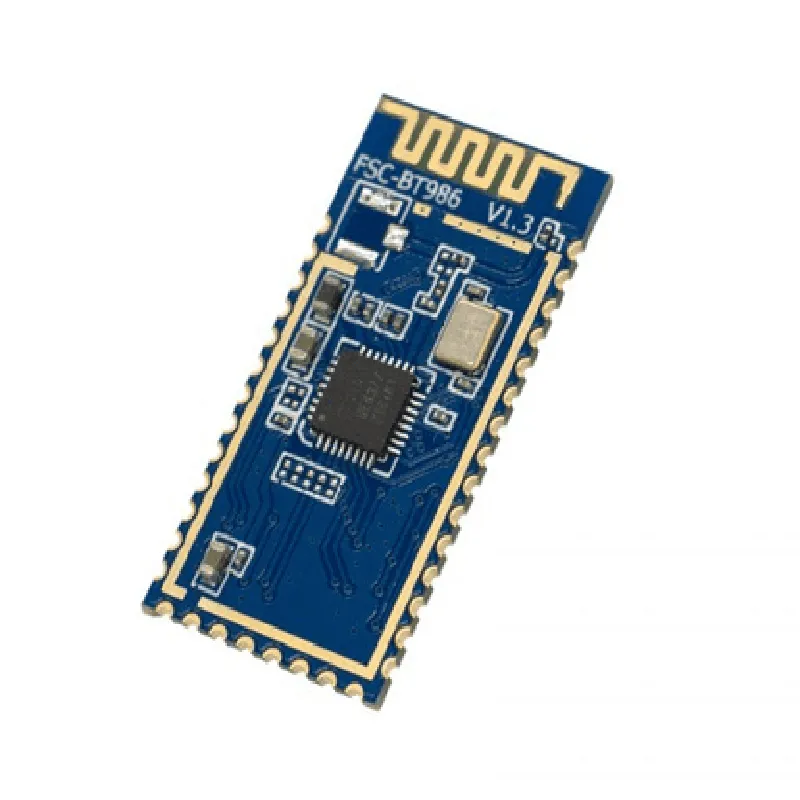
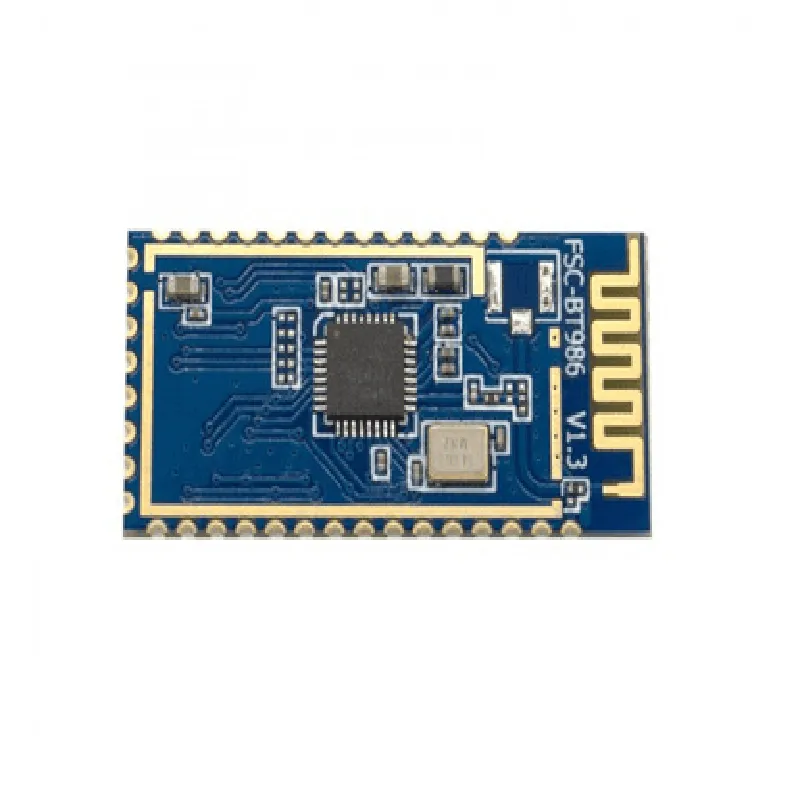
Bluetooth 5.0 Dual Mode BLE (Feasycom)
The Bluetooth 5.0 Dual Mode BLE module from Feasycom is a compact, low-power wireless communication module that supports both Bluetooth Basic Rate (BR) and Bluetooth Low Energy (BLE) modes. This module is designed for use in a wide range of Internet of Things (IoT) applications, including wireless sensors, smart home devices, and industrial automation systems.
| The Bluetooth 5.0 Dual Mode BLE module is capable of operating in two modes |
2.4GHz
Up to 8dBm
-90dBm
3.3mA (BLE mode), 20mA (BR mode)
1.8V - 3.6V
-40C to 85C
-40C to 150C
| -certifications | FCC, CE, TELEC, IC, and SRRC compliant |
| The Bluetooth 5.0 Dual Mode BLE module is suitable for use in a wide range of IoT applications, including |
Wireless sensors and monitoring systems
Smart home devices and automation systems
Industrial automation and control systems
Wearable devices and accessories
Healthcare and medical devices
Consumer electronics and appliances
Bluetooth 5.0 Dual Mode BLE (Feasycom) Component DocumentationOverviewThe Bluetooth 5.0 Dual Mode BLE (Feasycom) component is a high-performance, low-power Bluetooth module that supports both Bluetooth Low Energy (BLE) and Bluetooth Basic Rate (BR) modes. This module is ideal for IoT applications that require wireless communication, proximity sensing, and low-power consumption.Technical SpecificationsBluetooth Version: 5.0
Operating Frequency: 2.4 GHz
Transmission Power: Up to 8 dBm
Reception Sensitivity: -90 dBm
Data Transfer Rate: Up to 2 Mbps
Range: Up to 100 meters (328 feet)
Power Consumption: 3.3V - 5.5V, 100 mA (peak), 20 A (sleep)Hardware InterfacesUART (TX, RX, RTS, CTS)
SPI (SCK, MOSI, MISO, CS)
I2C (SCL, SDA)
GPIO (for external components and sensors)Software SupportArduino IDE
Raspberry Pi (Raspbian OS)
ESP32/ESP8266 (MicroPython)
Other platforms (contact manufacturer for compatibility)Code Examples### Example 1: Arduino UART Connection (BLE Mode)Hardware RequirementsArduino Board (e.g., Arduino Uno)
Bluetooth 5.0 Dual Mode BLE (Feasycom) module
Breadboard and jumper wiresSoftware RequirementsArduino IDE (version 1.8.10 or higher)Code
```c
#include <SoftwareSerial.h>#define BLE_UART_RX 2
#define BLE_UART_TX 3SoftwareSerial bleSerial(BLE_UART_RX, BLE_UART_TX);void setup() {
Serial.begin(115200);
bleSerial.begin(9600);
}void loop() {
bleSerial.println("AT+BLESTART");
delay(100);
bleSerial.println("AT+GATTADD=0x180F");
delay(100);
bleSerial.println("AT+GATTCHAR=0x2902,0x2903");
delay(100);
// Scan for nearby devices
bleSerial.println("AT+ Scan");
delay(5000);
// Connect to a device
bleSerial.println("AT+CONNECT=<device_address>");
delay(500);
// Send data to the connected device
bleSerial.println("AT+SEND=<data>");
delay(100);
// Disconnect from the device
bleSerial.println("AT+DISCONNECT");
delay(500);
}
```
### Example 2: Raspberry Pi Python Script (BR Mode)Hardware RequirementsRaspberry Pi (e.g., Raspberry Pi 4)
Bluetooth 5.0 Dual Mode BLE (Feasycom) module
Breadboard and jumper wiresSoftware RequirementsRaspbian OS (version 10 or higher)
Python 3.xCode
```python
import bluetooth# Initialize the Bluetooth module
bt_module = bluetooth.BluetoothDevice(0x00, 0x1A, 0x7D, 0x00, 0x06, 0x95)# Set the module to BR mode
bt_module.set_mode(bluetooth.MODE_BR)# Scan for nearby devices
devices = bt_module.discover_devices(lookup_names=True, duration=5)print("Found {} devices.".format(len(devices)))# Connect to a device
device_address = devices[0][0]
bt_module.connect(device_address)# Send data to the connected device
bt_module.send_data("Hello, Raspberry Pi!")# Disconnect from the device
bt_module.disconnect(device_address)
```
### Example 3: ESP32 MicroPython (BLE Mode with Sensors)Hardware RequirementsESP32 Board (e.g., ESP32 DevKitC)
Bluetooth 5.0 Dual Mode BLE (Feasycom) module
Breadboard and jumper wires
Sensors (e.g., temperature, humidity)Software RequirementsMicroPython (version 1.12 or higher)Code
```python
import machine
import esp32
import bluetooth# Initialize the Bluetooth module
bt_module = bluetooth.BLE()# Initialize the sensors
temp_sensor = machine.ADC(machine.Pin(32))
humidity_sensor = machine.ADC(machine.Pin(33))# Set the module to BLE mode
bt_module.set_mode(bluetooth.MODE_BLE)# Define a function to read sensor data
def read_sensors():
temp_value = temp_sensor.read()
humidity_value = humidity_sensor.read()
return temp_value, humidity_value# Define a function to send sensor data
def send_data(temp_value, humidity_value):
bt_module.start_adv()
bt_module.send_data("Temperature: {}C, Humidity: {}%".format(temp_value, humidity_value))
bt_module.stop_adv()while True:
temp_value, humidity_value = read_sensors()
send_data(temp_value, humidity_value)
machine.sleep(1000)
```
Note: These code examples are for demonstration purposes only and may require modifications to adapt to your specific use case. Consult the manufacturer's documentation for detailed instructions and specifications.