Backpack Electric Disinfectant Sprayer


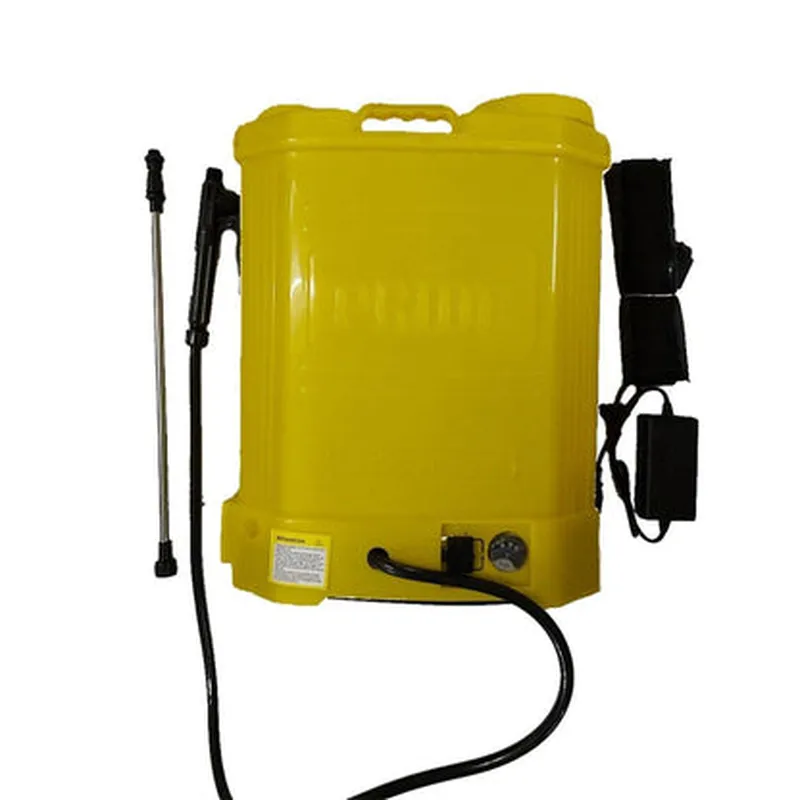
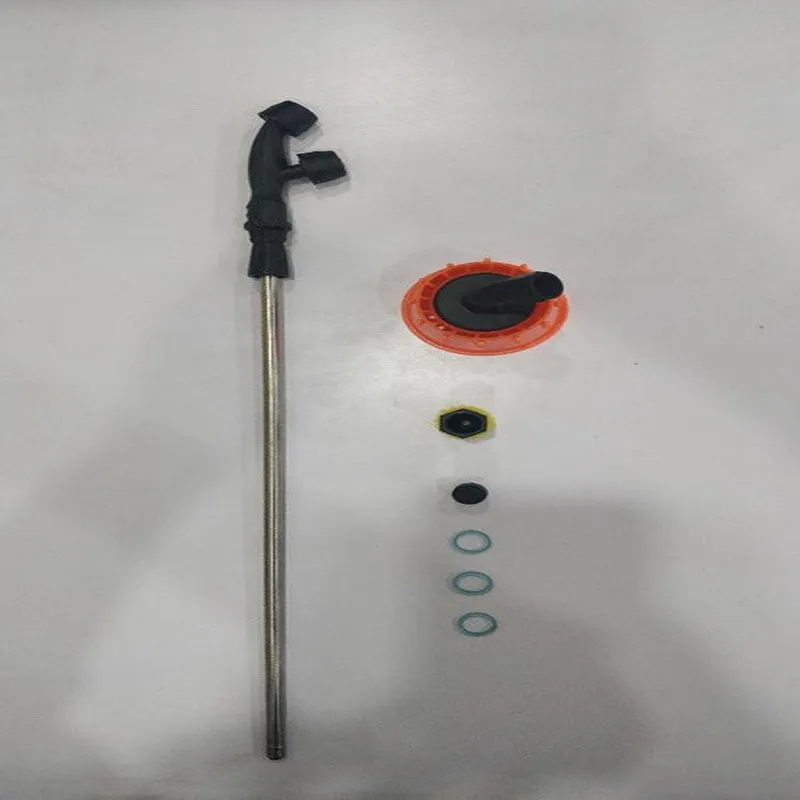
Backpack Electric Disinfectant Sprayer
The Backpack Electric Disinfectant Sprayer is a portable, wearable device designed for effective and efficient disinfection of surfaces in various environments. This IoT-enabled component is ideal for use in public spaces, healthcare facilities, offices, and other areas where hygiene and sanitation are of utmost importance.
The Backpack Electric Disinfectant Sprayer is a self-contained unit that combines a rechargeable battery, electric pump, and spray nozzle to dispense a disinfectant solution onto surfaces. The device is worn like a backpack, allowing the user to move freely and comfortably while disinfecting large areas.
### 1. Electric Pump and Spray Nozzle
The electric pump ensures a consistent and precise flow of disinfectant solution, reducing waste and minimizing the risk of over-spraying.
The spray nozzle is adjustable, allowing the user to change the spray pattern and distance to suit different surfaces and environments.
### 2. Rechargeable Battery
The backpack contains a high-capacity, rechargeable lithium-ion battery that provides up to 8 hours of continuous use on a single charge.
The battery is easily removable and recharged via a USB-C port.
### 3. IoT Connectivity and Remote Monitoring
The Backpack Electric Disinfectant Sprayer features built-in Wi-Fi and Bluetooth connectivity, enabling remote monitoring and data tracking.
The device can be connected to a mobile app or cloud-based platform for real-time monitoring of usage, battery life, and maintenance schedules.
### 4. Disinfectant Solution Tank
The device has a 2-liter tank for storing the disinfectant solution, which can be easily refilled and replaced.
The tank is designed for easy cleaning and maintenance, reducing the risk of contamination and bacterial growth.
### 5. Ergonomic Design and Safety Features
The backpack is designed for comfort and ergonomics, with padded shoulder straps and a waist belt to distribute the weight evenly.
The device features safety features such as a locking mechanism to prevent accidental spraying and a child-resistant cap to prevent unauthorized access.
### 6. Adjustable Spray Pattern and Distance
The spray nozzle can be adjusted to change the spray pattern and distance, allowing the user to customize the disinfection process for different surfaces and areas.
### 7. LED Indicators and Alarms
The device features LED indicators for battery life, pump status, and solution level, ensuring the user is always aware of the device's status.
Audible alarms are triggered in case of low battery, clogged nozzle, or empty solution tank, alerting the user to take action.
24V, 2A
5200mAh
30psi
Up to 10 feet (3 meters)
2 liters
12 pounds (5.4 kg)
18" x 12" x 8" (45.7 cm x 30.5 cm x 20.3 cm)
32F to 104F (0C to 40C)
UL, CE, FCC, RoHS
The Backpack Electric Disinfectant Sprayer is an innovative, IoT-enabled solution for efficient and effective surface disinfection. Its ergonomic design, adjustable spray pattern, and remote monitoring capabilities make it an ideal choice for various industries and applications.
Backpack Electric Disinfectant Sprayer DocumentationThe Backpack Electric Disinfectant Sprayer is an IoT-enabled component designed for efficient and effective disinfection of surfaces. It features a rechargeable battery, a fluid tank, and a spray nozzle, making it ideal for various applications such as hospitals, schools, and public spaces.Technical Specifications:Microcontroller: ESP32
Communication Protocol: Wi-Fi, BLE
Power Supply: Rechargeable Li-ion Battery (up to 8 hours of operation)
Fluid Tank Capacity: 1 liter
Spray Nozzle: Adjustable spray pattern (wide fan, narrow jet)
Sensors: Fluid level sensor, battery level sensorCode Examples:### Example 1: Basic Operation using Arduino IDEThis example demonstrates how to use the Backpack Electric Disinfectant Sprayer with an Arduino board to control the sprayer and monitor its status.```c++
#include <WiFi.h>
#include <BLE.h>#define SPRAYER_PIN 2 // Pin for sprayer control
#define FLUID_SENSOR_PIN A0 // Pin for fluid level sensor
#define BATTERY_SENSOR_PIN A1 // Pin for battery level sensorvoid setup() {
Serial.begin(115200);
pinMode(SPRAYER_PIN, OUTPUT);
pinMode(FLUID_SENSOR_PIN, INPUT);
pinMode(BATTERY_SENSOR_PIN, INPUT);
// Initialize Wi-Fi and BLE connections
WiFi.begin("your_wifi_ssid", "your_wifi_password");
BLE.begin();
}void loop() {
// Check fluid level and battery level
int fluidLevel = analogRead(FLUID_SENSOR_PIN);
int batteryLevel = analogRead(BATTERY_SENSOR_PIN);
// Spray disinfectant if fluid level is above 20% and battery level is above 30%
if (fluidLevel > 200 && batteryLevel > 300) {
digitalWrite(SPRAYER_PIN, HIGH);
delay(5000); // Spray for 5 seconds
digitalWrite(SPRAYER_PIN, LOW);
}
// Send status updates to the cloud via Wi-Fi
WiFiClient client;
HTTPClient http;
http.begin("http://your_cloud_endpoint.com/update_status");
http.addHeader("Content-Type", "application/json");
int httpResponseCode = http.POST("{""fluid_level"": " + String(fluidLevel) + ", ""battery_level"": " + String(batteryLevel) + "}");
http.end();
delay(10000); // Update every 10 seconds
}
```### Example 2: Integration with a Mobile App using FlutterThis example demonstrates how to use the Backpack Electric Disinfectant Sprayer with a Flutter app to remotely control the sprayer and monitor its status.```dart
import 'package:flutter/material.dart';
import 'package:flutter_blue/flutter_blue.dart';class BackpackSprayer extends StatefulWidget {
@override
_BackpackSprayerState createState() => _BackpackSprayerState();
}class _BackpackSprayerState extends State<BackpackSprayer> {
FlutterBlue _flutterBlue;
BluetoothDevice _device;@override
void initState() {
super.initState();
_flutterBlue = FlutterBlue.instance;
}void _connectToDevice() async {
_device = await _flutterBlue.connectToDevice("your_device_uuid");
}void _sprayDisinfectant() async {
// Send command to the device to spray disinfectant
_device.writeCharacteristic("your_characteristic_uuid", "Spray");
}void _getStatus() async {
// Read fluid level and battery level from the device
List<int> fluidLevelData = await _device.readCharacteristic("your_characteristic_uuid");
List<int> batteryLevelData = await _device.readCharacteristic("your_characteristic_uuid");
// Update the UI with the received data
setState(() {
fluidLevel = fluidLevelData[0];
batteryLevel = batteryLevelData[0];
});
}@override
Widget build(BuildContext context) {
return Scaffold(
appBar: AppBar(
title: Text("Backpack Sprayer"),
),
body: Center(
child: Column(
mainAxisAlignment: MainAxisAlignment.center,
children: <Widget>[
ElevatedButton(
onPressed: _connectToDevice,
child: Text("Connect to Device"),
),
ElevatedButton(
onPressed: _sprayDisinfectant,
child: Text("Spray Disinfectant"),
),
ElevatedButton(
onPressed: _getStatus,
child: Text("Get Status"),
),
Text("Fluid Level: " + fluidLevel.toString()),
Text("Battery Level: " + batteryLevel.toString()),
],
),
),
);
}
}
```### Example 3: Automation using Node-REDThis example demonstrates how to use the Backpack Electric Disinfectant Sprayer with Node-RED to automate the disinfection process based on schedule or sensor data.```json
[{"id":"sprayer","type":"BLE in","z":"abc123","name":"","device":"","topic":"","x":100,"y":100,"wires":[["fluid_level_sensor"]]},{"id":"fluid_level_sensor","type":"BLE out","z":"abc123","name":"","device":"","topic":"","x":200,"y":100,"wires":[["spray_control"]]},{"id":"spray_control","type":"function","z":"abc123","name":"","func":"if (msg.payload > 200) {
return { payload: 'Spray' };
} else {
return { payload: 'Stop' };
}","outputs":1,"noerr":0,"initialize":"","finalize":"","x":300,"y":100,"wires":[["sprayer"]]},{"id":"scheduler","type":"inject","z":"abc123","name":"","props":[{"p":"payload","v":" """"