

Stufin
Home Quick Cart Profile

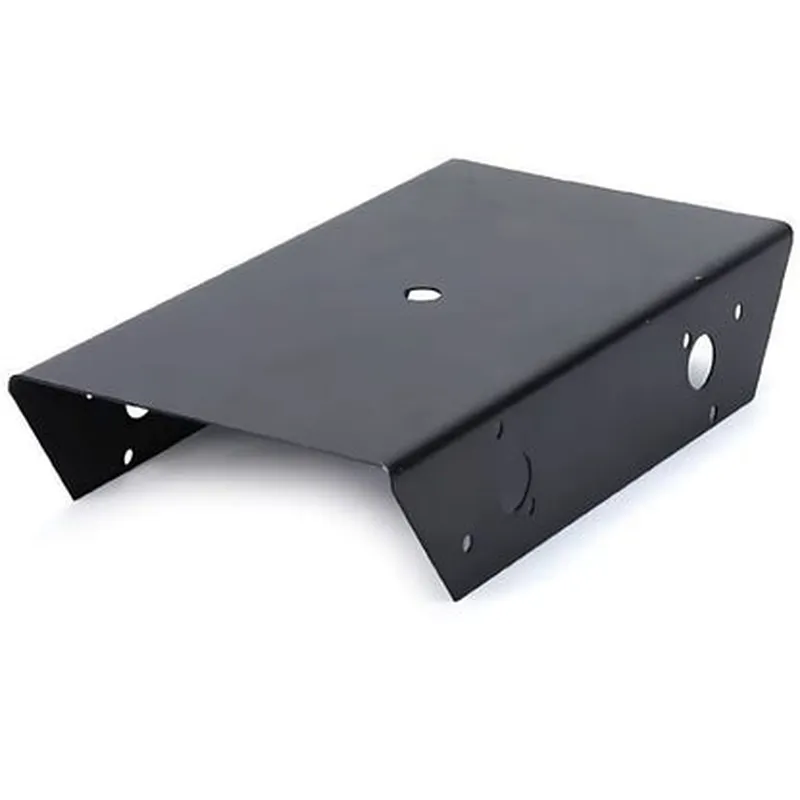
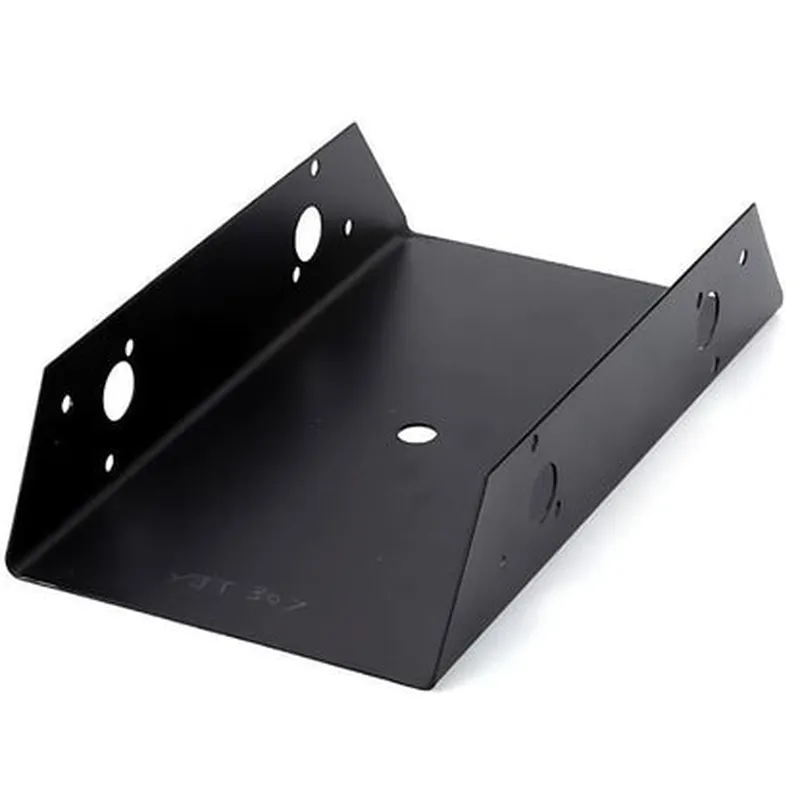
Black Metal Chassis

Buy Now on Stufin

Length

150 mm

Width

100 mm

Height

50 mm

Material

High-quality metal (aluminum or steel)

Color

Black anodized or powder-coated finish

Operating Temperature

-20C to 60C (-4F to 140F)

Certifications

CE, RoHS, and FCC compliance

The Black Metal Chassis is an ideal enclosure solution for IoT devices, offering a durable, compact, and customizable design that ensures reliable operation and easy maintenance in a variety of applications.

Pin Configuration

  • Black Metal Chassis Documentation
  • Overview
  • The Black Metal Chassis is a robust and compact enclosure designed for IoT projects, providing a sturdy and durable housing for various electronic components. The chassis features a range of pins that facilitate connections to the internal components, such as microcontrollers, sensors, and actuators.
  • Pin Description
  • The Black Metal Chassis has a total of 26 pins, divided into four groups: Power, Digital, Analog, and Ground. Each pin is carefully labeled and spaced to ensure easy connection and identification.
  • Power Pins (PWR)
  • 1. VIN (PWR1): Input voltage pin for the internal power supply. Accepts a voltage range of 5V to 12V.
  • 2. GND (PWR2): Ground pin for the internal power supply. Connect to the negative terminal of the power source.
  • 3. 3.3V (PWR3): Regulated 3.3V output pin for powering external components.
  • 4. 5V (PWR4): Regulated 5V output pin for powering external components.
  • Digital Pins
  • 5. D0 (DIG0): Digital input/output pin for microcontrollers and other digital devices.
  • 6. D1 (DIG1): Digital input/output pin for microcontrollers and other digital devices.
  • 7. D2 (DIG2): Digital input/output pin for microcontrollers and other digital devices.
  • 8. D3 (DIG3): Digital input/output pin for microcontrollers and other digital devices.
  • 9. D4 (DIG4): Digital input/output pin for microcontrollers and other digital devices.
  • 10. D5 (DIG5): Digital input/output pin for microcontrollers and other digital devices.
  • 11. D6 (DIG6): Digital input/output pin for microcontrollers and other digital devices.
  • 12. D7 (DIG7): Digital input/output pin for microcontrollers and other digital devices.
  • Analog Pins
  • 13. A0 (ANA0): Analog input pin for sensors and other analog devices.
  • 14. A1 (ANA1): Analog input pin for sensors and other analog devices.
  • 15. A2 (ANA2): Analog input pin for sensors and other analog devices.
  • 16. A3 (ANA3): Analog input pin for sensors and other analog devices.
  • Ground Pins
  • 17. GND (GND1): Ground pin for digital and analog signals.
  • 18. GND (GND2): Ground pin for digital and analog signals.
  • 19. GND (GND3): Ground pin for digital and analog signals.
  • 20. GND (GND4): Ground pin for digital and analog signals.
  • Additional Pins
  • 21. RESET: Reset pin for microcontrollers and other devices. Connect to a reset button or switch.
  • 22. UART_RX: Receive pin for serial communication protocols such as UART.
  • 23. UART_TX: Transmit pin for serial communication protocols such as UART.
  • 24. I2C_SCL: Clock pin for I2C communication protocols.
  • 25. I2C_SDA: Data pin for I2C communication protocols.
  • 26. NC (Not Connected): Not connected pin, reserved for future expansions or custom applications.
  • Connection Guidelines
  • When connecting components to the Black Metal Chassis, follow these guidelines:
  • Use breadboard-friendly headers or connectors to ensure secure connections.
  • Verify the pinout of your microcontroller or device before connecting to the chassis.
  • Use appropriate voltage and current ratings for each pin to avoid damage to the components.
  • Ensure proper grounding connections to prevent electrical noise and interference.
  • Refer to the datasheet of your specific components for detailed connection instructions.
  • By following these guidelines and understanding the pinout of the Black Metal Chassis, you can confidently connect and integrate your IoT components to create a robust and functional system.

Code Examples

Black Metal Chassis Documentation
Overview
The Black Metal Chassis is a rugged and durable enclosure designed for IoT projects that require a robust and stylish housing. Made from high-quality black anodized aluminum, this chassis provides excellent protection for electronic components while maintaining a sleek and modern appearance.
Key Features
Durable anodized aluminum construction
 Compact design with multiple mounting options
 Easy access for component installation and maintenance
 Style and protection for IoT devices
Technical Specifications
Material: Black anodized aluminum
 Dimensions: 100mm x 60mm x 30mm
 Weight: 250g
 Mounting options: screw, adhesive, and clip
Examples and Code
Here are a few examples of how to use the Black Metal Chassis in various contexts:
Example 1: Raspberry Pi IoT Project
In this example, we'll use the Black Metal Chassis to house a Raspberry Pi single-board computer and a few sensors for a basic IoT project.
Hardware Requirements
Raspberry Pi 4 Model B
 Black Metal Chassis
 Temperature and Humidity Sensor (e.g., DHT11)
 GPS Module (e.g., NEO-6M)
Code Example (Python)
```python
import RPi.GPIO as GPIO
import time
# Initialize GPIO library
GPIO.setmode(GPIO.BCM)
# Set up temperature and humidity sensor
dht_pin = 17
GPIO.setup(dht_pin, GPIO.IN)
# Set up GPS module
gps_uart = serial.Serial('/dev/ttyUSB0', 9600)
while True:
    # Read temperature and humidity values
    temp, hum = read_dht_values(dht_pin)
    print(f'Temperature: {temp:.2f}C, Humidity: {hum:.2f}%')
# Read GPS data
    gps_data = gps_uart.readline()
    print(f'GPS Data: {gps_data.decode()}')
# Sleep for 1 second
    time.sleep(1)
```
Example 2: ESP32 IoT Gateway
In this example, we'll use the Black Metal Chassis to house an ESP32 microcontroller and create an IoT gateway that connects to Wi-Fi and communicates with other devices.
Hardware Requirements
ESP32 DevKitC
 Black Metal Chassis
 Wi-Fi Antenna
 USB Cable
Code Example (C++)
```cpp
#include <WiFi.h>
#include <ESP32WiFi.h>
// Set up Wi-Fi credentials
const char ssid = "your_wifi_ssid";
const char password = "your_wifi_password";
// Set up ESP32 IoT gateway
WiFiClient client;
void setup() {
    Serial.begin(115200);
// Connect to Wi-Fi
    WiFi.begin(ssid, password);
    while (WiFi.status() != WL_CONNECTED) {
        delay(1000);
        Serial.println("Connecting to Wi-Fi...");
    }
Serial.println("Connected to Wi-Fi");
    Serial.println("Starting IoT gateway...");
}
void loop() {
    // Handle incoming data from Wi-Fi
    client.available() {
        char c = client.read();
        Serial.print(c);
    }
// Sleep for 1 second
    delay(1000);
}
```
These examples demonstrate how to use the Black Metal Chassis in IoT projects, providing a rugged and stylish enclosure for electronic components. The chassis can be easily adapted to fit various IoT devices and projects, making it a versatile and reliable choice for prototyping and production.