DIY Battery Powered Mini Metal Tank


DIY Battery Powered Mini Metal Tank
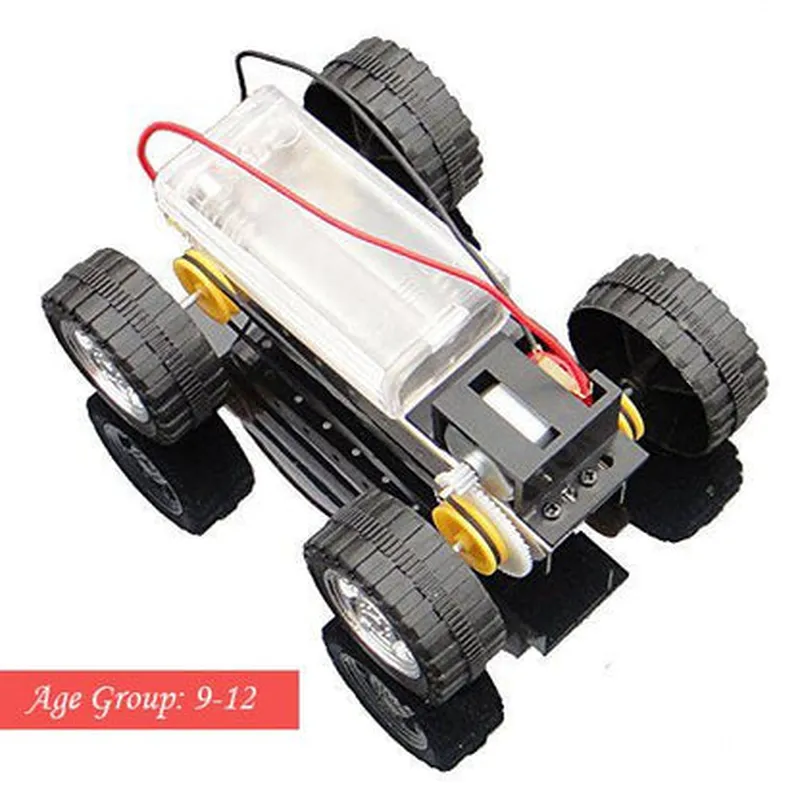
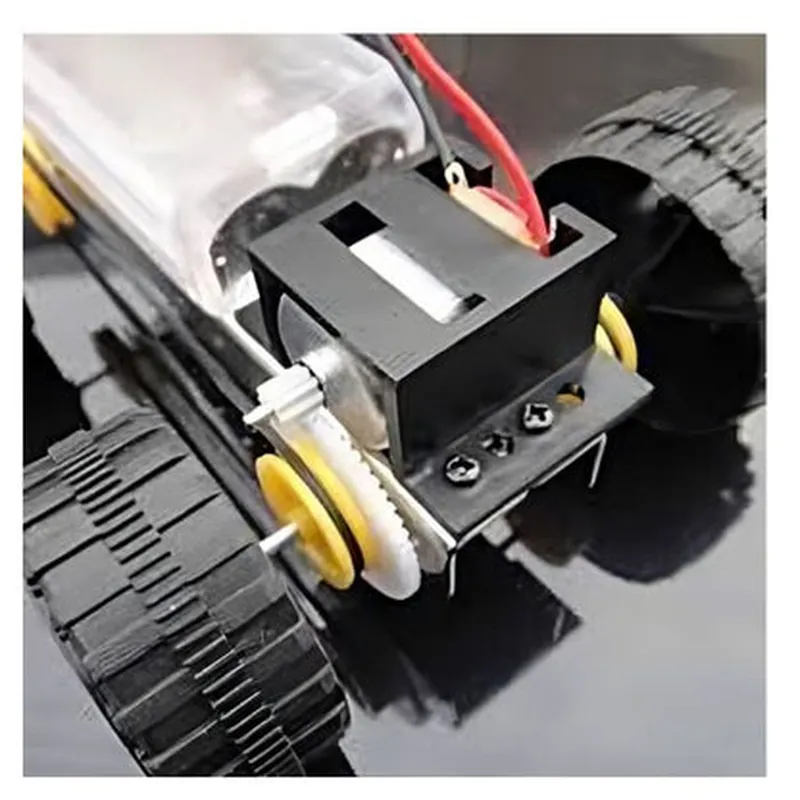
The DIY Battery Powered Mini Metal Tank is a compact, remote-controlled robot designed for hobbyists and enthusiasts. This miniature tank is powered by a rechargeable battery and features a metal body, making it a durable and rugged IoT component.
The DIY Battery Powered Mini Metal Tank is designed to operate remotely using a controller or a mobile application. The tank is equipped with motors that enable it to move forward, backward, left, and right, allowing users to control its movement and explore its surroundings. The tank is also equipped with sensors that enable it to detect obstacles and navigate around them.
12 cm x 8 cm x 6 cm (4.7 in x 3.1 in x 2.4 in)
250g (8.8 oz)
Up to 100 rpm
Up to 6 hours
Up to 20 meters (65.6 ft)
Wi-Fi (802.11 b/g/n) or Bluetooth 4.0
2.4 GHz
Hobbyists and enthusiasts looking to build and customize their own remote-controlled robots
Educational institutions teaching robotics and IoT concepts
Research and development teams prototyping IoT projects
Fun and entertainment for kids and adults alike
The DIY Battery Powered Mini Metal Tank is a versatile and customizable IoT component that offers a unique combination of functionality, durability, and affordability. Its compact size, remote control functionality, and IoT connectivity make it an ideal component for a wide range of applications.
DIY Battery Powered Mini Metal Tank Component DocumentationOverviewThe DIY Battery Powered Mini Metal Tank is a compact and versatile IoT component designed for hobbyists and makers. This miniature tank is powered by a rechargeable battery and features a metal body, making it an ideal component for various robotics, automation, and IoT projects. The tank is equipped with wheels, allowing it to move around and perform tasks with precision.Technical SpecificationsPower Source: Rechargeable Li-ion battery (included)
Voltage: 3.7V
Current: 500mA
Motor: 2x DC motors (included)
Speed: Up to 50 RPM
Dimensions: 10cm x 6cm x 4cm (L x W x H)
Weight: 150g
Communication: UART (serial communication)Code Examples### Example 1: Basic Movement Control using ArduinoIn this example, we will demonstrate how to control the tank's movement using an Arduino board.Hardware Requirements:Arduino Uno board
DIY Battery Powered Mini Metal Tank
Jumper wiresSoftware Requirements:Arduino IDE (version 1.8.x)Code:
```c++
#include <SoftwareSerial.h>// Define the tank's motor pins
#define LEFT_MOTOR_FORWARD 2
#define LEFT_MOTOR_BACKWARD 3
#define RIGHT_MOTOR_FORWARD 4
#define RIGHT_MOTOR_BACKWARD 5// Create a SoftwareSerial object for UART communication
SoftwareSerial tankSerial(6, 7); // RX, TXvoid setup() {
// Initialize the tank's motor pins as outputs
pinMode(LEFT_MOTOR_FORWARD, OUTPUT);
pinMode(LEFT_MOTOR_BACKWARD, OUTPUT);
pinMode(RIGHT_MOTOR_FORWARD, OUTPUT);
pinMode(RIGHT_MOTOR_BACKWARD, OUTPUT);// Initialize the UART communication
tankSerial.begin(9600);
}void loop() {
// Move the tank forward
tankSerial.println("F");
digitalWrite(LEFT_MOTOR_FORWARD, HIGH);
digitalWrite(RIGHT_MOTOR_FORWARD, HIGH);
delay(1000);// Stop the tank
tankSerial.println("S");
digitalWrite(LEFT_MOTOR_FORWARD, LOW);
digitalWrite(RIGHT_MOTOR_FORWARD, LOW);
delay(500);// Move the tank backward
tankSerial.println("B");
digitalWrite(LEFT_MOTOR_BACKWARD, HIGH);
digitalWrite(RIGHT_MOTOR_BACKWARD, HIGH);
delay(1000);// Stop the tank
tankSerial.println("S");
digitalWrite(LEFT_MOTOR_BACKWARD, LOW);
digitalWrite(RIGHT_MOTOR_BACKWARD, LOW);
delay(500);
}
```
### Example 2: Autonomous Navigation using Raspberry Pi and PythonIn this example, we will demonstrate how to control the tank's movement using a Raspberry Pi and Python script.Hardware Requirements:Raspberry Pi 4 board
DIY Battery Powered Mini Metal Tank
Jumper wiresSoftware Requirements:Raspbian OS (version 10.x)
Python 3.xCode:
```python
import serial
import time# Initialize the UART communication
tank_serial = serial.Serial('/dev/ttyUSB0', 9600, timeout=1)def move_forward():
tank_serial.write(b'F
')
print("Moving forward...")def move_backward():
tank_serial.write(b'B
')
print("Moving backward...")def stop():
tank_serial.write(b'S
')
print("Stopping...")try:
while True:
# Read sensor data (e.g., ultrasonic sensor) to determine obstacles
sensor_data = read_sensor_data()if sensor_data > 50: # Adjust the threshold value as needed
move_backward()
time.sleep(0.5)
else:
move_forward()
time.sleep(0.5)stop()
time.sleep(0.5)except KeyboardInterrupt:
stop()
print("Program terminated.")
```
Note: In this example, we assume that you have already set up the Raspberry Pi and have installed the necessary libraries. You will need to modify the code to read sensor data from your specific sensor module.