Stufin
Home Quick Cart Profile

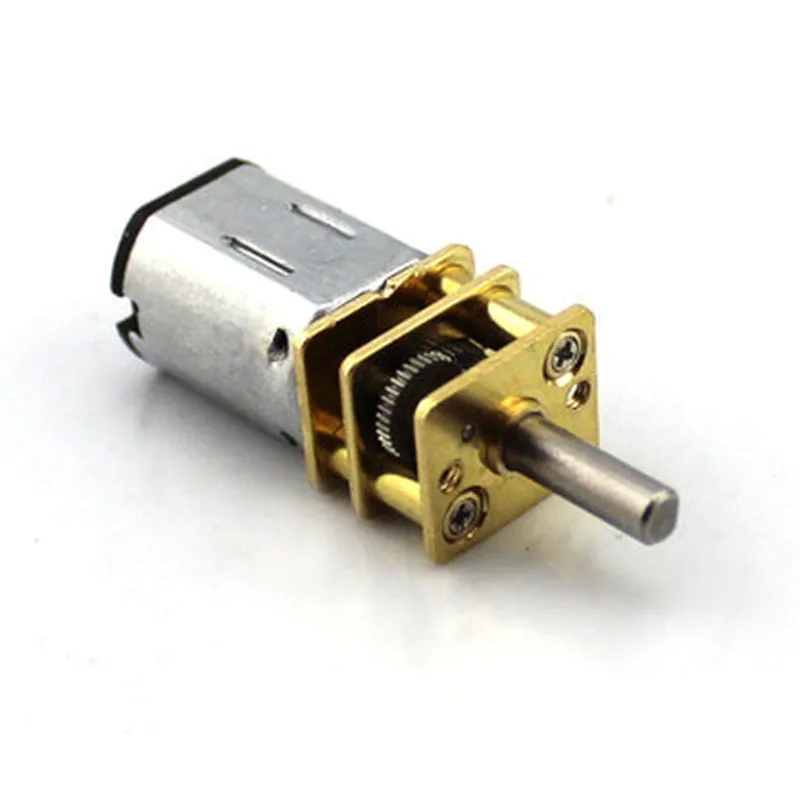
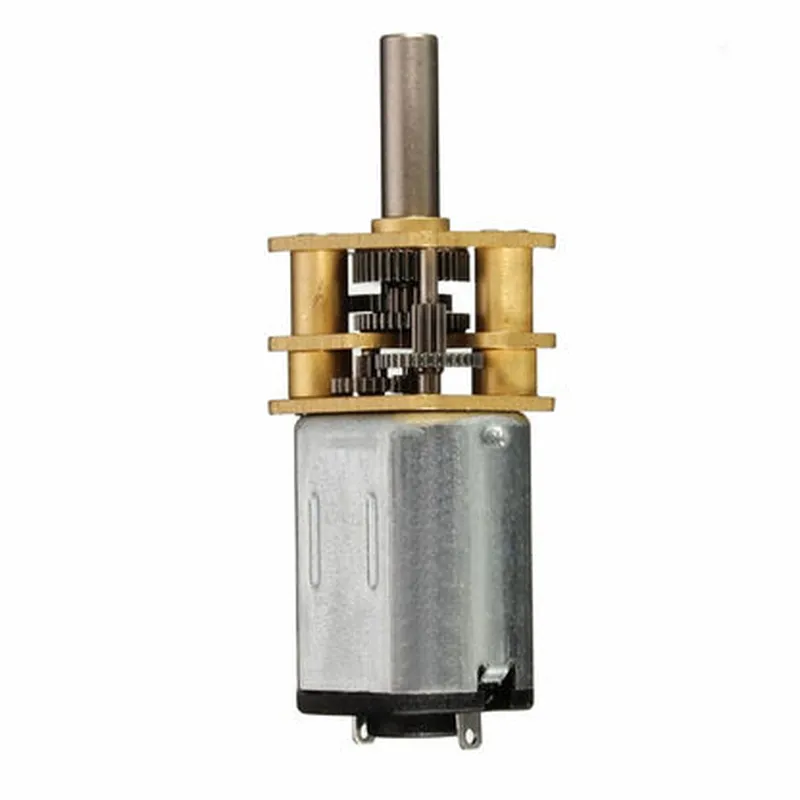
Robocraze DC6V 100rpm GM12-N20 Miniature Gear Motor with Metal Gear

Buy Now on Stufin

Pin Configuration

  • Robocraze DC6V 100rpm GM12-N20 Miniature Gear Motor with Metal Gear
  • Pinout and Connection Guide
  • The Robocraze DC6V 100rpm GM12-N20 Miniature Gear Motor with Metal Gear is a compact and efficient motor designed for various IoT and robotics applications. The motor has a 3-pin interface, which is commonly used in DC motor control. In this section, we will explain the pins one by one and provide a step-by-step guide on how to connect them.
  • Pinout:
  • The motor has three pins, labeled as follows:
  • 1. VCC (Red Wire)
  • Function: Positive power supply
  • Description: This pin is connected to the positive terminal of the power supply (typically +6V DC).
  • 2. GND (Black Wire)
  • Function: Ground
  • Description: This pin is connected to the negative terminal of the power supply (typically GND or 0V DC).
  • 3. Signal (Yellow or White Wire)
  • Function: Motor control signal
  • Description: This pin is connected to the control circuitry or microcontroller output, which controls the motor's rotation speed and direction.
  • Connection Structure:
  • To connect the motor to a power supply and control circuitry, follow these steps:
  • Step 1: Power Supply Connection
  • Connect the VCC (Red Wire) to the positive terminal of the power supply (+6V DC).
  • Connect the GND (Black Wire) to the negative terminal of the power supply (GND or 0V DC).
  • Step 2: Control Circuitry Connection
  • Connect the Signal (Yellow or White Wire) to the microcontroller output or control circuitry output, which controls the motor's rotation speed and direction.
  • Example Connection Diagram:
  • Here's an example connection diagram using an Arduino microcontroller:
  • VCC (Red Wire) Arduino VIN pin
  • GND (Black Wire) Arduino GND pin
  • Signal (Yellow or White Wire) Arduino Digital Pin (e.g., Pin 9)
  • Important Notes:
  • Make sure to use a suitable power supply that can provide the required voltage and current for the motor.
  • Use a motor driver or controller if you need to control the motor's speed and direction.
  • Ensure proper heat dissipation and cooling mechanisms are in place to prevent motor overheating.
  • Follow the recommended operating conditions and guidelines provided in the datasheet to ensure the motor's longevity and performance.
  • By following this pinout and connection guide, you can successfully integrate the Robocraze DC6V 100rpm GM12-N20 Miniature Gear Motor with Metal Gear into your IoT or robotics projects.

Code Examples

Component Documentation: Robocraze DC6V 100rpm GM12-N20 Miniature Gear Motor with Metal Gear
Overview
The Robocraze DC6V 100rpm GM12-N20 Miniature Gear Motor with Metal Gear is a compact, high-performance motor designed for various robotics and automation applications. This motor features a metal gear train, which provides improved durability and efficiency compared to plastic gears. With a maximum rotation speed of 100rpm and a stall torque of 1.2kg.cm, this motor is suitable for small to medium-sized robotic platforms, robotic arms, and other applications requiring precise motion control.
Technical Specifications
Voltage: 6V DC
 Speed: 100rpm
 Stall Torque: 1.2kg.cm
 Gear Ratio: 1:120
 Shaft Diameter: 3mm
 Dimensions: 27mm x 12mm x 24mm (L x W x H)
 Weight: 25g
Pinout
The motor has a 3-pin connector:
VIN (Red Wire): Positive power supply (6V DC)
 GND (Black Wire): Ground
 VOUT (Yellow Wire): Motor output signal
Code Examples
### Example 1: Basic Motor Control using Arduino
In this example, we will demonstrate how to control the motor using an Arduino Uno board.
```cpp
const int motorPin = 9;  // Connect motor output signal to digital pin 9
void setup() {
  pinMode(motorPin, OUTPUT);
}
void loop() {
  // Set motor speed to 50% duty cycle
  analogWrite(motorPin, 128);
  delay(1000);
// Set motor speed to 100% duty cycle
  analogWrite(motorPin, 255);
  delay(1000);
// Set motor speed to 0% duty cycle (stop)
  analogWrite(motorPin, 0);
  delay(1000);
}
```
### Example 2: Motor Speed Control using Raspberry Pi and Python
In this example, we will demonstrate how to control the motor speed using a Raspberry Pi and Python.
```python
import RPi.GPIO as GPIO
import time
# Set up GPIO mode
GPIO.setmode(GPIO.BCM)
# Define motor output pin
motor_pin = 18
GPIO.setup(motor_pin, GPIO.OUT)
# Set up PWM frequency
pwm_frequency = 50
pwm = GPIO.PWM(motor_pin, pwm_frequency)
try:
    while True:
        # Set motor speed to 25% duty cycle
        pwm.start(25)
        time.sleep(1)
# Set motor speed to 50% duty cycle
        pwm.ChangeDutyCycle(50)
        time.sleep(1)
# Set motor speed to 75% duty cycle
        pwm.ChangeDutyCycle(75)
        time.sleep(1)
# Set motor speed to 0% duty cycle (stop)
        pwm.ChangeDutyCycle(0)
        time.sleep(1)
except KeyboardInterrupt:
    pwm.stop()
    GPIO.cleanup()
```
Note: In both examples, make sure to connect the motor output signal to the corresponding digital pin on your microcontroller board. Also, ensure that the power supply voltage and current are within the motor's rated specifications to avoid damage.