Stufin
Home Quick Cart Profile

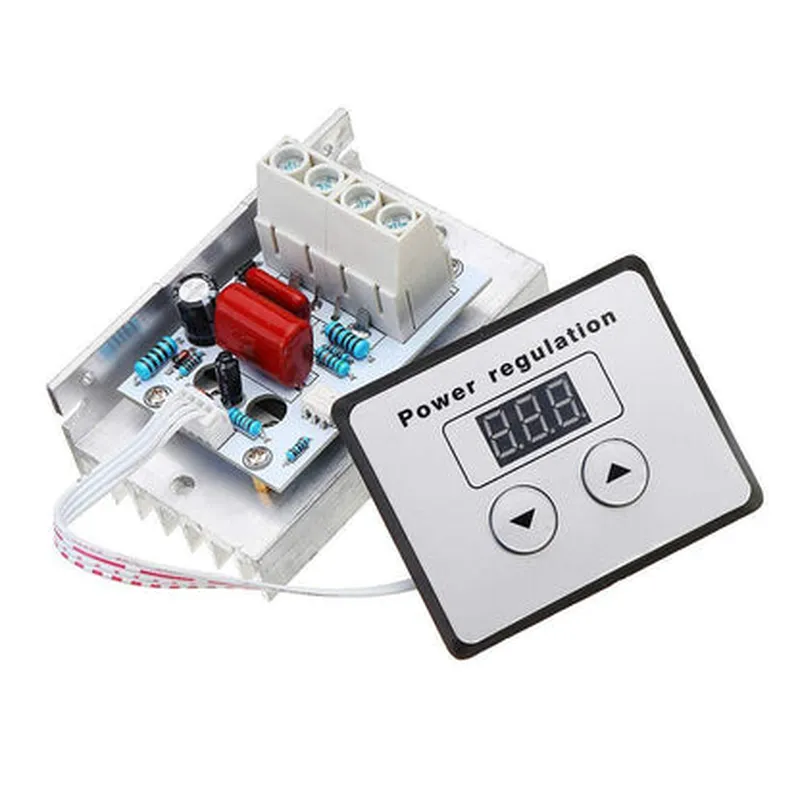
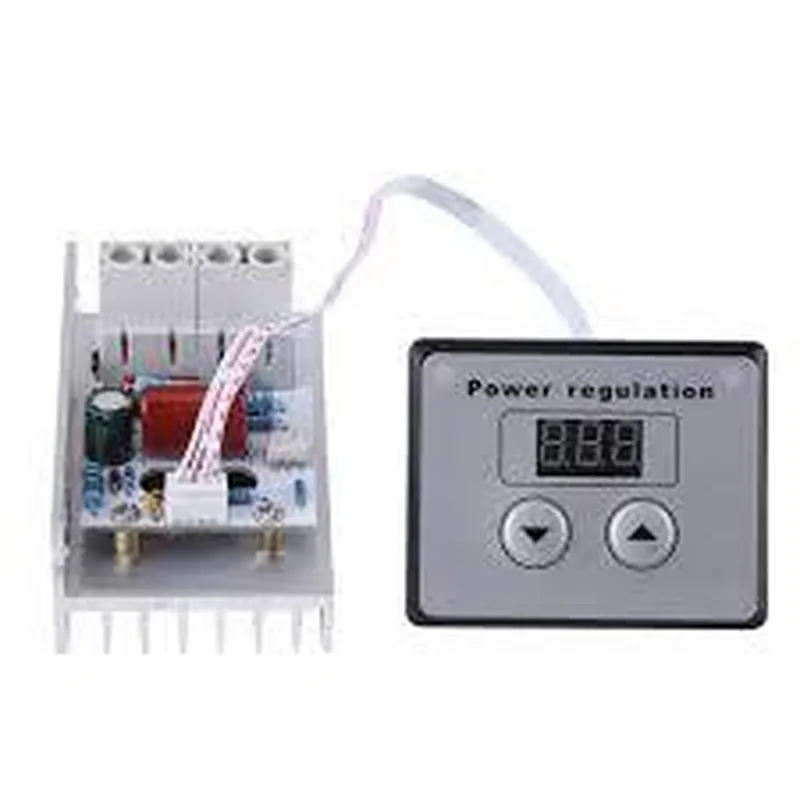
AC 220V 10000W 80A Digital Control SCR Electronic Voltage Regulator 10-220V Speed Control Dimmer Thermostat + Digital Meter(6.8)

Buy Now on Stufin

Component Name

AC 220V 10000W 80A Digital Control SCR Electronic Voltage Regulator 10-220V Speed Control Dimmer Thermostat + Digital Meter (6.8)


Overview

The AC 220V 10000W 80A Digital Control SCR Electronic Voltage Regulator is a high-power digital control module designed for voltage regulation, speed control, and dimming applications. This component combines a digital voltage regulator, a dimmer module, and a digital meter, providing a comprehensive solution for various industrial, commercial, and residential applications.

Functionality

  • Voltage Regulation: The module provides a stable output voltage between 10V and 220V, making it suitable for various applications, including motor control, lighting systems, and power supplies.
  • Speed Control: The built-in speed control function allows for precise control of motor speed, making it ideal for applications such as pumps, fans, and compressors.
  • Dimming: The module features a dimming function, which enables smooth and precise control of light intensity, making it suitable for stage lighting, industrial lighting, and commercial lighting systems.
  • Thermostat Function: The built-in thermostat function allows for temperature control, making it suitable for applications such as heating, ventilation, and air conditioning (HVAC) systems.
  • Digital Meter: The digital meter feature provides real-time monitoring of key parameters, including voltage, current, power, and temperature.
The AC 220V 10000W 80A Digital Control SCR Electronic Voltage Regulator is designed to regulate and control AC voltage up to 10,000W and 80A. Its primary functions include

Key Features

  • High Power Rating: The module can handle up to 10,000W and 80A, making it suitable for high-power applications.
  • Digital Control: The module features a digital control system, which provides precise and efficient control of voltage, speed, and dimming functions.
  • Wide Voltage Range: The module can operate with input voltages between 10V and 220V, making it suitable for various applications.
  • SCR (Silicon-Controlled Rectifier) Technology: The module utilizes SCR technology, which provides fast and efficient switching, reducing power losses and increasing lifespan.
  • Digital Meter: The built-in digital meter provides real-time monitoring of key parameters, allowing for efficient monitoring and control.
  • Thermal Protection: The module features built-in thermal protection, which prevents overheating and ensures reliable operation.
  • Compact Design: The module has a compact design, making it easy to integrate into existing systems and applications.

Input Voltage

10V - 220V AC

Output Power

up to 10,000W

Output Current

up to 80A

Voltage Regulation

1%

Speed Control

0-100% (stepless)

Dimming Control

0-100% (stepless)

Temperature Range

-20C to 60C

Operating Frequency

50/60 Hz

Dimensions

140mm x 120mm x 60mm

Applications

  • Industrial control systems
  • Motor control systems
  • Lighting systems
  • HVAC systems
  • Power supplies
  • Commercial lighting systems
  • Stage lighting systems
The AC 220V 10000W 80A Digital Control SCR Electronic Voltage Regulator is suitable for various applications, including

Pin Configuration

  • Component Overview
  • The AC 220V 10000W 80A Digital Control SCR Electronic Voltage Regulator is a high-power voltage regulator designed for industrial and commercial applications. It features a digital control system, SCR (Silicon-Controlled Rectifier) technology, and a built-in digital meter for precise voltage control and monitoring.
  • Pin Description
  • The device has a total of 6 pins, labeled as follows:
  • 1. VIN (Input Voltage): This pin connects to the AC power source (220V) and supplies power to the regulator.
  • 2. VOUT (Output Voltage): This pin provides the regulated output voltage (10-220V) to the load.
  • 3. GND (Ground): This pin connects to the system ground and provides a reference point for the regulator.
  • 4. DIM (Dimming Control): This pin is used to control the output voltage level. It accepts a 0-5V DC signal from an external controller or potentiometer.
  • 5. SET (Set Point): This pin is used to set the desired output voltage level. It accepts a 0-5V DC signal from an external controller or potentiometer.
  • 6. COM (Common): This pin is connected to the internal circuitry and should not be connected to any external circuit.
  • Pin Connection Structure
  • To connect the pins properly, follow this step-by-step guide:
  • Step 1: Power Connection
  • Connect the AC power source (220V) to the VIN pin.
  • Ensure the power source is properly grounded to prevent electrical shock or damage to the device.
  • Step 2: Output Connection
  • Connect the load (e.g., motor, lighting, or heating element) to the VOUT pin.
  • Ensure the load is properly sized for the maximum output power rating (10,000W) and voltage range (10-220V).
  • Step 3: Grounding
  • Connect the system ground to the GND pin.
  • Ensure a secure and reliable ground connection to prevent electrical noise and interference.
  • Step 4: Dimming Control Connection (Optional)
  • If using an external controller or potentiometer for dimming control, connect the 0-5V DC signal to the DIM pin.
  • Ensure the controller or potentiometer is properly configured and calibrated for the desired output voltage range.
  • Step 5: Set Point Connection (Optional)
  • If using an external controller or potentiometer for set point control, connect the 0-5V DC signal to the SET pin.
  • Ensure the controller or potentiometer is properly configured and calibrated for the desired output voltage level.
  • Important Notes
  • Ensure proper electrical isolation between the input and output circuits to prevent electrical shock or damage to the device.
  • Use suitable electrical connections and wiring to handle the high power and voltage ratings of this device.
  • Consult the device's datasheet and user manual for specific instructions, safety precautions, and troubleshooting guidelines.
  • By following this pin connection structure, you can successfully integrate the AC 220V 10000W 80A Digital Control SCR Electronic Voltage Regulator into your application and achieve precise voltage control and monitoring.

Code Examples

AC 220V 10000W 80A Digital Control SCR Electronic Voltage Regulator 10-220V Speed Control Dimmer Thermostat + Digital Meter(6.8)
Overview
The AC 220V 10000W 80A Digital Control SCR Electronic Voltage Regulator 10-220V Speed Control Dimmer Thermostat + Digital Meter(6.8) is a high-power, high-precision voltage regulator and speed control device. It features a digital control interface, allowing for precise voltage regulation and speed control through a range of inputs. The device is suitable for various applications, including industrial automation, motor control, and heating systems.
Technical Specifications
Input Voltage: 220V AC
 Output Power: 10000W
 Output Current: 80A
 Output Voltage Range: 10-220V
 Control Interface: Digital
 Accuracy: 1%
 Response Time: 10ms
 Operating Temperature: -20C to 60C
Pinout and Connection Diagram
The device has the following pinout and connection diagram:
| Pin | Function |
| --- | --- |
| VCC | Power Supply (220V AC) |
| GND | Ground |
| IN+ | Input Signal (Digital) |
| IN- | Input Signal (Digital) |
| OUT+ | Output Voltage (10-220V) |
| OUT- | Output Voltage (10-220V) |
| CS | Current Sense (optional) |
| TX | Digital Meter Communication (optional) |
| RX | Digital Meter Communication (optional) |
Code Examples
### Example 1: Basic Voltage Regulation
In this example, we will demonstrate how to use the AC 220V 10000W 80A Digital Control SCR Electronic Voltage Regulator to control the output voltage using a microcontroller (e.g., Arduino).
```c++
#include <Arduino.h>
#define VOLTAGE_SETPOINT 150 // Desired output voltage (V)
void setup() {
  pinMode(IN+, OUTPUT);
  pinMode(IN-, OUTPUT);
}
void loop() {
  // Set the output voltage to the desired setpoint
  analogWrite(IN+, VOLTAGE_SETPOINT  255 / 220);
  analogWrite(IN-, VOLTAGE_SETPOINT  255 / 220);
  delay(10);
}
```
In this example, we use the `analogWrite()` function to set the output voltage to the desired setpoint (150V in this case) by generating a PWM signal on the IN+ and IN- pins.
### Example 2: Speed Control of a Motor
In this example, we will demonstrate how to use the AC 220V 10000W 80A Digital Control SCR Electronic Voltage Regulator to control the speed of a motor using a microcontroller (e.g., Arduino).
```c++
#include <Arduino.h>
#define SPEED_SETPOINT 50 // Desired motor speed (0-100)
void setup() {
  pinMode(IN+, OUTPUT);
  pinMode(IN-, OUTPUT);
}
void loop() {
  // Set the output voltage to control the motor speed
  int pwmValue = map(SPEED_SETPOINT, 0, 100, 0, 255);
  analogWrite(IN+, pwmValue);
  analogWrite(IN-, pwmValue);
  delay(10);
}
```
In this example, we use the `map()` function to scale the desired motor speed (0-100) to a PWM value (0-255) and then use the `analogWrite()` function to set the output voltage to control the motor speed.
### Example 3: Reading Digital Meter Values
In this example, we will demonstrate how to use the AC 220V 10000W 80A Digital Control SCR Electronic Voltage Regulator to read digital meter values using a microcontroller (e.g., Arduino).
```c++
#include <Arduino.h>
#include <SoftwareSerial.h>
SoftwareSerial mySerial(TX, RX); // Digital meter communication pins
void setup() {
  mySerial.begin(9600);
}
void loop() {
  mySerial.println("read?voltage"); // Request voltage reading
  delay(10);
  String response = mySerial.readStringUntil('
');
  float voltageReading = response.toFloat();
  Serial.println("Voltage: " + String(voltageReading) + " V");
  delay(1000);
}
```
In this example, we use the SoftwareSerial library to communicate with the digital meter and request voltage readings. We then parse the response and print the voltage reading to the serial console.
Note: The above code examples are for illustrative purposes only and may require modification to suit specific applications and hardware configurations. Always ensure proper safety precautions when working with high-voltage and high-power devices.