

Stufin
Home Quick Cart Profile

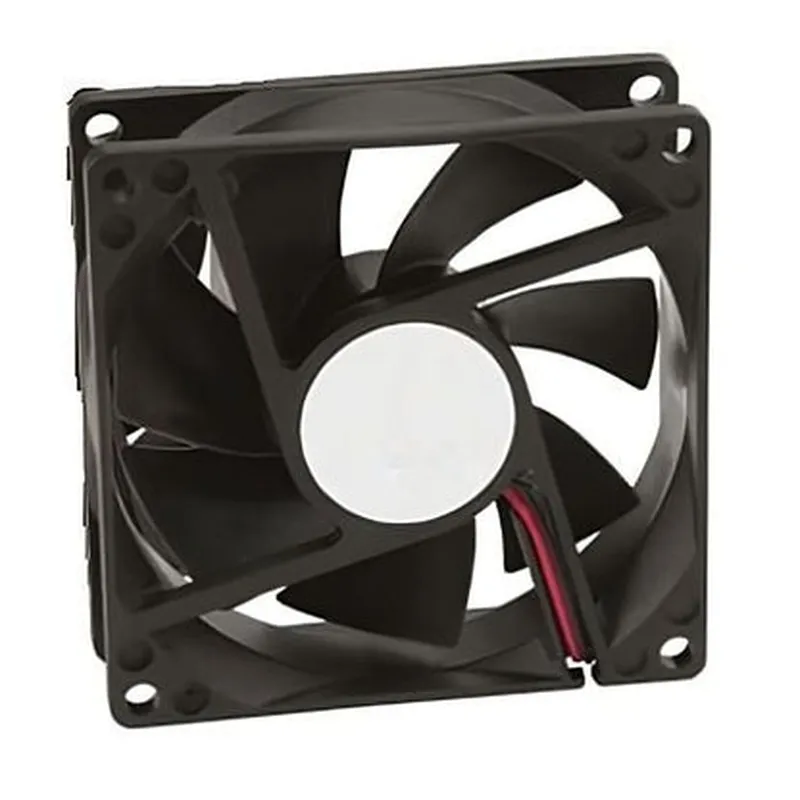
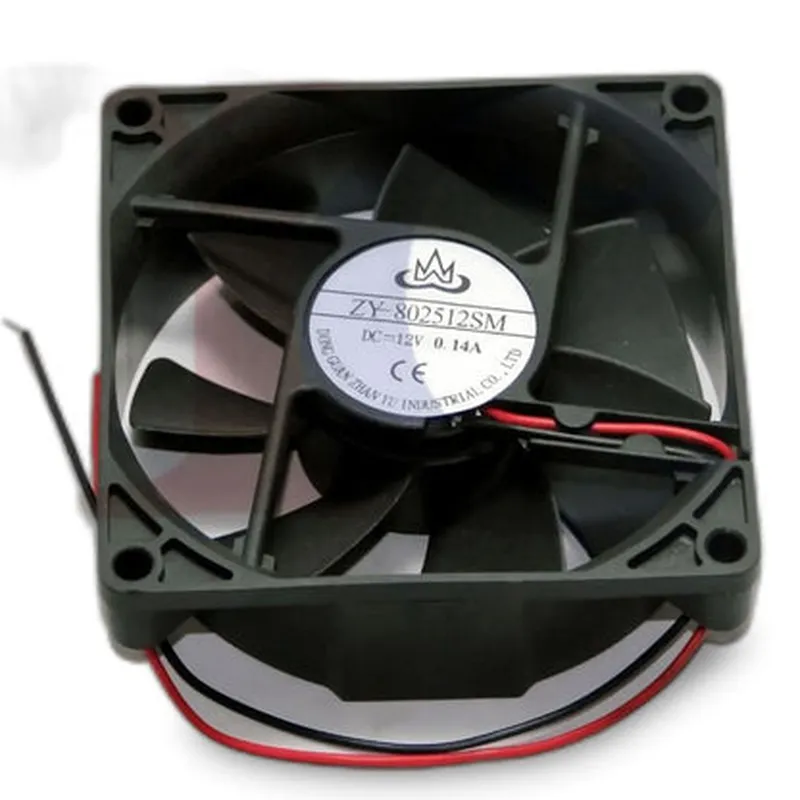
Jigo 12V 0.15A CPU Fan

Buy Now on Stufin

Component Documentation

Jigo 12V 0.15A CPU Fan

Overview

The Jigo 12V 0.15A CPU Fan is a compact, high-performance cooling fan designed specifically for use in electronic devices, particularly in computer systems and embedded platforms. This fan is optimized for quiet operation, high airflow, and low power consumption, making it an ideal solution for applications where reliable and efficient cooling is crucial.

Functionality

The Jigo 12V 0.15A CPU Fan is designed to provide efficient cooling to electronic components, such as CPUs, GPUs, and motherboard chipsets, by creating a consistent airflow that helps to dissipate heat. The fan's primary function is to draw in cool air, circulate it over the heat-generating components, and expel warm air, thereby maintaining a stable operating temperature.

Key Features

  • Voltage and Current Rating: The fan operates at a nominal voltage of 12V and has a maximum current rating of 0.15A, making it suitable for use in a wide range of applications.
  • Compact Design: The fan's compact dimensions (60mm x 60mm x 25mm) allow for easy installation in tight spaces, making it ideal for use in Mini-ITX systems, SFF (Small Form Factor) builds, and other compact enclosures.
  • High Airflow: The Jigo 12V 0.15A CPU Fan is capable of producing a high airflow of 24.5 CFM (Cubic Feet per Minute), ensuring efficient cooling of electronic components.
  • Low Noise Operation: The fan's advanced blade design and vibration-dampening materials minimize noise levels, making it suitable for use in noise-sensitive applications or in environments where quiet operation is essential.
  • Multi-PLATFORM Compatibility: The fan is compatible with a wide range of platforms, including Intel and AMD CPU sockets, as well as various motherboard configurations.
  • Reliability and Durability: The fan's construction features a durable bearing system and high-quality materials, ensuring a long lifespan and reliable operation even in demanding environments.
  • Easy Installation: The fan comes with a standard screws-and-clips mounting system, making installation quick and straightforward.
  • RoHS Compliance: The fan meets the Restriction of Hazardous Substances (RoHS) directive, ensuring that it is free from hazardous materials and environmentally friendly.

Technical Specifications

| Parameter | Value |

| --- | --- |

| Voltage | 12V |

| Current | 0.15A |

| Airflow | 24.5 CFM |

| Noise Level | 20 dBA |

| Speed | 2500 RPM |

| Bearing Type | Sleeve Bearing |

| Dimensions | 60mm x 60mm x 25mm |

| Weight | 120g |

| Material | Plastic and Metal |

| Color | Black |

Applications

The Jigo 12V 0.15A CPU Fan is suitable for use in a wide range of applications, including

Computer systems (desktop, laptop, and server)

Embedded platforms (industrial, automotive, and medical)

Gaming consoles

Home appliances

Industrial control systems

Conclusion

The Jigo 12V 0.15A CPU Fan is a reliable, high-performance cooling solution designed to provide efficient and quiet operation in a compact package. Its versatility, compatibility, and technical features make it an ideal choice for a wide range of applications where reliable cooling is critical.

Pin Configuration

  • Jigo 12V 0.15A CPU Fan Pinout Documentation
  • The Jigo 12V 0.15A CPU Fan is a compact and reliable cooling solution for various IoT devices and computer systems. This documentation provides a detailed explanation of the fan's pinout, ensuring a clear understanding of how to connect the pins correctly.
  • Pinout Structure:
  • The Jigo 12V 0.15A CPU Fan has a standard 3-pin connectors for power and signal connections. The pinout structure is as follows:
  • | Pin Number | Pin Name | Function | Description |
  • | --- | --- | --- | --- |
  • | 1 | GND | Ground | Connect to the negative terminal of the power supply or the system's ground. |
  • | 2 | VCC | Power | Connect to the positive terminal of the 12V power supply. |
  • | 3 | PWM | Pulse Width Modulation | Connect to the PWM signal from the system's controller or fan controller to regulate fan speed. |
  • Pin-by-Pin Connection Guide:
  • To ensure proper connection and functionality, follow this step-by-step guide:
  • Pin 1: GND (Ground)
  • Connect the GND pin to the negative terminal of the 12V power supply or the system's ground.
  • Verify that the connection is secure and not loose to prevent electrical noise or damage.
  • Pin 2: VCC (Power)
  • Connect the VCC pin to the positive terminal of the 12V power supply.
  • Ensure the power supply can deliver a minimum of 0.15A to the fan.
  • Verify that the connection is secure and not loose to prevent electrical noise or damage.
  • Pin 3: PWM (Pulse Width Modulation)
  • Connect the PWM pin to the PWM signal output from the system's controller or fan controller.
  • The PWM signal regulates the fan speed; a 25 kHz signal is recommended for optimal performance.
  • Make sure the PWM signal is within the 0-100% duty cycle range to control fan speed.
  • Important Connection Notes:
  • Ensure all connections are secure and not loose to prevent electrical noise or damage.
  • Verify the power supply can deliver the required current (0.15A) to the fan.
  • Use a suitable cable and connector for the PWM signal to prevent signal degradation or electromagnetic interference (EMI).
  • By following this documentation and connecting the pins correctly, you can enjoy reliable and efficient operation of the Jigo 12V 0.15A CPU Fan in your IoT device or computer system.

Code Examples

Jigo 12V 0.15A CPU Fan Documentation
Overview
The Jigo 12V 0.15A CPU Fan is a compact and efficient cooling solution designed for use in IoT projects, embedded systems, and other compact electronics. This fan is suitable for use in a variety of applications, including robotics, automation, and industrial control systems.
Key Features
Voltage: 12V
 Current: 0.15A
 Size: 30mm x 30mm x 10mm
 Noise Level: 20 dBA
 Speed: 2500 RPM
 Airflow: 13.5 CFM
 Connector Type: 2-pin JST
Using the Jigo 12V 0.15A CPU Fan in IoT Projects
### Example 1:Using the Jigo 12V 0.15A CPU Fan with Arduino
In this example, we'll demonstrate how to connect and control the Jigo 12V 0.15A CPU Fan using an Arduino Uno board.
Hardware Requirements:
Arduino Uno board
 Jigo 12V 0.15A CPU Fan
 12V power supply
 Jumper wires
Software Requirements:
Arduino IDE
Code:
```c++
const int fanPin = 9;  // Pin 9 for fan control
void setup() {
  pinMode(fanPin, OUTPUT);
}
void loop() {
  // Turn the fan on
  digitalWrite(fanPin, HIGH);
  delay(5000);
// Turn the fan off
  digitalWrite(fanPin, LOW);
  delay(5000);
}
```
Explanation:
In this example, we connect the Jigo 12V 0.15A CPU Fan to Pin 9 of the Arduino Uno board. We then use the `digitalWrite()` function to set the fan pin high (turning the fan on) and low (turning the fan off) in an alternating pattern.
### Example 2:Using the Jigo 12V 0.15A CPU Fan with Raspberry Pi (Python)
In this example, we'll demonstrate how to connect and control the Jigo 12V 0.15A CPU Fan using a Raspberry Pi and Python.
Hardware Requirements:
Raspberry Pi
 Jigo 12V 0.15A CPU Fan
 12V power supply
 Jumper wires
Software Requirements:
Raspbian OS
 Python 3.x
Code:
```python
import RPi.GPIO as GPIO
import time
# Set up GPIO mode
GPIO.setmode(GPIO.BCM)
# Define the fan pin
fan_pin = 17
# Set up the fan pin as an output
GPIO.setup(fan_pin, GPIO.OUT)
try:
    while True:
        # Turn the fan on
        GPIO.output(fan_pin, GPIO.HIGH)
        time.sleep(5)
# Turn the fan off
        GPIO.output(fan_pin, GPIO.LOW)
        time.sleep(5)
except KeyboardInterrupt:
    GPIO.cleanup()
```
Explanation:
In this example, we connect the Jigo 12V 0.15A CPU Fan to Pin 17 of the Raspberry Pi. We then use the `RPi.GPIO` library to set up the fan pin as an output and control the fan using the `GPIO.output()` function, alternating between high (turning the fan on) and low (turning the fan off) states.
These examples demonstrate the basic usage of the Jigo 12V 0.15A CPU Fan in IoT projects. You can customize the code to suit your specific project requirements and integrate the fan with other components to create a comprehensive IoT system.