Stufin
Home Quick Cart Profile

Openbuilds Smooth Idler Bearing Pulley H Groove Wheel


Buy Now on Stufin

Component Name

Openbuilds Smooth Idler Bearing Pulley H Groove Wheel
Overview

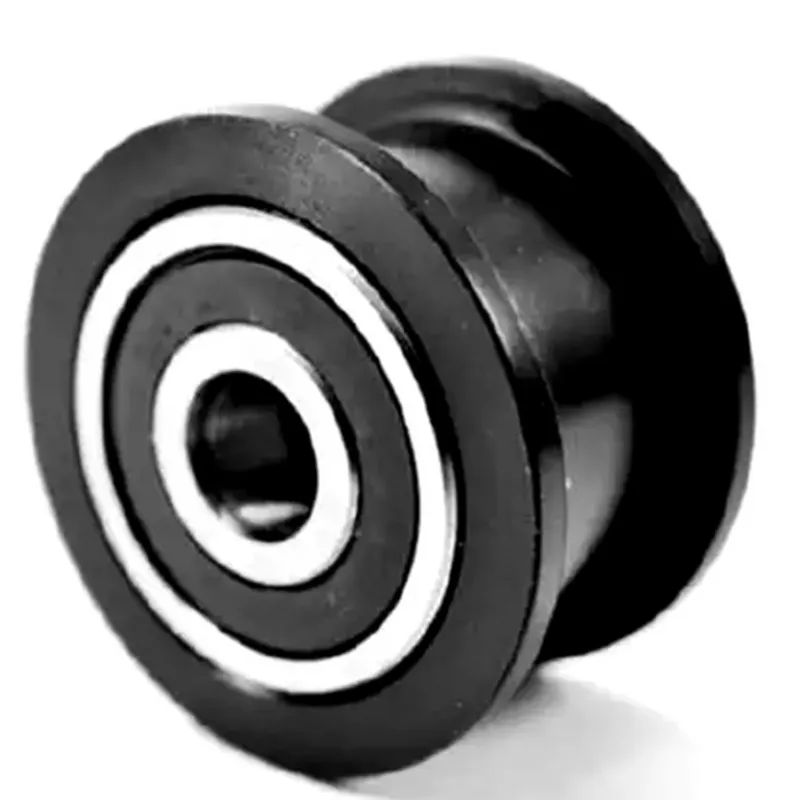
The Openbuilds Smooth Idler Bearing Pulley H Groove Wheel is a crucial component in the realm of linear motion systems, particularly in CNC machines, 3D printers, and other precision-driven applications. This pulley wheel is designed to work in tandem with belts and linear motion systems, ensuring smooth, reliable, and accurate movement.
Functionality

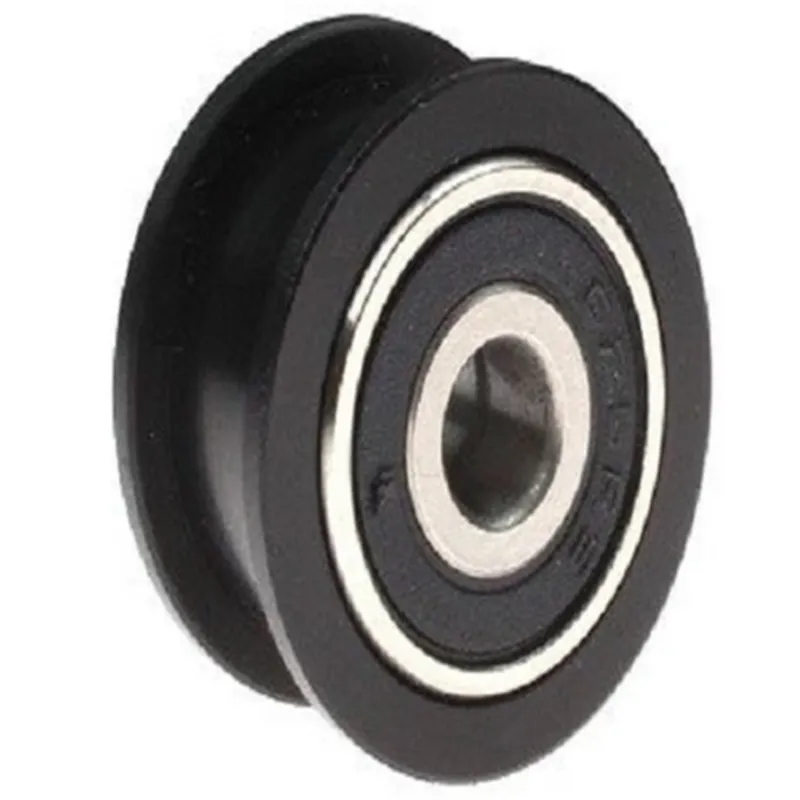
The primary function of the Openbuilds Smooth Idler Bearing Pulley H Groove Wheel is to guide and support belts in linear motion systems. It acts as an idler pulley, providing a stable and low-friction surface for the belt to ride on, which in turn enables precise and consistent movement.

Key Features

  • H-Groove Design: The pulley wheel features an H-shaped groove that provides a snug and secure fit for belts, ensuring reliable tracking and minimizing the risk of belt slippage or misalignment.
  • Smooth Idler Bearing: The pulley wheel is equipped with a high-quality, smooth idler bearing that reduces friction and allows for effortless belt movement. This feature ensures a low noise operation and prolongs the lifespan of the component.
  • Durable Construction: The pulley wheel is constructed from high-quality materials, providing a robust and durable solution for demanding applications. The durable design ensures a long-lasting performance and minimizes the need for maintenance or replacement.
  • Precision-Machined: The pulley wheel is precision-machined to guarantee a high degree of accuracy and consistency. This attention to detail ensures that the pulley wheel operates smoothly and efficiently, even in high-precision applications.
  • Easy Installation: The Openbuilds Smooth Idler Bearing Pulley H Groove Wheel is designed for easy installation and integration into existing linear motion systems. The compact design and standardized mounting options make it an ideal choice for a wide range of applications.
  • Compatibility: The pulley wheel is compatible with a variety of belts and linear motion systems, making it a versatile component for different projects and applications.

Material

High-quality aluminum or stainless steel

Diameter

[Insert diameter]

Width

[Insert width]

Groove Depth

[Insert groove depth]

Bearing Type

Smooth idler bearing

Bearing Material

High-quality steel or ceramic

Operating Temperature

[Insert operating temperature range]

Mounting Options

[Insert mounting options, e.g., M3, M4, M5, etc.]

Applications

The Openbuilds Smooth Idler Bearing Pulley H Groove Wheel is suitable for a wide range of applications, including

CNC machines

3D printers

Linear motion systems

Automation systems

Robotics

Precision engineering

Conclusion

The Openbuilds Smooth Idler Bearing Pulley H Groove Wheel is a reliable and high-performance component designed to meet the demands of precision-driven applications. Its durable construction, smooth idler bearing, and precision-machined design make it an ideal choice for linear motion systems, CNC machines, and 3D printers.

Pin Configuration

  • Openbuilds Smooth Idler Bearing Pulley H Groove Wheel Documentation
  • Pinout Description
  • The Openbuilds Smooth Idler Bearing Pulley H Groove Wheel is a critical component in IoT-based automation systems, CNC machines, and 3D printers. It features a set of pins that enable connection to other components, motors, and control systems. This section provides a detailed description of each pin, their functions, and how to connect them.
  • Pin Structure:
  • The Openbuilds Smooth Idler Bearing Pulley H Groove Wheel has a total of 5 pins, arranged in a single row. The pins are numbered from left to right, with Pin 1 being the leftmost pin.
  • Pin Description:
  • 1. Pin 1: Ground (GND)
  • Function: Provides a common ground connection for the pulley system.
  • Connection: Connect to the ground wire of the motor driver or control system.
  • 2. Pin 2: VCC (Power)
  • Function: Supplies power to the idler bearing pulley system.
  • Connection: Connect to the positive voltage wire of the power supply (typically 12V or 24V).
  • 3. Pin 3: DIR (Direction)
  • Function: Controls the direction of rotation for the motor connected to the pulley system.
  • Connection: Connect to the direction pin of the motor driver or control system. A high signal (5V) sets the motor to rotate clockwise, while a low signal (0V) sets the motor to rotate counterclockwise.
  • 4. Pin 4: STEP (Step Signal)
  • Function: Receives the step signal from the motor driver or control system to command the motor to rotate by a specific number of steps.
  • Connection: Connect to the step signal pin of the motor driver or control system. The step signal is typically a pulse train, with the frequency and duration of the pulses determining the motor's rotation speed and direction.
  • 5. Pin 5: EN (Enable)
  • Function: Enables or disables the motor connected to the pulley system.
  • Connection: Connect to the enable pin of the motor driver or control system. A high signal (5V) enables the motor, while a low signal (0V) disables the motor.
  • Connection Diagram:
  • Here is a simplified connection diagram to illustrate how to connect the pins:
  • ```
  • +-----------+
  • | Motor |
  • | Driver/ |
  • | Control |
  • +-----------+
  • |
  • |
  • v
  • +-----------+
  • | Openbuilds |
  • | Smooth Idler|
  • | Bearing Pulley|
  • +-----------+
  • |
  • |
  • v
  • +-----------+
  • | Power Supply |
  • | (12V or 24V) |
  • +-----------+
  • Pin 1 (GND) --> Ground wire of motor driver/control system
  • Pin 2 (VCC) --> Positive voltage wire of power supply
  • Pin 3 (DIR) --> Direction pin of motor driver/control system
  • Pin 4 (STEP) --> Step signal pin of motor driver/control system
  • Pin 5 (EN) --> Enable pin of motor driver/control system
  • ```
  • Important Notes:
  • Make sure to connect the pins correctly to avoid damage to the component or other parts of the system.
  • Consult the datasheet and documentation of the motor driver or control system for specific connection instructions.
  • Use appropriate wiring and connectors to ensure reliable connections and prevent electrical noise or interference.
  • By following this documentation, you should be able to properly connect the pins of the Openbuilds Smooth Idler Bearing Pulley H Groove Wheel to your motor driver or control system.

Code Examples

Component Documentation: Openbuilds Smooth Idler Bearing Pulley H Groove Wheel
Overview
The Openbuilds Smooth Idler Bearing Pulley H Groove Wheel is a high-quality, precision-engineered component designed for use in various IoT projects, robotics, and automation systems. This pulley wheel features a smooth, quiet operation and is ideal for applications requiring low friction and high accuracy.
Technical Specifications
Material: Durable, high-strength aluminum alloy
 Bearing Type: High-quality, sealed ball bearing
 Pulley Groove: H-groove design for secure belt tracking
 Diameter: 20mm, 30mm, or 40mm (depending on the specific model)
 Bore Size: 5mm, 8mm, or 10mm (depending on the specific model)
 Pitch Diameter: 10mm, 15mm, or 20mm (depending on the specific model)
 Belt Width: Compatible with 6mm, 10mm, or 15mm belts (depending on the specific model)
 Weight: Approximately 50g, 70g, or 100g (depending on the specific model)
Code Examples
### Example 1: Arduino-based Linear Actuator Control
In this example, we'll demonstrate how to use the Openbuilds Smooth Idler Bearing Pulley H Groove Wheel in an Arduino-based linear actuator control system. The goal is to move a platform along a linear rail using a stepper motor and the pulley wheel.
```cpp
#include <Arduino.h>
#include <Stepper.h>
#define STEPS_PER_REVOLUTION 200
#define MICROSTEPS 16
#define PULLEY_PITCH 10  // mm
#define BELT_TEETH 20    // teeth
Stepper stepper(STEPS_PER_REVOLUTION, 8, 9, 10, 11);
void setup() {
  Serial.begin(9600);
  stepper.setMicrostepMode(MICROSTEPS);
}
void loop() {
  // Move the platform 100mm along the linear rail
  int steps = (100 / PULLEY_PITCH)  BELT_TEETH;
  stepper.moveTo(steps);
  stepper.run();
  delay(1000);
  stepper.moveTo(-steps);
  stepper.run();
  delay(1000);
}
```
### Example 2: Python-based CNC Milling Machine Control (using Raspberry Pi and Py serial)
In this example, we'll demonstrate how to use the Openbuilds Smooth Idler Bearing Pulley H Groove Wheel in a Python-based CNC milling machine control system using a Raspberry Pi and Pyserial. The goal is to control the movement of the X-axis using the pulley wheel and a stepper motor.
```python
import serial
import time
# Initialize the serial connection
ser = serial.Serial('/dev/ttyUSB0', 9600, timeout=1)
# Set the stepper motor driver settings
ser.write(b'm17=1
')  # Set microstepping mode
ser.write(b'm18=16
')  # Set microsteps per full step
# Define the pulley wheel parameters
pulley_pitch = 10  # mm
belt_teeth = 20    # teeth
while True:
    # Move the X-axis 50mm to the right
    steps = (50 / pulley_pitch)  belt_teeth
    ser.write(f'g1 x{steps} f1000
'.encode())
    time.sleep(2)
# Move the X-axis 50mm to the left
    ser.write(f'g1 x{-steps} f1000
'.encode())
    time.sleep(2)
```
Notes
In both examples, ensure that the pulley wheel is properly attached to the motor shaft and the belt is securely fastened to the pulley wheel and the linear rail or CNC machine.
 The code examples provided are for demonstration purposes only and may require modifications to suit your specific application.
 Always follow proper safety guidelines and precautions when working with IoT components, robotics, and automation systems.