Stufin
Home Quick Cart Profile

Spider Robot Insect Fun Toy


Buy Now on Stufin

Component Name

Spider Robot Insect Fun Toy
Overview

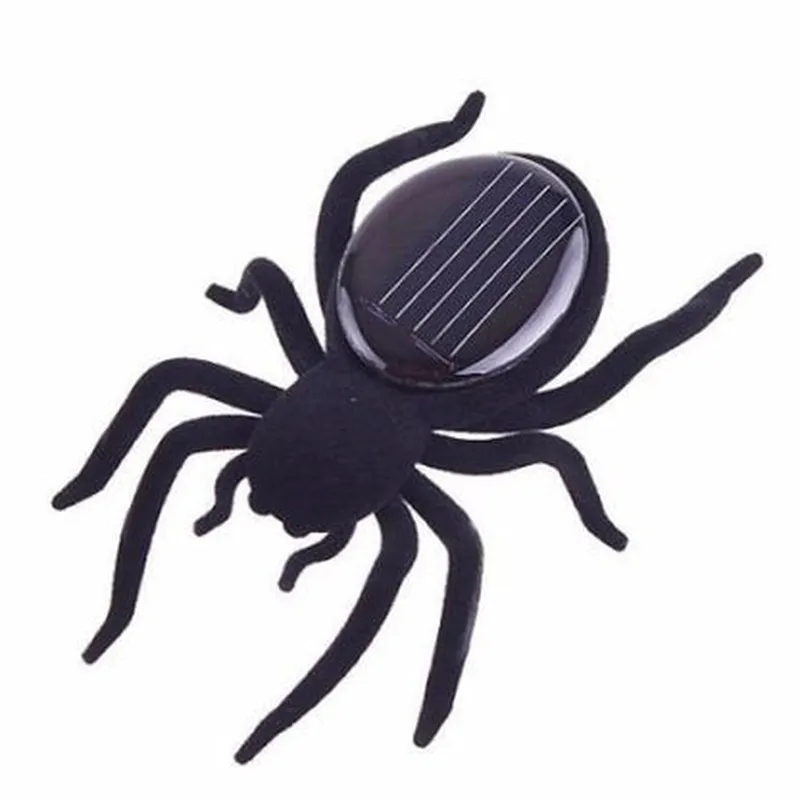
The Spider Robot Insect Fun Toy is a miniature, remote-controlled robot designed to mimic the movements and appearance of a spider. This IoT component is an entertaining and educational device that combines robotics, artificial intelligence, and wireless communication to provide an engaging experience for users.
Functionality

  • Remote Control: The Spider Robot Insect Fun Toy can be controlled remotely using a dedicated mobile application or a handheld remote controller, allowing users to navigate the robot in real-time.
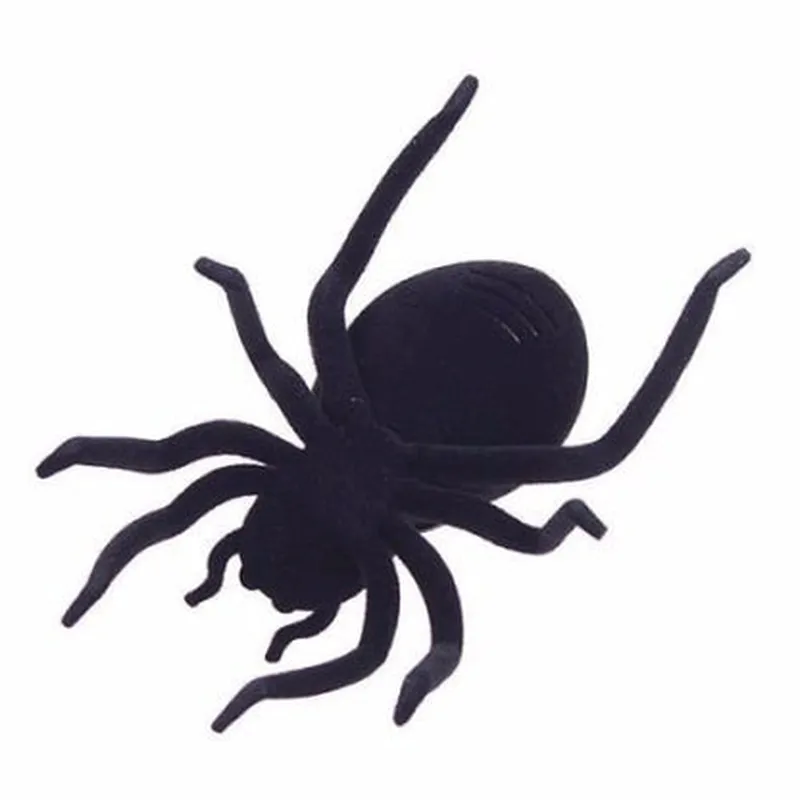
  • Mobility: The robot is equipped with six agile legs, enabling it to move in any direction, climb surfaces, and overcome obstacles.
  • Sensors and Perception: The robot features a range of sensors, including infrared, ultrasonic, and touch sensors, which enable it to detect and respond to its environment.
  • LED Indicators: The robot's body features LED lights that can be programmed to display various patterns, colors, and sequences, adding to its interactive and engaging nature.
  • Autonomous Mode: The Spider Robot Insect Fun Toy can operate in autonomous mode, using its sensors and AI algorithms to navigate and explore its surroundings without human intervention.

Key Features

  • Compact Design: The robot's compact size and lightweight design enable it to fit into small spaces and navigate through tight environments.
  • Durable Construction: The robot's body is constructed from high-quality, shock-resistant materials to ensure durability and longevity.
  • Rechargeable Battery: The robot's battery is rechargeable via USB, providing hours of continuous use.
  • Wireless Connectivity: The robot supports wireless communication protocols, such as Wi-Fi or BLE, for seamless connectivity with mobile devices or other IoT devices.
  • Programmability: The Spider Robot Insect Fun Toy can be programmed using a dedicated SDK or API, allowing developers to create custom behaviors, movements, and interactions.
  • Safety Features: The robot is designed with safety features, such as automatic shut-off and obstacle detection, to prevent accidents and damage.

Technical Specifications

  • Dimensions: 15 cm x 10 cm x 5 cm (5.9 in x 3.9 in x 1.9 in)
  • Weight: 120 grams (4.3 oz)
  • Processor: 32-bit microcontroller with 128 KB flash memory and 16 KB RAM
  • Communication: Wi-Fi (IEEE 802.11 b/g/n) or BLE (Bluetooth Low Energy)
  • Power: Rechargeable lithium-ion battery with 3.7V, 500mAh capacity
  • Operating System: Customizable firmware based on open-source platforms (e.g., Arduino, ESP32)
  • Sensors: Infrared, ultrasonic, touch, and ambient light sensors
  • LED Indicators: 12 high-brightness LEDs with customizable patterns and colors

Applications

  • Education: The Spider Robot Insect Fun Toy can be used to teach students about robotics, AI, and programming concepts.
  • Entertainment: The robot provides an engaging and interactive experience for users, making it an excellent addition to home or office environments.
  • Research: The robot's sensors, autonomous mode, and programmability make it an ideal platform for research projects in robotics, AI, and IoT applications.

Pin Configuration

  • Spider Robot Insect Fun Toy Pinout Documentation
  • The Spider Robot Insect Fun Toy is a creative and interactive IoT device that combines robotics, sensors, and artificial intelligence. This documentation provides a detailed explanation of the pins on the Spider Robot's main board, helping users understand how to connect and utilize each pin effectively.
  • Pin Description:
  • 1. VCC (Power Pin)
  • Function: Power supply pin for the Spider Robot's main board
  • Voltage: 3.7V - 5V DC
  • Current: Maximum 500mA
  • Connection: Connect to a suitable power source, such as a battery or a USB power adapter
  • 2. GND (Ground Pin)
  • Function: Ground pin for the Spider Robot's main board
  • Connection: Connect to the negative terminal of the power source or a common ground point
  • 3. TX (Transmit Pin)
  • Function: Serial communication transmit pin for data transmission
  • Protocol: UART (Universal Asynchronous Receiver-Transmitter)
  • Baudrate: 9600 - 115200 bps (configurable)
  • Connection: Connect to the RX pin of a serial communication device, such as a microcontroller or a computer
  • 4. RX (Receive Pin)
  • Function: Serial communication receive pin for data reception
  • Protocol: UART (Universal Asynchronous Receiver-Transmitter)
  • Baudrate: 9600 - 115200 bps (configurable)
  • Connection: Connect to the TX pin of a serial communication device, such as a microcontroller or a computer
  • 5. SCL (I2C Clock Pin)
  • Function: I2C (Inter-Integrated Circuit) clock pin for data transmission
  • Protocol: I2C
  • Frequency: 100 kHz - 400 kHz (configurable)
  • Connection: Connect to the SCL pin of an I2C device, such as a sensor or a display module
  • 6. SDA (I2C Data Pin)
  • Function: I2C data pin for data transmission
  • Protocol: I2C
  • Frequency: 100 kHz - 400 kHz (configurable)
  • Connection: Connect to the SDA pin of an I2C device, such as a sensor or a display module
  • 7. M1, M2, M3, M4 (Motor Control Pins)
  • Function: Control pins for the Spider Robot's motors
  • Protocol: PWM (Pulse Width Modulation)
  • Frequency: 50 Hz - 200 Hz (configurable)
  • Connection: Connect to the corresponding motor drivers or motor control ICs
  • 8. IR1, IR2 (Infrared Sensor Pins)
  • Function: Infrared sensor pins for obstacle detection
  • Protocol: Digital output
  • Connection: Connect to a microcontroller or a dedicated infrared sensor module
  • 9. US1, US2 (Ultrasonic Sensor Pins)
  • Function: Ultrasonic sensor pins for distance measurement
  • Protocol: Digital output
  • Connection: Connect to a microcontroller or a dedicated ultrasonic sensor module
  • 10. BUZ (Buzzer Pin)
  • Function: Buzzer control pin for sound generation
  • Protocol: Digital output
  • Connection: Connect to a buzzer module or a speaker
  • 11. LED1, LED2, LED3 (LED Indicator Pins)
  • Function: LED indicator pins for status indication
  • Protocol: Digital output
  • Connection: Connect to LED modules or indicators
  • Pin Connection Structure:
  • Use suitable jumper wires or connectors to connect the pins to their corresponding devices.
  • Ensure correct polarity when connecting power supply pins (VCC and GND).
  • Use a breadboard or a PCB to prototyping and testing.
  • Refer to the Spider Robot's datasheet and documentation for specific connection diagrams and configuration guidelines.
  • By understanding the pinout structure and functions, users can effectively integrate the Spider Robot Insect Fun Toy into their projects and explore its capabilities.

Code Examples

Spider Robot Insect Fun Toy Component Documentation
Overview
The Spider Robot Insect Fun Toy is a programmable IoT component designed to mimic the movement and behavior of a spider. It features six legs, each equipped with a servo motor, allowing for complex and precise movements. This component is ideal for robotics enthusiasts, educators, and hobbyists looking to create interactive and engaging projects.
Technical Specifications
Microcontroller: ATmega328P
 Servo Motors: 6 x SG90
 Communication Protocol: Bluetooth 4.0
 Power Supply: 3.7V Li-ion Battery ( included )
 Dimensions: 120mm x 100mm x 60mm
Code Examples
### Example 1: Basic Movement Using Arduino IDE
This example demonstrates how to control the Spider Robot using the Arduino IDE and a Bluetooth module.
Hardware Requirements:
Spider Robot Insect Fun Toy
 Arduino Board (e.g., Arduino Uno)
 Bluetooth Module (e.g., HC-05)
Code:
```c
#include <SoftwareSerial.h>
#define BT(rx, tx) SoftwareSerial(rx, tx)
BT bt(2, 3); // Bluetooth module on pins 2 and 3
void setup() {
  bt.begin(9600);
}
void loop() {
  // Move the spider robot forward
  bt.println("forward");
  delay(1000);
// Move the spider robot backward
  bt.println("backward");
  delay(1000);
// Turn the spider robot left
  bt.println("left");
  delay(500);
// Turn the spider robot right
  bt.println("right");
  delay(500);
}
```
Explanation:
In this example, we use the SoftwareSerial library to communicate with the Bluetooth module connected to the Arduino board. The Spider Robot is controlled by sending commands through the Bluetooth connection. The `forward`, `backward`, `left`, and `right` commands are used to control the robot's movement.
### Example 2: Autonomous Navigation Using Python and OpenCV
This example demonstrates how to use the Spider Robot Insect Fun Toy to create an autonomous navigation system using Python and OpenCV.
Hardware Requirements:
Spider Robot Insect Fun Toy
 Raspberry Pi or similar single-board computer
 USB Camera (e.g., Logitech C270)
 Bluetooth Module (e.g., HC-05)
Code:
```python
import cv2
import numpy as np
import bluetooth
# Bluetooth connection
bt_socket = bluetooth.BluetoothSocket( bluetooth.RFCOMM )
bt_socket.connect(("XX:XX:XX:XX:XX:XX", 1))  # Replace with Spider Robot's Bluetooth address
# OpenCV setup
cap = cv2.VideoCapture(0)
while True:
    ret, frame = cap.read()
    if not ret:
        break
# Process the frame to detect obstacles
    gray = cv2.cvtColor(frame, cv2.COLOR_BGR2GRAY)
    _, thresh = cv2.threshold(gray, 0, 255, cv2.THRESH_BINARY_INV + cv2.THRESH_OTSU)
    contours, _ = cv2.findContours(thresh, cv2.RETR_EXTERNAL, cv2.CHAIN_APPROX_SIMPLE)
# Find the largest contour (assuming it's the obstacle)
    max_contour = max(contours, key=cv2.contourArea)
# Calculate the obstacle's center coordinates
    M = cv2.moments(max_contour)
    cx = int(M['m10'] / M['m00'])
    cy = int(M['m01'] / M['m00'])
# Send movement commands to the Spider Robot based on the obstacle's position
    if cx < 320:  # Obstacle on the left
        bt_socket.send("left")
    elif cx > 320:  # Obstacle on the right
        bt_socket.send("right")
    else:  # Move forward
        bt_socket.send("forward")
cv2.imshow("Frame", frame)
    cv2.waitKey(1)
cap.release()
cv2.destroyAllWindows()
```
Explanation:
In this example, we use OpenCV to process video frames from a USB camera and detect obstacles. The Python script calculates the center coordinates of the largest contour (assuming it's the obstacle) and sends movement commands to the Spider Robot based on the obstacle's position. The Spider Robot navigates around the obstacle using the received commands.