100-240V AC, 50-60Hz


100-240V AC, 50-60Hz
1A
-20C to 80C (-4F to 176F)
0.5C or 0.9F
1 meter
AU Plug
[Specify the communication protocol, e.g., Wi-Fi, Bluetooth, Zigbee, etc.]
[Specify the relevant certifications, e.g., CE, FCC, RoHS, etc.]
Conclusion
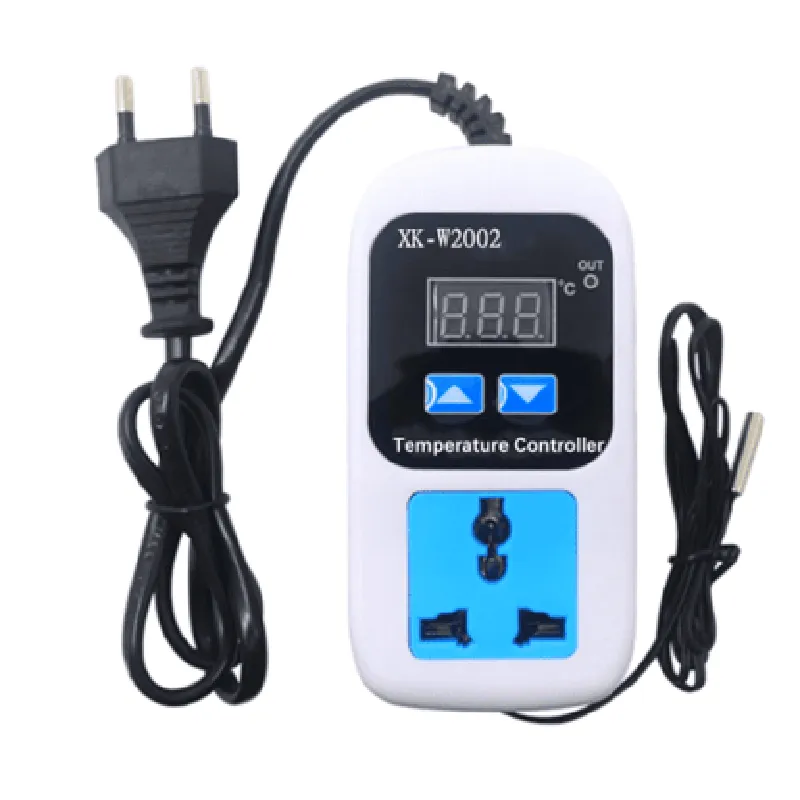
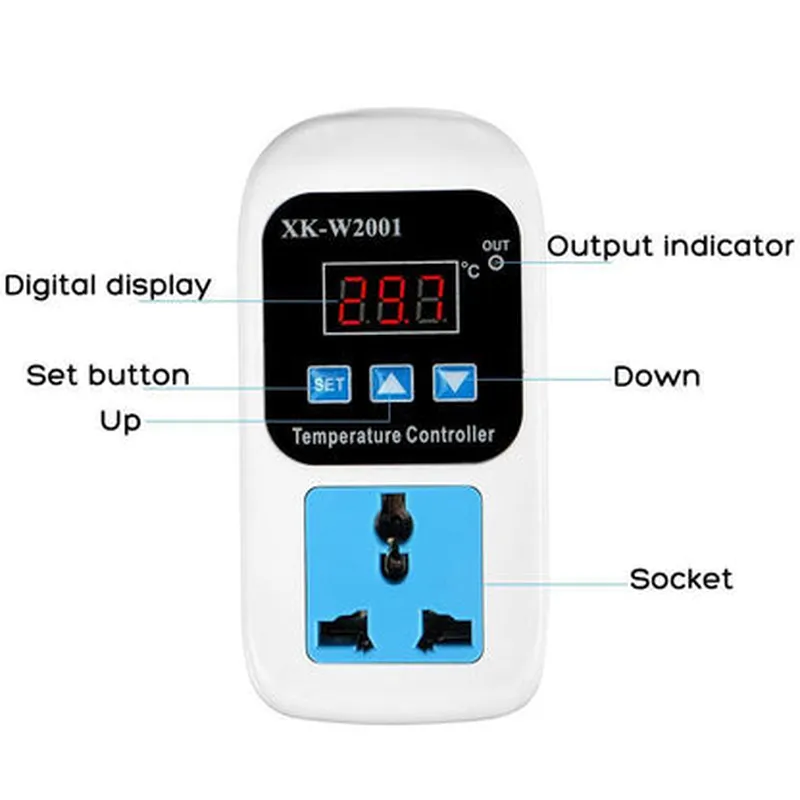
The XK-W2001 Adjustable Temperature Controller Socket with 1M Probe and AU Plug is a versatile and feature-rich IoT device designed to provide precise temperature control and monitoring. Its compact design, wide operating temperature range, and low power consumption make it an ideal solution for various industrial, commercial, and residential applications.
Component Documentation: XK-W2001 Adjustable Temperature Controller Socket with 1M Probe and AU PlugOverviewThe XK-W2001 is an adjustable temperature controller socket with a 1M probe and an AU plug, designed for precise temperature control in various IoT applications. This component allows users to monitor and regulate temperature levels in a wide range of environments, from industrial processes to home automation systems.Technical SpecificationsTemperature measuring range: -50C to 300C
Temperature control range: -20C to 120C
Accuracy: 1C
Resolution: 0.1C
Power supply: 220V, 50Hz
AU plug type: 3-pin
Probe length: 1 meter
Communication protocol: Analog output (0-5V)Hardware ConnectionTo use the XK-W2001, connect the AU plug to a power source and insert the 1M probe into the environment where temperature measurement is required. The analog output (0-5V) can be connected to a microcontroller or other compatible devices for reading and controlling the temperature data.Code Examples### Example 1: Arduino Temperature Monitoring and ControlThis example demonstrates how to use the XK-W2001 with an Arduino board to monitor and control temperature levels.Hardware RequirementsArduino Uno or compatible board
XK-W2001 Adjustable Temperature Controller Socket with 1M Probe and AU Plug
Breadboard and jumper wiresSoftware RequirementsArduino IDE (version 1.8.x or later)Code
```cpp
const int tempSensorPin = A0; // Analog input pin for temperature sensor
const int relayPin = 2; // Digital output pin for relay controlvoid setup() {
pinMode(tempSensorPin, INPUT);
pinMode(relayPin, OUTPUT);
}void loop() {
int sensorValue = analogRead(tempSensorPin);
float temperature = (sensorValue 5.0 / 1023.0 - 0.5) 100.0; // Convert analog value to temperature
Serial.print("Temperature: ");
Serial.print(temperature);
Serial.println(" C");if (temperature > 25.0) {
digitalWrite(relayPin, HIGH); // Turn on relay to activate cooling system
} else {
digitalWrite(relayPin, LOW); // Turn off relay to deactivate cooling system
}delay(1000); // Update every 1 second
}
```
### Example 2: Raspberry Pi Temperature Monitoring with PythonThis example demonstrates how to use the XK-W2001 with a Raspberry Pi to monitor temperature levels using Python.Hardware RequirementsRaspberry Pi (any version)
XK-W2001 Adjustable Temperature Controller Socket with 1M Probe and AU Plug
Breadboard and jumper wiresSoftware RequirementsRaspbian OS (version 10 or later)
Python 3.xCode
```python
import Adafruit_ADS1x15 # Import ADS1x15 library for analog-to-digital conversion# Initialize ADC and set gain to 1x
adc = Adafruit_ADS1x15.ADS1115()
adc.set_gain(1)while True:
# Read temperature sensor value from ADC
sensor_value = adc.read_adc(0)
temperature = (sensor_value 5.0 / 32767.0 - 0.5) 100.0print("Temperature: {:.1f} C".format(temperature))# Add logic for temperature-based control or notificationstime.sleep(1) # Update every 1 second
```
These code examples demonstrate how to use the XK-W2001 Adjustable Temperature Controller Socket with 1M Probe and AU Plug in various IoT applications. By integrating this component with microcontrollers or single-board computers, users can create robust and precise temperature monitoring and control systems.