Stufin
Home Quick Cart Profile

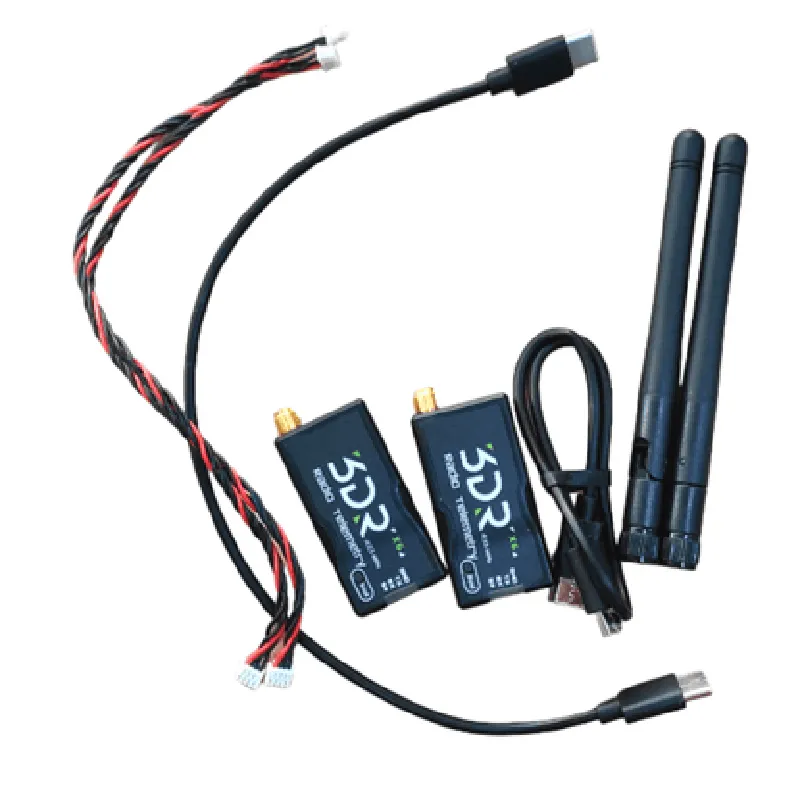
3DR Radio Telemetry 433MHz 500mW(X6)

Buy Now on Stufin

Pin Configuration

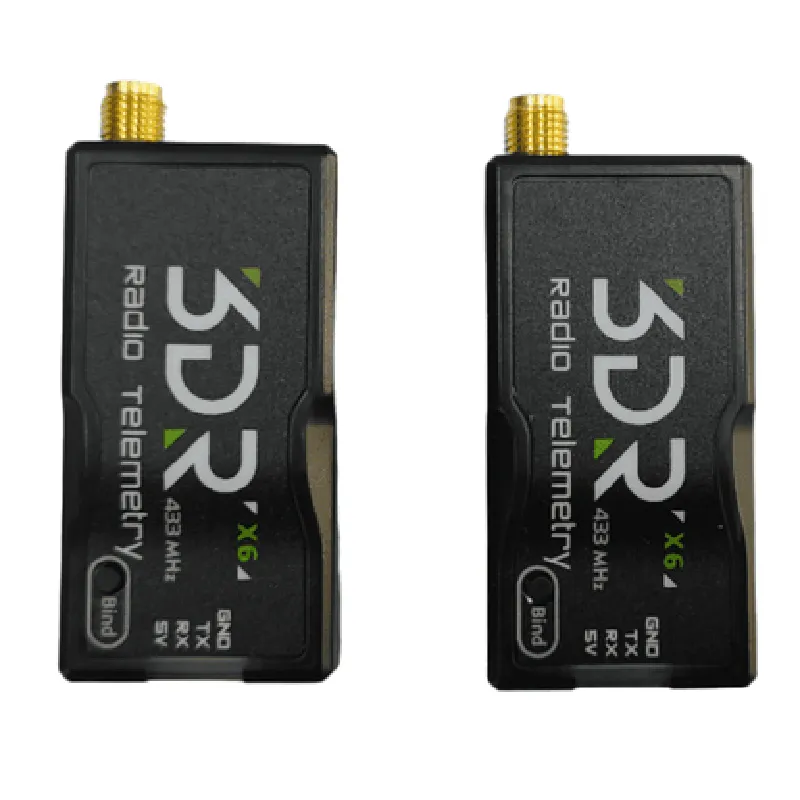
  • 3DR Radio Telemetry 433MHz 500mW(X6) Pinout Documentation
  • The 3DR Radio Telemetry 433MHz 500mW(X6) is a high-power, long-range radio telemetry module designed for drone and robotics applications. This documentation explains the pinout and connectivity of the module.
  • Pinout:
  • The module has a total of 10 pins, divided into two rows of 5 pins each. The pinout is as follows:
  • Row 1:
  • 1. GND (Ground): This pin is connected to the negative terminal of the power supply and provides a reference voltage for the module.
  • 2. VIN (Voltage Input): This pin is connected to the positive terminal of the power supply and provides power to the module. The recommended input voltage range is 3.5V to 6.5V.
  • 3. TX (Transmit): This pin is used for transmitting data from the module. It is connected to the transmit pin of a microcontroller or other data source.
  • 4. RX (Receive): This pin is used for receiving data by the module. It is connected to the receive pin of a microcontroller or other data destination.
  • 5. CTS (Clear to Send): This pin is an output from the module that indicates when the module is ready to transmit data.
  • Row 2:
  • 1. RTS (Request to Send): This pin is an input to the module that requests transmission of data.
  • 2. GND (Ground): This pin is connected to the negative terminal of the power supply and provides a reference voltage for the module.
  • 3. VCC (Voltage Regulator Output): This pin provides a regulated 3.3V output from the module's internal voltage regulator.
  • 4. BOOT (Bootloader Enable): This pin is used to enable the bootloader mode of the module. It is typically pulled high to enable normal operation.
  • 5. IRQ (Interrupt Request): This pin is an output from the module that indicates when data is received or when an error occurs.
  • Connection Guide:
  • To connect the 3DR Radio Telemetry 433MHz 500mW(X6) module to a microcontroller or other device, follow these steps:
  • Connect the GND pin to a common ground point on the microcontroller or power supply.
  • Connect the VIN pin to a suitable power supply (3.5V to 6.5V) through a voltage regulator or directly to a battery.
  • Connect the TX pin to the transmit pin of the microcontroller or data source.
  • Connect the RX pin to the receive pin of the microcontroller or data destination.
  • Connect the CTS pin to a suitable output on the microcontroller to monitor the transmission status.
  • Connect the RTS pin to a suitable input on the microcontroller to request transmission of data.
  • Connect the VCC pin to a 3.3V power supply or use it to power external components.
  • Connect the BOOT pin to a pull-up resistor (e.g., 10k) to enable normal operation.
  • Connect the IRQ pin to a suitable interrupt input on the microcontroller to monitor data reception and errors.
  • Important Notes:
  • Ensure that the power supply voltage is within the recommended range (3.5V to 6.5V) to prevent damage to the module.
  • Use a suitable antenna to achieve optimal range and performance.
  • Follow proper RF design practices to minimize interference and ensure reliable communication.
  • Consult the module's datasheet and user manual for more detailed information on configuration, programming, and operation.

Code Examples

Component Documentation: 3DR Radio Telemetry 433MHz 500mW (X6)
Overview
The 3DR Radio Telemetry 433MHz 500mW (X6) is a high-performance radio telemetry system designed for reliable, long-range wireless communication in various IoT applications. This component consists of a pair of transceivers that operate at a frequency of 433MHz and provide a range of up to 500 meters. The X6 variant is specifically designed for use with aerial vehicles, such as drones, but can also be used in other IoT projects requiring robust wireless communication.
Technical Specifications
Frequency: 433MHz
 Power: 500mW
 Range: Up to 500 meters
 Data Rate: Up to 250kbps
 Modulation: GFSK (Gaussian Frequency Shift Keying)
 Sensitivity: -112dBm
 Operating Voltage: 3.3-5.5V
 Current Consumption: 100mA (transmit mode), 20mA (receive mode)
Code Examples
### Example 1: Basic Telemetry Transmission using Arduino
This example demonstrates how to use the 3DR Radio Telemetry module with an Arduino board to transmit telemetry data from a drone to a ground station.
Transmitter Code (Arduino)
```c
#include <RF22.h>
RF22 radio;
void setup() {
  radio.init();
  radio.setFrequency(433.0);
  radio.setTxPower(RF22_TXPOWER_20DBM);
}
void loop() {
  char telemetryData[] = " Drone Telemetry: Altitude=100m, Speed=50km/h";
  radio.send((uint8_t )telemetryData, strlen(telemetryData));
  delay(100);
}
```
Receiver Code (Arduino)
```c
#include <RF22.h>
RF22 radio;
void setup() {
  radio.init();
  radio.setFrequency(433.0);
}
void loop() {
  if (radio.available()) {
    uint8_t buf[RH_RF22_MAX_MESSAGE_LEN];
    uint8_t len = RH_RF22_MAX_MESSAGE_LEN;
    radio.recv(buf, &len);
    Serial.println((char )buf);
  }
}
```
### Example 2: Bi-Directional Communication using Python and Raspberry Pi
This example demonstrates how to use the 3DR Radio Telemetry module with a Raspberry Pi and Python to establish bi-directional communication between a drone and a ground station.
Transmitter Code (Raspberry Pi)
```python
import RPi.GPIO as GPIO
from rfm22 import RFM22
# Initialize GPIO and RFM22 module
GPIO.setmode(GPIO.BCM)
rfm22 = RFM22('/dev/spidev0.0', 1000000)
# Set frequency and transmission power
rfm22.set_frequency(433.0)
rfm22.set_tx_power(20)
while True:
    # Send telemetry data
    telemetry_data = " Drone Telemetry: Altitude=100m, Speed=50km/h"
    rfm22.send(telemetry_data.encode())
# Wait for response from receiver
    response = rfm22.recv()
    if response:
        print("Received response:", response.decode())
    time.sleep(0.1)
```
Receiver Code (Raspberry Pi)
```python
import RPi.GPIO as GPIO
from rfm22 import RFM22
# Initialize GPIO and RFM22 module
GPIO.setmode(GPIO.BCM)
rfm22 = RFM22('/dev/spidev0.0', 1000000)
# Set frequency
rfm22.set_frequency(433.0)
while True:
    # Receive telemetry data
    telemetry_data = rfm22.recv()
    if telemetry_data:
        print("Received telemetry data:", telemetry_data.decode())
# Send response back to transmitter
    response = "Ground station received telemetry data."
    rfm22.send(response.encode())
    time.sleep(0.1)
```
Note: These examples are meant to demonstrate the basic functionality of the 3DR Radio Telemetry module and may require modifications to suit your specific IoT project.