Stufin
Home Quick Cart Profile

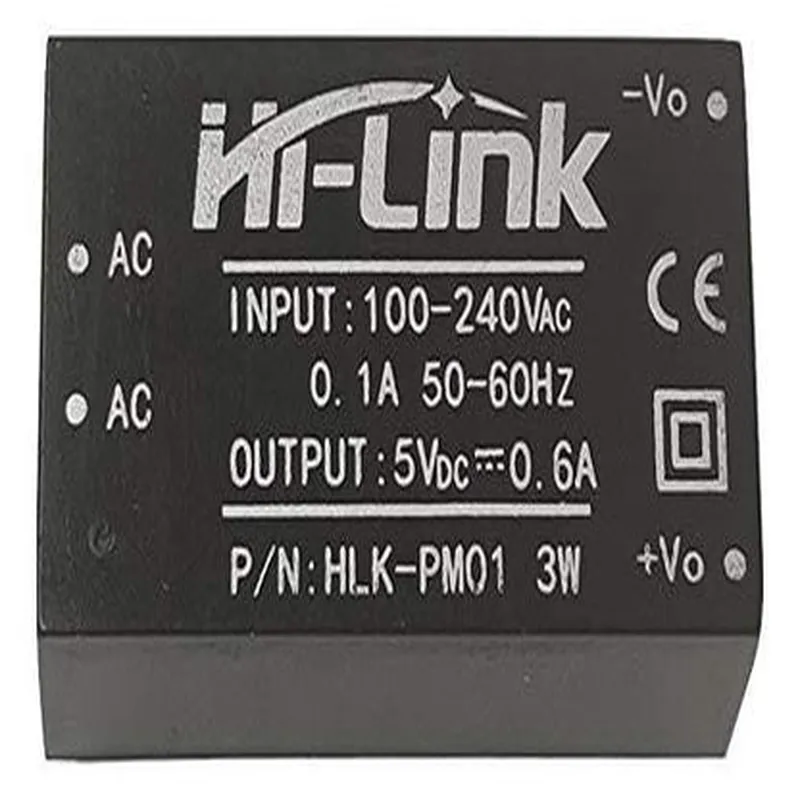
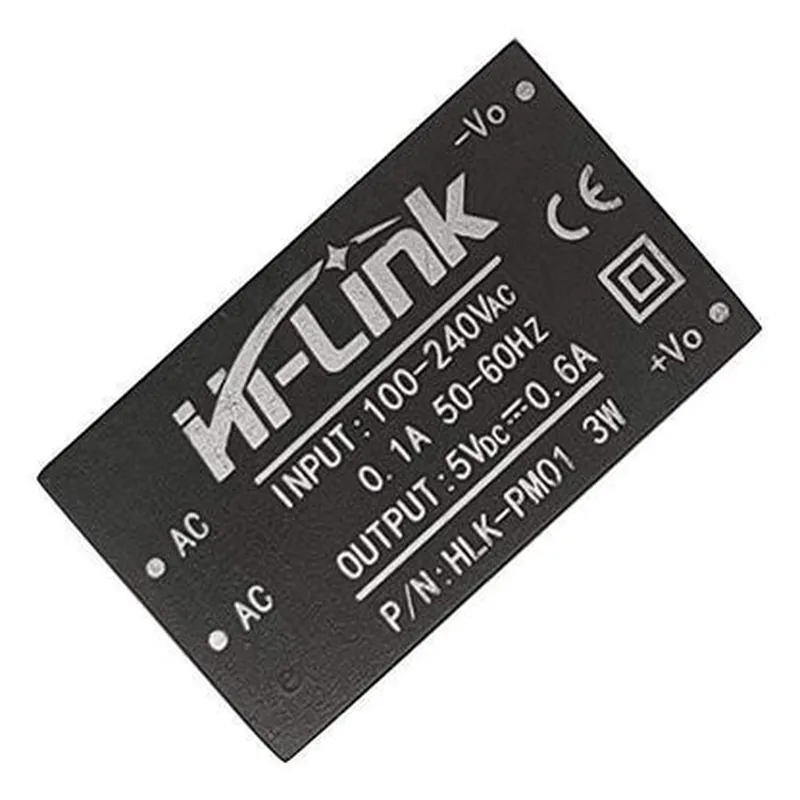
Hi-Link 5V 0.6A AC-DC Power Converter

Buy Now on Stufin

Pin Configuration

  • Hi-Link 5V 0.6A AC-DC Power Converter Pinout Explanation
  • The Hi-Link 5V 0.6A AC-DC Power Converter is a compact and efficient power conversion module designed for IoT applications. It converts AC power from a mains source to a stable 5V DC output, making it suitable for powering small devices, sensors, and microcontrollers. This documentation explains the pinout of the Hi-Link 5V 0.6A AC-DC Power Converter, providing a clear understanding of each pin's function and connection requirements.
  • Pinout Structure:
  • The Hi-Link 5V 0.6A AC-DC Power Converter has a total of 4 pins, labeled as follows:
  • Pin 1: AC IN (Live)
  • Function: Input pin for the live wire of the AC power source (e.g., mains power).
  • Connection: Connect the live wire of the AC power source to this pin. Ensure proper insulation and safety precautions when handling AC power.
  • Pin 2: AC IN (Neutral)
  • Function: Input pin for the neutral wire of the AC power source (e.g., mains power).
  • Connection: Connect the neutral wire of the AC power source to this pin. Ensure proper insulation and safety precautions when handling AC power.
  • Pin 3: GND (Ground)
  • Function: Ground pin for the DC output.
  • Connection: Connect the ground wire of your device or circuit to this pin. This pin provides a common ground reference for the DC output.
  • Pin 4: VOUT (5V DC Output)
  • Function: Output pin for the regulated 5V DC power.
  • Connection: Connect the 5V DC power input of your device or circuit to this pin. Ensure the connected device is compatible with a 5V DC input and can handle the maximum output current of 0.6A.
  • Connection Considerations:
  • When connecting the AC power source, ensure that the live and neutral wires are properly isolated and insulated to prevent electrical shock.
  • Use a suitable gauge wire for the AC power connections, considering the maximum current rating of the power converter.
  • Connect the GND pin to a reliable ground reference in your device or circuit.
  • Ensure the 5V DC output is connected to a device or circuit that can handle the maximum output current of 0.6A.
  • Safety Precautions:
  • Handle the power converter with care, as it is a high-voltage device.
  • Avoid touching the AC input pins or wires when the power converter is in operation.
  • Ensure proper ventilation around the power converter to prevent overheating.
  • By following this pinout explanation and connection guidelines, you can safely and efficiently use the Hi-Link 5V 0.6A AC-DC Power Converter in your IoT projects and applications.

Code Examples

Hi-Link 5V 0.6A AC-DC Power Converter Documentation
Overview
The Hi-Link 5V 0.6A AC-DC Power Converter is a compact, high-efficiency power converter module that converts AC power from a wall adapter to DC power for use in electronic devices. This module is suitable for a wide range of applications, including IoT projects, robots, and other small electronics.
Key Features
Input voltage: 100-240V AC, 50/60Hz
 Output voltage: 5V DC
 Output current: 0.6A
 Efficiency: up to 85%
 Compact size: 35.5mm x 23.5mm x 18.5mm
 Certification: UL, CE, RoHS, and FCC compliant
Pinout
The Hi-Link 5V 0.6A AC-DC Power Converter module has the following pinout:
AC-IN: Input AC power from a wall adapter (100-240V AC, 50/60Hz)
 DC-OUT: Output DC power (5V, 0.6A)
 GND: Ground connection
Code Examples
### Example 1: Basic Powering of an Arduino Board
In this example, we will use the Hi-Link 5V 0.6A AC-DC Power Converter to power an Arduino Uno board.
Hardware Requirements
Hi-Link 5V 0.6A AC-DC Power Converter module
 Arduino Uno board
 Jumper wires
Software
None required, as this example only involves powering the Arduino board.
Connections
Connect the AC-IN pins of the Hi-Link module to a wall adapter (100-240V AC, 50/60Hz)
 Connect the DC-OUT pin of the Hi-Link module to the VIN pin of the Arduino Uno board
 Connect the GND pin of the Hi-Link module to the GND pin of the Arduino Uno board
This setup is suitable for powering small to medium-sized IoT projects that require a 5V power supply.
### Example 2: Powering a Wi-Fi Enabled ESP32 Board
In this example, we will use the Hi-Link 5V 0.6A AC-DC Power Converter to power a Wi-Fi enabled ESP32 board.
Hardware Requirements
Hi-Link 5V 0.6A AC-DC Power Converter module
 ESP32 board (e.g., ESP32 DevKitC)
 Jumper wires
Software
ESP32 Arduino Core (install via Arduino IDE)
 Wi-Fi library (install via Arduino IDE)
Connections
Connect the AC-IN pins of the Hi-Link module to a wall adapter (100-240V AC, 50/60Hz)
 Connect the DC-OUT pin of the Hi-Link module to the VIN pin of the ESP32 board
 Connect the GND pin of the Hi-Link module to the GND pin of the ESP32 board
Code
```c
#include <WiFi.h>
const char ssid = "your_wifi_ssid";
const char password = "your_wifi_password";
void setup() {
  Serial.begin(115200);
  WiFi.begin(ssid, password);
  while (WiFi.status() != WL_CONNECTED) {
    delay(1000);
    Serial.println("Connecting to Wi-Fi...");
  }
  Serial.println("Connected to Wi-Fi");
}
void loop() {
  // Your Wi-Fi enabled project code here
}
```
This setup is suitable for powering small to medium-sized IoT projects that require a 5V power supply and Wi-Fi connectivity.
Note: The code examples above are for illustrative purposes only and may require modification to suit specific project requirements.