13.56 MHz


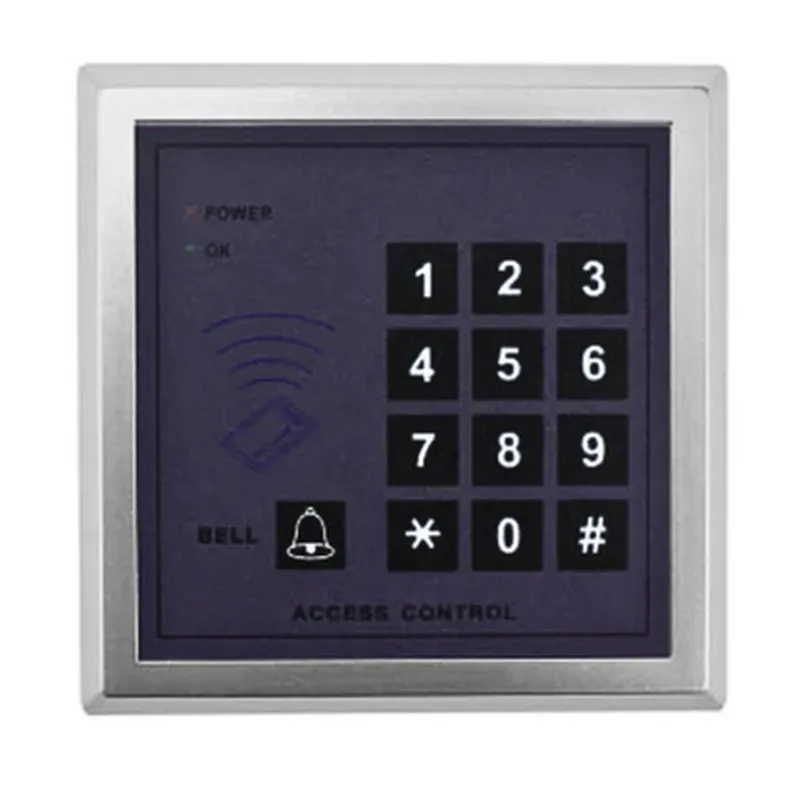
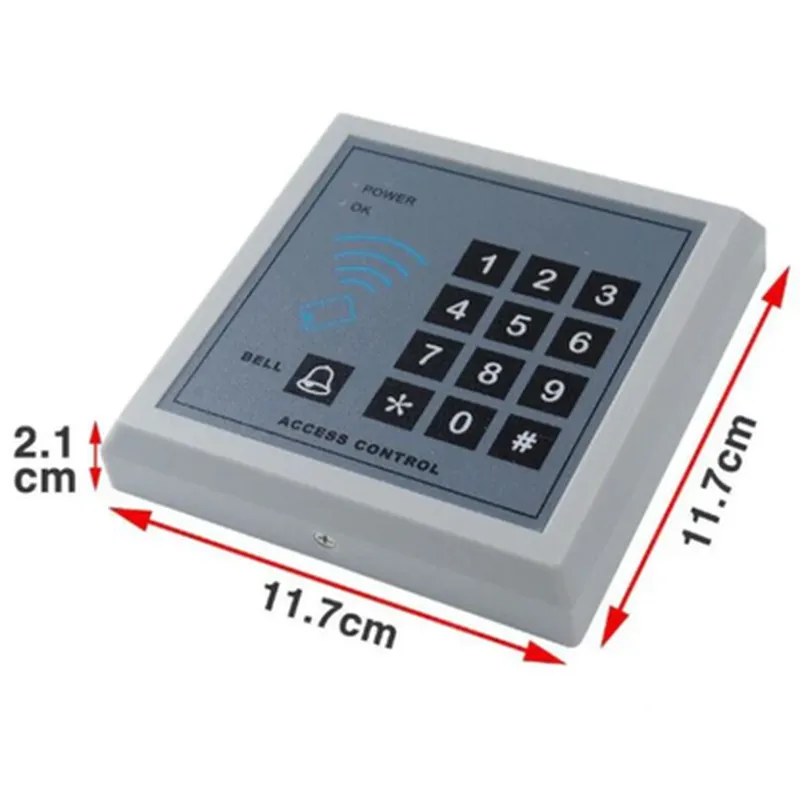
13.56 MHz
Mifare, Desfire, iCLASS
Up to 1,000 unique user IDs
Wiegand 26-bit or 34-bit
12V DC
-20C to 50C (-4F to 122F)
120 mm x 50 mm x 25 mm (4.7 in x 1.9 in x 0.9 in)
Weather-resistant ABS plastic
250 g (8.8 oz)
Applications
| The RFID Access Control Door Lock is suitable for various applications, including |
Office buildings and commercial spaces
Industrial facilities and warehouses
Residential areas and apartment buildings
Healthcare facilities and hospitals
Educational institutions and universities
Government buildings and agencies
RFID Access Control Door Lock DocumentationOverviewThe RFID Access Control Door Lock is a secure and convenient entry control system that uses Radio Frequency Identification (RFID) technology to authenticate and grant access to authorized individuals. This component is designed to provide a secure and efficient way to manage access to physical spaces, making it an ideal solution for various applications such as office buildings, homes, and industrial facilities.Technical SpecificationsOperating Frequency: 13.56 MHz
Reading Distance: Up to 5 cm
Communication Interface: UART, I2C, SPI
Power Supply: 5V DC
Operating Temperature: -20C to 80CPinout| Pin | Description |
| --- | --- |
| VCC | Power supply (5V DC) |
| GND | Ground |
| TX | UART transmission pin |
| RX | UART reception pin |
| SCL | I2C clock pin |
| SDA | I2C data pin |
| SCK | SPI clock pin |
| MOSI | SPI master output pin |
| MISO | SPI master input pin |Code Examples### Example 1: Basic RFID Authentication using UART (Arduino)In this example, we will demonstrate how to use the RFID Access Control Door Lock with an Arduino board to authenticate users and grant access.```c++
#include <SoftwareSerial.h>#define RFID_RX_PIN 2
#define RFID_TX_PIN 3SoftwareSerial rfidSerial(RFID_RX_PIN, RFID_TX_PIN);void setup() {
Serial.begin(9600);
rfidSerial.begin(9600);
}void loop() {
if (rfidSerial.available() > 0) {
String rfidTag = rfidSerial.readStringUntil('
');
Serial.println("RFID Tag: " + rfidTag);if (rfidTag == "Authorized_Tag_1" || rfidTag == "Authorized_Tag_2") {
// Grant access
Serial.println("Access granted!");
// Unlock door lock mechanism
digitalWrite(LOCK_PIN, HIGH);
delay(5000);
digitalWrite(LOCK_PIN, LOW);
} else {
Serial.println("Access denied!");
}
}
}
```### Example 2: Implementing Access Control using I2C (Raspberry Pi)In this example, we will demonstrate how to use the RFID Access Control Door Lock with a Raspberry Pi to create a more advanced access control system using I2C communication.```python
import smbus
import time# I2C bus number (0 or 1)
bus = smbus.SMBus(1)# RFID Access Control Door Lock I2C address
rfid_address = 0x27def read_rfid_tag():
# Send read command to RFID module
bus.write_byte(rfid_address, 0x01)
# Read response from RFID module
rfid_tag = bus.read_byte(rfid_address)
return rfid_tagdef grant_access():
# Unlock door lock mechanism
print("Access granted!")
# GPIO code to control door lock mechanismdef deny_access():
# Alarm or notification code
print("Access denied!")while True:
rfid_tag = read_rfid_tag()
if rfid_tag in ["Authorized_Tag_1", "Authorized_Tag_2"]:
grant_access()
else:
deny_access()
time.sleep(1)
```### Example 3: Integrate with a Web Interface using SPI (ESP32)In this example, we will demonstrate how to use the RFID Access Control Door Lock with an ESP32 board to create a web-based access control system using SPI communication.```cpp
#include <WiFi.h>
#include <SPI.h>// RFID Access Control Door Lock SPI pins
#define RFID_SCK_PIN 18
#define RFID_MOSI_PIN 23
#define RFID_MISO_PIN 19WiFiServer server(80);void handleAccessRequest() {
// Read RFID tag using SPI
digitalWrite(RFID_SCK_PIN, LOW);
digitalWrite(RFID_MOSI_PIN, LOW);
digitalWrite(RFID_MISO_PIN, LOW);
delayMicroseconds(10);
digitalWrite(RFID_SCK_PIN, HIGH);
delayMicroseconds(10);
uint8_t rfidTag[5];
for (int i = 0; i < 5; i++) {
rfidTag[i] = SPI.transfer(RFID_MOSI_PIN);
}// Check if RFID tag is authorized
if (rfidTag == "Authorized_Tag_1" || rfidTag == "Authorized_Tag_2") {
// Grant access
server.send(200, "text/plain", "Access granted!");
// Unlock door lock mechanism
digitalWrite(LOCK_PIN, HIGH);
delay(5000);
digitalWrite(LOCK_PIN, LOW);
} else {
// Deny access
server.send(401, "text/plain", "Access denied!");
}
}void setup() {
Serial.begin(115200);
WiFi.begin("your_wifi_ssid", "your_wifi_password");
while (WiFi.status() != WL_CONNECTED) {
delay(1000);
Serial.println("Connecting to WiFi...");
}
Serial.println("Connected to WiFi");
server.begin();pinMode(RFID_SCK_PIN, OUTPUT);
pinMode(RFID_MOSI_PIN, OUTPUT);
pinMode(RFID_MISO_PIN, INPUT);
}void loop() {
server.handleClient();
}
```These examples demonstrate how to use the RFID Access Control Door Lock in various contexts, including UART, I2C, and SPI communication protocols. The code examples illustrate how to read RFID tags, authenticate users, and control access to physical spaces.