Stufin
Home Quick Cart Profile

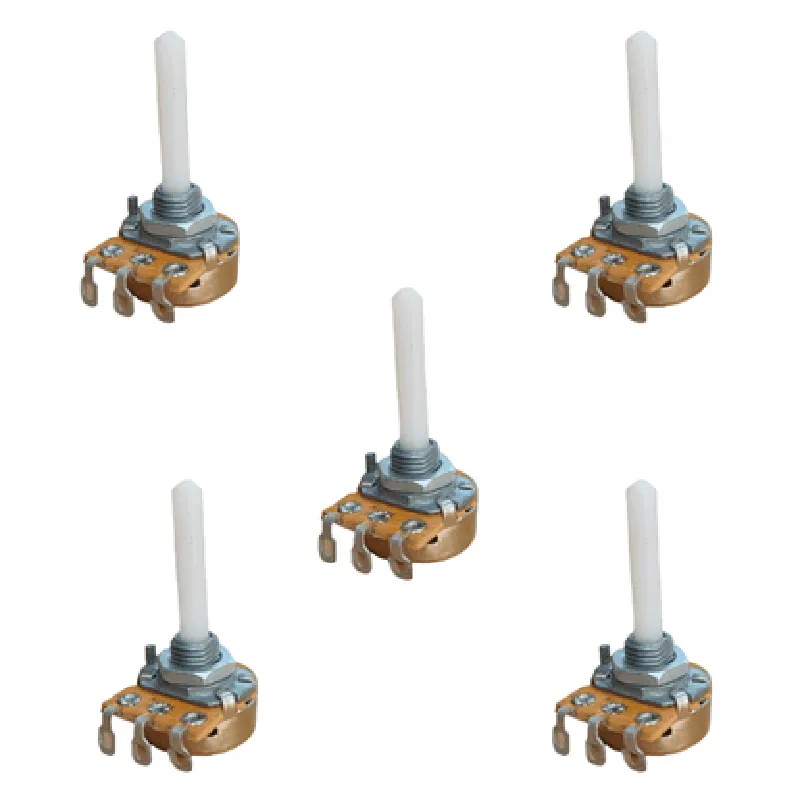
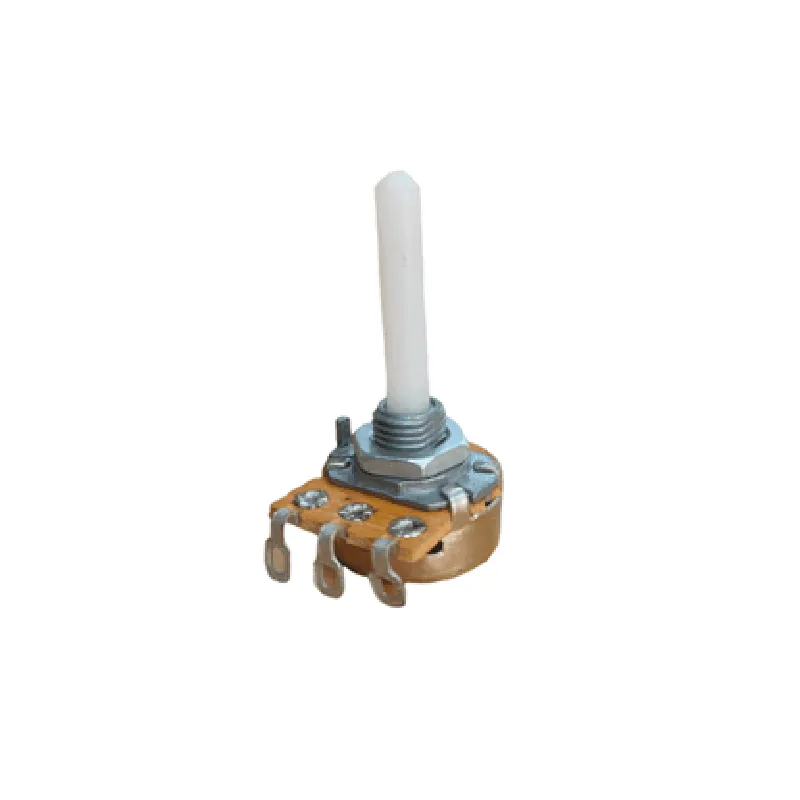
1K ohm 16mm Rotatory Variable Potentiometer (Pack of 5)

Buy Now on Stufin

Pin Configuration

  • 1K ohm 16mm Rotatory Variable Potentiometer (Pack of 5) Documentation
  • Overview
  • The 1K ohm 16mm Rotatory Variable Potentiometer is a three-terminal variable resistor that allows for the precise adjustment of resistance values by rotating the shaft. This component is commonly used in electronic circuits to control voltage, current, or signal levels. This documentation provides a detailed explanation of the pins and their connections.
  • Pin Description
  • The 1K ohm 16mm Rotatory Variable Potentiometer has three pins:
  • 1. Pin 1: Terminal 1 (CTL)
  • Function: End terminal, connects to one end of the resistive track
  • Description: This pin is connected to one end of the internal resistive track and is used as a reference point for the potentiometer's resistance value.
  • 2. Pin 2: Wiper (W)
  • Function: Moving contact, connects to the rotating shaft
  • Description: This pin is connected to the wiper, which is a moving contact that slides along the resistive track as the shaft is rotated. The wiper pin provides the variable resistance output.
  • 3. Pin 3: Terminal 2 (CTL)
  • Function: End terminal, connects to the other end of the resistive track
  • Description: This pin is connected to the other end of the internal resistive track and is used as a reference point for the potentiometer's resistance value.
  • Connection Structure
  • To connect the pins of the 1K ohm 16mm Rotatory Variable Potentiometer, follow the structure below:
  • Connection Point 1: Power Supply
  • Connect Pin 1 (Terminal 1) to a power source (VCC) or a reference voltage.
  • This connection sets the maximum resistance value of the potentiometer.
  • Connection Point 2: Output
  • Connect Pin 2 (Wiper) to the output of your circuit, such as an amplifier, filter, or microcontroller.
  • This connection provides the variable resistance output, which changes as the shaft is rotated.
  • Connection Point 3: Ground or Reference
  • Connect Pin 3 (Terminal 2) to ground (GND) or a reference voltage.
  • This connection sets the minimum resistance value of the potentiometer.
  • Example Circuit
  • Here's an example circuit to illustrate the connection structure:
  • R1 --- Pin 1 (Terminal 1)
  • | |
  • | |
  • | Pin 2 (Wiper) --- Output (e.g., Amplifier Input)
  • | |
  • | |
  • R2 --- Pin 3 (Terminal 2) --- GND
  • In this example, R1 and R2 are the maximum and minimum resistance values, respectively. As the shaft is rotated, the wiper (Pin 2) moves along the resistive track, providing a variable resistance output.
  • Remember to handle the potentiometer with care to avoid mechanical damage, and ensure proper soldering and connection to prevent electrical damage.

Code Examples

Component Documentation: 1K ohm 16mm Rotatory Variable Potentiometer (Pack of 5)
Overview
The 1K ohm 16mm Rotatory Variable Potentiometer is a type of variable resistor that allows for precise control over the resistance value. It features a rotating shaft that changes the resistance linearly with the angle of rotation, making it an ideal component for various IoT and robotics applications. This pack of 5 potentiometers is perfect for prototyping, development, and deployment of IoT devices.
Pinout and Interface
The potentiometer has three terminals:
1. Terminal 1 (T1): One end of the resistive track
2. Terminal 2 (T2): Wiper terminal (connected to the rotating shaft)
3. Terminal 3 (T3): Other end of the resistive track
Electrical Characteristics
Resistance: 1 k
 Power rating: 0.5 W
 Operating temperature: -20C to +70C
Code Examples
### Example 1: Analog Input Using Arduino
Connect the potentiometer to an Arduino board to read the analog value and control an LED's brightness.
```c++
const int potPin = A0;  // Potentiometer connected to analog pin A0
const int ledPin = 9;   // LED connected to digital pin 9
void setup() {
  pinMode(ledPin, OUTPUT);
}
void loop() {
  int potValue = analogRead(potPin);  // Read analog value from potentiometer
  int brightness = map(potValue, 0, 1023, 0, 255);  // Map to 0-255 range
  analogWrite(ledPin, brightness);  // Set LED brightness
  delay(10);
}
```
### Example 2: Feedback Control Using Raspberry Pi (Python)
Use the potentiometer as a feedback mechanism to control a servo motor's position using a Raspberry Pi.
```python
import RPi.GPIO as GPIO
import time
# Set up GPIO mode
GPIO.setmode(GPIO.BCM)
# Potentiometer connected to GPIO 17 (Analog input)
pot_channel = 17
# Servo motor connected to GPIO 18 (PWM output)
servo_channel = 18
# Set up servo motor
GPIO.setup(servo_channel, GPIO.OUT)
servo = GPIO.PWM(servo_channel, 50)  # 50 Hz frequency
servo.start(0)  # Initial duty cycle 0%
try:
    while True:
        # Read analog value from potentiometer
        pot_value = GPIO.input(pot_channel)
        # Map to 0-100% duty cycle range
        duty_cycle = int(pot_value / 255.0  100)
        servo.ChangeDutyCycle(duty_cycle)  # Update servo position
        time.sleep(0.1)
except KeyboardInterrupt:
    servo.stop()
    GPIO.cleanup()
```
Notes and Precautions
When using the potentiometer with a microcontroller, ensure that the analog input pins are configured correctly and the voltage levels are within the recommended range.
 To avoid mechanical damage, avoid excessive rotation or force on the potentiometer's shaft.
 Use appropriate decoupling capacitors and noise filtering techniques to minimize electromagnetic interference (EMI) and ensure stable operation.