Stufin
Home Quick Cart Profile

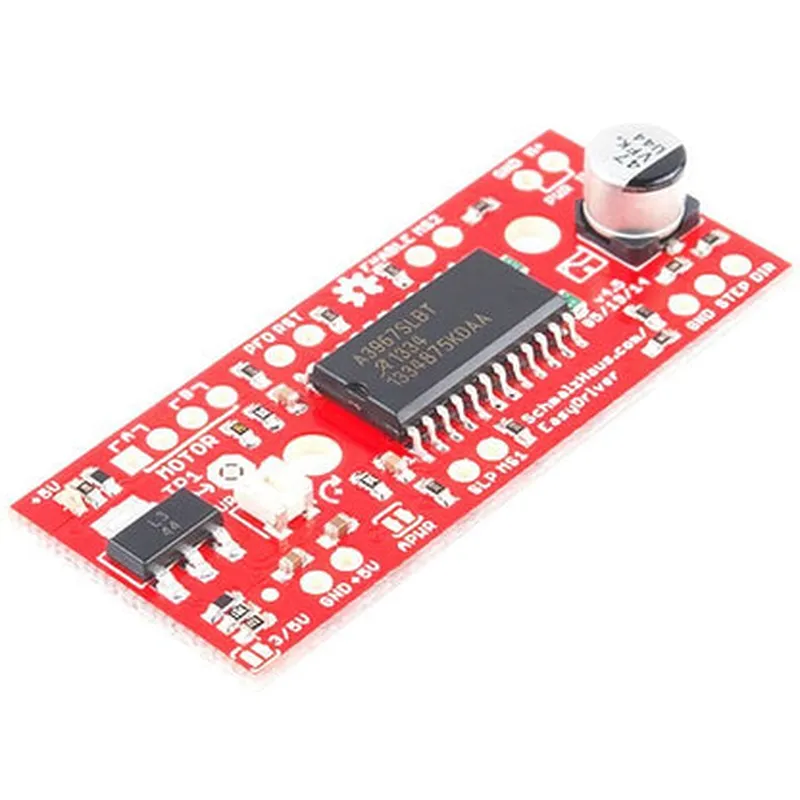
A3967 Stepper Motor Driver

Buy Now on Stufin

Pin Configuration

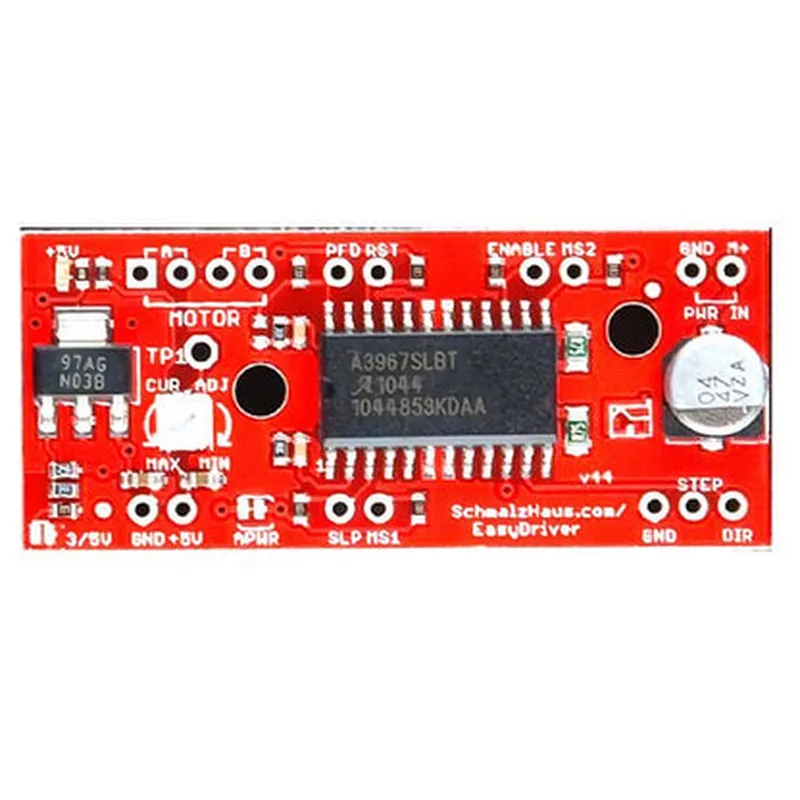
  • A3967 Stepper Motor Driver Pinout and Connection Guide
  • The A3967 Stepper Motor Driver is a popular and widely used motor driver IC in IoT and robotics applications. It has a total of 16 pins, which can be divided into four categories: power supply, control signals, motor connections, and voltage regulator pins. Here's a detailed explanation of each pin and how to connect them:
  • Power Supply Pins (4)
  • 1. VCC (Pin 1): The positive power supply voltage (typically 5V to 35V) for the driver IC. Connect this pin to a suitable power source, such as a battery or a voltage regulator output.
  • 2. GND (Pin 2): The ground pin, which connects to the negative terminal of the power supply or the system ground.
  • 3. VM (Pin 15): The motor voltage input pin. This pin connects to the motor power supply voltage (typically same as VCC).
  • 4. GNDB (Pin 16): The motor ground pin, which connects to the motor's negative terminal.
  • Control Signals Pins (6)
  • 1. DIR (Pin 3): The direction control input pin. This pin sets the direction of the stepper motor rotation. A logical high (1) sets the motor to rotate clockwise, while a logical low (0) sets it to rotate counterclockwise.
  • 2. STEP (Pin 4): The step control input pin. This pin controls the motor's step sequence. A rising edge on this pin increments the motor's position by one step.
  • 3. ENABLE (Pin 5): The enable control input pin. A logical high (1) enables the motor, while a logical low (0) disables it.
  • 4. SLEEP (Pin 6): The sleep control input pin. A logical high (1) puts the driver into sleep mode, reducing power consumption.
  • 5. RESET (Pin 7): The reset input pin. A logical high (1) resets the driver's internal logic and motor control.
  • 6. FAULT (Pin 8): The fault output pin. This pin goes low (0) when the driver detects an overcurrent or thermal shutdown condition.
  • Motor Connection Pins (4)
  • 1. A1 (Pin 9): The first coil's positive terminal of the stepper motor.
  • 2. A2 (Pin 10): The first coil's negative terminal of the stepper motor.
  • 3. B1 (Pin 11): The second coil's positive terminal of the stepper motor.
  • 4. B2 (Pin 12): The second coil's negative terminal of the stepper motor.
  • Voltage Regulator Pins (2)
  • 1. VREF (Pin 13): The voltage reference output pin. This pin provides a stable 2.5V reference voltage for external use.
  • 2. REGIN (Pin 14): The voltage regulator input pin. This pin connects to an external voltage source (typically 5V to 12V) for the internal voltage regulator.
  • Connection Structure:
  • When connecting the A3967 Stepper Motor Driver, ensure the following:
  • VCC and VM pins are connected to a suitable power source.
  • GND and GNDB pins are connected to the system ground.
  • DIR, STEP, ENABLE, SLEEP, and RESET pins are connected to a microcontroller or a control circuit.
  • FAULT pin is connected to a monitoring circuit or a microcontroller for fault detection.
  • A1, A2, B1, and B2 pins are connected to the stepper motor's coils according to the motor's wiring diagram.
  • VREF and REGIN pins are connected to an external voltage source and a voltage regulator circuit, if required.
  • Important Notes:
  • Ensure proper heat dissipation for the driver IC, as it can generate significant heat during operation.
  • Use suitable decoupling capacitors between the power supply lines and the driver IC to reduce noise and oscillations.
  • Follow the recommended PCB layout and routing guidelines to minimize electromagnetic interference and ensure reliable operation.
  • By following this pinout and connection guide, you can successfully integrate the A3967 Stepper Motor Driver into your IoT or robotics project.

Code Examples

A3967 Stepper Motor Driver Documentation
Overview
The A3967 Stepper Motor Driver is a bipolar stepper motor driver IC designed to control the speed and direction of stepper motors. It is capable of driving 2-phase bipolar stepper motors with a maximum current of 2A per coil. The A3967 features built-in translators to convert step and direction inputs into the required output signals to drive the motor.
Pinout
The A3967 Stepper Motor Driver has a 16-pin DIP package with the following pinout:
VCC: Power supply voltage (5V to 35V)
 GND: Ground
 ENBL: Enable input (active low)
 DIR: Direction input (high for clockwise, low for counter-clockwise)
 STEP: Step input (rising edge triggers a step)
 M1, M2: Motor output pins (connect to motor coils)
 R1, R2: Current sense resistor connections
Code Examples
### Example 1: Basic Stepper Motor Control using Arduino
This example demonstrates how to control a stepper motor using an Arduino board and the A3967 Stepper Motor Driver.
```c
const int dirPin = 2;  // Direction control pin
const int stepPin = 3; // Step control pin
const int enblPin = 4; // Enable control pin
void setup() {
  pinMode(dirPin, OUTPUT);
  pinMode(stepPin, OUTPUT);
  pinMode(enblPin, OUTPUT);
  digitalWrite(enblPin, LOW); // Enable the motor driver
}
void loop() {
  digitalWrite(dirPin, HIGH); // Set direction to clockwise
  for (int i = 0; i < 100; i++) {
    digitalWrite(stepPin, HIGH);
    delay(1);
    digitalWrite(stepPin, LOW);
    delay(1);
  }
  digitalWrite(dirPin, LOW); // Set direction to counter-clockwise
  for (int i = 0; i < 100; i++) {
    digitalWrite(stepPin, HIGH);
    delay(1);
    digitalWrite(stepPin, LOW);
    delay(1);
  }
}
```
### Example 2: Stepper Motor Control using Raspberry Pi (Python)
This example demonstrates how to control a stepper motor using a Raspberry Pi and the A3967 Stepper Motor Driver.
```python
import RPi.GPIO as GPIO
import time
GPIO.setmode(GPIO.BCM)
dir_pin = 17
step_pin = 23
enbl_pin = 24
GPIO.setup(dir_pin, GPIO.OUT)
GPIO.setup(step_pin, GPIO.OUT)
GPIO.setup(enbl_pin, GPIO.OUT)
GPIO.output(enbl_pin, GPIO.LOW)  # Enable the motor driver
while True:
    GPIO.output(dir_pin, GPIO.HIGH)  # Set direction to clockwise
    for i in range(100):
        GPIO.output(step_pin, GPIO.HIGH)
        time.sleep(0.001)
        GPIO.output(step_pin, GPIO.LOW)
        time.sleep(0.001)
    GPIO.output(dir_pin, GPIO.LOW)  # Set direction to counter-clockwise
    for i in range(100):
        GPIO.output(step_pin, GPIO.HIGH)
        time.sleep(0.001)
        GPIO.output(step_pin, GPIO.LOW)
        time.sleep(0.001)
```
Note: These examples assume a basic understanding of microcontroller programming and circuit design. Please ensure proper connection and configuration of the A3967 Stepper Motor Driver and the stepper motor according to the datasheet and manufacturer's instructions.