4 Pieces 7x2 Cm Gear Motor Robot Wheel & 4 Pieces 200 RPM Gear Motor
Overview


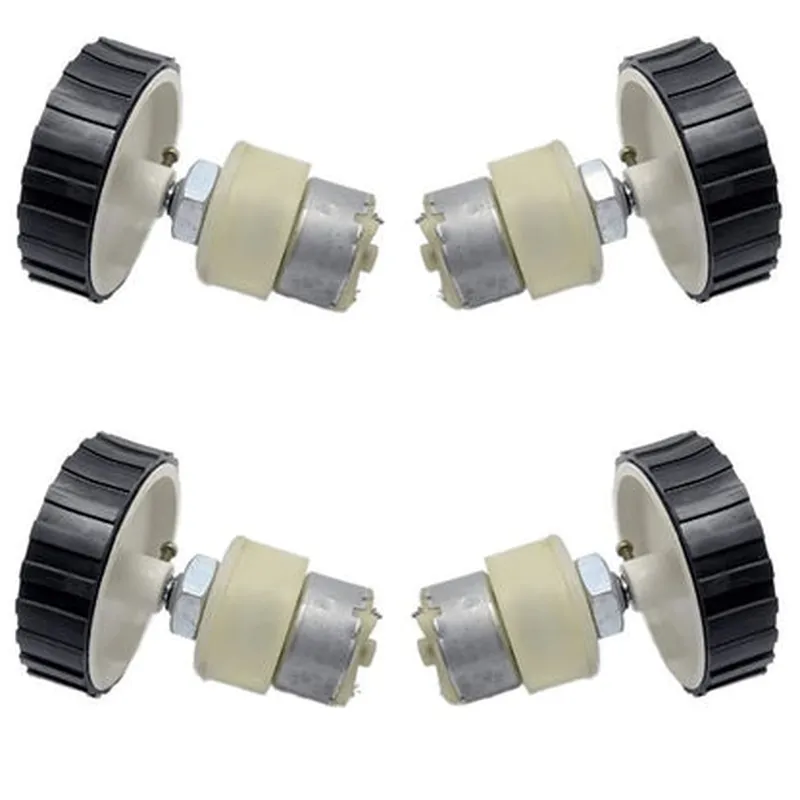
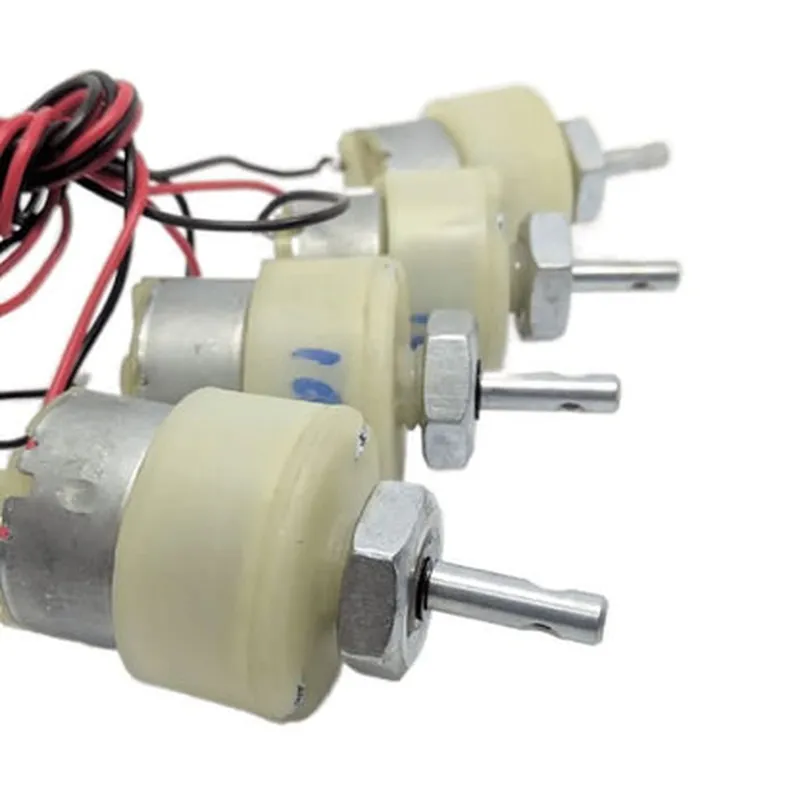
4 Pieces 7x2 Cm Gear Motor Robot Wheel & 4 Pieces 200 RPM Gear Motor
Overview
4 pieces of 7x2 cm gear motor robot wheels and 4 pieces of 200 RPM gear motors. The gear motor robot wheels are designed to work in conjunction with the gear motors, providing a robust and efficient solution for robotic motion and movement.
Gear Motor Robot Wheel (7x2 cm)
Description
The gear motor robot wheel is a specially designed wheel for robots and robotic applications. It has a diameter of 7 cm and a width of 2 cm, making it suitable for small to medium-sized robots. The wheel is made of high-quality plastic material, ensuring durability and resistance to wear and tear.
Key Features
7 cm
2 cm
High-quality plastic
10 mm
Compatible with gear motors (see below)
Functionality
The gear motor robot wheel is designed to rotate and move when connected to a gear motor. The wheel's smooth surface and robust construction enable it to handle various terrain types, including flat surfaces, carpets, and rough floors. The wheel's compact size and lightweight design make it ideal for small robots and robotic applications where space and weight are critical factors.
Gear Motor (200 RPM)
Description
The 200 RPM gear motor is a high-torque, low-speed motor designed for robotic applications. It is specifically engineered to work with the gear motor robot wheel, providing a reliable and efficient motion system.
Key Features
200 RPM
3-6V DC
0.5-1.5A
5-10 kg.cm
| 1 | 48 |
2A
DC geared motor
Functionality
The gear motor is responsible for providing the rotational power needed to move the robot wheel. With a speed of 200 RPM, it is suitable for robots that require slow and precise movements. The motor's high torque output enables it to handle moderate loads and overcome obstacles. The gear motor is compatible with various control systems and can be controlled using a microcontroller, Arduino, or other robotic platforms.
Package Contents
4 pieces of 7x2 cm gear motor robot wheels
4 pieces of 200 RPM gear motors
Applications
Robotics and robotic applications
Automation and autonomous systems
IoT projects and prototypes
Hobbyist projects and DIY robots
Technical Specifications
| Parameter | Value |
| --- | --- |
| Wheel Diameter | 7 cm |
| Wheel Width | 2 cm |
| Motor Speed | 200 RPM |
| Motor Voltage | 3-6V DC |
| Motor Current | 0.5-1.5A |
| Motor Torque | 5-10 kg.cm |
| | Gear Ratio | 1 | 48 | |
| Stall Current | 2A |
| Motor Type | DC Geared Motor |
Safety Precautions
Handle the components with care to avoid damage.
Ensure proper installation and wiring to avoid electrical shock or short circuits.
Use the components within the specified voltage and current ratings to avoid overheating or damage.
Follow proper safety guidelines when working with robots and robotic applications.
4 pieces 7 X 2 Cm Gear Motor Robot Wheel & 4 pieces 200 RPM Gear Motor DocumentationOverviewThis component set consists of 4 pieces of 7x2 cm gear motor robot wheels and 4 pieces of 200 RPM gear motors. The gear motors are designed to provide precise and efficient motorized movement for robotics and IoT applications. The robot wheels are specifically designed to work in conjunction with the gear motors, providing a smooth and stable movement platform.Technical SpecificationsGear Motor:
+ Rated Speed: 200 RPM
+ Voltage: 6-12V
+ Current: 100-200mA
+ Torque: 1.5 kg.cm
Robot Wheel:
+ Size: 7x2 cm
+ Material: Rubber
+ Hub Size: 4mmPinoutThe gear motor has the following pinout:VCC (Red wire): positive power supply
GND (Black wire): negative power supply
Signal (Yellow/Blue wire): control signal inputCode Examples### Example 1: Arduino Robot Movement ControlThis example demonstrates how to use the gear motor and robot wheel to control the movement of a robot using an Arduino board.```c++
const int leftMotorForward = 2; // Pin for left motor forward control
const int leftMotorBackward = 3; // Pin for left motor backward control
const int rightMotorForward = 4; // Pin for right motor forward control
const int rightMotorBackward = 5; // Pin for right motor backward controlvoid setup() {
pinMode(leftMotorForward, OUTPUT);
pinMode(leftMotorBackward, OUTPUT);
pinMode(rightMotorForward, OUTPUT);
pinMode(rightMotorBackward, OUTPUT);
}void loop() {
// Move forward
digitalWrite(leftMotorForward, HIGH);
digitalWrite(rightMotorForward, HIGH);
delay(1000);
// Stop
digitalWrite(leftMotorForward, LOW);
digitalWrite(rightMotorForward, LOW);
delay(500);
// Move backward
digitalWrite(leftMotorBackward, HIGH);
digitalWrite(rightMotorBackward, HIGH);
delay(1000);
// Stop
digitalWrite(leftMotorBackward, LOW);
digitalWrite(rightMotorBackward, LOW);
delay(500);
}
```### Example 2: Raspberry Pi Robot Movement Control using PythonThis example demonstrates how to use the gear motor and robot wheel to control the movement of a robot using a Raspberry Pi board and Python.```python
import RPi.GPIO as GPIO
import time# Set up GPIO mode
GPIO.setmode(GPIO.BCM)# Define motor control pins
left_motor_forward = 17
left_motor_backward = 23
right_motor_forward = 24
right_motor_backward = 25# Set up motor control pins as outputs
GPIO.setup(left_motor_forward, GPIO.OUT)
GPIO.setup(left_motor_backward, GPIO.OUT)
GPIO.setup(right_motor_forward, GPIO.OUT)
GPIO.setup(right_motor_backward, GPIO.OUT)while True:
# Move forward
GPIO.output(left_motor_forward, GPIO.HIGH)
GPIO.output(right_motor_forward, GPIO.HIGH)
time.sleep(1)
# Stop
GPIO.output(left_motor_forward, GPIO.LOW)
GPIO.output(right_motor_forward, GPIO.LOW)
time.sleep(0.5)
# Move backward
GPIO.output(left_motor_backward, GPIO.HIGH)
GPIO.output(right_motor_backward, GPIO.HIGH)
time.sleep(1)
# Stop
GPIO.output(left_motor_backward, GPIO.LOW)
GPIO.output(right_motor_backward, GPIO.LOW)
time.sleep(0.5)
```Note: In both examples, make sure to connect the gear motor to the robot wheel and the control signals to the microcontroller or Raspberry Pi board according to the pinout and technical specifications provided.