12V DC


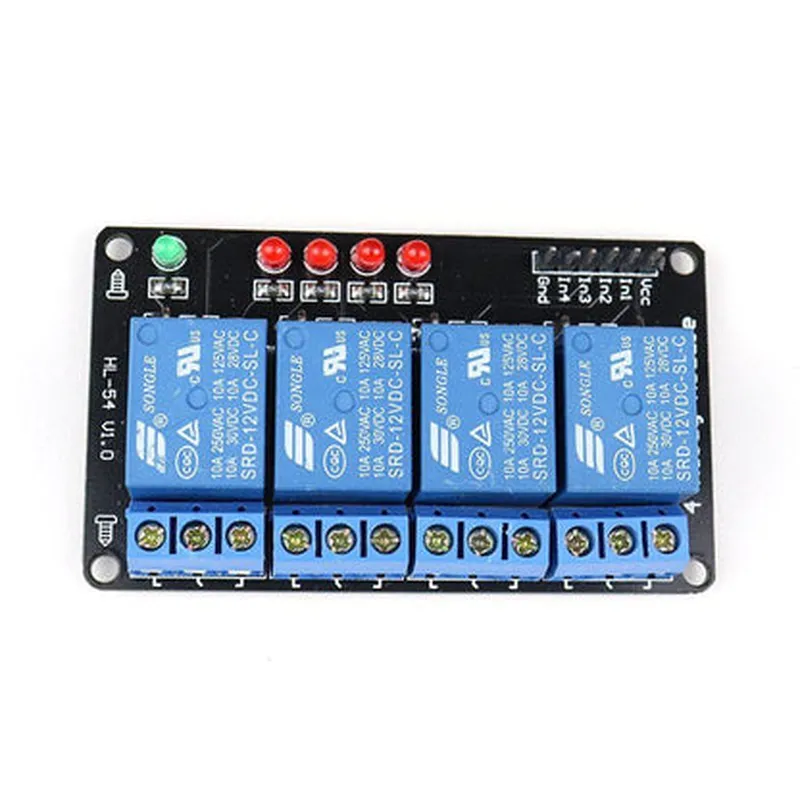
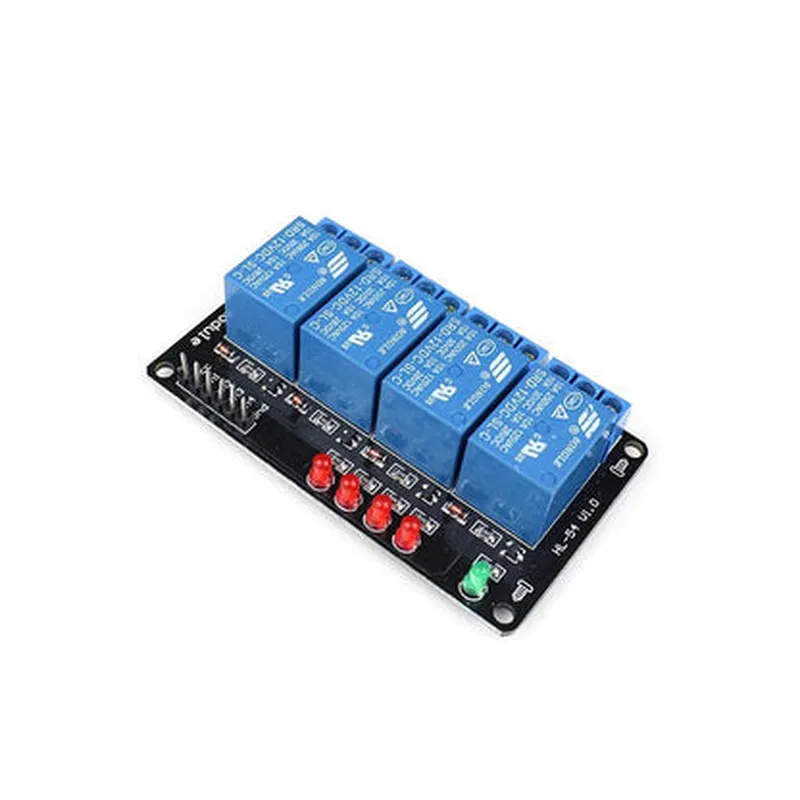
12V DC
Omron-made relay module
10A/250V AC, 10A/30V DC
3.3V or 5V
Electrical isolation between control signal and load
4 x ON/OFF indicators
Screw-terminal block connectors for load connections
85 x 55 x 20 mm (L x W x H)
Approximately 60g
Pinout and Connection Diagram
| The following pinout and connection diagram illustrates the connections and pin assignments for the 12V 4CH Relay Board |
| Pin | Function | Description |
| --- | --- | --- |
| VCC | Power Supply | 12V DC power supply |
| GND | Ground | Ground connection |
| IN1-IN4 | Input Signals | Control signals from microcontroller or other control device |
| NO1-NO4 | Normally Open | Relay output connections (load connections) |
| NC1-NC4 | Normally Closed | Relay output connections (load connections) |
| COM1-COM4 | Common | Relay output connections (load connections) |
The pinout and connection diagram is a simplified representation and may vary depending on the specific relay board model and manufacturer. Always refer to the datasheet or manufacturer's documentation for specific details.
12V 4CH Relay Board DocumentationOverviewThe 12V 4CH Relay Board is a compact and versatile component designed for IoT projects, robotics, and automation systems. It features four relay channels, each capable of switching high-power devices such as lights, motors, and solenoids. The board operates on a 12V DC power supply and is controlled through digital signals from a microcontroller or other controlling device.Key Features4 relay channels with NO (Normally Open) and NC (Normally Closed) contacts
Operating voltage: 12V DC
Relay contact rating: 10A/250V AC, 10A/30V DC
Control input: 5V TTL logic compatible
LED indicators for each relay channel
Screw terminals for easy connectionPinoutThe relay board has a simple pinout:| Pin | Function |
| --- | --- |
| VCC | 12V DC power supply |
| GND | Ground |
| IN1 | Digital input for relay channel 1 |
| IN2 | Digital input for relay channel 2 |
| IN3 | Digital input for relay channel 3 |
| IN4 | Digital input for relay channel 4 |Code Examples### Example 1: Controlling a Relay with ArduinoThis example demonstrates how to control a single relay channel using an Arduino Board.```arduino
const int relayPin = 2; // Pin connected to IN1 on the relay boardvoid setup() {
pinMode(relayPin, OUTPUT);
}void loop() {
// Turn on relay channel 1
digitalWrite(relayPin, HIGH);
delay(1000);
// Turn off relay channel 1
digitalWrite(relayPin, LOW);
delay(1000);
}
```### Example 2: Controlling Multiple Relays with Raspberry Pi (Python)This example shows how to control multiple relay channels using a Raspberry Pi and Python.```python
import RPi.GPIO as GPIO
import time# Set up GPIO mode
GPIO.setmode(GPIO.BCM)# Define relay pins
relay_pins = [17, 23, 24, 25] # GPIO pins connected to IN1, IN2, IN3, IN4# Set up relay pins as outputs
for pin in relay_pins:
GPIO.setup(pin, GPIO.OUT)try:
while True:
# Turn on relay channel 1
GPIO.output(relay_pins[0], GPIO.HIGH)
time.sleep(1)
# Turn on relay channel 2
GPIO.output(relay_pins[1], GPIO.HIGH)
time.sleep(1)
# Turn off relay channel 1
GPIO.output(relay_pins[0], GPIO.LOW)
time.sleep(1)
# Turn off relay channel 2
GPIO.output(relay_pins[1], GPIO.LOW)
time.sleep(1)
except KeyboardInterrupt:
GPIO.cleanup()
```### Example 3: Controlling Relays with ESP32 (MicroPython)This example demonstrates how to control relay channels using an ESP32 board and MicroPython.```python
import machine
import time# Define relay pins
relay_pins = [32, 33, 25, 26] # GPIO pins connected to IN1, IN2, IN3, IN4# Set up relay pins as outputs
for pin in relay_pins:
machine.Pin(pin, machine.Pin.OUT)while True:
# Turn on relay channel 1
machine.Pin(relay_pins[0], machine.Pin.HIGH)
time.sleep(1)
# Turn on relay channel 2
machine.Pin(relay_pins[1], machine.Pin.HIGH)
time.sleep(1)
# Turn off relay channel 1
machine.Pin(relay_pins[0], machine.Pin.LOW)
time.sleep(1)
# Turn off relay channel 2
machine.Pin(relay_pins[1], machine.Pin.LOW)
time.sleep(1)
```Note: In all examples, ensure that the relay board is properly connected to the controlling device, and the power supply is connected to the relay board's VCC and GND pins.