IR Illuminator for Raspberry Pi NoIR Camera


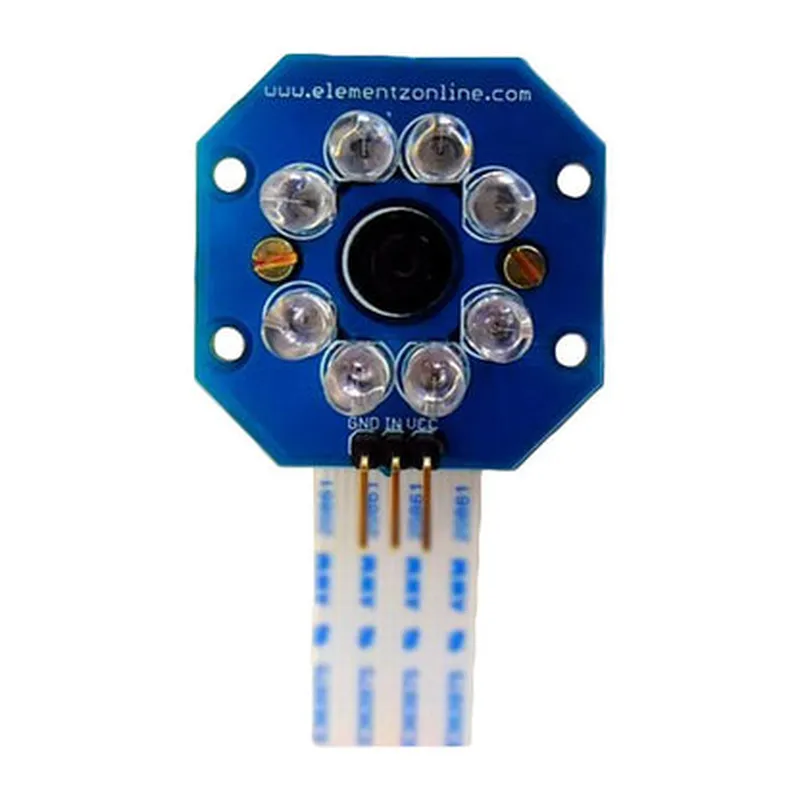
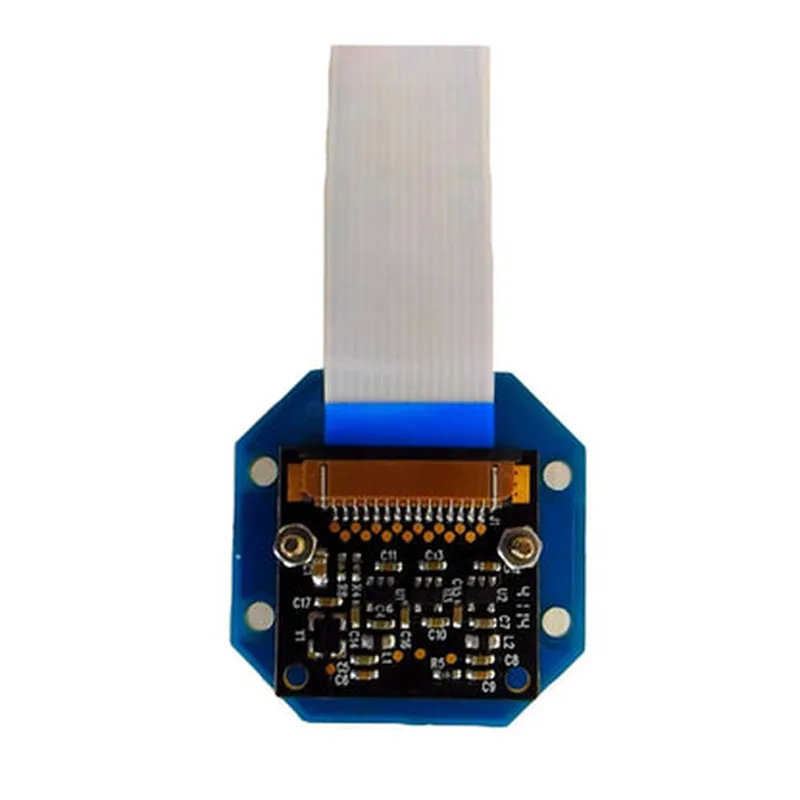
IR Illuminator for Raspberry Pi NoIR Camera
The IR Illuminator for Raspberry Pi NoIR Camera is a specialized component designed to enhance the night vision capabilities of the Raspberry Pi NoIR Camera. This add-on module provides a focused beam of infrared light, allowing the camera to capture high-quality images in low-light or complete darkness.
| The IR Illuminator for Raspberry Pi NoIR Camera is specifically designed to work in conjunction with the Raspberry Pi NoIR Camera, which is a variant of the Raspberry Pi camera module without an infrared filter. The IR Illuminator module emits a concentrated beam of infrared light, which is then detected by the camera sensor, enabling it to capture images in low-light environments. This allows the camera to "see" in the dark, making it ideal for applications such as |
Surveillance and security systems
Wildlife monitoring and tracking
Nighttime robotics and automation
Low-light industrial inspections
5V
Approximately 200mA
850nm
Adjustable (20 to 60)
High-Power Infrared LEDs
35mm x 25mm x 15mm
Approximately 20g
The IR Illuminator for Raspberry Pi NoIR Camera is easy to install and use. Simply connect the module to the Raspberry Pi NoIR Camera using the supplied cable, adjust the beam angle as needed, and power the module using a 5V power source. The IR Illuminator is then ready to use, providing a reliable and consistent source of infrared light for your camera-based projects.
IR Illuminator for Raspberry Pi NoIR Camera DocumentationOverviewThe IR Illuminator for Raspberry Pi NoIR Camera is a specialized infrared LED array designed to work in conjunction with the Raspberry Pi NoIR Camera module. This component enhances the camera's ability to capture images in low-light environments, making it ideal for various IoT applications such as surveillance, robotics, and computer vision projects.Technical SpecificationsInfrared wavelength: 850nm
Power consumption: 500mA @ 5V
Dimensions: 25mm x 25mm x 10mm
Compatibility: Raspberry Pi NoIR Camera module (V1 and V2)Connecting the IR Illuminator to Raspberry PiTo use the IR Illuminator with your Raspberry Pi, follow these steps:1. Connect the IR Illuminator to the Raspberry Pi's GPIO pins:
GND (Ground) to Pin 6 (GND)
VCC (5V) to Pin 2 (5V)
IR LED Cathode (-) to Pin 17 (GPIO 17)
IR LED Anode (+) to Pin 23 (GPIO 23)
2. Ensure the Raspberry Pi NoIR Camera module is properly connected to the Raspberry Pi.Example Code: Enabling the IR Illuminator using PythonExample 1: Simple On/Off ControlThis example demonstrates how to turn the IR Illuminator on and off using Python:
```python
import RPi.GPIO as GPIO
import time# Set up GPIO mode
GPIO.setmode(GPIO.BCM)# Set up the IR Illuminator pins
GPIO.setup(17, GPIO.OUT) # IR LED Cathode (-)
GPIO.setup(23, GPIO.OUT) # IR LED Anode (+)try:
while True:
# Turn the IR Illuminator on
GPIO.output(17, GPIO.HIGH)
GPIO.output(23, GPIO.HIGH)
print("IR Illuminator on")
time.sleep(2)# Turn the IR Illuminator off
GPIO.output(17, GPIO.LOW)
GPIO.output(23, GPIO.LOW)
print("IR Illuminator off")
time.sleep(2)except KeyboardInterrupt:
GPIO.cleanup()
```
Example 2: Capturing Images with the IR Illuminator using OpenCVThis example demonstrates how to capture images using the Raspberry Pi NoIR Camera module with the IR Illuminator enabled, using OpenCV:
```python
import cv2
import RPi.GPIO as GPIO
import time# Set up GPIO mode
GPIO.setmode(GPIO.BCM)# Set up the IR Illuminator pins
GPIO.setup(17, GPIO.OUT) # IR LED Cathode (-)
GPIO.setup(23, GPIO.OUT) # IR LED Anode (+)# Initialize the camera
cap = cv2.VideoCapture(0)try:
while True:
# Turn the IR Illuminator on
GPIO.output(17, GPIO.HIGH)
GPIO.output(23, GPIO.HIGH)# Capture an image
ret, frame = cap.read()
if ret:
cv2.imshow('Image', frame)
cv2.waitKey(1)# Turn the IR Illuminator off
GPIO.output(17, GPIO.LOW)
GPIO.output(23, GPIO.LOW)except KeyboardInterrupt:
cap.release()
cv2.destroyAllWindows()
GPIO.cleanup()
```
These examples demonstrate the basic usage of the IR Illuminator for Raspberry Pi NoIR Camera. You can adapt and build upon this code to suit your specific IoT project requirements.