Stufin
Home Quick Cart Profile

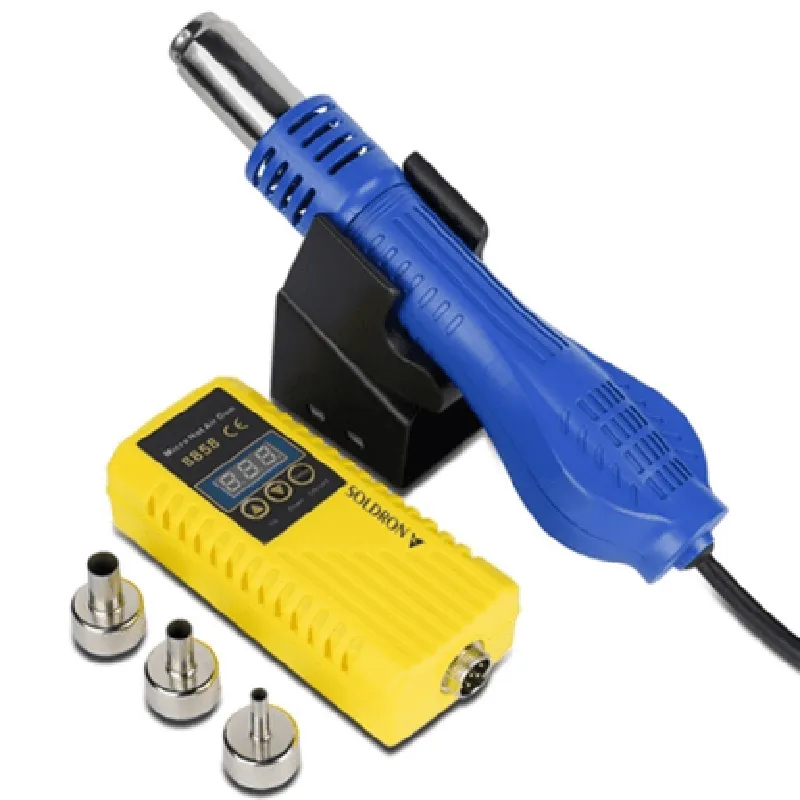
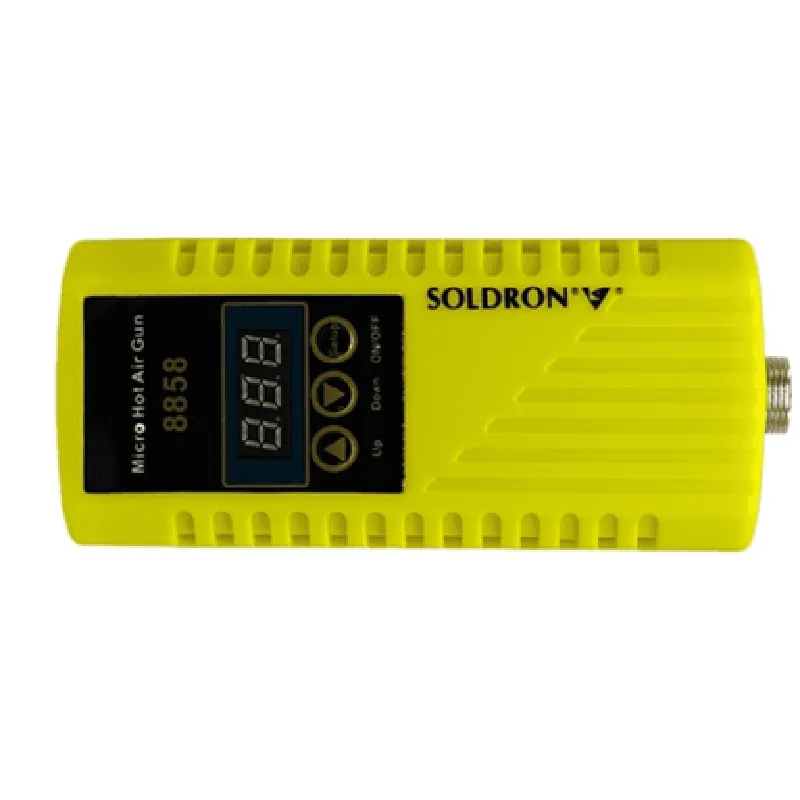
Soldron 8858 Portable Hot Air Blower

Buy Now on Stufin

Power

Rechargeable Lithium-Ion Battery (2 hours continuous use)


Temperature Range

100C to 450C (212F to 842F)

Air Flow

Adjustable (0 to 15 L/min)

Nozzle Diameter

1.5 mm (0.06 inches)

Dimensions

170 mm x 80 mm x 45 mm (6.7 inches x 3.1 inches x 1.8 inches)

Weight

350 grams (12.3 oz)

Certification

CE, FCC, and RoHS compliant

Applications

The Soldron 8858 Portable Hot Air Blower is suitable for a wide range of applications, including

Electronics rework and repair

PCB assembly and testing

Quality Control and inspection

Thermal testing and simulation

Industrial manufacturing and production

Hobbyist electronics projects and prototyping

Pin Configuration

  • Soldron 8858 Portable Hot Air Blower Pinout Documentation
  • The Soldron 8858 Portable Hot Air Blower is a compact and versatile IoT component designed for various applications, including surface-mount technology (SMT) rework, desoldering, and drying. This document provides a detailed explanation of the pins on the Soldron 8858, including their functions and connection guidelines.
  • Pinout Diagram:
  • The Soldron 8858 has a total of 10 pins, arranged in two rows of 5 pins each. The pinout diagram is as follows:
  • ```
  • +---------------+
  • | 1 | 2 | 3 | 4 | 5 |
  • +---------------+
  • | 6 | 7 | 8 | 9 | 10 |
  • +---------------+
  • ```
  • Pin Descriptions:
  • Here is a point-by-point explanation of each pin on the Soldron 8858:
  • 1. VCC (Power Supply):
  • Function: Power supply input (DC 12V)
  • Description: This pin provides power to the blower's motor and internal circuitry.
  • Connection: Connect to a 12V DC power source (e.g., a wall adapter or battery).
  • 2. GND (Ground):
  • Function: Ground connection
  • Description: This pin provides a grounding point for the blower's circuitry.
  • Connection: Connect to the negative terminal of the power source or a grounded point in the system.
  • 3. TEMP (Temperature Sensor):
  • Function: Temperature sensor input
  • Description: This pin connects to an internal thermistor that monitors the blower's temperature.
  • Connection: No external connection required.
  • 4. CTRL (Control Signal):
  • Function: Control signal input
  • Description: This pin receives a digital signal to control the blower's speed and direction.
  • Connection: Connect to a microcontroller or other control device (e.g., Arduino, Raspberry Pi).
  • 5. SPEED (Speed Indicator):
  • Function: Speed indicator output
  • Description: This pin provides a digital signal indicating the blower's speed (e.g., 0-5V).
  • Connection: Connect to a microcontroller or other monitoring device.
  • 6. FAN (Fan Signal):
  • Function: Fan signal output
  • Description: This pin provides a digital signal controlling the blower's fan motor.
  • Connection: Connect to a fan motor driver or other motor control circuitry.
  • 7. OVERHEAT (Overheat Indicator):
  • Function: Overheat indicator output
  • Description: This pin provides a digital signal indicating when the blower's temperature exceeds a safe threshold.
  • Connection: Connect to a microcontroller or other monitoring device.
  • 8. AIRFLOW (Airflow Sensor):
  • Function: Airflow sensor input
  • Description: This pin connects to an internal airflow sensor that monitors the blower's airflow.
  • Connection: No external connection required.
  • 9. LED (LED Indicator):
  • Function: LED indicator output
  • Description: This pin provides a digital signal controlling an external LED indicator (e.g., power, error, or status).
  • Connection: Connect to an external LED and resistor (if necessary).
  • 10. NC (No Connection):
  • Function: No internal connection
  • Description: This pin has no internal connection and should not be connected to any external components.
  • Connection Considerations:
  • When connecting the Soldron 8858 to a microcontroller or other devices, ensure the following:
  • Use a suitable power supply and ground connection to avoid overheating and damage.
  • Use a logic-level converter if the control signal voltage does not match the microcontroller's logic level.
  • Use a suitable voltage regulator and decoupling capacitors to stabilize the power supply and minimize noise.
  • By following these guidelines and understanding the pinout of the Soldron 8858, you can successfully integrate this IoT component into your project and take advantage of its versatile features.

Code Examples

Soldron 8858 Portable Hot Air Blower Documentation
Overview
The Soldron 8858 Portable Hot Air Blower is a compact, high-velocity hot air generator designed for various IoT applications, such as drying, heating, and de-icing. It features a powerful fan, high-temperature heating element, and adjustable airflow control.
Technical Specifications
Operating Voltage: 12V DC
 Power Consumption: 60W
 Airflow Rate: 10-20 CFM (adjustable)
 Temperature Range: 100F - 500F (38C - 260C)
 Dimensions: 6.5 x 4.5 x 3.5 inches (16.5 x 11.4 x 8.9 cm)
 Weight: 1.5 lbs (0.68 kg)
Communication Interface
The Soldron 8858 communicates via a standard UART serial interface, with a baud rate of 9600bps, 8 data bits, and 1 stop bit.
Code Examples
### Example 1: Basic Temperature Control using Arduino
In this example, we'll demonstrate how to control the Soldron 8858's temperature using an Arduino board.
Hardware Requirements:
Soldron 8858 Portable Hot Air Blower
 Arduino Uno or compatible board
 Breadboard and jumper wires
Software Requirements:
Arduino IDE (version 1.8 or later)
Code:
```c
#include <SoftwareSerial.h>
#define BLOWER_TX 2  // UART TX pin on Arduino
#define BLOWER_RX 3  // UART RX pin on Arduino
SoftwareSerial blowerSerial(BLOWER_TX, BLOWER_RX);
void setup() {
  blowerSerial.begin(9600);
}
void loop() {
  // Set temperature to 300F (149C)
  blowerSerial.write("T03
");
  delay(1000);
// Get current temperature
  blowerSerial.write("T?
");
  char tempStr[6];
  blowerSerial.readBytesUntil('
', tempStr, 6);
  Serial.print("Current temperature: ");
  Serial.println(tempStr);
delay(5000);
}
```
### Example 2: Airflow Control using Python and Raspberry Pi
In this example, we'll demonstrate how to control the Soldron 8858's airflow rate using a Raspberry Pi and Python.
Hardware Requirements:
Soldron 8858 Portable Hot Air Blower
 Raspberry Pi (any model)
 Breadboard and jumper wires
Software Requirements:
Raspbian OS (version 10 or later)
 Python 3.x
Code:
```python
import serial
import time
# Open the serial connection
blower.Serial("/dev/ttyUSB0", 9600, timeout=1)
while True:
    # Set airflow rate to 15 CFM
    blower.write(b"A015
")
    time.sleep(1)
# Get current airflow rate
    blower.write(b"A?
")
    airflow_rate = blower.readline().decode().strip()
    print(f"Current airflow rate: {airflow_rate} CFM")
time.sleep(5)
```
Note: In both examples, ensure that the Soldron 8858 is properly connected to the controlling device (Arduino or Raspberry Pi) and that the power supply is sufficient to operate the blower.
These code examples demonstrate the basic control of the Soldron 8858 Portable Hot Air Blower. For more advanced applications, please refer to the Soldron 8858 datasheet and the relevant documentation for your controlling device.