Stufin
Home Quick Cart Profile

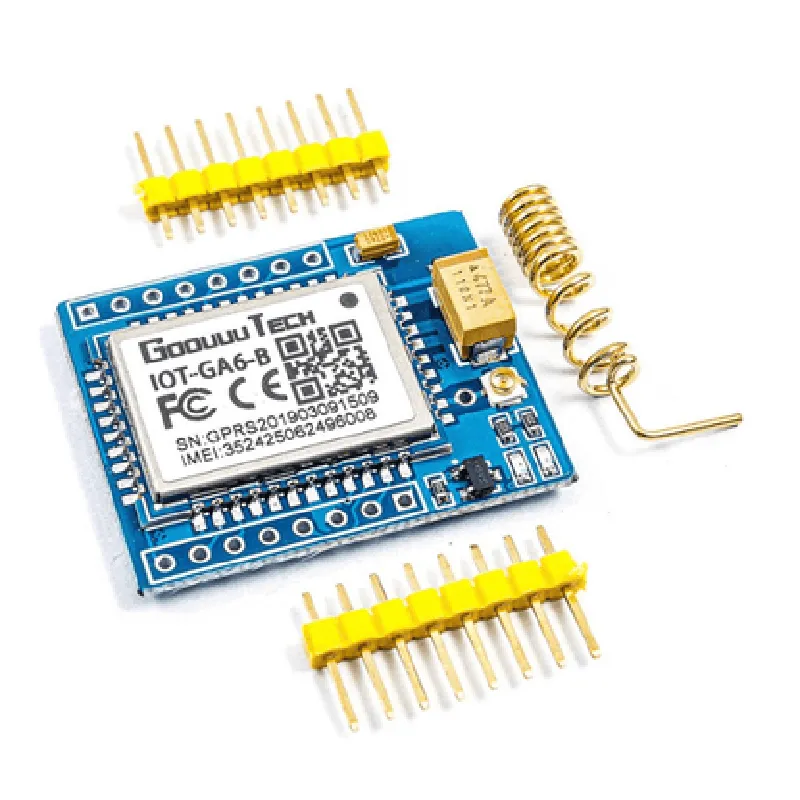
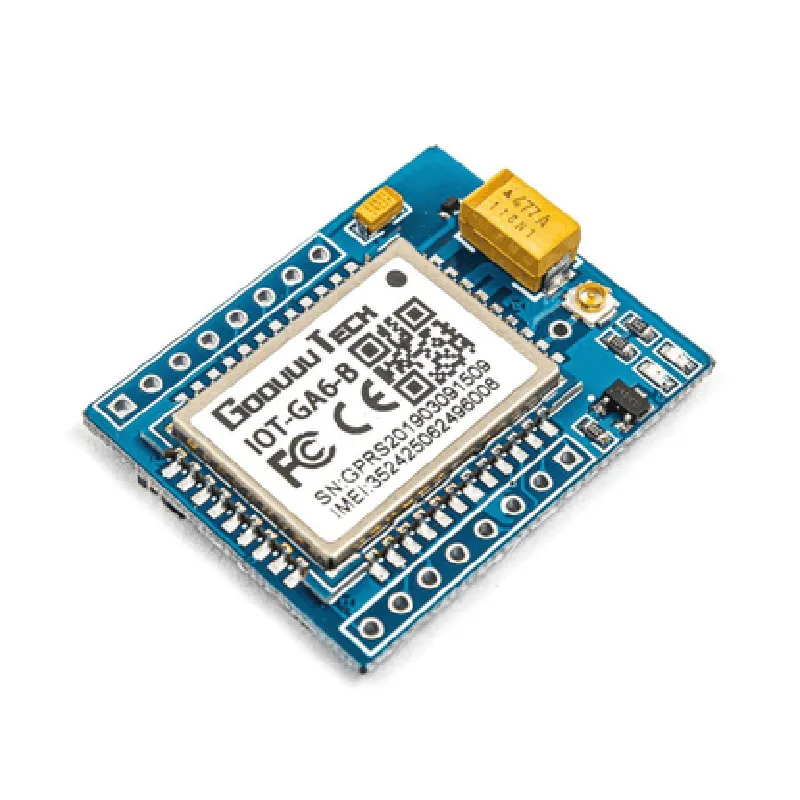
IOT-GA6 GPRS GSM Module

Buy Now on Stufin

Frequency Bands

850/900/1800/1900 MHz


Data Transmission Rate

Up to 85.6 kbps

Serial Interface

UART ( TTL level)

Baud Rate

Up to 115.2 kbps

Power Consumption

1.8V, 350 mA (average), 2A (peak)

GPS

Not supported

Dimensions

29.5 x 23.5 x 2.3 mm

Weight

5g

Certifications and Compliance

CE

Conforms to EU directives and regulations

FCC

Complies with FCC Part 22 and Part 24 regulations

RoHS

Compliant with RoHS (Restriction of Hazardous Substances) directive

WEEE

Compliant with WEEE (Waste Electrical and Electronic Equipment) directive

Pinout and Dimensions

The IOT-GA6 GPRS GSM module features a 32-pin LCC (Leadless Chip Carrier) package. The pinout and dimensions are shown below

[Insert Pinout Diagram]

Conclusion

The IOT-GA6 GPRS GSM module is a highly integrated and compact wireless communication solution ideal for a wide range of IoT applications. Its quad-band GSM support, GPRS class 10, and low power consumption make it an attractive option for devices requiring wireless connectivity. With its easy-to-use AT command set and serial interface, the module can be easily integrated into a variety of devices and systems.

Pin Configuration

  • IOT-GA6 GPRS GSM Module Pinout and Connection Guide
  • The IOT-GA6 GPRS GSM Module is a compact and versatile module designed for IoT applications, providing GPRS and GSM connectivity. This document provides a comprehensive guide to the module's pins, their functions, and how to connect them correctly.
  • Pinout Diagram:
  • The IOT-GA6 GPRS GSM Module has a total of 24 pins, distributed across two rows of 12 pins each.
  • Row 1 (Pins 1-12):
  • 1. VCC (Power Supply): 3.3V to 4.5V DC power supply input.
  • Connect to a suitable power source, such as a battery or a voltage regulator.
  • 2. GND (Ground): Ground reference point for the module.
  • Connect to the ground pin of the power source and other components in the circuit.
  • 3. RXD (Receive Data): UART receive data pin.
  • Connect to the TX (transmit) pin of the microcontroller or other serial communication devices.
  • 4. TXD (Transmit Data): UART transmit data pin.
  • Connect to the RX (receive) pin of the microcontroller or other serial communication devices.
  • 5. GPRS_EN (GPRS Enable): Enables or disables GPRS functionality.
  • Connect to a digital output pin of the microcontroller to control GPRS functionality.
  • 6. STATUS (Status Indicator): Indicates the module's status (e.g., power on, network registration, etc.).
  • Connect to an LED or a logic analyzer to monitor the module's status.
  • 7. PWRKEY (Power Key): Controls the module's power-on and power-off functions.
  • Connect to a digital output pin of the microcontroller to control module power.
  • 8. SIMDET (SIM Card Detection): Detects the presence or absence of a SIM card.
  • Connect to a digital input pin of the microcontroller to monitor SIM card presence.
  • 9. MIC+ (Microphone Positive): Connects to the microphone's positive terminal.
  • Connect to a suitable microphone or audio input device.
  • 10. MIC- (Microphone Negative): Connects to the microphone's negative terminal.
  • Connect to a suitable microphone or audio input device.
  • 11. SPK+ (Speaker Positive): Connects to the speaker's positive terminal.
  • Connect to a suitable speaker or audio output device.
  • 12. SPK- (Speaker Negative): Connects to the speaker's negative terminal.
  • Connect to a suitable speaker or audio output device.
  • Row 2 (Pins 13-24):
  • 13. ANT (Antenna): Connects to an external antenna for improved GSM/GPRS reception.
  • Connect to a suitable external antenna designed for GSM/GPRS frequencies.
  • 14. RST (Reset): Resets the module to its default state.
  • Connect to a digital output pin of the microcontroller to perform a manual reset.
  • 15. V_BAT (Battery Voltage): Provides the battery voltage level to the module.
  • Connect to a suitable battery or power source.
  • 16. VIN (Input Voltage): Provides an alternative power input for the module.
  • Connect to a suitable power source, such as a voltage regulator or a battery.
  • 17. GPIO1 (General Purpose Input/Output 1): Can be used as a digital input or output pin.
  • Connect to a suitable digital device or sensor, or use as an output pin.
  • 18. GPIO2 (General Purpose Input/Output 2): Can be used as a digital input or output pin.
  • Connect to a suitable digital device or sensor, or use as an output pin.
  • 19. GPIO3 (General Purpose Input/Output 3): Can be used as a digital input or output pin.
  • Connect to a suitable digital device or sensor, or use as an output pin.
  • 20. GPIO4 (General Purpose Input/Output 4): Can be used as a digital input or output pin.
  • Connect to a suitable digital device or sensor, or use as an output pin.
  • 21. NC (Not Connected): Not connected to any internal module component.
  • Leave unconnected.
  • 22. NC (Not Connected): Not connected to any internal module component.
  • Leave unconnected.
  • 23. NC (Not Connected): Not connected to any internal module component.
  • Leave unconnected.
  • 24. GND (Ground): Ground reference point for the module.
  • Connect to the ground pin of the power source and other components in the circuit.
  • Connection Structure:
  • 1. Connect the power supply (VCC) to a suitable voltage source (3.3V to 4.5V DC).
  • 2. Connect the ground (GND) to the ground pin of the power source and other components in the circuit.
  • 3. Connect the UART pins (RXD and TXD) to the microcontroller or other serial communication devices.
  • 4. Connect the GPRS enable (GPRS_EN) to a digital output pin of the microcontroller to control GPRS functionality.
  • 5. Connect the status indicator (STATUS) to an LED or a logic analyzer to monitor the module's status.
  • 6. Connect the power key (PWRKEY) to a digital output pin of the microcontroller to control module power.
  • 7. Connect the SIM card detection (SIMDET) to a digital input pin of the microcontroller to monitor SIM card presence.
  • 8. Connect the microphone pins (MIC+ and MIC-) to a suitable microphone or audio input device.
  • 9. Connect the speaker pins (SPK+ and SPK-) to a suitable speaker or audio output device.
  • 10. Connect the antenna (ANT) to an external antenna for improved GSM/GPRS reception.
  • 11. Connect the reset (RST) to a digital output pin of the microcontroller to perform a manual reset.
  • 12. Connect the battery voltage (V_BAT) to a suitable battery or power source.
  • 13. Connect the input voltage (VIN) to a suitable power source, such as a voltage regulator or a battery.
  • 14. Connect the GPIO pins (GPIO1-4) to suitable digital devices or sensors, or use as output pins.
  • Important Notes:
  • Ensure proper voltage levels and power supply connections to avoid damaging the module.
  • Use a suitable antenna designed for GSM/GPRS frequencies to ensure optimal reception.
  • Follow proper electromagnetic interference (EMI) and radio-frequency interference (RFI) guidelines when designing and implementing the module in your project.
  • Refer to the module's datasheet and application notes for specific usage guidelines and limitations.

Code Examples

IOT-GA6 GPRS GSM Module Documentation
Overview
The IOT-GA6 GPRS GSM module is a compact and versatile module that enables wireless communication capabilities for IoT devices. It supports GPRS (General Packet Radio Service) and GSM (Global System for Mobile Communications) protocols, allowing devices to send and receive data over cellular networks.
Hardware Specifications
Frequency Bands: Quad-band GSM (850/900/1800/1900 MHz) and GPRS class 12
 Antenna: Internal antenna, optional external antenna connector
 Power Supply: 3.3V to 5V DC
 UART Interface: 3.3V TTL level, 115200 bps default baud rate
 Dimensions: 24.5mm x 24.5mm x 3.5mm
Software APIs
The IOT-GA6 GPRS GSM module communicates with the host device using a UART interface. The module supports a variety of AT commands for configuration, data transmission, and reception.
Example 1: Sending SMS using AT Commands
In this example, we will demonstrate how to send an SMS using the IOT-GA6 GPRS GSM module.
```
// Import necessary libraries and establish UART connection
#include <SoftwareSerial.h>
SoftwareSerial gsmModule(2, 3); // RX, TX
void setup() {
  gsmModule.begin(115200);
  delay(1000);
}
void loop() {
  // Set SMS mode to text mode
  gsmModule.println("AT+CMGF=1");
  delay(100);
// Set the SMS recipient's phone number
  gsmModule.println("AT+CMGS=""+1234567890""");
  delay(100);
// Send the SMS message
  gsmModule.println("Hello from IOT-GA6 GPRS GSM module!");
  delay(100);
// Send the SMS message termination character (0x1A)
  gsmModule.println((char)26);
  delay(100);
// Wait for the SMS sending process to complete
  delay(5000);
}
```
Example 2: Establishing a GPRS Connection and Sending Data to a Server
In this example, we will demonstrate how to establish a GPRS connection and send data to a remote server using the IOT-GA6 GPRS GSM module.
```
// Import necessary libraries and establish UART connection
#include <SoftwareSerial.h>
SoftwareSerial gsmModule(2, 3); // RX, TX
void setup() {
  gsmModule.begin(115200);
  delay(1000);
}
void loop() {
  // Establish a GPRS connection
  gsmModule.println("AT+CGATT=1");
  delay(500);
// Set the APN (Access Point Name) for the GPRS connection
  gsmModule.println("AT+CSTT=""your_apn""");
  delay(500);
// Bring up the wireless connection
  gsmModule.println("AT+CIICR");
  delay(500);
// Get the local IP address assigned by the GPRS network
  gsmModule.println("AT+CIFSR");
  delay(500);
// Send a GET request to a remote server
  gsmModule.println("AT+CIPSTART=""TCP"