

Stufin
Home Quick Cart Profile

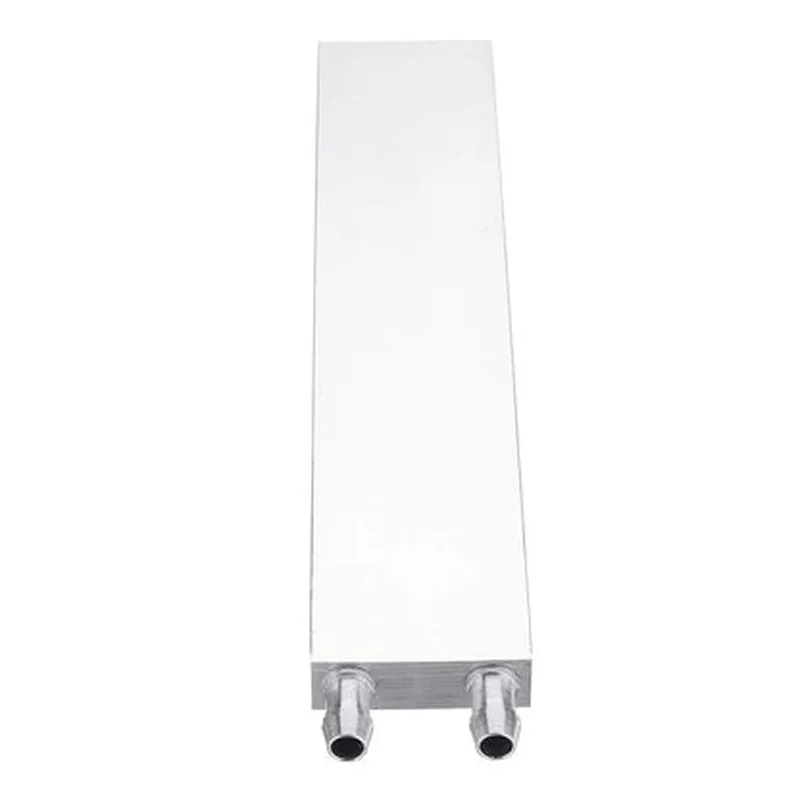
200mm Aluminium Water Cooling Block

Buy Now on Stufin

Component Documentation

200mm Aluminium Water Cooling Block

Overview

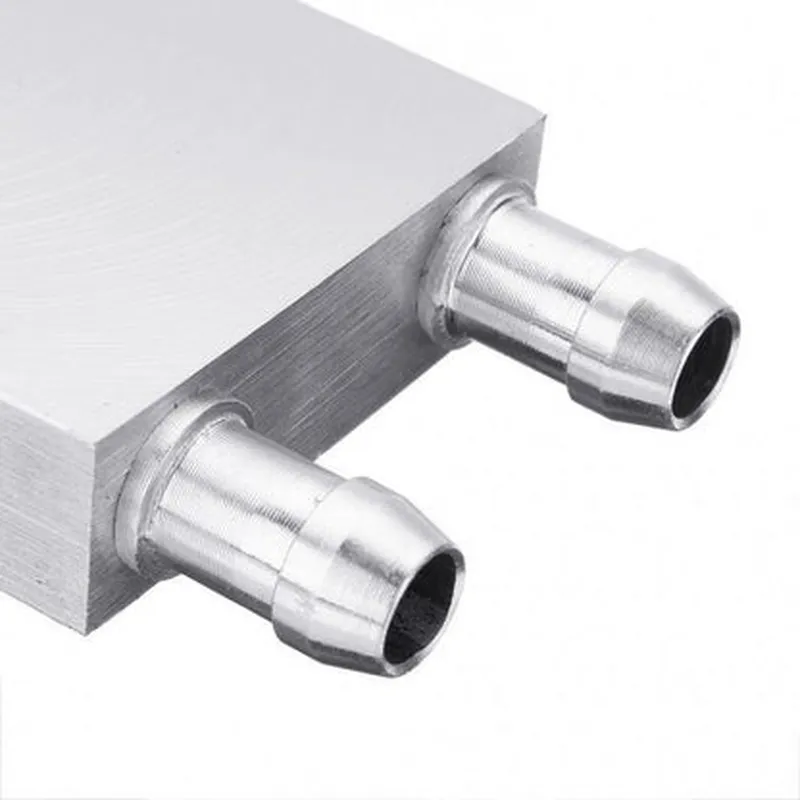
The 200mm Aluminium Water Cooling Block is a high-performance heat dissipation component designed for efficient cooling of high-power devices, such as CPUs, GPUs, and other electronic components. This water cooling block is fabricated from high-quality aluminium, ensuring exceptional heat transfer and durability.

Functionality

The primary function of the 200mm Aluminium Water Cooling Block is to transfer heat generated by electronic components to a circulating fluid, which is then dissipated through a heat exchanger or radiator. This process enables efficient cooling of high-power devices, maintaining optimal operating temperatures and preventing overheating-related issues.

Key Features

  • Material: The water cooling block is constructed from high-quality aluminium, providing excellent thermal conductivity, corrosion resistance, and durability.
  • Size: The block measures 200mm in length, making it suitable for larger electronic components or custom cooling solutions.
  • Threaded Ports: The block features multiple threaded ports (e.g., G1/4" or M5) for easy connection to water cooling tubing and fittings.
  • Micro-Channel Design: The internal channel structure is optimized for maximum heat transfer, with micro-channels that allow for efficient fluid flow and heat dissipation.
  • High-Flow Design: The block's design enables high flow rates, ensuring minimal pressure drop and optimal cooling performance.
  • Compact Design: Despite its size, the block's compact design minimizes space requirements, making it suitable for use in confined spaces or custom builds.
  • Compatible with Multiple Coolants: The block is compatible with a variety of coolants, including water, ethylene glycol, and propylene glycol-based fluids.
  • Anodized Finish: The block features a durable anodized finish, providing corrosion resistance and enhancing its aesthetic appeal.

Technical Specifications

Material

Aluminium

Size

200mm (length) x [variable] (width) x [variable] (height)

Threaded Ports

G1/4" or M5 (dependent on configuration)

Micro-Channel DesignOptimized for maximum heat transfer

Flow Rate

[dependent on system configuration]

Pressure Drop

[dependent on system configuration]

Operating Temperature Range

-20C to 120C

Compatible Coolants

Water, ethylene glycol, and propylene glycol-based fluids

Applications

The 200mm Aluminium Water Cooling Block is suitable for use in various applications, including

High-performance computing (HPC) systems

Gaming PCs and workstations

Data center cooling solutions

Custom water cooling builds

Industrial control systems

Installation and Maintenance

Proper installation and maintenance are crucial to ensure the optimal performance and longevity of the water cooling block. It is recommended to follow the manufacturer's instructions and guidelines for installation, as well as regular cleaning and maintenance to prevent corrosion and ensure optimal heat transfer.

Pin Configuration

  • 200mm Aluminium Water Cooling Block Documentation
  • Pinout Diagram:
  • The 200mm Aluminium Water Cooling Block has a total of 12 pins, divided into three groups: Power, Sensor, and LED indicators. The pinout diagram is as follows:
  • Power Pins:
  • 1. VCC (Pin 1): 5V Power Supply
  • Description: Provides power to the water cooling block's internal components.
  • Connection: Connect to a 5V power source, such as a motherboard or a power supply unit.
  • 2. GND (Pin 2): Ground
  • Description: Ground connection for the power supply.
  • Connection: Connect to a ground point on the motherboard or power supply unit.
  • Sensor Pins:
  • 3. TMP (Pin 3): Temperature Sensor Input
  • Description: Connects to a temperature sensor (e.g., thermistor) to monitor the coolant temperature.
  • Connection: Connect to the temperature sensor's output pin ((typically the center pin).
  • 4. PTH (Pin 4): Pressure Sensor Input
  • Description: Connects to a pressure sensor (e.g., piezoelectric sensor) to monitor the system pressure.
  • Connection: Connect to the pressure sensor's output pin (typically the center pin).
  • 5. FLW (Pin 5): Flow Sensor Input
  • Description: Connects to a flow sensor (e.g., hall effect sensor) to monitor the coolant flow rate.
  • Connection: Connect to the flow sensor's output pin (typically the center pin).
  • LED Indicator Pins:
  • 6. LED_R (Pin 6): Red LED Anode
  • Description: Connects to the anode (positive leg) of a red LED for alarm or warning indication.
  • Connection: Connect to a 5V power source through a current-limiting resistor (e.g., 1k).
  • 7. LED_G (Pin 7): Green LED Anode
  • Description: Connects to the anode (positive leg) of a green LED for normal operation indication.
  • Connection: Connect to a 5V power source through a current-limiting resistor (e.g., 1k).
  • 8. LED_B (Pin 8): Blue LED Anode
  • Description: Connects to the anode (positive leg) of a blue LED for special function indication (e.g., pump speed).
  • Connection: Connect to a 5V power source through a current-limiting resistor (e.g., 1k).
  • Digital Output Pins:
  • 9. ALRM (Pin 9): Alarm Output
  • Description: Provides a digital output signal when an alarm condition is detected (e.g., high temperature, low flow rate).
  • Connection: Connect to a microcontroller or motherboard's digital input pin to trigger an alarm or warning.
  • 10. PWM (Pin 10): Pulse-Width Modulation Output
  • Description: Provides a PWM signal for controlling the speed of the water pump.
  • Connection: Connect to a PWM input pin on the water pump controller or a microcontroller.
  • Analog Output Pins:
  • 11. TMP_OUT (Pin 11): Temperature Analog Output
  • Description: Provides an analog output signal proportional to the coolant temperature.
  • Connection: Connect to an analog-to-digital converter (ADC) or a temperature monitoring circuit.
  • 12. PTH_OUT (Pin 12): Pressure Analog Output
  • Description: Provides an analog output signal proportional to the system pressure.
  • Connection: Connect to an analog-to-digital converter (ADC) or a pressure monitoring circuit.
  • Connection Guidelines:
  • When connecting sensors, ensure proper polarity and compatibility with the water cooling block's pinout.
  • Use appropriate current-limiting resistors for LED connections to prevent overheating.
  • Verify the compatibility of the power supply and sensor outputs with the water cooling block's voltage and current ratings.
  • Ensure secure and reliable connections to prevent damage to the components or system malfunction.
  • Notes:
  • Consult the user manual or manufacturer's documentation for specific connection diagrams and guidelines for your particular system.
  • Perform thorough testing and validation before operating the water cooling system to ensure safe and reliable performance.

Code Examples

200mm Aluminium Water Cooling Block Documentation
Overview
The 200mm Aluminium Water Cooling Block is a high-performance heat dissipation component designed for efficient liquid cooling in various IoT applications. Its large surface area and high-density fin structure ensure excellent heat transfer, making it an ideal solution for cooling high-power devices, servers, and industrial equipment.
Technical Specifications
Material: Aluminium
 Size: 200mm x 200mm x 30mm
 Fin density: 40 fins per inch
 Thread type: G1/4"
 Maximum pressure: 3.5 bar
 Operating temperature range: -20C to 120C
Code Examples
### Example 1: Raspberry Pi Cooling System (Python)
In this example, we demonstrate how to use the 200mm Aluminium Water Cooling Block with a Raspberry Pi to create a cooling system. We'll use a Python script to control the pump and monitor the temperature.
Hardware Requirements:
Raspberry Pi 4
 200mm Aluminium Water Cooling Block
 Water pump (e.g., Laing DDC-3.2)
 Temperature sensor (e.g., DS18B20)
 Power supply
Code:
```python
import RPi.GPIO as GPIO
import time
# Set up GPIO pins for pump control
pump_pin = 17
GPIO.setmode(GPIO.BCM)
GPIO.setup(pump_pin, GPIO.OUT)
# Set up temperature sensor
temp_sensor_pin = 4
temp_sensor = DS18B20(temp_sensor_pin)
# Define pump control function
def pump_control(state):
    if state:
        GPIO.output(pump_pin, GPIO.HIGH)
    else:
        GPIO.output(pump_pin, GPIO.LOW)
# Monitor temperature and control pump
while True:
    temp = temp_sensor.read_temperature()
    if temp > 60:
        pump_control(True)
    else:
        pump_control(False)
    time.sleep(1)
```
### Example 2: Industrial Automation Cooling System (C++)
In this example, we demonstrate how to use the 200mm Aluminium Water Cooling Block in an industrial automation cooling system, controlling the temperature of a high-power motor driver.
Hardware Requirements:
Industrial PC (e.g., Beckhoff CX1020)
 200mm Aluminium Water Cooling Block
 Motor driver (e.g., SEMIKRON Skai 3)
 Temperature sensor (e.g., PT100)
 Power supply
Code:
```c
#include <iostream>
#include <cmath>
// Define temperature sensor and motor driver objects
PT100 temp_sensor;
SEMIKRON_Skai3 motor_driver;
// Define cooling system control function
void cooling_system_control(float temperature) {
    if (temperature > 70) {
        // Increase pump speed to maximum
        motor_driver.set_speed(100);
    } else if (temperature > 60) {
        // Reduce pump speed to 50%
        motor_driver.set_speed(50);
    } else {
        // Turn off pump
        motor_driver.set_speed(0);
    }
}
int main() {
    // Initialize temperature sensor and motor driver
    temp_sensor.init();
    motor_driver.init();
while (true) {
        float temperature = temp_sensor.read_temperature();
        cooling_system_control(temperature);
        std::cout << "Temperature: " << temperature << "C" << std::endl;
        std::this_thread::sleep_for(std::chrono::seconds(1));
    }
    return 0;
}
```
These examples demonstrate the versatility of the 200mm Aluminium Water Cooling Block in various IoT applications, from cooling Raspberry Pi boards to industrial automation systems.