

Stufin
Home Quick Cart Profile

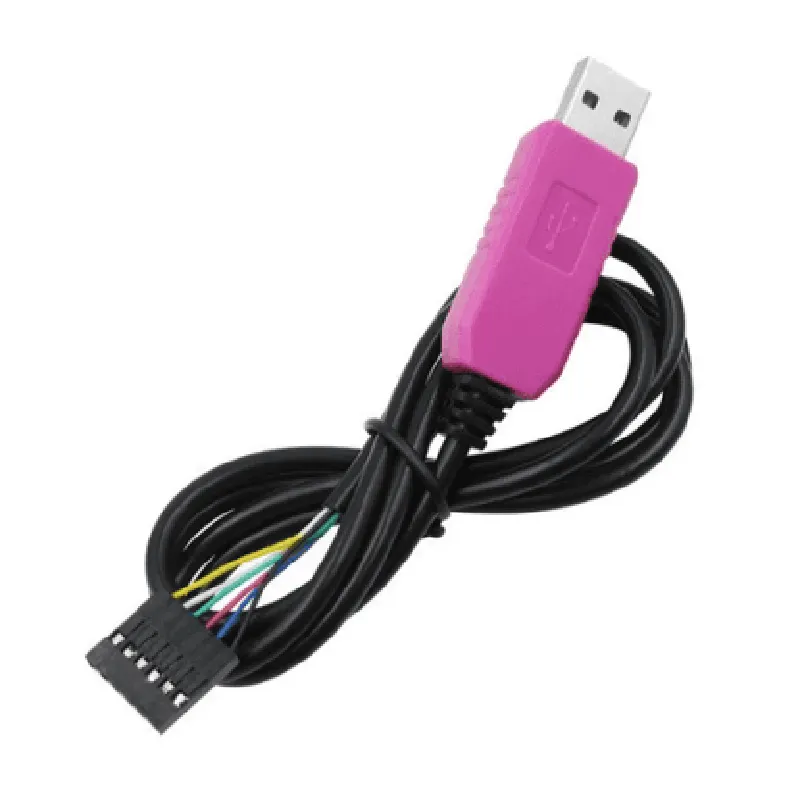
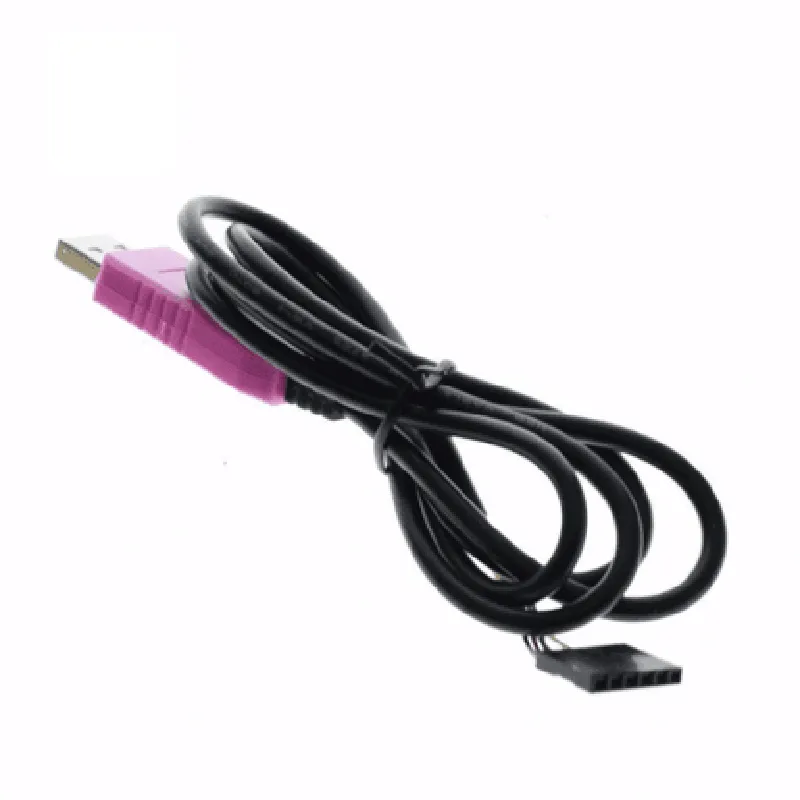
PL2303HXD 6Pin USB TTL RS232 Convert Serial Cable

Buy Now on Stufin

Component Description

PL2303HXD 6Pin USB TTL RS232 Convert Serial Cable

Overview

The PL2303HXD 6Pin USB TTL RS232 Convert Serial Cable is a versatile and compact component designed to facilitate communication between devices with different serial interfaces. This cable enables the conversion of USB signals to TTL RS232 signals, allowing for seamless interaction between devices with varying serial communication protocols.

Functionality

The PL2303HXD 6Pin USB TTL RS232 Convert Serial Cable serves as a bridge between devices with USB ports and those with RS232 serial interfaces. It converts the USB signal from a computer or other USB-enabled device into a TTL RS232 signal, which can then be transmitted to devices with RS232 serial ports. This enables devices to communicate with each other, even if they do not share a common serial interface.

Key Features

  • USB to RS232 Conversion: The cable features a PL2303HXD chip, which converts USB signals to TTL RS232 signals, allowing for communication between devices with different serial interfaces.
  • 6-Pin Interface: The cable has a 6-pin connector, which includes TX, RX, GND, VCC, RTS, and CTS pins, providing a complete serial interface for device communication.
  • TTL RS232 Signal Levels: The cable outputs TTL RS232 signal levels, making it compatible with devices that require these signal levels for serial communication.
  • Baud Rate: The PL2303HXD chip supports baud rates up to 921.6 kbps, ensuring fast and reliable data transfer between devices.
  • Standards Compliance: The cable is compliant with USB 2.0 and RS232 specifications, ensuring compatibility with a wide range of devices.
  • Power Supply: The cable obtains power from the USB port, eliminating the need for an external power source.
  • Operating System Support: The cable is compatible with popular operating systems, including Windows, Linux, and macOS.
  • Compact Design: The cable's compact design makes it easy to integrate into a variety of applications, including robotics, automation, and industrial control systems.
  • Reliability: The cable is built to provide reliable and stable serial communication, with a operating temperature range of -40C to 85C.

Applications

The PL2303HXD 6Pin USB TTL RS232 Convert Serial Cable is suitable for a wide range of applications, including

Industrial automation and control systems

Robotics and robotic arms

Medical devices and equipment

Point-of-Sale (POS) systems

Barcode scanners and printers

CNC machines and manufacturing systems

Conclusion

The PL2303HXD 6Pin USB TTL RS232 Convert Serial Cable is a versatile and reliable component designed to facilitate communication between devices with different serial interfaces. Its unique combination of features, compact design, and operating system support make it an ideal solution for a variety of applications that require serial communication.

Pin Configuration

  • PL2303HXD 6Pin USB TTL RS232 Convert Serial Cable Documentation
  • Pinout Explanation:
  • The PL2303HXD 6Pin USB TTL RS232 Convert Serial Cable has six pins, which are carefully designed to facilitate communication between devices. Here's a detailed explanation of each pin:
  • Pin 1: GND (Ground)
  • Function: Provides a common ground reference point for the circuit.
  • Connection: Connect to the ground pin of your microcontroller or device.
  • Pin 2: TXD (Transmit Data)
  • Function: Transmits data from the USB side to the serial device.
  • Connection: Connect to the RX (Receive) pin of your microcontroller or device.
  • Pin 3: RXD (Receive Data)
  • Function: Receives data from the serial device and transmits it to the USB side.
  • Connection: Connect to the TX (Transmit) pin of your microcontroller or device.
  • Pin 4: VCC (Power Supply)
  • Function: Provides power to the internal circuitry of the PL2303HXD chip.
  • Connection: Connect to a 5V power supply or the VCC pin of your microcontroller or device.
  • Pin 5: RTS (Request to Send)
  • Function: Used for flow control, indicating when the device is ready to send data.
  • Connection: Typically left unconnected, but can be used for specific applications requiring flow control.
  • Pin 6: CTS (Clear to Send)
  • Function: Used for flow control, indicating when the device is ready to receive data.
  • Connection: Typically left unconnected, but can be used for specific applications requiring flow control.
  • Connection Structure:
  • To connect the PL2303HXD 6Pin USB TTL RS232 Convert Serial Cable to your microcontroller or device, follow this structure:
  • 1. Connect Pin 1 (GND) of the PL2303HXD to the ground pin of your microcontroller or device.
  • 2. Connect Pin 2 (TXD) of the PL2303HXD to the RX pin of your microcontroller or device.
  • 3. Connect Pin 3 (RXD) of the PL2303HXD to the TX pin of your microcontroller or device.
  • 4. Connect Pin 4 (VCC) of the PL2303HXD to a 5V power supply or the VCC pin of your microcontroller or device.
  • 5. Leave Pins 5 (RTS) and 6 (CTS) unconnected, unless your specific application requires flow control.
  • Important Note:
  • When connecting the PL2303HXD to your device, ensure that the voltage levels are compatible. The PL2303HXD operates at 5V, so make sure your device can tolerate this voltage. Additionally, be cautious when working with serial communication protocols, as incorrect connections can damage your devices.

Code Examples

PL2303HXD 6Pin USB TTL RS232 Convert Serial Cable Documentation
Overview
The PL2303HXD 6Pin USB TTL RS232 Convert Serial Cable is a USB-to-serial adapter that allows users to connect serial devices to a computer via a USB port. It is based on the PL2303HXD chip, which provides a reliable and high-speed USB-to-serial conversion. This adapter is suitable for a wide range of applications, including industrial automation, medical devices, and serial communication systems.
Technical Specifications
USB Interface: USB 2.0 compliant
 Serial Interface: TTL-level RS232
 Baud Rate: Up to 921600 bps
 Operating System: Windows, Linux, macOS
 Cable Length: 1.5 meters
 Power Supply: Bus-powered, no external power required
Pinout
The PL2303HXD 6Pin USB TTL RS232 Convert Serial Cable has the following pinout:
Pin 1: RX (Receive)
 Pin 2: TX (Transmit)
 Pin 3: GND (Ground)
 Pin 4: VCC (Power)
 Pin 5: RTS (Request to Send)
 Pin 6: CTS (Clear to Send)
Code Examples
Here are a few code examples that demonstrate how to use the PL2303HXD 6Pin USB TTL RS232 Convert Serial Cable in various contexts:
### Example 1: Serial Communication with Python on Windows
In this example, we will use the PL2303HXD 6Pin USB TTL RS232 Convert Serial Cable to communicate with a serial device using Python on Windows.
Hardware Requirements
PL2303HXD 6Pin USB TTL RS232 Convert Serial Cable
 Serial device (e.g., serial LCD display)
 Windows PC
Software Requirements
Python 3.x
 PySerial library
Code
```python
import serial
# Open the serial port
ser = serial.Serial('COM3', 9600, timeout=1)
# Send a message to the serial device
ser.write(b'Hello, World!')
# Read the response from the serial device
response = ser.readline()
print(response.decode())
# Close the serial port
ser.close()
```
In this example, we first import the PySerial library and open the serial port using the `serial.Serial()` function. We then send a message to the serial device using the `write()` method and read the response using the `readline()` method. Finally, we close the serial port using the `close()` method.
### Example 2: Serial Communication with Arduino on Linux
In this example, we will use the PL2303HXD 6Pin USB TTL RS232 Convert Serial Cable to communicate with an Arduino board using Linux.
Hardware Requirements
PL2303HXD 6Pin USB TTL RS232 Convert Serial Cable
 Arduino board
 Linux PC
Software Requirements
Arduino IDE
 Linux terminal
Code
```c++
#include <Serial.h>
void setup() {
  Serial.begin(9600);
}
void loop() {
  Serial.println("Hello, World!");
  delay(1000);
}
```
In this example, we use the Arduino IDE to write a simple serial communication sketch that sends a message to the serial console every second. We then use the Linux terminal to read the serial output using the `screen` command:
```
$ screen /dev/ttyUSB0 9600
```
Replace `/dev/ttyUSB0` with the actual device file associated with the PL2303HXD 6Pin USB TTL RS232 Convert Serial Cable.
### Example 3: Serial Communication with C++ on macOS
In this example, we will use the PL2303HXD 6Pin USB TTL RS232 Convert Serial Cable to communicate with a serial device using C++ on macOS.
Hardware Requirements
PL2303HXD 6Pin USB TTL RS232 Convert Serial Cable
 Serial device (e.g., serial LCD display)
 macOS PC
Software Requirements
Xcode
 C++ compiler
Code
```c
#include <iostream>
#include <string>
#include <serial/serial.h>
int main() {
  serial::Serial ser;
// Open the serial port
  ser.setPort("/dev/cu.usbserial-FTGCCPJ5");
  ser.setBaudrate(9600);
  ser.setTimeout(serial::Timeout::simpleTimeout(1000));
if (ser.isOpen()) {
    std::string message = "Hello, World!";
    ser.write(message);
    std::string response = ser.readline();
    std::cout << response << std::endl;
  } else {
    std::cerr << "Failed to open serial port." << std::endl;
    return 1;
  }
return 0;
}
```
In this example, we use the `serial` C++ library to open the serial port and send a message to the serial device. We then read the response using the `readline()` method and print it to the console.
Note: In all examples, make sure to replace the device file or COM port with the actual value associated with the PL2303HXD 6Pin USB TTL RS232 Convert Serial Cable on your system.