TDA8932 Digital Power Amplifier Board


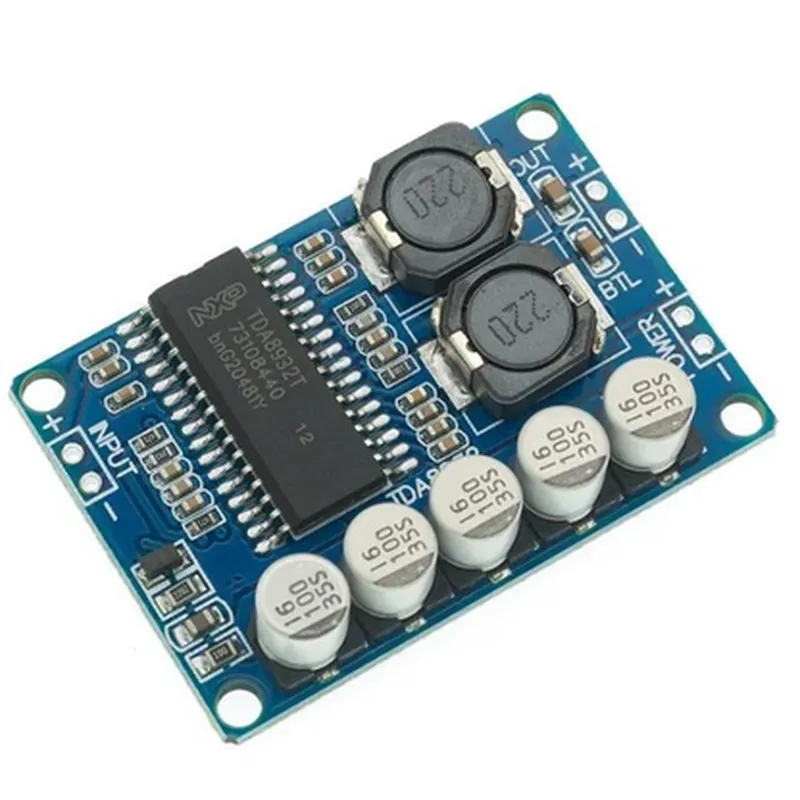
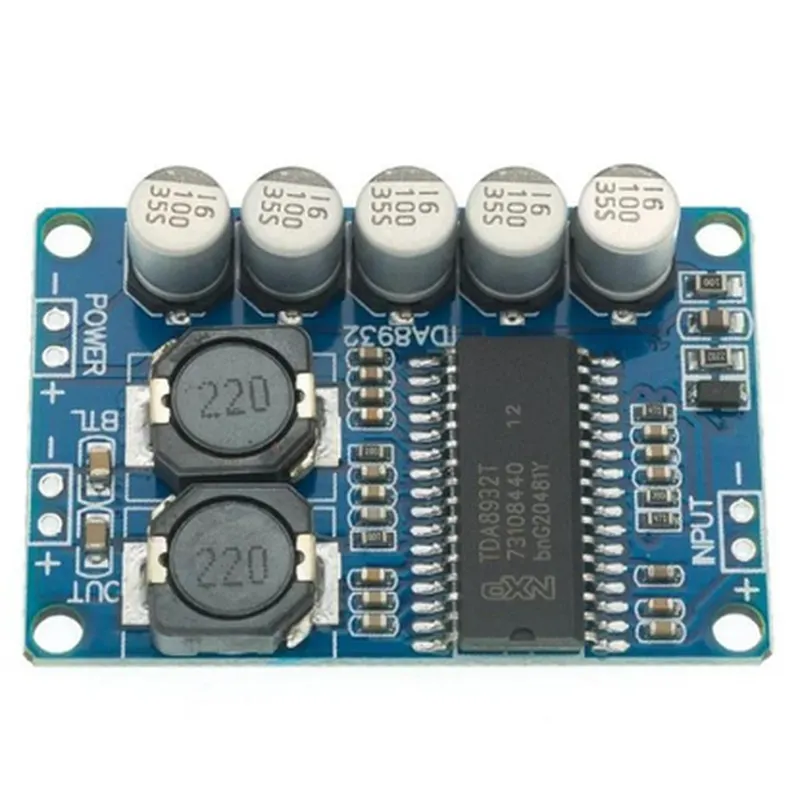
TDA8932 Digital Power Amplifier Board
The TDA8932 Digital Power Amplifier Board is a high-performance audio amplifier module designed for use in various Internet of Things (IoT) applications, including smart speakers, home automation systems, and other audio-centric devices. This board is based on the TDA8932 digital audio amplifier IC, which offers high power density and efficiency, making it an ideal choice for battery-powered or compact devices.
The TDA8932 Digital Power Amplifier Board is designed to amplify low-level audio signals from audio sources such as microcontrollers, Bluetooth modules, or audio codecs. The board takes in a digital audio input and outputs a high-quality, amplified audio signal to a speaker or other audio device. The amplifier module operates in a bridge-tied load (BTL) configuration, which provides higher power output and improved efficiency compared to traditional amplifier topologies.
| ### Audio Specifications |
Digital audio input compatible with I2S (Inter-IC Sound) and PCM (Pulse Code Modulation) formats
Supports sample rates up to 192 kHz
Supports 16-bit, 20-bit, and 24-bit audio formats
| THD+N (Total Harmonic Distortion + Noise) | Typically 0.1% at 1 kHz and 1 W output power |
| SNR (Signal-to-Noise Ratio) | 90 dB |
| ### Amplifier Performance |
Up to 12 W per channel into 4 or 8 loads
85% at 1 W output power
| Operating voltage range | 4.5 V to 15 V |
Typically 10 mA
| ### Protection Features | |
| Over-temperature Protection | Automatic shutdown in case of overheating |
| Over-current Protection | Limits output current to prevent damage |
| Short-circuit Protection | Detects and responds to short circuits between output pins |
| ### Digital Interface | |
| I2C Bus Interface | For configuration, control, and diagnostics |
For external control and interrupt signals
| ### Physical Characteristics |
25 mm x 20 mm (1 inch x 0.8 inch)
Through-hole or surface-mount technology (SMT) compatible
-40C to +85C (-40F to +185F)
Smart speakers and audio systems
Home automation and IoT devices
Portable audio devices (e.g., speakers, headphones)
Automotive entertainment systems
Industrial audio applications (e.g., public address systems)
The TDA8932 Digital Power Amplifier Board is a compact, high-performance audio amplifier solution ideal for a wide range of IoT applications. Its digital input and I2C bus interface make it easily integrable with microcontrollers and other digital components, while its protection features and high efficiency ensure reliable operation and extended battery life.
TDA8932 Digital Power Amplifier Board DocumentationOverviewThe TDA8932 Digital Power Amplifier Board is a high-performance audio amplifier module designed for use in a wide range of Internet of Things (IoT) applications. It is based on the TDA8932 audio power amplifier IC from NXP Semiconductors, which provides high-quality audio output with low distortion and noise. This documentation provides an overview of the component's features, specifications, and example code for using it in various contexts.Features2-channel stereo audio amplifier
Integrated digital audio interface (I2S)
Supports 16-bit and 24-bit audio data
High-quality audio output with low distortion and noise
Low power consumption
Compatible with various microcontrollers and development boardsSpecificationsOperating voltage: 4.5V to 5.5V
Output power: 2 x 10W (4 load)
Frequency response: 20Hz to 20kHz
Signal-to-noise ratio (SNR): 90dB
THD+N: 0.1%Example CodeThe following examples demonstrate how to use the TDA8932 Digital Power Amplifier Board with popular microcontrollers and development boards:### Example 1: Using the TDA8932 with Arduino UnoIn this example, we will use the TDA8932 Digital Power Amplifier Board with an Arduino Uno board to play a WAV audio file stored on an SD card.Hardware ConnectionConnect the TDA8932 board to the Arduino Uno as follows:
+ VCC to 5V
+ GND to GND
+ SCK to SCK (Pin 13)
+ FS to FS (Pin 12)
+ SDIN to SDIN (Pin 11)
Connect a speaker to the TDA8932 board's output terminals
Connect an SD card module to the Arduino Uno's SPI pins ( MOSI, MISO, SCK)Code
```c
#include <SD.h>
#include <TDA8932.h>#define SD_CS 5 // SD card chip select pin
#define SPEAKER_PIN 9 // Speaker pinTDA8932 amplifier;void setup() {
Serial.begin(9600);
SD.begin(SD_CS);
amplifier.begin();
}void loop() {
File audioFile = SD.open("audio.wav");
if (audioFile) {
amplifier.playWAV(audioFile);
while (amplifier.isPlaying()) {
// Wait for the audio to finish playing
}
audioFile.close();
} else {
Serial.println("Error opening audio file");
}
delay(1000);
}
```
### Example 2: Using the TDA8932 with Raspberry Pi PicoIn this example, we will use the TDA8932 Digital Power Amplifier Board with a Raspberry Pi Pico board to play a PCM audio stream generated using the Pico's DAC.Hardware ConnectionConnect the TDA8932 board to the Raspberry Pi Pico as follows:
+ VCC to 5V
+ GND to GND
+ SCK to GP2 (Pin 2)
+ FS to GP3 (Pin 3)
+ SDIN to GP4 (Pin 4)
Connect a speaker to the TDA8932 board's output terminalsCode
```c
import rp2
from machine import Pin
import utime# Initialize the TDA8932
t8932 = rp2.i2smachine.I2SMachine(0, sck=Pin(2), ws=Pin(3), sd=Pin(4), mode=rp2.I2S.CK_EDGE_FALL)# Set up the DAC
dac = rp2.DAC(0, bits=16)# Generate a PCM audio stream
def generate_pcm_stream():
# Generate a 1 kHz sine wave
wave = [int(32767 math.sin(2 math.pi 1000 i / 44100)) for i in range(44100)]
return bytes(wave)# Play the PCM audio stream
while True:
pcm_stream = generate_pcm_stream()
t8932.write(pcm_stream)
utime.sleep(1)
```
These examples demonstrate how to use the TDA8932 Digital Power Amplifier Board with popular microcontrollers and development boards to play audio files and generate PCM audio streams. The TDA8932's high-quality audio output and low power consumption make it an ideal choice for IoT applications requiring high-fidelity audio playback.