Stufin
Home Quick Cart Profile

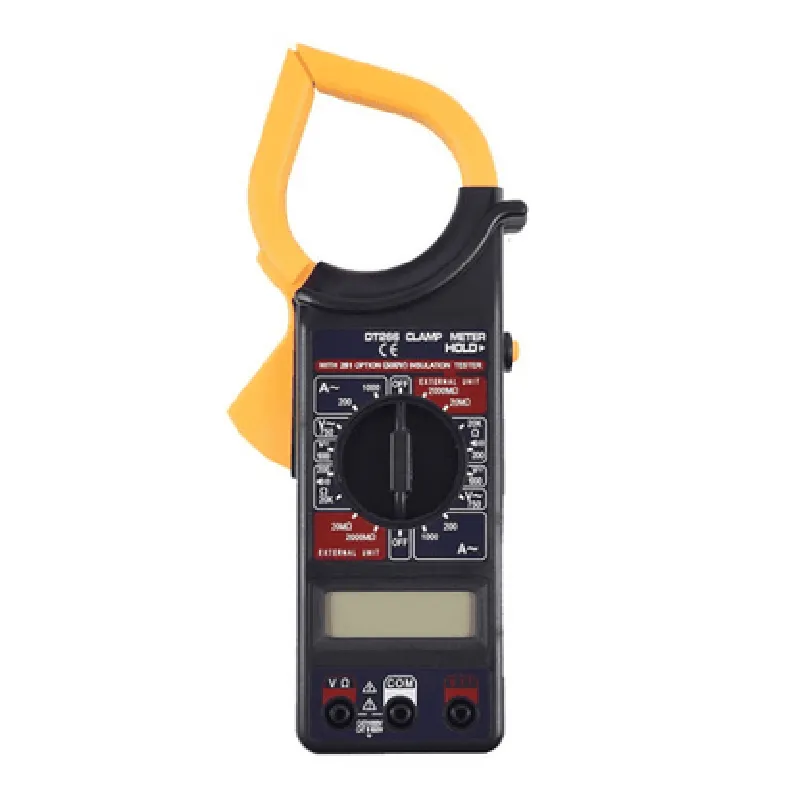
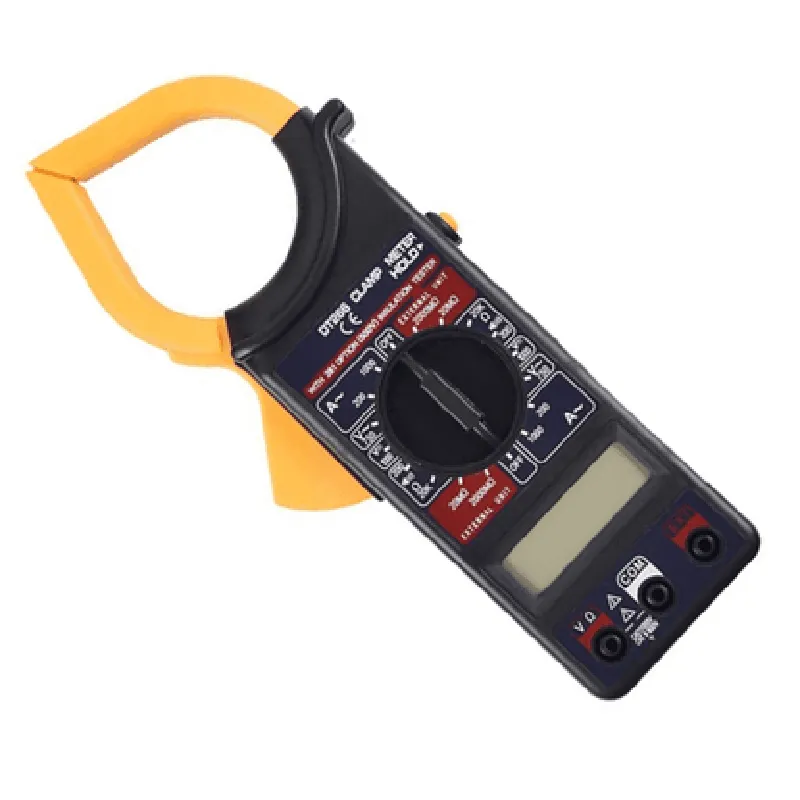
DT266 Digital Clamp Multimeter

Buy Now on Stufin

Operating temperature

-10C to 40C (14F to 104F)


Power supply

9V battery (included)

Battery life

up to 200 hours

Dimensions

215 x 75 x 40 mm (8.46 x 2.95 x 1.57 in)

Weight

approximately 350g (12.35 oz)

In the Box

DT266 Digital Clamp Multimeter

9V battery

User manual

Carrying case

Warranty and Support

The DT266 Digital Clamp Multimeter is backed by a 2-year warranty and dedicated customer support, ensuring that users have access to assistance and resources when needed.

Pin Configuration

  • DT266 Digital Clamp Multimeter Pinout Explanation
  • The DT266 Digital Clamp Multimeter is a versatile measuring instrument that can be used to measure various electrical parameters such as voltage, current, resistance, and more. It features a compact design and is equipped with a digital display that shows the measurement results. The device has a set of pins that allow users to connect it to a microcontroller or a computer for data logging, automation, and other purposes. Below is a detailed explanation of each pin and how to connect them.
  • Pinout Structure:
  • The DT266 Digital Clamp Multimeter has a 6-pin header that is used for communication and power supply. The pinout structure is as follows:
  • Pin 1: VCC (Power Supply)
  • Function: Power supply pin for the multimeter
  • Voltage: 5V DC
  • Description: This pin is used to supply power to the multimeter. A 5V DC power source can be connected to this pin to power the device.
  • Pin 2: GND (Ground)
  • Function: Ground pin for the multimeter
  • Voltage: 0V DC
  • Description: This pin is used as a ground reference for the multimeter. It should be connected to the ground of the power supply and the microcontroller or computer.
  • Pin 3: RX (Receive)
  • Function: Receive pin for serial communication
  • Voltage: 3.3V to 5V DC
  • Description: This pin is used to receive data from the microcontroller or computer. It is connected to the RX pin of the serial communication module (e.g., UART, RS-232).
  • Pin 4: TX (Transmit)
  • Function: Transmit pin for serial communication
  • Voltage: 3.3V to 5V DC
  • Description: This pin is used to transmit data from the multimeter to the microcontroller or computer. It is connected to the TX pin of the serial communication module (e.g., UART, RS-232).
  • Pin 5: CLK (Clock)
  • Function: Clock pin for serial communication
  • Voltage: 3.3V to 5V DC
  • Description: This pin is used to provide a clock signal for the serial communication. It is connected to the clock pin of the serial communication module (e.g., UART, RS-232).
  • Pin 6: DTR (Data Terminal Ready)
  • Function: Data Terminal Ready pin
  • Voltage: 3.3V to 5V DC
  • Description: This pin is used to indicate that the multimeter is ready to send data. It is connected to the DTR pin of the serial communication module (e.g., UART, RS-232).
  • Connection Structure:
  • To connect the DT266 Digital Clamp Multimeter to a microcontroller or computer, follow these steps:
  • 1. Connect the VCC pin to a 5V DC power source.
  • 2. Connect the GND pin to the ground of the power supply and the microcontroller or computer.
  • 3. Connect the RX pin to the RX pin of the serial communication module (e.g., UART, RS-232).
  • 4. Connect the TX pin to the TX pin of the serial communication module (e.g., UART, RS-232).
  • 5. Connect the CLK pin to the clock pin of the serial communication module (e.g., UART, RS-232).
  • 6. Connect the DTR pin to the DTR pin of the serial communication module (e.g., UART, RS-232).
  • Important Notes:
  • Make sure to use a level shifter if the microcontroller or computer operates at a voltage level different from the multimeter (e.g., 3.3V vs. 5V).
  • Use a suitable communication protocol (e.g., UART, RS-232) and baud rate to ensure proper data transfer between the multimeter and the microcontroller or computer.
  • Refer to the datasheet and user manual of the DT266 Digital Clamp Multimeter for specific connection diagrams and instructions.

Code Examples

DT266 Digital Clamp Multimeter Documentation
Overview
The DT266 Digital Clamp Multimeter is a versatile IoT component designed for measuring electrical parameters such as voltage, current, resistance, and continuity. This device is equipped with a clamp sensor, allowing for non-invasive measurements, and provides accurate readings with high precision. The DT266 is suitable for various applications, including industrial automation, DIY projects, and educational purposes.
Technical Specifications
Measurement range:
	+ Voltage: 0-1000V AC/DC
	+ Current: 0-1000A AC/DC
	+ Resistance: 0-200M
	+ Continuity: Beep indication
 Accuracy: 1% for voltage and current, 2% for resistance
 Resolution: 0.01V, 0.1A, 0.1
 Communication interface: I2C, UART
 Operating voltage: 5V DC
 Operating temperature: -20C to 70C
Code Examples
### Example 1: Basic Measurement using Arduino
In this example, we will use the DT266 Digital Clamp Multimeter with an Arduino board to measure the voltage and current of a circuit.
```c++
#include <Wire.h>
#define DT266_ADDRESS 0x1E  // Default I2C address of the DT266
void setup() {
  Serial.begin(9600);
  Wire.begin();  // Initialize I2C communication
}
void loop() {
  int voltage = readVoltage();
  int current = readCurrent();
Serial.print("Voltage: ");
  Serial.print(voltage);
  Serial.println(" V");
Serial.print("Current: ");
  Serial.print(current);
  Serial.println(" A");
delay(1000);
}
int readVoltage() {
  Wire.beginTransmission(DT266_ADDRESS);
  Wire.write(0x01);  // Command to read voltage
  Wire.endTransmission();
Wire.requestFrom(DT266_ADDRESS, 2);
  int voltage = Wire.read() << 8 | Wire.read();
return voltage;
}
int readCurrent() {
  Wire.beginTransmission(DT266_ADDRESS);
  Wire.write(0x02);  // Command to read current
  Wire.endTransmission();
Wire.requestFrom(DT266_ADDRESS, 2);
  int current = Wire.read() << 8 | Wire.read();
return current;
}
```
### Example 2: Using the DT266 with Raspberry Pi (Python)
In this example, we will use the DT266 Digital Clamp Multimeter with a Raspberry Pi to measure the resistance of a circuit component.
```python
import smbus
# Initialize I2C communication
bus = smbus.SMBus(1)
DT266_ADDRESS = 0x1E
def readResistance():
  bus.write_byte(DT266_ADDRESS, 0x03)  # Command to read resistance
  resistance = bus.read_word(DT266_ADDRESS)
  return resistance
while True:
  resistance = readResistance()
  print("Resistance: ", resistance, "")
  time.sleep(1)
```
These examples demonstrate the basic usage of the DT266 Digital Clamp Multimeter in different contexts. You can modify and expand upon these examples to suit your specific application requirements.