

Stufin
Home Quick Cart Profile

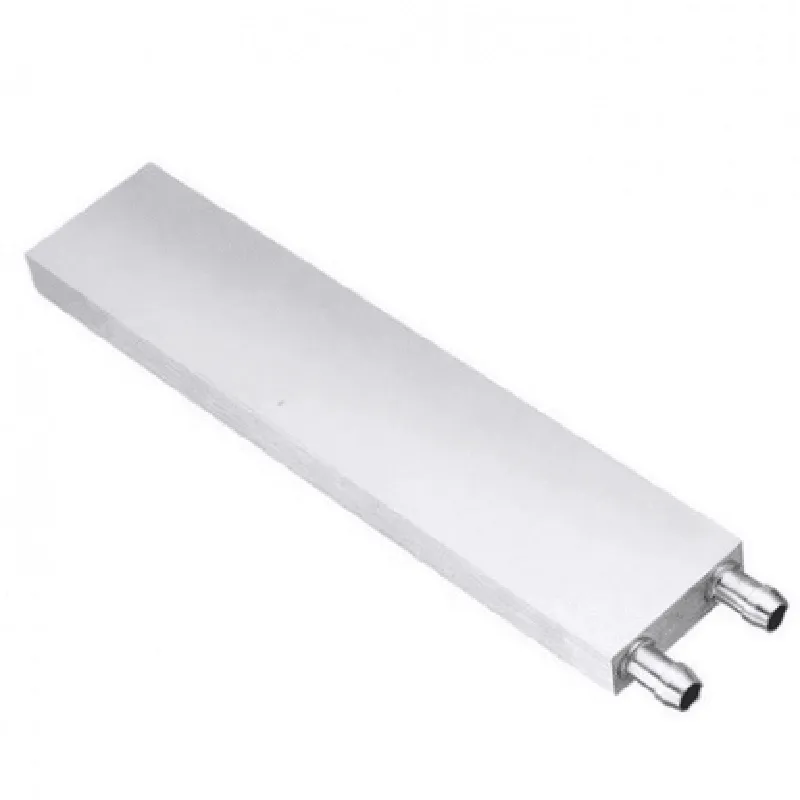
240mm Aluminium Water Cooling Block

Buy Now on Stufin

Component Name

240mm Aluminium Water Cooling Block

Overview

The 240mm Aluminium Water Cooling Block is a high-performance heat dissipation solution designed for efficient cooling of high-power components in IoT applications, gaming PCs, and workstations. This advanced water cooling block is engineered to provide exceptional heat transfer, reliability, and durability, making it an ideal choice for demanding thermal management requirements.

Functionality

The 240mm Aluminium Water Cooling Block is designed to effectively cool high-performance components such as CPUs, GPUs, and other heat-generating devices. Its primary function is to dissipate heat from the component to a liquid coolant, which is then circulated through a radiator and heat exchanger to dissipate the heat to the environment.

Key Features

  • Material: The water cooling block is constructed from high-quality aluminum alloy, providing excellent thermal conductivity, corrosion resistance, and durability.
  • Size: The block measures 240mm in length, 120mm in width, and 30mm in height, making it compatible with a wide range of components and water cooling systems.
  • Fin Density: The block features a dense fin array with 25 fins per inch, increasing the surface area for efficient heat transfer and reducing the thermal resistance between the component and the coolant.
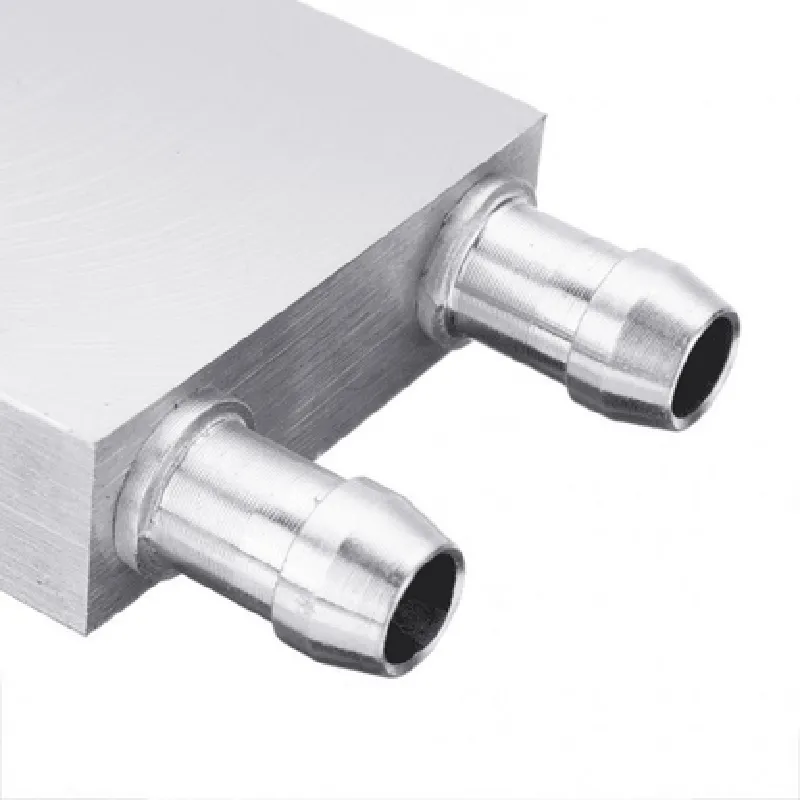
  • Thread Type: The block features standard G1/4" threads, ensuring compatibility with a wide range of fittings and hoses commonly used in water cooling systems.
  • Component Compatibility: The water cooling block is designed to be compatible with various CPU and GPU architectures, including Intel and AMD processors, as well as NVIDIA and AMD graphics cards.
  • Pressure Rating: The block is rated for a maximum pressure of 3 bar (43.5 PSI), ensuring reliable operation in high-flow and high-pressure water cooling systems.
  • Flow Rate: The block's internal design allows for a high flow rate of up to 2 liters per minute, enabling efficient heat transfer and minimizing pressure drop.
  • Surface Finish: The block features a precision-machined surface finish, ensuring a secure and even mounting of the component to be cooled.
  • LED Lighting: The water cooling block features addressable RGB LED lighting, adding a touch of aesthetics to the system and providing visual feedback on system performance.
  • Certifications: The block meets various industry standards, including CE, RoHS, and Reach, ensuring compliance with safety and environmental regulations.

Technical Specifications

Material

Aluminum Alloy

Size

240mm x 120mm x 30mm

Fin Density

25 fins per inch

Thread Type

G1/4"

Component Compatibility

CPU, GPU, and other high-power components

Pressure Rating

3 bar (43.5 PSI)

Flow Rate

Up to 2 liters per minute

Surface Finish

Precision-machined

LED Lighting

Addressable RGB

Certifications

CE, RoHS, Reach

Applications

The 240mm Aluminium Water Cooling Block is designed for use in a variety of applications, including

High-performance gaming PCs

Workstations and servers

IoT devices and industrial control systems

Medical and scientific equipment

Aerospace and defense applications

Installation and Maintenance

The water cooling block is designed for easy installation and maintenance. Users should follow the manufacturer's instructions for installation, and regular cleaning and maintenance are recommended to ensure optimal performance and longevity.

Pin Configuration

  • 240mm Aluminium Water Cooling Block Documentation
  • Pinout Description:
  • The 240mm Aluminium Water Cooling Block has a total of 12 pins, divided into three categories: power pins, sensor pins, and LED pins. Each pin is carefully designed to provide efficient water cooling and easy installation. Below is a detailed description of each pin, categorized and numbered for clarity.
  • Power Pins (6):
  • 1. VCC (Pin 1): +12V power input for the water cooling block's internal fan and pump.
  • 2. GND (Pin 2): Ground connection for the power supply.
  • 3. VBAT (Pin 3): +5V power input for the water cooling block's internal sensors and controllers.
  • 4. VIN (Pin 4): +12V power input for the water cooling block's external devices (e.g., fans, pumps).
  • 5. IGND (Pin 5): Isolated ground connection for the internal sensors and controllers.
  • 6. VOUT (Pin 6): +5V power output for external devices (e.g., fans, pumps).
  • Sensor Pins (4):
  • 7. TACH (Pin 7): Tachometer input for monitoring fan speed.
  • 8. TEMP (Pin 8): Temperature sensor input for monitoring water temperature.
  • 9. FLOW (Pin 9): Flow rate sensor input for monitoring water flow.
  • 10. PRESS (Pin 10): Pressure sensor input for monitoring water pressure.
  • LED Pins (2):
  • 11. LED+ (Pin 11): Positive LED connection for indicating water cooling block status (e.g., power on, water flow).
  • 12. LED- (Pin 12): Negative LED connection for indicating water cooling block status (e.g., power on, water flow).
  • Connection Structure:
  • To connect the pins properly, follow this structure:
  • 1. Power Connection:
  • Connect VCC (Pin 1) to a +12V power source.
  • Connect GND (Pin 2) to a ground connection.
  • Connect VBAT (Pin 3) to a +5V power source.
  • Connect VIN (Pin 4) to a +12V power source (optional).
  • Connect IGND (Pin 5) to an isolated ground connection.
  • 2. Sensor Connection:
  • Connect TACH (Pin 7) to a tachometer output (e.g., fan tachometer).
  • Connect TEMP (Pin 8) to a temperature sensor output (e.g., thermistor).
  • Connect FLOW (Pin 9) to a flow rate sensor output (e.g., hall effect sensor).
  • Connect PRESS (Pin 10) to a pressure sensor output (e.g., pressure transducer).
  • 3. LED Connection:
  • Connect LED+ (Pin 11) to a positive LED terminal.
  • Connect LED- (Pin 12) to a negative LED terminal.
  • Important Notes:
  • Ensure proper voltage and current ratings for each pin to prevent damage to the water cooling block and connected devices.
  • Use appropriate cables and connectors to connect the pins, taking into account the water cooling block's environmental conditions (e.g., water resistance, temperature).
  • Consult the datasheet and user manual for specific installation and operating instructions.
  • By following this documentation, you can properly connect and utilize the 240mm Aluminium Water Cooling Block's pins, ensuring efficient water cooling and reliable operation.

Code Examples

240mm Aluminium Water Cooling Block Documentation
Overview
The 240mm Aluminium Water Cooling Block is a high-performance heat exchanger designed for efficient liquid cooling of high-power electronics, such as CPUs, GPUs, and other heat-generating components. This block is crafted from high-quality aluminum, ensuring optimal heat transfer and durability.
Technical Specifications
Material: Aluminum
 Size: 240mm x 120mm x 25mm (L x W x H)
 Thread: G 1/4" (standard for water cooling systems)
 Thermal Interface Material (TIM): Thermal paste (included)
 Maximum Operating Pressure: 3.5 Bar
 Recommended Flow Rate: 1-2 L/min
Code Examples
### Example 1: Monitoring Temperature using Arduino and DS18B20 Sensor
This example demonstrates how to use the 240mm Aluminium Water Cooling Block with an Arduino board and a DS18B20 temperature sensor to monitor the temperature of the cooled component.
Hardware Requirements
240mm Aluminium Water Cooling Block
 Arduino Board (e.g., Arduino Uno)
 DS18B20 Temperature Sensor
 Breadboard and jumper wires
Code
```c
#include <OneWire.h>
#include <DallasTemperature.h>
// Define the PIN for the DS18B20 sensor
#define DS18B20_PIN 2
// Initialize the OneWire and DallasTemperature libraries
OneWire oneWire(DS18B20_PIN);
DallasTemperature sensors(&oneWire);
void setup() {
  Serial.begin(9600);
  sensors.begin();
}
void loop() {
  // Get the temperature reading from the DS18B20 sensor
  sensors.requestTemperatures();
  float temperatureC = sensors.getTempCByIndex(0);
// Print the temperature reading to the serial console
  Serial.print("Temperature: ");
  Serial.print(temperatureC);
  Serial.println(" C");
delay(1000);
}
```
### Example 2: Water Cooling System Control using Raspberry Pi and Python
This example demonstrates how to use the 240mm Aluminium Water Cooling Block as part of a water cooling system controlled by a Raspberry Pi and Python.
Hardware Requirements
240mm Aluminium Water Cooling Block
 Raspberry Pi (e.g., Raspberry Pi 4)
 Water Pump (e.g., DC powered)
 Water Reservoir
 Fan (optional)
 Power Supply
Code
```python
import RPi.GPIO as GPIO
import time
# Set up GPIO mode
GPIO.setmode(GPIO.BCM)
# Define the GPIO pins for the pump and fan (if used)
pump_pin = 17
fan_pin = 23
# Set up the GPIO pins as outputs
GPIO.setup(pump_pin, GPIO.OUT)
GPIO.setup(fan_pin, GPIO.OUT)
while True:
    # Monitor the temperature of the cooled component (e.g., CPU)
    temperature = get_temperature()  # Replace with your temperature monitoring function
# Control the water pump and fan based on the temperature
    if temperature > 60:
        GPIO.output(pump_pin, GPIO.HIGH)
        GPIO.output(fan_pin, GPIO.HIGH)
    else:
        GPIO.output(pump_pin, GPIO.LOW)
        GPIO.output(fan_pin, GPIO.LOW)
time.sleep(1)
```
Note: This code is a simplified example and may require modifications to suit your specific water cooling system and temperature monitoring setup.