3.3V to 5.5V


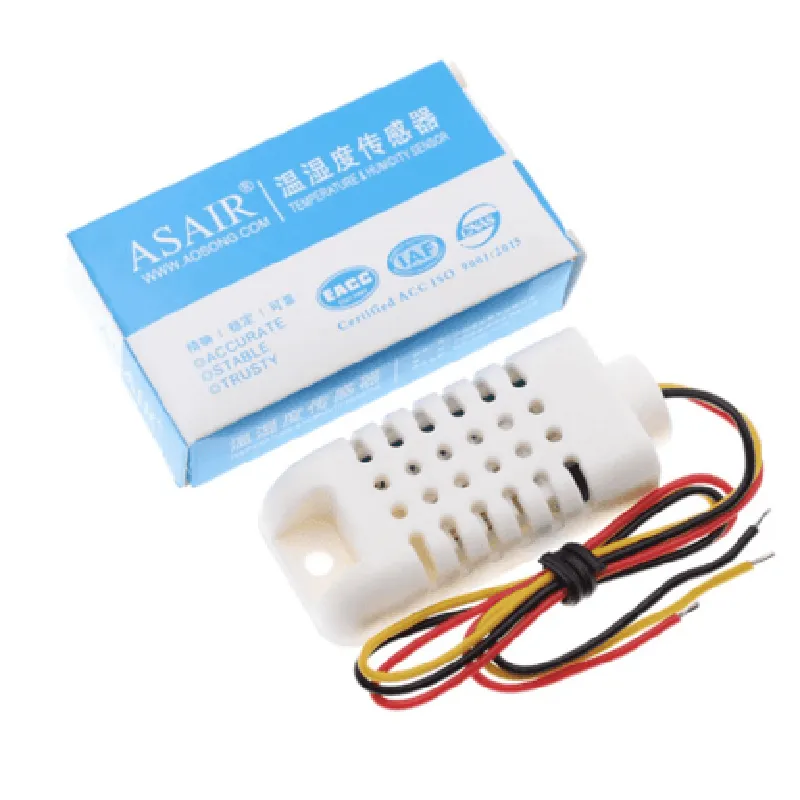
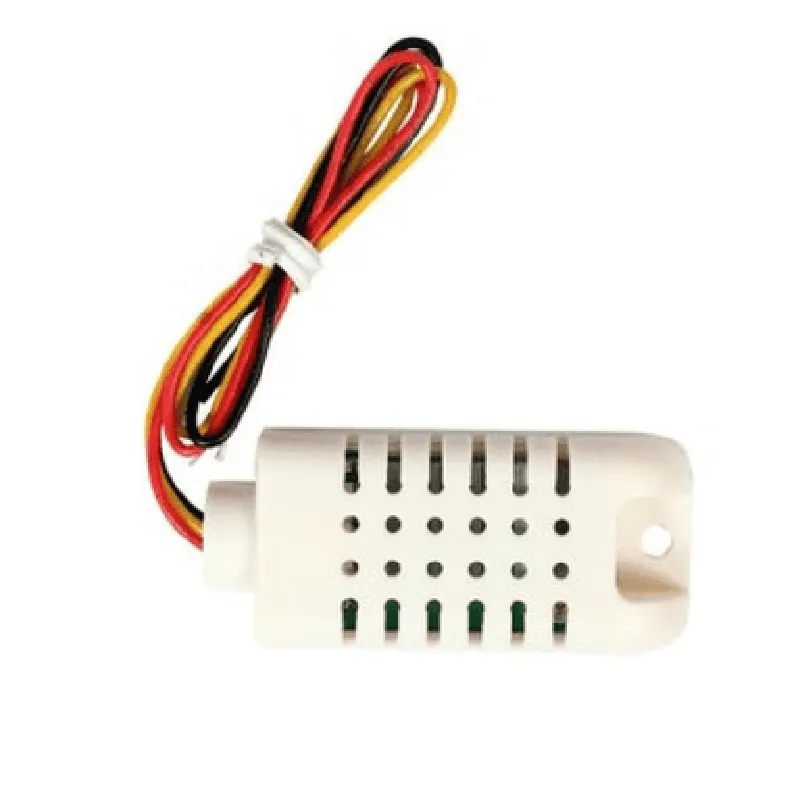
3.3V to 5.5V
-40C to 80C
0.5C
0 to 99.9% RH
2% RH
Digital (3-wire interface)
Single-bus, asynchronous communication
5V, 2.5mA (typical)
24.5 mm x 15.5 mm x 7.5 mm
Applications
| The ASAIR Temperature and Humidity Sensor AM2302 (Original) is suitable for a wide range of IoT applications, including |
Environmental monitoring systems
Weather stations
Industrial automation
HVAC systems
Greenhouse automation
Agricultural monitoring
Home automation
Smart buildings
Conclusion
The ASAIR Temperature and Humidity Sensor AM2302 (Original) is a highly accurate and reliable sensor designed for IoT applications. Its compact design, low power consumption, and high accuracy make it an ideal choice for temperature and humidity monitoring systems. With its digital output and simple communication protocol, the sensor is easy to integrate into various IoT devices and systems.
ASAIR Temperature and Humidity Sensor AM2302 (Original) DocumentationOverviewThe ASAIR Temperature and Humidity Sensor AM2302 is a widely used, high-accuracy sensor module that measures temperature and humidity in various environments. It's based on the AM2302 chip, which provides reliable and stable readings. This sensor module is suitable for IoT applications, weather stations, and other projects requiring accurate temperature and humidity monitoring.Technical SpecificationsTemperature measurement range: -40C to 80C (accuracy: 0.5C)
Humidity measurement range: 0% to 99.9% RH (accuracy: 2%)
Power supply: 3.3V to 5.5V
Communication protocol: Digital single-bus
Response time: 2 secondsConnection DiagramThe AM2302 sensor module has three pins:VCC (power supply)
GND (ground)
OUT (digital output)Code Examples### Example 1: Reading Temperature and Humidity using ArduinoThis example demonstrates how to read temperature and humidity data using an Arduino board.```c
#include <dht.h>#define DHTPIN 2 // Pin connected to the OUT pin of the AM2302 sensor
#define DHTTYPE DHT22 // DHT 22 (AM2302)DHT dht(DHTPIN, DHTTYPE);void setup() {
Serial.begin(9600);
dht.begin();
}void loop() {
int chk = dht.read();
if (chk == DHTLIB_OK) {
Serial.print("Temperature: ");
Serial.print(dht.readTemperature());
Serial.println(" C");
Serial.print("Humidity: ");
Serial.print(dht.readHumidity());
Serial.println(" %");
} else {
Serial.println("Error reading sensor data.");
}
delay(2000);
}
```### Example 2: Reading Temperature and Humidity using Raspberry Pi (Python)This example demonstrates how to read temperature and humidity data using a Raspberry Pi and Python.```python
import time
import RPi.GPIO as GPIOGPIO.setmode(GPIO.BCM)
GPIO.setup(17, GPIO.IN, pull_up_down=GPIO.PUD_UP)def read_am2302_sensor():
data = []
GPIO.setup(17, GPIO.OUT)
GPIO.output(17, GPIO.LOW)
time.sleep(0.02)
GPIO.output(17, GPIO.HIGH)
GPIO.setup(17, GPIO.IN)for i in range(40):
while GPIO.input(17) == GPIO.LOW:
continue
t0 = time.time()
while GPIO.input(17) == GPIO.HIGH:
continue
t1 = time.time()
if (t1 - t0) > 0.00004:
data.append(0)
else:
data.append(1)humidity_bit = data[0:8]
humidity = 0
for i in range(8):
humidity += humidity_bit[i] 2 (7 - i)temperature_bit = data[16:24]
temperature = 0
for i in range(8):
temperature += temperature_bit[i] 2 (7 - i)return humidity, temperaturewhile True:
humidity, temperature = read_am2302_sensor()
print("Humidity: {:.2f}%".format(humidity))
print("Temperature: {:.2f}C".format(temperature))
time.sleep(2)
```Note: These examples assume you have the necessary libraries and dependencies installed for your chosen platform.Troubleshooting TipsEnsure proper connections between the sensor module and your microcontroller or single-board computer.
Verify that your code is correctly configured for the AM2302 sensor module.
Check the power supply voltage and ensure it's within the recommended range.By following these examples and technical specifications, you can successfully integrate the ASAIR Temperature and Humidity Sensor AM2302 into your IoT projects.