

Stufin
Home Quick Cart Profile

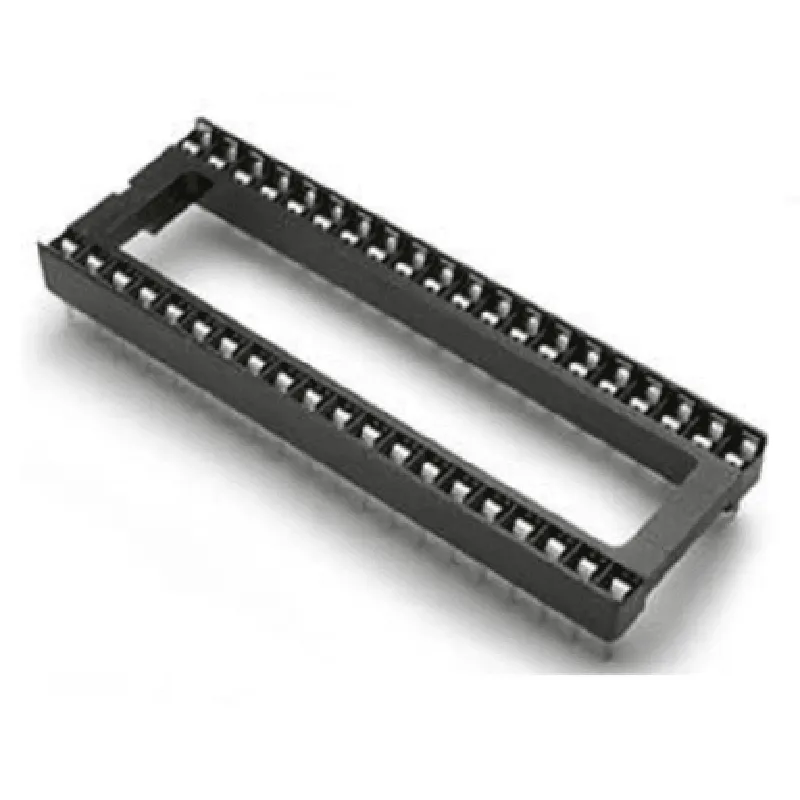
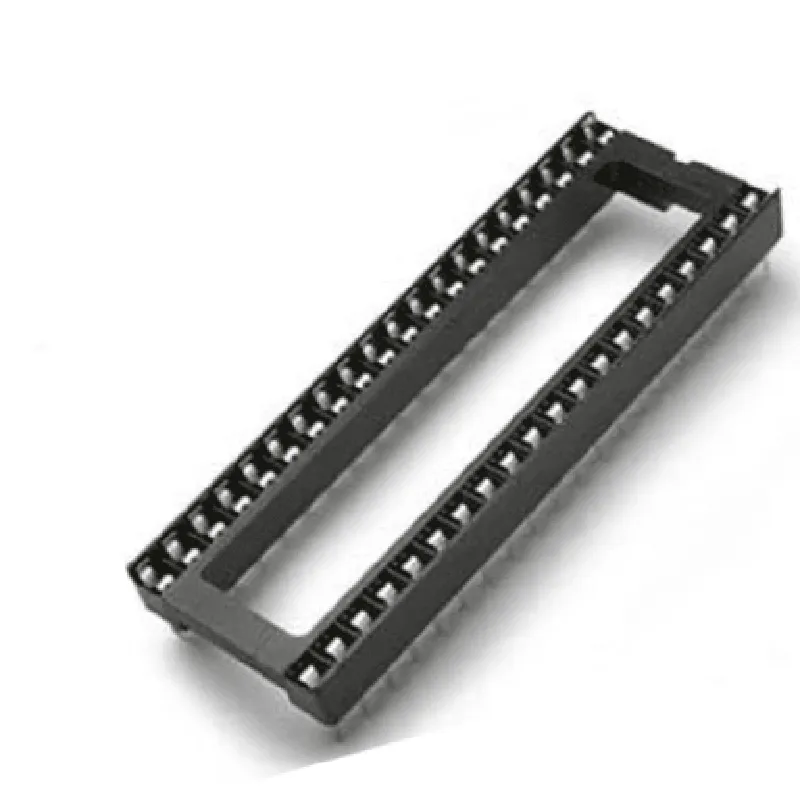
40 Pin Wide IC Base (Pack of 5)

Buy Now on Stufin

Component Description

40 Pin Wide IC Base (Pack of 5)

Overview

The 40 Pin Wide IC Base is a component designed to accommodate a wide range of Integrated Circuits (ICs) with 40-pin dual in-line packages (DIPs). This pack of 5 IC bases provides a convenient and economical way to mount and connect ICs in various electronic projects, prototypes, and devices.

Functionality

The primary function of the 40 Pin Wide IC Base is to provide a secure and reliable connection between the IC and the printed circuit board (PCB) or other electronic components. The IC base acts as an intermediate layer, allowing the IC to be easily inserted and removed as needed.

Key Features

  • Wide Compatibility: The IC base is designed to accommodate a wide range of 40-pin DIP ICs, making it a versatile component for various electronic projects.
  • Easy IC Installation: The base features a simple and secure method for installing ICs, with clearly labeled pinouts to ensure correct orientation and connection.
  • Strong Connection: The IC base provides a solid mechanical connection between the IC and the PCB, ensuring reliable signal transmission and minimizing the risk of electrical noise or interference.
  • Durable Construction: The IC base is made from high-quality materials, ensuring durability and longevity in various operating conditions.
  • Pack of 5: The component is supplied in a pack of 5, providing a convenient and cost-effective solution for electronic projects that require multiple IC bases.
  • Breadboard-friendly Design: The IC base is designed to be compatible with standard breadboards, making it an ideal component for prototyping and development.
  • Clearly Labeled Pinouts: The IC base features clearly labeled pinouts, making it easy to identify and connect IC pins to the corresponding PCB or electronic components.

Specifications

Number of Pins

40

Pin Spacing

2.54mm (0.1 inch)

Package Type

Dual In-Line (DIP)

Material

High-quality plastic or metal (depending on the manufacturer)

Operating Temperature

-20C to 80C (-4F to 176F)

Dimensions

Varies depending on the manufacturer, but typically around 50mm x 20mm x 10mm (1.97 inch x 0.79 inch x 0.39 inch)

Applications

The 40 Pin Wide IC Base is suitable for a wide range of electronic projects, including

Prototyping and development

Electronic circuit design and testing

Education and training

Hobbyist projects

Industrial control systems

IoT devices

Robotics and automation

Conclusion

The 40 Pin Wide IC Base (Pack of 5) is a versatile and convenient component for various electronic projects. Its wide compatibility, easy IC installation, and durable construction make it an ideal choice for professionals and hobbyists alike.

Pin Configuration

  • Component Documentation: 40 Pin Wide IC Base (Pack of 5)
  • Overview
  • The 40 Pin Wide IC Base is a component designed to provide a stable and secure mounting platform for integrated circuits (ICs) with 40 pins. This product comes in a pack of 5, making it an ideal choice for prototyping, development, and production of electronic projects. In this documentation, we will provide a detailed explanation of each pin on the IC base and provide a step-by-step guide on how to connect them.
  • Pin Description
  • The 40 Pin Wide IC Base has a standard DIP (Dual In-Line Package) layout, with 40 pins arranged in two rows of 20 pins each. The pins are numbered from 1 to 40, with pin 1 marked by a notch on the top of the IC base.
  • Pin 1-20 (Left Row)
  • 1. Pin 1: Not connected (NC) - This pin is reserved and not connected to any internal circuitry.
  • 2. Pin 2-3: VCC (Power Supply) - These pins provide power to the IC. Typically, pin 2 is connected to the positive voltage supply (VCC) and pin 3 is connected to the negative voltage supply (GND).
  • 3. Pin 4-5: GND (Ground) - These pins are connected to the ground plane of the circuit.
  • 4. Pin 6-10: Digital Input/Output (DIO) - These pins can be used as digital input/output pins, depending on the specific IC used.
  • 5. Pin 11-15: Analog Input/Output (AIO) - These pins can be used as analog input/output pins, depending on the specific IC used.
  • 6. Pin 16-18: VCC (Power Supply) - These pins provide additional power supply connections to the IC.
  • 7. Pin 19-20: GND (Ground) - These pins are connected to the ground plane of the circuit.
  • Pin 21-40 (Right Row)
  • 1. Pin 21-24: Digital Input/Output (DIO) - These pins can be used as digital input/output pins, depending on the specific IC used.
  • 2. Pin 25-28: Analog Input/Output (AIO) - These pins can be used as analog input/output pins, depending on the specific IC used.
  • 3. Pin 29-30: VCC (Power Supply) - These pins provide additional power supply connections to the IC.
  • 4. Pin 31-33: GND (Ground) - These pins are connected to the ground plane of the circuit.
  • 5. Pin 34-38: Digital Input/Output (DIO) - These pins can be used as digital input/output pins, depending on the specific IC used.
  • 6. Pin 39-40: GND (Ground) - These pins are connected to the ground plane of the circuit.
  • Connection Guide
  • Step 1: Mount the IC
  • Carefully insert the IC into the 40 Pin Wide IC Base, making sure it is properly seated and aligned.
  • Step 2: Connect Power Supply
  • Connect pin 2 to the positive voltage supply (VCC) and pin 3 to the negative voltage supply (GND).
  • Step 3: Connect Ground
  • Connect pins 4, 5, 19, 20, 31, 32, 33, 39, and 40 to the ground plane of the circuit.
  • Step 4: Connect Digital Input/Output Pins
  • Connect pins 6-10, 21-24, and 34-38 to the digital input/output pins of the circuit, as required by the specific IC used.
  • Step 5: Connect Analog Input/Output Pins
  • Connect pins 11-15 and 25-28 to the analog input/output pins of the circuit, as required by the specific IC used.
  • Step 6: Verify Connections
  • Double-check all connections to ensure they are correct and secure.
  • Important Notes
  • Always handle the IC and IC base with care to prevent damage from static electricity or mechanical stress.
  • Ensure the IC is properly seated and aligned in the IC base to prevent damage or malfunction.
  • Refer to the specific IC datasheet for detailed information on pinouts, voltage levels, and operating conditions.
  • By following these steps and guidelines, you can successfully connect the 40 Pin Wide IC Base to your electronic project, ensuring reliable and stable operation.

Code Examples

Component Documentation: 40 Pin Wide IC Base (Pack of 5)
Overview
The 40 Pin Wide IC Base is a versatile component designed to accommodate a wide range of Integrated Circuits (ICs) with 40 pins. This component comes in a pack of 5, making it an ideal choice for prototyping, development, and production of IoT projects. The IC base features a sturdy plastic construction and gold-plated contacts to ensure reliable connections.
Functional Description
The 40 Pin Wide IC Base provides a secure and convenient way to mount and connect 40-pin ICs, such as microcontrollers, memory chips, or other logic devices. The base features a standard 0.1" spacing between pins, making it compatible with most breadboards and PCBs.
Technical Specifications
Pin count: 40
 Pitch: 0.1" (2.54 mm)
 Material: Sturdy plastic
 Contact material: Gold-plated
 Package: Pack of 5
Code Examples
Here are a few code examples to demonstrate how to use the 40 Pin Wide IC Base in various contexts:
Example 1: Arduino Uno Project
In this example, we will use the 40 Pin Wide IC Base to connect an Arduino Uno microcontroller to a breadboard.
```c++
// Initialize the Arduino Uno
void setup() {
  // Initialize the digital pins
  for (int i = 0; i < 14; i++) {
    pinMode(i, OUTPUT);
  }
}
void loop() {
  // Blink the onboard LED
  digitalWrite(13, HIGH);
  delay(1000);
  digitalWrite(13, LOW);
  delay(1000);
}
```
Example 2: Microchip PIC Microcontroller Project
In this example, we will use the 40 Pin Wide IC Base to connect a Microchip PIC16F877A microcontroller to a custom PCB.
```c
#include <pic16f877a.h>
// Define the LED pin
#define LED_PIN  RB0
void main() {
  // Initialize the LED pin as an output
  TRISB0 = 0;
while (1) {
    // Toggle the LED
    RB0 = ~RB0;
    __delay_ms(500);
  }
}
```
Example 3: Breadboard Prototyping
In this example, we will use the 40 Pin Wide IC Base to connect a 40-pin IC, such as a 74HC595 shift register, to a breadboard.
```c
// Define the shift register pins
#define SR_DATA  2
#define SR_CLK   3
#define SR_LATCH 4
void setup() {
  // Initialize the shift register pins as outputs
  pinMode(SR_DATA, OUTPUT);
  pinMode(SR_CLK, OUTPUT);
  pinMode(SR_LATCH, OUTPUT);
}
void loop() {
  // Shift out a byte of data
  shiftOut(SR_DATA, SR_CLK, MSBFIRST, 0x01);
  digitalWrite(SR_LATCH, LOW);
  digitalWrite(SR_LATCH, HIGH);
  delay(1000);
}
```
Important Notes
Make sure to handle the IC base with care to avoid damaging the gold-plated contacts.
 Ensure that the IC is properly seated and aligned on the base to prevent damage or electrical shorts.
 When working with high-frequency or high-power applications, consider using a more robust IC socket or connector to ensure reliable connections.
I hope this documentation helps you get started with using the 40 Pin Wide IC Base in your IoT projects!