XH-W3001 24V 240W Digital Thermostat Switch


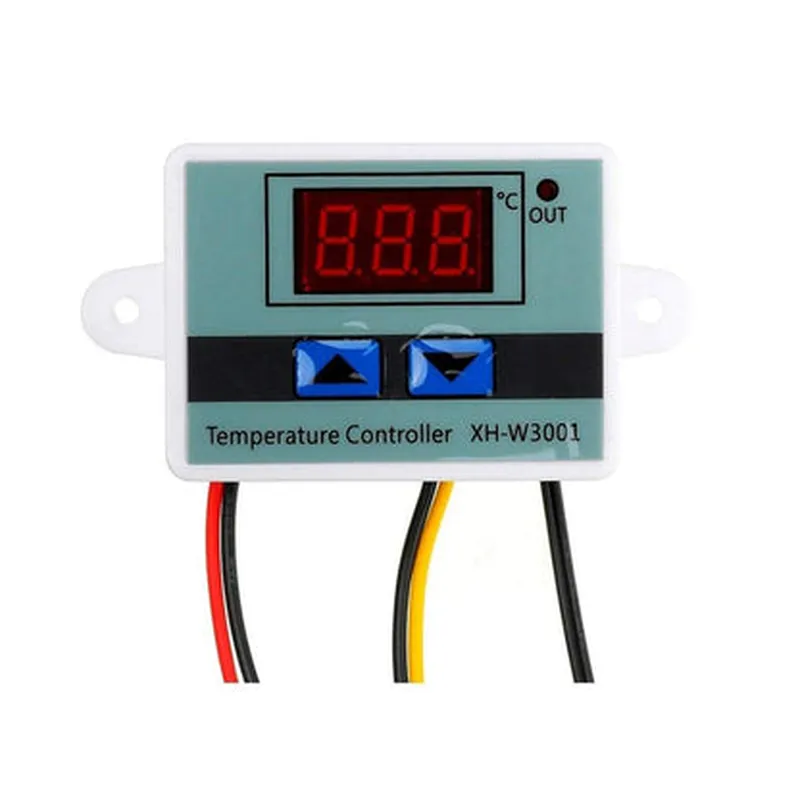
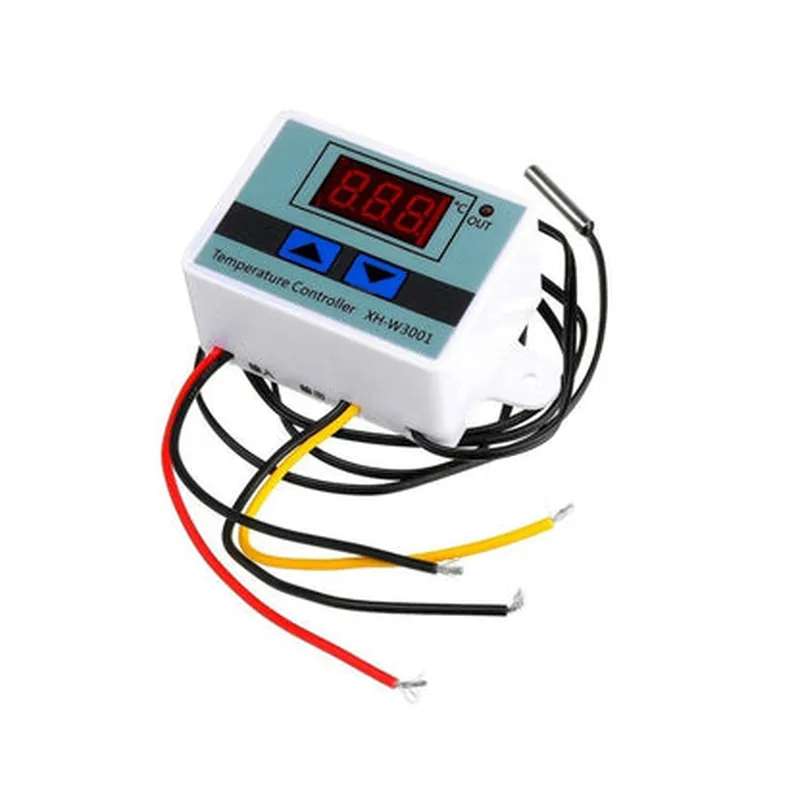
XH-W3001 24V 240W Digital Thermostat Switch
The XH-W3001 is a 24V 240W digital thermostat switch designed for precise temperature control in various industrial and commercial applications. This component combines advanced thermistor technology with a robust switching mechanism to provide reliable and efficient temperature management.
The XH-W3001 digital thermostat switch is designed to regulate temperature in various systems, including HVAC, refrigeration, and industrial processes. It features a thermistor sensor that continuously monitors the ambient temperature and sends the data to the internal microcontroller. The microcontroller then compares the temperature reading with the setpoint and adjusts the relay output to turn on or off the connected load, thus maintaining the desired temperature.
24V DC
10mA
240W
24V DC
-40C to 120C
0.5C
Adjustable (0.1C to 10C)
SPDT ( Normally Open and Normally Closed)
20% to 80% RH
-20C to 70C
-40C to 120C
CE certified
RoHS compliant
REACH compliant
| The XH-W3001 24V 240W digital thermostat switch is suitable for various applications, including |
HVAC systems
Refrigeration systems
Industrial processes
Laboratory equipment
Medical devices
Food processing systems
The XH-W3001 24V 240W digital thermostat switch is a reliable and efficient temperature control solution for industrial and commercial applications. Its high accuracy, wide temperature range, and adjustable hysteresis make it an ideal choice for precise temperature management. With its compact design and simple configuration, the XH-W3001 is an excellent addition to any temperature-controlled system.
XH-W3001 24V 240W Digital Thermostat Switch DocumentationOverviewThe XH-W3001 is a 24V 240W digital thermostat switch, designed for use in various IoT applications, such as temperature control, heating and cooling systems, and industrial automation. This component provides high accuracy and reliability, with a wide operating temperature range and multiple output modes.FeaturesOperating voltage: 24V
Maximum power: 240W
Temperature measurement range: -55C to 125C
Accuracy: 0.5C
Multiple output modes: relay output, analog output, and serial communication
Compatible with various temperature sensors (e.g., DS18B20, PT100, NTC10K)Pinout| Pin | Function |
| --- | --- |
| VCC | 24V power supply |
| GND | Ground |
| IN | Input for temperature sensor |
| OUT | Relay output (normally open and normally closed) |
| VOUT | Analog output (0-10V) |
| TX | Serial communication (UART) |
| RX | Serial communication (UART) |Example 1: Basic Temperature Control with ArduinoIn this example, we will use the XH-W3001 to control a heater based on the temperature reading from a DS18B20 temperature sensor.Hardware RequirementsArduino Board (e.g., Arduino Uno)
XH-W3001 digital thermostat switch
DS18B20 temperature sensor
Heater (e.g., 12V DC heater)Software RequirementsArduino IDECode
```c++
#include <DallasTemperature.h>#define THERMOSTAT_VCC 2 // VCC pin on the XH-W3001
#define THERMOSTAT_GND 3 // GND pin on the XH-W3001
#define TEMP_SENSOR_PIN 4 // Pin for the DS18B20 temperature sensor
#define HEATER_PIN 5 // Pin for the heaterDallasTemperature sensors(&Wire);void setup() {
pinMode(THERMOSTAT_VCC, OUTPUT);
pinMode(THERMOSTAT_GND, OUTPUT);
pinMode(TEMP_SENSOR_PIN, INPUT);
pinMode(HEATER_PIN, OUTPUT);
digitalWrite(THERMOSTAT_VCC, HIGH);
digitalWrite(THERMOSTAT_GND, LOW);
sensors.begin();
}void loop() {
float temperature = sensors.getTempCByIndex(0);
if (temperature < 20.0) {
digitalWrite(HEATER_PIN, HIGH);
} else {
digitalWrite(HEATER_PIN, LOW);
}
delay(1000);
}
```
Example 2: Serial Communication with Raspberry PiIn this example, we will use the XH-W3001 to send temperature data to a Raspberry Pi via serial communication.Hardware RequirementsRaspberry Pi (e.g., Raspberry Pi 4)
XH-W3001 digital thermostat switch
Temperature sensor (e.g., PT100)Software RequirementsPython 3.xCode
```python
import serial# Open the serial port
ser = serial.Serial('/dev/ttyUSB0', 9600)while True:
# Send a command to the XH-W3001 to read the temperature
ser.write(b'temp
')
# Read the response from the XH-W3001
response = ser.readline()
# Parse the response to extract the temperature value
temperature = float(response.decode().strip())
print(f'Temperature: {temperature:.2f}C')
# Wait for 1 second before taking the next reading
time.sleep(1)
```
Example 3: Analog Output Control with ESP32In this example, we will use the XH-W3001 to control an analog output based on the temperature reading.Hardware RequirementsESP32 board (e.g., ESP32 DevKitC)
XH-W3001 digital thermostat switch
Analog output device (e.g., LED driver)Software RequirementsArduino IDECode
```c++
const int analogOutputPin = 25; // Pin for the analog output
const int tempSensorPin = 32; // Pin for the temperature sensorvoid setup() {
pinMode(analogOutputPin, OUTPUT);
pinMode(tempSensorPin, INPUT);
}void loop() {
int temperature = analogRead(tempSensorPin);
temperature = map(temperature, 0, 4095, -50, 125);
if (temperature < 20) {
analogWrite(analogOutputPin, 255); // 100% duty cycle
} else {
analogWrite(analogOutputPin, 0); // 0% duty cycle
}
delay(1000);
}
```
These examples demonstrate the versatility of the XH-W3001 digital thermostat switch and its compatibility with various microcontrollers and programming languages.