Key Display For AVR Arduino New 8-Bit Digital LED Tube 8-Bit TM1638 Module


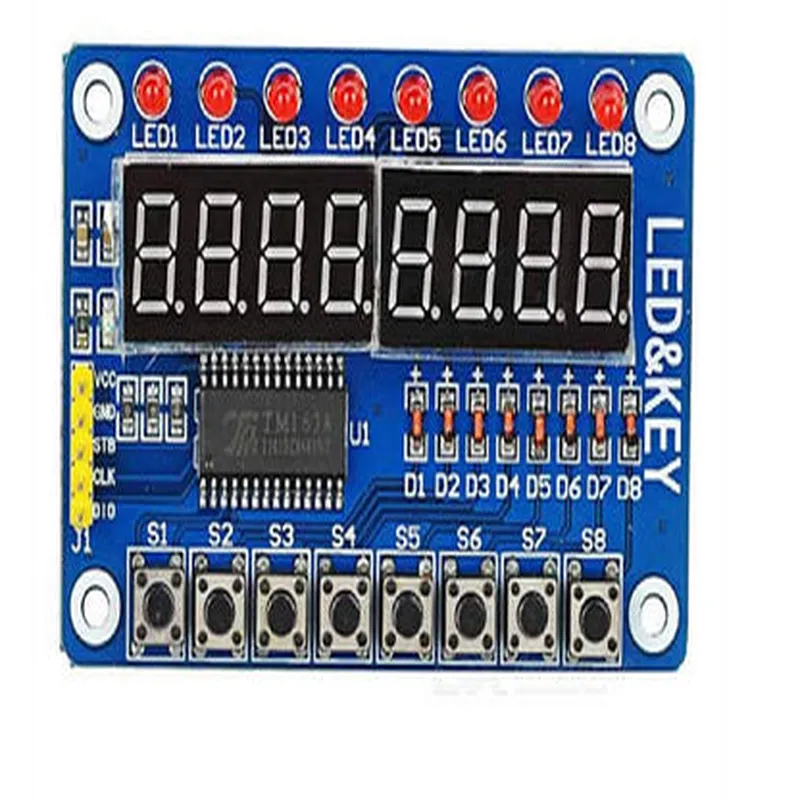
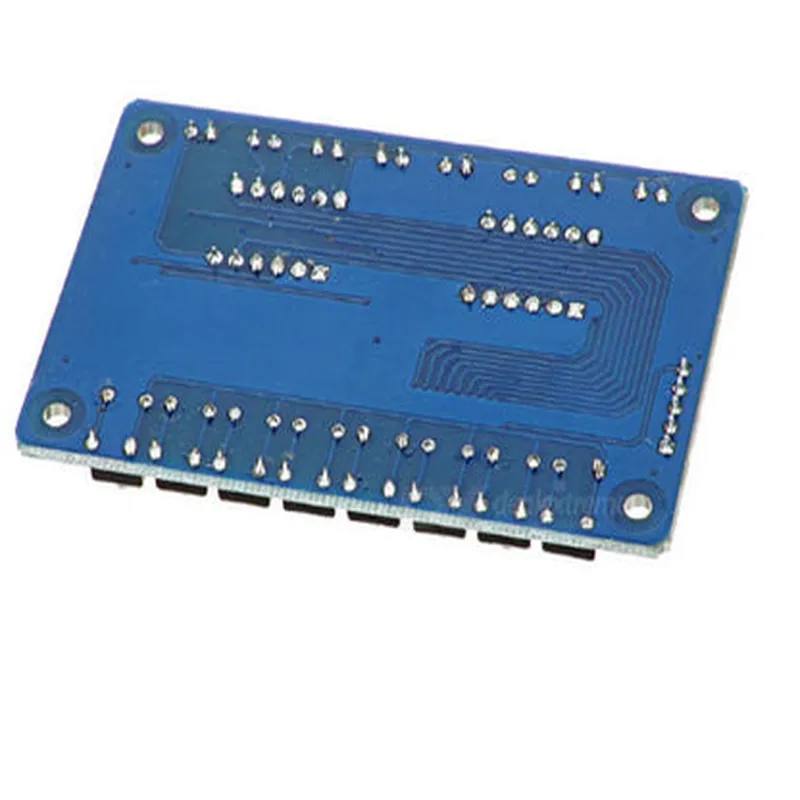
Key Display For AVR Arduino New 8-Bit Digital LED Tube 8-Bit TM1638 Module
The Key Display For AVR Arduino New 8-Bit Digital LED Tube 8-Bit TM1638 Module is a compact, 8-bit digital display module designed specifically for use with AVR Arduino boards. This module combines an 8-bit digital LED tube display with a TM1638 driver IC, allowing for easy integration of a user interface into various IoT applications.
| The TM1638 Module is a multifunctional display module that can display numerical data, alphanumeric characters, and custom symbols. It can also accept keyboard input through an 8-bit keyscan interface. The module's primary functions include |
Displaying numerical values (0-9) and decimal points
Displaying alphanumeric characters (A-F) and custom symbols
Accepting keyboard input through an 8-bit keyscan interface
Providing a simple user interface for IoT applications
5V
8-bit digital LED tube
48.5mm x 12.5mm
8-bit
Up to 64
3-wire serial (CLK, DIO, and STB)
20mA (typical)
-20C to 70C
-40C to 85C
| The Key Display For AVR Arduino New 8-Bit Digital LED Tube 8-Bit TM1638 Module is suitable for a wide range of IoT applications, including |
Home automation systems
Industrial control systems
Medical devices
Consumer electronics
Robotics and automotive systems
| The module has a total of 16 pins, with the following pinout |
VCC (5V power supply)
GND (ground)
CLK (clock signal)
DIO (data input/output)
STB (strobe signal)
KEY1-KEY8 (keyscan interface)
The pinout may vary depending on the specific module and manufacturer. Be sure to consult the module's datasheet or manufacturer's documentation for specific pinout information.
Key Display for AVR Arduino - 8-Bit Digital LED Tube TM1638 ModuleOverviewThe Key Display for AVR Arduino is an 8-bit digital LED tube module based on the TM1638 chip. This module is designed to interface with AVR-based Arduino boards, providing a convenient way to display numerical and alphanumeric data using a LED tube display. The module consists of an 8-bit LED tube display, a TM1638 driver chip, and a 16-key keypad.PinoutsThe module has a total of 10 pins:VCC: Power supply (5V)
GND: Ground
DIO: Data Input/Output (Connected to Arduino's Digital Pin)
CLK: Clock (Connected to Arduino's Digital Pin)
STB: Strobe (Connected to Arduino's Digital Pin)
KEY: Keypad pins (Connected to Arduino's Digital Pins)Library and Example CodeTo use the Key Display for AVR Arduino module, you'll need to install the TM1638 library. You can download the library from the Arduino Library section or install it using the Arduino Library Manager.Here are two example code snippets demonstrating how to use the module:Example 1: Displaying a Counting NumberIn this example, we'll display a counting number from 0 to 99 on the LED tube display.```cpp
#include <TM1638.h>// Define the pin connections
#define DIO 2
#define CLK 3
#define STB 4TM1638 tm1638(DIO, CLK, STB);void setup() {
tm1638.setDisplayEnabled(true);
}void loop() {
for (int i = 0; i < 100; i++) {
tm1638.setDisplayString(i, 2); // Display the number with 2 digits
delay(100);
}
}
```Example 2: Displaying a Custom Message and Reading Keypad InputIn this example, we'll display a custom message on the LED tube display and read input from the keypad.```cpp
#include <TM1638.h>// Define the pin connections
#define DIO 2
#define CLK 3
#define STB 4
#define KEY_PIN 5 // Keypad pin connectionTM1638 tm1638(DIO, CLK, STB);void setup() {
tm1638.setDisplayEnabled(true);
pinMode(KEY_PIN, INPUT);
}void loop() {
tm1638.setDisplayString("Hello"); // Display a custom message
delay(1000);int keyState = digitalRead(KEY_PIN);
if (keyState == HIGH) {
tm1638.setDisplayString("Key Pressed");
delay(1000);
}
}
```In this example, we've connected the keypad pin to Arduino's Digital Pin 5. When a key is pressed, the module displays the message "Key Pressed" on the LED tube display.Additional ResourcesTM1638 Datasheet: [Link](https://datasheet.lcsc.com/szlcsc/1806272133_Texas-Instruments-TM1638_C26141.pdf)
Arduino Library for TM1638: [Link](https://github.com/Seeed-Studio/TM1638)By following these examples and referencing the datasheet and library documentation, you can unlock the full potential of the Key Display for AVR Arduino module and create innovative IoT projects.