Soldron Tweezer and Cutter Pouch Set


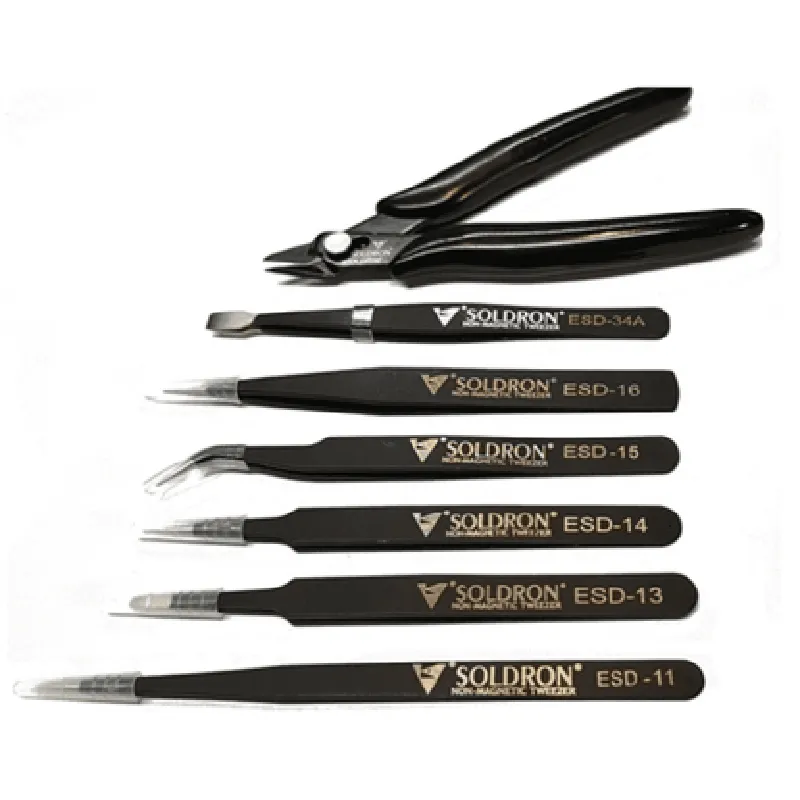
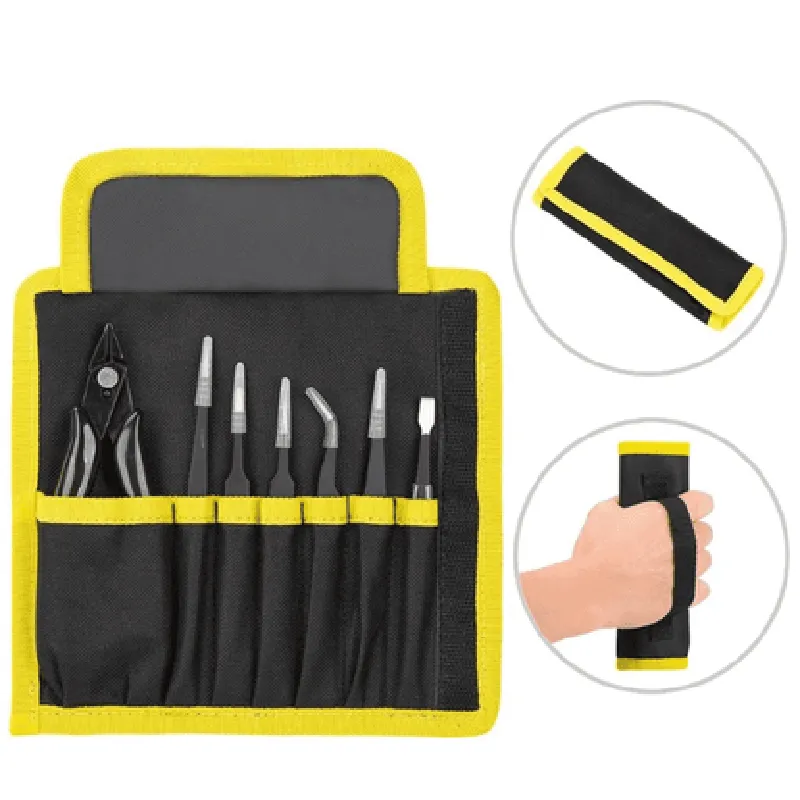
Soldron Tweezer and Cutter Pouch Set
The Soldron Tweezer and Cutter Pouch Set is a versatile and convenient handheld tool designed for various applications in the Internet of Things (IoT) development, electronics, and DIY projects. This comprehensive set combines a high-precision tweezer and a reliable cutter in a compact, portable pouch.
| The Soldron Tweezer and Cutter Pouch Set is designed to facilitate precise handling and manipulation of small components, wires, and delicate parts in IoT projects. The toolset enables users to efficiently perform a range of tasks, including |
Handling small components, such as SMDs, jumpers, and connectors
Cutting and stripping wires and cables
Picking and placing small parts during assembly and disassembly
Inspecting and repairing tiny components and connections
Ergonomic design with comfortable grip and precise tip control
Anti-magnetic and anti-static properties to prevent damage to sensitive components
Adjustable tension and precision-ground tips for secure grasping of small objects
High-carbon stainless steel blades with a sharp, precision-ground cutting edge
Ergonomic handle design for comfortable grip and controlled cutting
Wire stripping notches for effortless removal of insulation
Durable, high-quality nylon construction with reinforced stitching
Protective padding to prevent tool damage and scratching
Compact design for easy storage and transport
Includes a set of spare blades and tips for the cutter and tweezer
Soft, microfiber cloth for cleaning and maintaining the tools
| + Tip style | Pointed, flat, and angled |
| + Tip material | Anti-magnetic and anti-static |
| + Opening width | 0.5 mm to 5 mm |
| + Blade material | High-carbon stainless steel |
| + Cutting capacity | Up to 20 AWG wires |
| + Wire stripping notches | 10-22 AWG |
| + Material | Durable nylon |
| + Dimensions | 12 cm x 7 cm x 3 cm (L x W x H) |
| + Weight | 120 g |
| The Soldron Tweezer and Cutter Pouch Set is an essential tool for various IoT development projects, including |
Prototyping and PCB assembly
Robotics and automation
Wearable technology and IoT devices
DIY electronics and repair
Quality control and inspection
By combining a high-precision tweezer and a reliable cutter in a compact, portable pouch, the Soldron Tweezer and Cutter Pouch Set offers a convenient and efficient solution for handling small components and wires in IoT projects.
Soldron Tweezer and Cutter Pouch Set DocumentationOverviewThe Soldron Tweezer and Cutter Pouch Set is a versatile IoT component designed for precision handling and manipulation of small objects in various applications, including robotics, automation, and DIY projects. This component combines a high-precision tweezer with a cutter, enclosed in a compact pouch, making it an ideal tool for precise assembly, disassembly, and fabrication tasks.Technical SpecificationsTweezer:
+ Opening width: 10mm
+ Closing force: 1.5N
+ Material: Stainless steel
Cutter:
+ Blade material: High-carbon stainless steel
+ Cutting capacity: Up to 1.5mm copper or aluminum wire
+ Cutting force: 3N
Pouch dimensions: 120mm x 50mm x 20mm
Communication protocol: UART (Serial)
Power supply: 5V DC, 100mACode Examples### Example 1: Basic Tweezer Control using ArduinoThis example demonstrates how to control the tweezers using an Arduino board.```cpp
#include <SoftwareSerial.h>// Define the UART pins for communication
#define TX_PIN 10
#define RX_PIN 11// Create a SoftwareSerial object
SoftwareSerial ss(TX_PIN, RX_PIN);void setup() {
// Initialize the UART communication
ss.begin(9600);
}void loop() {
// Send the command to open the tweezers
ss.println("TWEEZER_OPEN");
delay(1000); // Wait 1 second// Send the command to close the tweezers
ss.println("TWEEZER_CLOSE");
delay(1000); // Wait 1 second
}
```### Example 2: Cutting Wire using Raspberry Pi (Python)This example demonstrates how to control the cutter using a Raspberry Pi and Python.```python
import serial
import time# Initialize the UART communication
ser = serial.Serial('/dev/ttyUSB0', 9600)while True:
# Send the command to cut the wire
ser.write(b"CUTTER_ACTIVATE")
time.sleep(1) # Wait 1 second# Send the command to deactivate the cutter
ser.write(b"CUTTER_DEACTIVATE")
time.sleep(1) # Wait 1 second
```### Example 3: Tweezer and Cutter Automation using ESP32 (MicroPython)This example demonstrates how to automate both the tweezers and cutter using an ESP32 board and MicroPython.```python
import machine
import utime# Initialize the UART communication
uart = machine.UART(0, 9600)while True:
# Send the command to open the tweezers
uart.write(b"TWEEZER_OPEN")
utime.sleep(1) # Wait 1 second# Send the command to cut the wire
uart.write(b"CUTTER_ACTIVATE")
utime.sleep(1) # Wait 1 second# Send the command to close the tweezers
uart.write(b"TWEEZER_CLOSE")
utime.sleep(1) # Wait 1 second# Send the command to deactivate the cutter
uart.write(b"CUTTER_DEACTIVATE")
utime.sleep(1) # Wait 1 second
```Note: In all examples, ensure that the UART communication is properly configured and the correct baud rate is used. Consult the specific microcontroller or board documentation for more information on UART configuration.