125 KHz ID Tags RFID ABS Coin with Hole


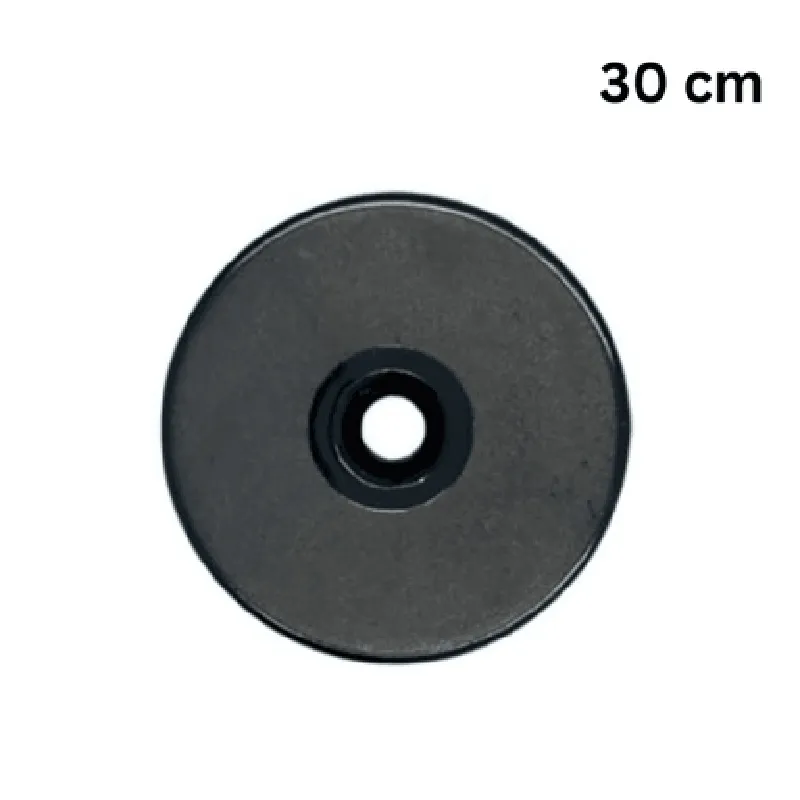

125 KHz ID Tags RFID ABS Coin with Hole
The 125 KHz ID Tags RFID ABS Coin with Hole is a compact, water-resistant, and durable Radio Frequency Identification (RFID) tag designed for various applications requiring identification, tracking, and authentication. This coin-shaped tag is made of Acrylonitrile Butadiene Styrene (ABS), a high-strength and impact-resistant plastic material, ensuring reliable performance in harsh environments.
| The 125 KHz ID Tags RFID ABS Coin with Hole is a passive RFID tag that operates at a frequency of 125 KHz. When brought within the vicinity of a compatible RFID reader, the tag responds by transmitting its unique identifier (ID) stored in its internal memory. This ID can be used to track, identify, or authenticate the tag, enabling various applications such as |
Asset tracking and management
Inventory control and logistics
Access control and authentication
Smart labeling and packaging
IoT-based applications
25 mm (0.98 in)
3 mm (0.12 in)
3 g (0.11 oz)
2 mm (0.08 in)
ABS plastic
Asset tracking and inventory management
Access control and authentication
Smart labels and packaging
IoT-based applications
Medical and healthcare tracking
Industrial automation and control
Supply chain management
-20C to 80C (-4F to 176F)
-30C to 90C (-22F to 194F)
5% to 95% relative humidity (non-condensing)
ISO 18000-2C compliant
RoHS and REACH compliant
CE, FCC, and IC certified
Component Documentation: 125 KHz ID Tags RFID ABS Coin with HoleOverviewThe 125 KHz ID Tags RFID ABS Coin with Hole is a compact, passive RFID tag designed for various identification and tracking applications. This coin-shaped tag features a hole for easy attachment to objects and is made of durable ABS material. Operating at a frequency of 125 KHz, this tag is compatible with most RFID readers and can store a unique identifier for identification purposes.Technical SpecificationsFrequency: 125 KHz
Material: ABS
Dimensions: 25mm x 3.5mm (coin shape with hole)
Read Range: Up to 10 cm (depending on reader and environment)
Storage Capacity: Unique identifier (variable length)
Operating Temperature: -20C to 70CCode Examples### Example 1: Reading the Tag with an Arduino and MFRC522 RFID ReaderIn this example, we will use an Arduino board and the MFRC522 RFID reader module to read the unique identifier stored on the 125 KHz ID Tag.Hardware Requirements:Arduino Board (e.g., Arduino Uno)
MFRC522 RFID Reader Module
125 KHz ID Tags RFID ABS Coin with HoleSoftware Requirements:Arduino IDE (version 1.8.x or later)
MFRC522 library (available in the Arduino Library section)Code:
```c
#include <SPI.h>
#include <MFRC522.h>#define RST_PIN 5 // Pin for MFRC522 RST pin
#define SS_PIN 53 // Pin for MFRC522 SDA pinMFRC522 mfrc522(SS_PIN, RST_PIN); // Create MFRC522 instancevoid setup() {
Serial.begin(9600); // Initialize serial communication
SPI.begin(); // Initialize SPI communication
mfrc522.PCD_Init(); // Initialize MFRC522
}void loop() {
if ( ! mfrc522.PICC_IsNewCardPresent()) {
return;
}if ( ! mfrc522.PICC_ReadCardSerial()) {
return;
}Serial.print("Card UID:"); // Print the card UID
for (byte i = 0; i < mfrc522.uid.size; i++) {
Serial.print(mfrc522.uid.uidByte[i] < 0x10 ? " 0" : " ");
Serial.print(mfrc522.uid.uidByte[i], HEX);
}
Serial.println();delay(1000); // Wait 1 second before reading again
}
```
Note: This code assumes the MFRC522 library is installed and configured correctly. The RFID reader module is connected to the Arduino board according to the manufacturer's instructions.### Example 2: Using the Tag with a Raspberry Pi and PythonIn this example, we will use a Raspberry Pi and the `python-rfid` library to read the unique identifier stored on the 125 KHz ID Tag.Hardware Requirements:Raspberry Pi (any model)
RFID reader module (compatible with Raspberry Pi)
125 KHz ID Tags RFID ABS Coin with HoleSoftware Requirements:Raspbian OS (latest version)
`python-rfid` library (available via pip)Code:
```python
import rfid# Initialize the RFID reader
reader = rfid.RFIDReader()while True:
# Wait for a tag to be present
tag = reader.wait_for_tag()if tag:
# Print the tag's unique identifier
print("Tag UID:", tag.uid)
time.sleep(1) # Wait 1 second before reading again
```
Note: This code assumes the `python-rfid` library is installed and configured correctly. The RFID reader module is connected to the Raspberry Pi according to the manufacturer's instructions.These examples demonstrate how to use the 125 KHz ID Tags RFID ABS Coin with Hole with popular microcontrollers and programming languages. For more information on using this component, please refer to the datasheet and manufacturer's documentation.