TL866 - Universal IC Programmer


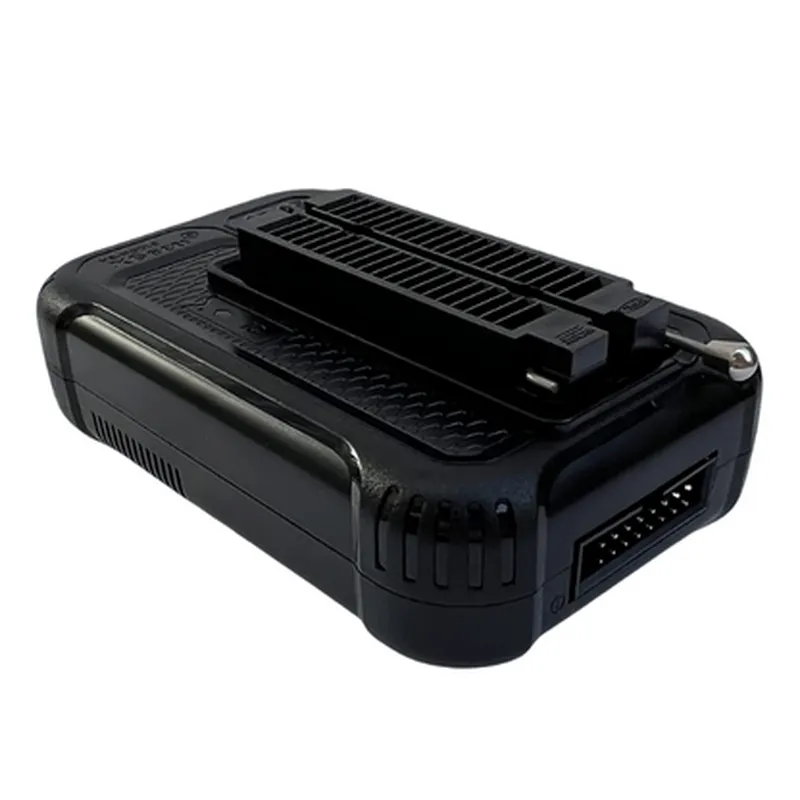
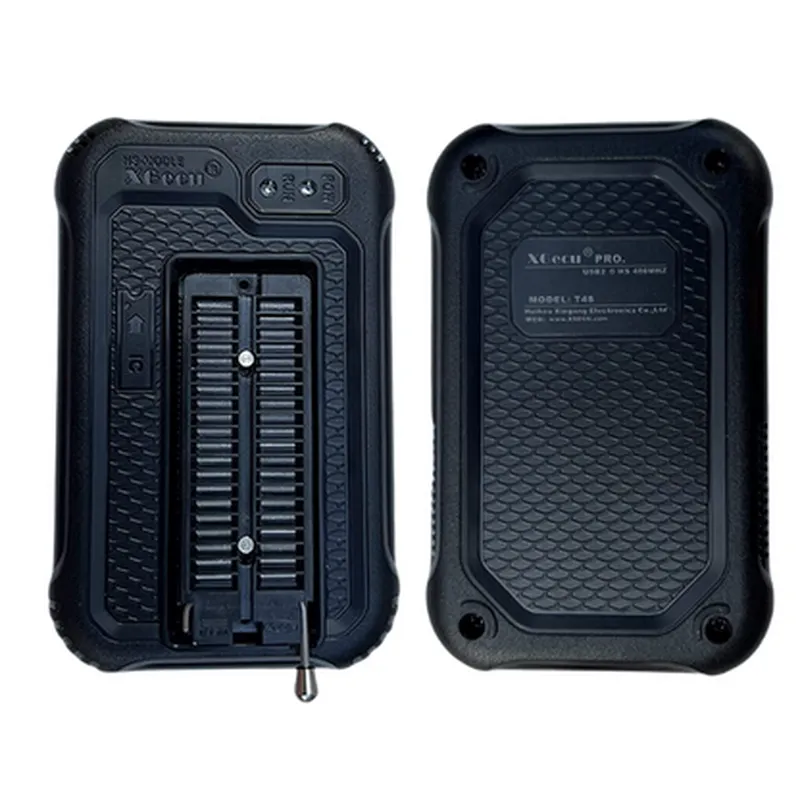
TL866 - Universal IC Programmer
The TL866 is a versatile and widely-used universal IC programmer, designed to program a broad range of integrated circuits (ICs), including microcontrollers, memory devices, and other programmable logic devices. This device is an essential tool for electronics engineers, developers, and hobbyists working with microcontrollers, embedded systems, and IoT projects.
| The TL866 Universal IC Programmer is designed to read, write, and erase various types of ICs, including |
Microcontrollers (e.g., AVR, PIC, 8051, and others)
Memory devices (e.g., EPROM, EEPROM, Flash)
Programmable logic devices (e.g., CPLDs, FPGAs)
Other programmable ICs (e.g., serial flash, Dallas ICs)
| The TL866 programmer supports various programming modes, including |
Serial programming
Parallel programming
ISP (In-System Programming)
IAP (In-Application Programming)
5V
500mA (max)
Up to 4Mb/s
Over 300 types of ICs, including microcontrollers, memory devices, and programmable logic devices
Windows, macOS, Linux
120mm x 65mm x 25mm
200g (approx.)
| The TL866 Universal IC Programmer is suitable for various applications, including |
Microcontroller development and debugging
Embedded system design and testing
IoT project development and prototyping
Electronic product development and manufacturing
Educational and research institutions
In summary, the TL866 Universal IC Programmer is a powerful, versatile, and widely-used tool for programming and debugging various types of ICs. Its extensive feature set, high-speed programming capabilities, and affordable pricing make it an essential component for electronics engineers, developers, and hobbyists working with microcontrollers, embedded systems, and IoT projects.
TL866 Universal IC Programmer DocumentationOverviewThe TL866 is a universal IC programmer that supports a wide range of programmable devices, including EPROM, EEPROM, Flash, and Microcontrollers. It is a popular choice among electronics enthusiasts and professionals due to its ease of use, versatility, and affordability.FeaturesSupports over 13,000 devices from various manufacturers
Programming voltage range: 1.5V to 6.5V
High-speed programming up to 30Mbps
Automatic detection of device type and voltage
Built-in editor for editing and verifying device data
Compatible with Windows, Linux, and macOS operating systemsProgramming InterfacesThe TL866 IC programmer has a simple and intuitive interface that can be accessed through a USB connection. It supports various programming interfaces, including:ICSP (In-Circuit Serial Programming)
ISP (In-System Programming)
Parallel programmingCode ExamplesHere are two examples that demonstrate how to use the TL866 IC programmer in different contexts:Example 1: Programming an ATmega328P Microcontroller using the TL866 IC ProgrammerIn this example, we will program an ATmega328P microcontroller using the TL866 IC programmer and the AVRDUDE software.Hardware Requirements:TL866 IC programmer
ATmega328P microcontroller
USB cable
Breadboard and jumper wiresSoftware Requirements:AVRDUDE software (version 6.3 or later)Steps:1. Connect the TL866 IC programmer to the computer using a USB cable.
2. Connect the ATmega328P microcontroller to the TL866 IC programmer using a breadboard and jumper wires.
3. Open AVRDUDE software and select the ATmega328P device from the list of supported devices.
4. Select the TL866 IC programmer as the programming interface.
5. Load the hex file containing the program you want to upload to the microcontroller.
6. Click the "Write" button to start the programming process.AVRDUDE Command:
```bash
avrdude -c tl866 -p atmega328p -U flash:w:example.hex
```
Example 2: Reading and Writing Data to an EEPROM using the TL866 IC ProgrammerIn this example, we will read and write data to an EEPROM using the TL866 IC programmer and a Python script.Hardware Requirements:TL866 IC programmer
24C64 EEPROM
USB cable
Breadboard and jumper wiresSoftware Requirements:Python 3.x or later
pytl866 library (version 0.3 or later)Steps:1. Connect the TL866 IC programmer to the computer using a USB cable.
2. Connect the 24C64 EEPROM to the TL866 IC programmer using a breadboard and jumper wires.
3. Install the pytl866 library using pip: `pip install pytl866`
4. Import the pytl866 library and initialize the TL866 IC programmer.
5. Read data from the EEPROM using the `read_eeprom()` function.
6. Write data to the EEPROM using the `write_eeprom()` function.Python Code:
```python
import pytl866# Initialize the TL866 IC programmer
prog = pytl866.TL866()# Read data from the EEPROM
data = prog.read_eeprom(0x0000, 0x1000) # Read 4KB of data from address 0x0000# Print the read data
print(data)# Write data to the EEPROM
data_to_write = b'x01x02x03x04' # 4 bytes of data to write
prog.write_eeprom(0x0000, data_to_write) # Write data to address 0x0000
```
Note: These examples are for illustration purposes only and may require modifications to work with your specific use case. Always ensure that you follow proper safety precautions when working with electronic components and programming interfaces.