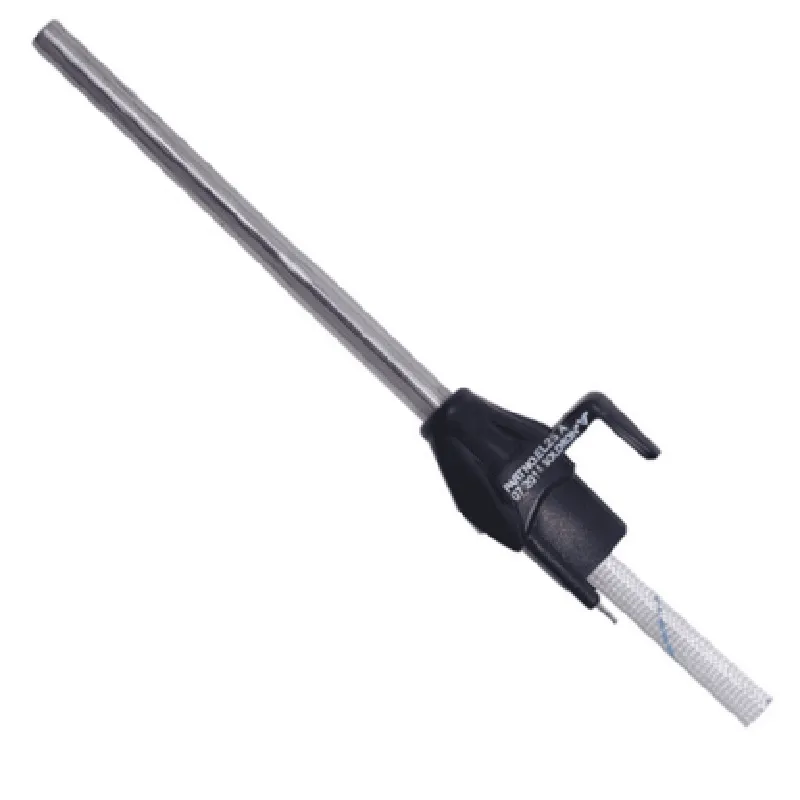
Soldron 25W Soldering Iron Heating Element Documentation
The Soldron 25W Soldering Iron Heating Element is a high-performance heating element designed for use in soldering irons, heat guns, and other temperature-controlled devices. This component is suitable for a wide range of applications, including electronics assembly, rework, and repair. The heating element features a power rating of 25W, making it ideal for demanding soldering tasks.
Pinout and Electrical Characteristics
| Pin | Function | Description |
| --- | --- | --- |
| 1 | +VCC | Positive power supply (5V-24V) |
| 2 | GND | Ground connection |
| 3 | THERMISTOR | Thermistor output (optional) |
Electrical Characteristics:
Power rating: 25W
 Operating voltage: 5V-24V
 Temperature range: 150C-450C
 Thermal resistance: 10C/W
 Response time: 10-15 seconds
### Example 1: Basic Soldering Iron Control using Arduino
This example demonstrates how to use the Soldron 25W Soldering Iron Heating Element with an Arduino board to control the temperature of a soldering iron.
```c++
const int heatElementPin = 9;  // Pin connected to the heating element
const int thermistorPin = A0;  // Pin connected to the thermistor (optional)
void setup() {
  pinMode(heatElementPin, OUTPUT);
  pinMode(thermistorPin, INPUT);
}
void loop() {
  int temperature = readThermistor();  // Read thermistor value (optional)
  if (temperature < 250) {  // If temperature is below 250C
    digitalWrite(heatElementPin, HIGH);  // Turn on the heating element
  } else {
    digitalWrite(heatElementPin, LOW);  // Turn off the heating element
  }
  delay(1000);  // Wait 1 second
}
int readThermistor() {
  int thermistorValue = analogRead(thermistorPin);
  // Convert thermistor value to temperature (approximate calculation)
  return thermistorValue  0.48828125;
}
```
### Example 2: Temperature Control using Raspberry Pi and Python
This example demonstrates how to use the Soldron 25W Soldering Iron Heating Element with a Raspberry Pi board to control the temperature of a soldering iron using Python.
```python
import RPi.GPIO as GPIO
import time
# Set up GPIO pins
GPIO.setmode(GPIO.BCM)
heatElementPin = 17  # Pin connected to the heating element
thermistorPin = 18  # Pin connected to the thermistor (optional)
GPIO.setup(heatElementPin, GPIO.OUT)
GPIO.setup(thermistorPin, GPIO.IN)
while True:
    temperature = readThermistor()  # Read thermistor value (optional)
    if temperature < 250:  # If temperature is below 250C
        GPIO.output(heatElementPin, GPIO.HIGH)  # Turn on the heating element
    else:
        GPIO.output(heatElementPin, GPIO.LOW)  # Turn off the heating element
    time.sleep(1)  # Wait 1 second
def readThermistor():
    thermistorValue = GPIO.input(thermistorPin)
    # Convert thermistor value to temperature (approximate calculation)
    return thermistorValue  0.48828125
```
### Example 3: PWM Control using ESP32 and MicroPython
This example demonstrates how to use the Soldron 25W Soldering Iron Heating Element with an ESP32 board to control the temperature of a soldering iron using PWM and MicroPython.
```python
import machine
import utime
# Set up PWM pin
heatElementPin = machine.Pin(12, machine.Pin.OUT)
pwm = machine.PWM(heatElementPin, freq=50)
while True:
    # Set PWM duty cycle based on desired temperature
    if temperature < 250:  # If temperature is below 250C
        pwm.duty(512)  # 50% duty cycle
    else:
        pwm.duty(0)  # 0% duty cycle
    utime.sleep(1)  # Wait 1 second
```
In these examples, the thermistor is assumed to be connected to an analog input pin. If your thermistor is connected differently, you may need to modify the code accordingly.
 The temperature calculation in the examples is approximate and may vary depending on the specific thermistor used. You may need to calibrate the thermistor for accurate temperature measurement.
 Always ensure the heating element is connected to a suitable power supply and that the surrounding components are rated for the expected temperatures and power levels.