Stufin
Home Quick Cart Profile

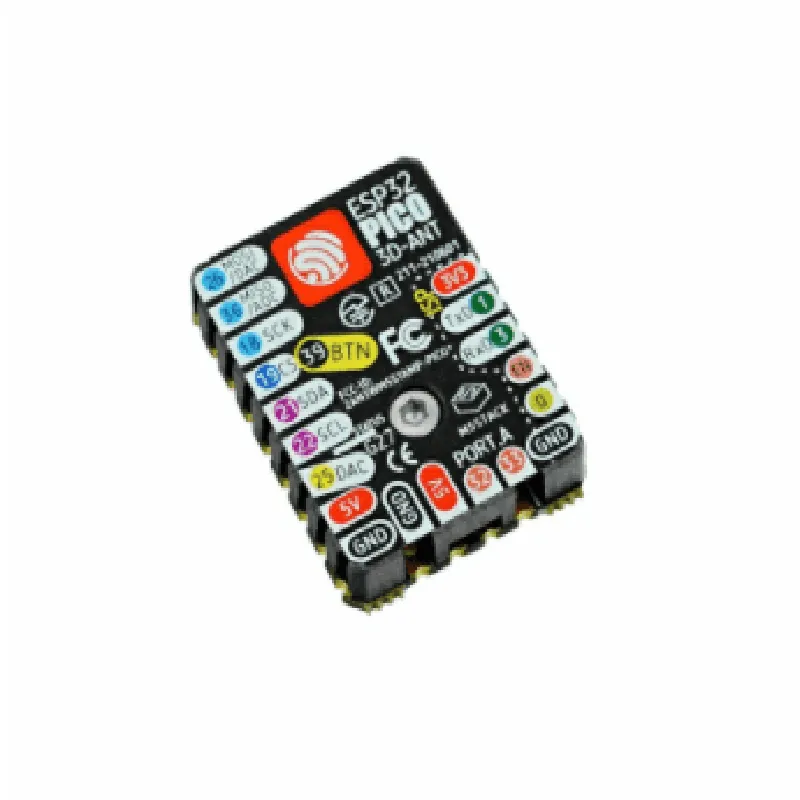
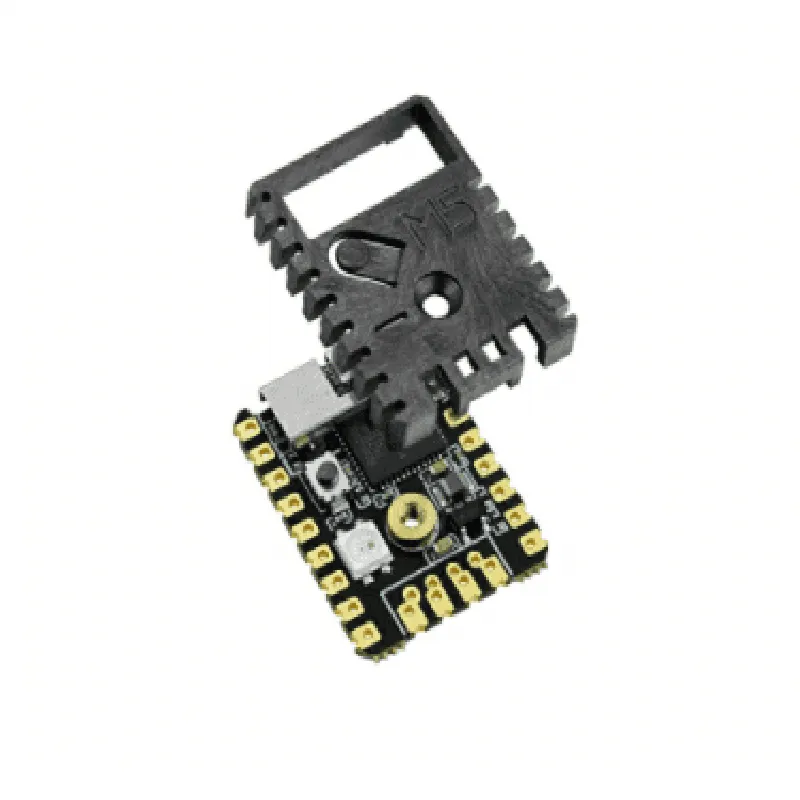
M5Stamp Pico Mate with Pin Headers

Buy Now on Stufin

The pin headers provide access to the following interfaces

+ GPIO (General Purpose Input/Output)

+ I2C (Inter-Integrated Circuit)

+ I2S (Inter-IC Sound)

+ UART (Universal Asynchronous Receiver-Transmitter)

+ SPI (Serial Peripheral Interface)

### Additional Features

Built-in USB-to-UART bridge (CH340G) for serial communication and programming

Reset and enable buttons for easy development and debugging

Power management IC (AP2112) for efficient power supply and low-voltage detection

Support for Li-Po battery charging and powering the board

External antenna (IPEX) for optimal Wi-Fi and Bluetooth performance

### Operating Characteristics

Operating voltage

3.3V to 5.5V

Operating frequency

80 MHz to 240 MHz

Operating temperature

-40C to 85C

Power consumption

Low power consumption, with deep sleep current < 5mA

### Software Development

The M5Stamp Pico Mate is compatible with various development environments, including

+ Arduino IDE

+ MicroPython

+ ESP-IDF (official ESP32 framework)

+ LuaScript

Functional Description

The M5Stamp Pico Mate with Pin Headers is designed to simplify the development of IoT projects, such as

Wireless sensor networks

Smart home automation

Wearable devices

Robotics and robotic arms

Industrial automation and control systems

This module provides a robust and feature-rich platform for connecting various sensors, actuators, and other peripherals, allowing developers to focus on creating innovative IoT applications. With its compact form factor, rich set of interfaces, and low power consumption, the M5Stamp Pico Mate is an ideal choice for a wide range of IoT projects.

Pin Configuration

  • M5Stamp Pico Mate with Pin Headers Documentation
  • The M5Stamp Pico Mate with Pin Headers is a compact, highly-integrated IoT development board designed for various applications. It features a rich set of peripherals and interfaces, making it an ideal choice for prototyping and development. This documentation provides a detailed explanation of each pin on the M5Stamp Pico Mate, helping users to understand the functionality and connectivity options of the board.
  • Pinout Overview
  • The M5Stamp Pico Mate has a total of 30 GPIO pins, arranged into three rows of 10 pins each. The pin headers are labeled with numbers and letters, indicating the pin function and purpose. The following section provides a detailed explanation of each pin, point by point.
  • Row 1 (Left Side)
  • 1. GND (Ground): Provides a common ground connection for the board.
  • 2. 3V3 (Power): Outputs 3.3V power from the onboard voltage regulator.
  • 3. EN (Enable): Enables or disables the onboard voltage regulator. Pulling this pin low disables the regulator, while pulling it high enables it.
  • 4. RST (Reset): Active-low reset pin for the ESP32 module. Pulling this pin low resets the module.
  • 5. GPIO0: General-purpose input/output pin, can be used for digital input/output or as an ADC (Analog-to-Digital Converter) input.
  • 6. GPIO1: General-purpose input/output pin, can be used for digital input/output or as an ADC input.
  • 7. GPIO2: General-purpose input/output pin, can be used for digital input/output or as an ADC input.
  • 8. GPIO3: General-purpose input/output pin, can be used for digital input/output or as an ADC input.
  • 9. GPIO4: General-purpose input/output pin, can be used for digital input/output or as an ADC input.
  • 10. GPIO5: General-purpose input/output pin, can be used for digital input/output or as an ADC input.
  • Row 2 (Middle)
  • 1. SCK (SPI Clock): Clock signal for the SPI (Serial Peripheral Interface) bus.
  • 2. MOSI (SPI Master Out Slave In): Data output for the SPI bus.
  • 3. MISO (SPI Master In Slave Out): Data input for the SPI bus.
  • 4. CS (SPI Chip Select): Chip select signal for the SPI bus.
  • 5. SCL (I2C Clock): Clock signal for the I2C (Inter-Integrated Circuit) bus.
  • 6. SDA (I2C Data): Data signal for the I2C bus.
  • 7. TXD0 (UART Transmit): Transmit data pin for the UART (Universal Asynchronous Receiver-Transmitter) interface.
  • 8. RXD0 (UART Receive): Receive data pin for the UART interface.
  • 9. GPIO12: General-purpose input/output pin, can be used for digital input/output or as an ADC input.
  • 10. GPIO13: General-purpose input/output pin, can be used for digital input/output or as an ADC input.
  • Row 3 (Right Side)
  • 1. GPIO14: General-purpose input/output pin, can be used for digital input/output or as an ADC input.
  • 2. GPIO15: General-purpose input/output pin, can be used for digital input/output or as an ADC input.
  • 3. GPIO16: General-purpose input/output pin, can be used for digital input/output or as an ADC input.
  • 4. GPIO17: General-purpose input/output pin, can be used for digital input/output or as an ADC input.
  • 5. GPIO18: General-purpose input/output pin, can be used for digital input/output or as an ADC input.
  • 6. GPIO19: General-purpose input/output pin, can be used for digital input/output or as an ADC input.
  • 7. GPIO21: General-purpose input/output pin, can be used for digital input/output or as an ADC input.
  • 8. GPIO22: General-purpose input/output pin, can be used for digital input/output or as an ADC input.
  • 9. GPIO23: General-purpose input/output pin, can be used for digital input/output or as an ADC input.
  • 10. GND (Ground): Provides a common ground connection for the board.
  • Connection Structure
  • When connecting external components or modules to the M5Stamp Pico Mate, follow these guidelines:
  • Use standard 2.54mm pitch male header pins or jumpers to connect to the pin headers on the board.
  • Ensure the pin headers are securely seated and not loose, as this can cause connectivity issues or damage to the board.
  • When using breadboards or PCBs, ensure the pin connections are correct and follow the pinout diagram above.
  • Use proper voltage and current ratings when connecting external components to avoid damage to the board or component failure.
  • By understanding the pinout and connection structure of the M5Stamp Pico Mate, users can effectively utilize its features and interfaces to develop innovative IoT projects.

Code Examples

M5Stamp Pico Mate with Pin Headers Documentation
Overview
The M5Stamp Pico Mate is a compact, versatile IoT development board that combines the power of the ESP32 Pico D4 microcontroller with a range of convenient features, including Wi-Fi, Bluetooth, and multiple GPIO pins. The Pin Header version of the board provides easy access to the microcontroller's pins, making it ideal for prototyping and development.
Pinout
The M5Stamp Pico Mate with Pin Headers has the following pinout:
GPIO: 22 pins (including I2C, I2S, SPI, UART, and digital I/O)
 Power: 3V3, 5V, and GND
 Analog: 2 pins
 Cap touch: 5 pins
Hardware Specifications
Microcontroller: ESP32 Pico D4
 Processor: Dual-core 32-bit LX6 microprocessor
 Clock Speed: Up to 240 MHz
 Flash Memory: 4MB
 SRAM: 520KB
 Wi-Fi: 802.11 b/g/n
 Bluetooth: 4.2
Code Examples
### Example 1: Blinking an LED using GPIO
This example demonstrates how to use the M5Stamp Pico Mate to control an LED connected to GPIO Pin 2.
Arduino Code
```c
const int ledPin = 2;  // LED connected to GPIO Pin 2
void setup() {
  pinMode(ledPin, OUTPUT);
}
void loop() {
  digitalWrite(ledPin, HIGH);
  delay(1000);
  digitalWrite(ledPin, LOW);
  delay(1000);
}
```
MicroPython Code
```python
import machine
led = machine.Pin(2, machine.Pin.OUT)
while True:
    led.value(1)
    utime.sleep(1)
    led.value(0)
    utime.sleep(1)
```
### Example 2: I2C Communication with an External Sensor
This example demonstrates how to use the M5Stamp Pico Mate to communicate with an external sensor (e.g., a BME280 temperature and humidity sensor) using the I2C protocol.
Arduino Code
```c
#include <Wire.h>
#define BME280_ADDRESS 0x76  // I2C address of the BME280 sensor
void setup() {
  Wire.begin();
  Serial.begin(115200);
}
void loop() {
  Wire.beginTransmission(BME280_ADDRESS);
  Wire.write(0x00);  // Register address for temperature data
  Wire.endTransmission();
  Wire.requestFrom(BME280_ADDRESS, 2);  // Read 2 bytes of temperature data
  int tempData = Wire.read() << 8 | Wire.read();
  float temperature = tempData / 100.0;
  Serial.print("Temperature: ");
  Serial.print(temperature);
  Serial.println("C");
  delay(1000);
}
```
MicroPython Code
```python
import machine
import utime
i2c = machine.I2C(scl=machine.Pin(22), sda=machine.Pin(21))  # I2C pins
bme280 = i2c.scan()[0]  # Find the I2C address of the BME280 sensor
while True:
    i2c.writeto(bme280, b'x00')  # Register address for temperature data
    data = i2c.readfrom(bme280, 2)  # Read 2 bytes of temperature data
    tempData = (data[0] << 8) | data[1]
    temperature = tempData / 100.0
    print("Temperature: {:.2f}C".format(temperature))
    utime.sleep(1)
```
These examples demonstrate the versatility of the M5Stamp Pico Mate with Pin Headers and its ability to interface with a wide range of sensors and devices.