74139 Dual Decoder-Demux IC


74139 Dual Decoder-Demux IC
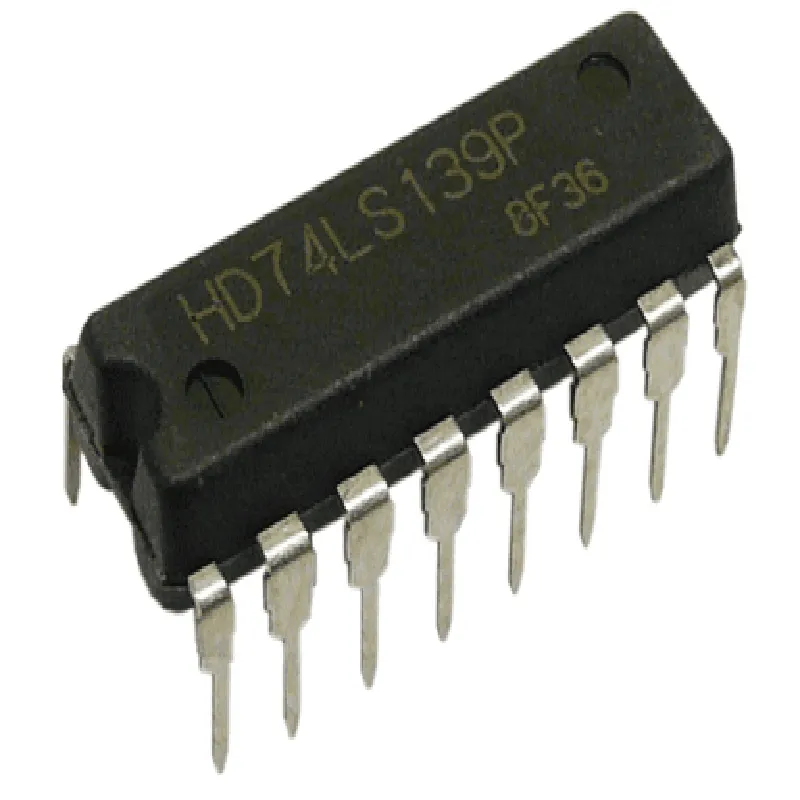
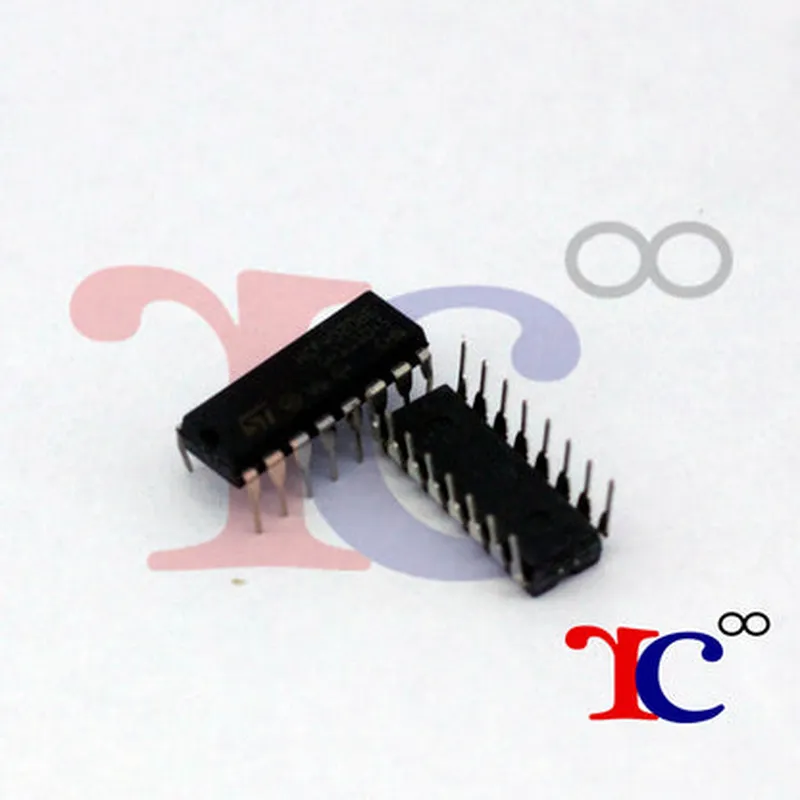
The 74139 is a dual decoder-demultiplexer integrated circuit (IC) that is widely used in digital electronic systems. It is a 16-pin dual in-line package (DIP) device that provides two independent 2-line-to-4-line decoders/demultiplexers.
| The 74139 IC is designed to perform two primary functions |
| The 74139 IC has a 16-pin DIP package with the following pinout |
| Pin Number | Pin Name | Function |
| --- | --- | --- |
| 1 | G1 | Enable Input (Channel 1) |
| 2 | A1 | Input Line A (Channel 1) |
| 3 | B1 | Input Line B (Channel 1) |
| 4 | Y0 | Output Line 0 (Channel 1) |
| 5 | Y1 | Output Line 1 (Channel 1) |
| 6 | Y2 | Output Line 2 (Channel 1) |
| 7 | Y3 | Output Line 3 (Channel 1) |
| 8 | VCC | Positive Supply Voltage |
| 9 | GND | Ground |
| 10 | Y3 | Output Line 3 (Channel 2) |
| 11 | Y2 | Output Line 2 (Channel 2) |
| 12 | Y1 | Output Line 1 (Channel 2) |
| 13 | Y0 | Output Line 0 (Channel 2) |
| 14 | B2 | Input Line B (Channel 2) |
| 15 | A2 | Input Line A (Channel 2) |
| 16 | G2 | Enable Input (Channel 2) |
| The 74139 dual decoder-demux IC is commonly used in various digital systems, including |
Digital multiplexers and demultiplexers
Data routers and switches
Microprocessor-based systems
Digital communication systems
Logic circuits and controllers
The 74139 dual decoder-demux IC is a versatile and widely used component in digital electronic systems. Its dual independent channels, high-speed operation, and low power consumption make it an ideal choice for a variety of applications.
74139 Dual Decoder-Demux IC DocumentationOverviewThe 74139 is a dual decoder-demux IC that can be used to decode binary data and selectively enable one of multiple output lines based on the input code. It is commonly used in digital electronics and microcontroller-based projects for addressing, decoding, and demultiplexing applications.Pinout and Functional DescriptionThe 74139 IC has 16 pins, with the following pinout:Pins 1-4: A, B, C, and D input pins (binary code inputs)
Pins 5-10: O0-O5 output pins (active low)
Pins 11-12: Enable inputs (active low)
Pin 13: VCC (positive power supply)
Pin 14: GND (ground)
Pins 15-16: O6-O7 output pins (active low)The IC operates as follows:When the enable inputs (pins 11 and 12) are low, the IC decodes the binary code input (pins 1-4) and selectively enables one of the output lines (pins 5-10 and 15-16).
The output lines are active low, meaning they are pulled low when the corresponding binary code is input.Code ExamplesExample 1: Basic Decoding and DemultiplexingIn this example, the 74139 IC is used to decode a 2-bit binary code and selectively enable one of four output lines.```c
// Define the input pins
#define A 2 // Pin 2 of Arduino board
#define B 3 // Pin 3 of Arduino board// Define the output pins
#define O0 4 // Pin 4 of Arduino board
#define O1 5 // Pin 5 of Arduino board
#define O2 6 // Pin 6 of Arduino board
#define O3 7 // Pin 7 of Arduino boardvoid setup() {
pinMode(A, INPUT);
pinMode(B, INPUT);
pinMode(O0, OUTPUT);
pinMode(O1, OUTPUT);
pinMode(O2, OUTPUT);
pinMode(O3, OUTPUT);
}void loop() {
int[code = (digitalRead(A) << 1) | digitalRead(B);
switch (code) {
case 0b00:
digitalWrite(O0, LOW);
digitalWrite(O1, HIGH);
digitalWrite(O2, HIGH);
digitalWrite(O3, HIGH);
break;
case 0b01:
digitalWrite(O0, HIGH);
digitalWrite(O1, LOW);
digitalWrite(O2, HIGH);
digitalWrite(O3, HIGH);
break;
case 0b10:
digitalWrite(O0, HIGH);
digitalWrite(O1, HIGH);
digitalWrite(O2, LOW);
digitalWrite(O3, HIGH);
break;
case 0b11:
digitalWrite(O0, HIGH);
digitalWrite(O1, HIGH);
digitalWrite(O2, HIGH);
digitalWrite(O3, LOW);
break;
}
delay(100);
}
```Example 2: Using both Decoders of the 74139 ICIn this example, both decoders of the 74139 IC are used to decode two separate 2-bit binary codes and selectively enable one of eight output lines.```c
// Define the input pins
#define A1 2 // Pin 2 of Arduino board
#define B1 3 // Pin 3 of Arduino board
#define A2 8 // Pin 8 of Arduino board
#define B2 9 // Pin 9 of Arduino board// Define the output pins
#define O0 4 // Pin 4 of Arduino board
#define O1 5 // Pin 5 of Arduino board
#define O2 6 // Pin 6 of Arduino board
#define O3 7 // Pin 7 of Arduino board
#define O4 10 // Pin 10 of Arduino board
#define O5 11 // Pin 11 of Arduino board
#define O6 12 // Pin 12 of Arduino board
#define O7 13 // Pin 13 of Arduino boardvoid setup() {
pinMode(A1, INPUT);
pinMode(B1, INPUT);
pinMode(A2, INPUT);
pinMode(B2, INPUT);
pinMode(O0, OUTPUT);
pinMode(O1, OUTPUT);
pinMode(O2, OUTPUT);
pinMode(O3, OUTPUT);
pinMode(O4, OUTPUT);
pinMode(O5, OUTPUT);
pinMode(O6, OUTPUT);
pinMode(O7, OUTPUT);
}void loop() {
int code1 = (digitalRead(A1) << 1) | digitalRead(B1);
int code2 = (digitalRead(A2) << 1) | digitalRead(B2);
switch (code1) {
case 0b00:
switch (code2) {
case 0b00:
digitalWrite(O0, LOW);
digitalWrite(O1, HIGH);
digitalWrite(O2, HIGH);
digitalWrite(O3, HIGH);
digitalWrite(O4, HIGH);
digitalWrite(O5, HIGH);
digitalWrite(O6, HIGH);
digitalWrite(O7, HIGH);
break;
case 0b01:
digitalWrite(O0, HIGH);
digitalWrite(O1, LOW);
digitalWrite(O2, HIGH);
digitalWrite(O3, HIGH);
digitalWrite(O4, HIGH);
digitalWrite(O5, HIGH);
digitalWrite(O6, HIGH);
digitalWrite(O7, HIGH);
break;
case 0b10:
digitalWrite(O0, HIGH);
digitalWrite(O1, HIGH);
digitalWrite(O2, LOW);
digitalWrite(O3, HIGH);
digitalWrite(O4, HIGH);
digitalWrite(O5, HIGH);
digitalWrite(O6, HIGH);
digitalWrite(O7, HIGH);
break;
case 0b11:
digitalWrite(O0, HIGH);
digitalWrite(O1, HIGH);
digitalWrite(O2, HIGH);
digitalWrite(O3, LOW);
digitalWrite(O4, HIGH);
digitalWrite(O5, HIGH);
digitalWrite(O6, HIGH);
digitalWrite(O7, HIGH);
break;
}
break;
case 0b01:
switch (code2) {
case 0b00:
digitalWrite(O0, HIGH);
digitalWrite(O1, HIGH);
digitalWrite(O2, HIGH);
digitalWrite(O3, HIGH);
digitalWrite(O4, LOW);
digitalWrite(O5, HIGH);
digitalWrite(O6, HIGH);
digitalWrite(O7, HIGH);
break;
case 0b01:
digitalWrite(O0, HIGH);
digitalWrite(O1, HIGH);
digitalWrite(O2, HIGH);
digitalWrite(O3, HIGH);
digitalWrite(O4, HIGH);
digitalWrite(O5, LOW);
digitalWrite(O6, HIGH);
digitalWrite(O7, HIGH);
break;
case 0b10:
digitalWrite(O0, HIGH);
digitalWrite(O1, HIGH);
digitalWrite(O2, HIGH);
digitalWrite(O3, HIGH);
digitalWrite(O4, HIGH);
digitalWrite(O5, HIGH);
digitalWrite(O6, LOW);
digitalWrite(O7, HIGH);
break;
case 0b11:
digitalWrite(O0, HIGH);
digitalWrite(O1, HIGH);
digitalWrite(O2, HIGH);
digitalWrite(O3, HIGH);
digitalWrite(O4, HIGH);
digitalWrite(O5, HIGH);
digitalWrite(O6, HIGH);
digitalWrite(O7, LOW);
break;
}
break;
case 0b10:
switch (code2) {
case 0b00:
digitalWrite(O0, HIGH);
digitalWrite(O1, HIGH);
digitalWrite(O2, HIGH);
digitalWrite(O3, HIGH);
digitalWrite(O4, HIGH);
digitalWrite(O5, HIGH);
digitalWrite(O6, LOW);
digitalWrite(O7, HIGH);
break;
case 0b01:
digitalWrite(O0, HIGH);
digitalWrite(O1, HIGH);
digitalWrite(O2, HIGH);
digitalWrite(O3, HIGH);
digitalWrite(O4, HIGH);
digitalWrite(O5, HIGH);
digitalWrite(O6, HIGH);
digitalWrite(O7, LOW);
break;
case 0b10:
digitalWrite(O0, HIGH);
digitalWrite(O1, HIGH);
digitalWrite(O2, HIGH);
digitalWrite(O3, HIGH);
digitalWrite(O4, HIGH);
digitalWrite(O5, HIGH);
digitalWrite(O6, HIGH);
digitalWrite(O7, HIGH);
break;
case 0b11:
digitalWrite(O0, HIGH);
digitalWrite(O1, HIGH);
digitalWrite(O2, HIGH);
digitalWrite(O3, HIGH);
digitalWrite(O4, HIGH);
digitalWrite(O5, HIGH);
digitalWrite(O6, HIGH);
digitalWrite(O7, HIGH);
break;
}
break;
case 0b11:
switch (code2) {
case 0b00:
digitalWrite(O0, HIGH);
digitalWrite(O1, HIGH);
digitalWrite(O2, HIGH);
digitalWrite(O3, HIGH);
digitalWrite(O4, HIGH);
digitalWrite(O5, HIGH);
digitalWrite(O6, HIGH);
digitalWrite(O7, LOW);
break;
case 0b01:
digitalWrite(O0, HIGH);
digitalWrite(O1, HIGH);
digitalWrite(O2, HIGH);
digitalWrite(O3, HIGH);
digitalWrite(O4, HIGH);
digitalWrite(O5, HIGH);
digitalWrite(O6, HIGH);
digitalWrite(O7, HIGH);
break;
case 0b10:
digitalWrite(O0, HIGH);
digitalWrite(O1, HIGH);
digitalWrite(O2, HIGH);
digitalWrite(O3, HIGH);
digitalWrite(O4, HIGH);
digitalWrite(O5, HIGH);
digitalWrite(O6, HIGH);
digitalWrite(O7, HIGH);
break;
case 0b11:
digitalWrite(O0, HIGH);
digitalWrite(O1, HIGH);
digitalWrite(O2, HIGH);
digitalWrite(O3, HIGH);
digitalWrite(O4, HIGH);
digitalWrite(O5, HIGH);
digitalWrite(O6, HIGH);
digitalWrite(O7, HIGH);
break;
}
break;
}
delay(100);
}
```Note: The above code examples are written in Arduino syntax and are for illustrative purposes only. The actual implementation may vary depending on the specific application and microcontroller used.